List of posts related to text-to-speech software|Free online read text aloud app "Ondoku"
![Daily Chinese Conversation Phrases & How to Create Original Audio Materials [With Audio]](https://storage.googleapis.com/ondoku3/image/chinese_930.webp)
Learn Chinese daily conversation with audio. Discover how to create custom study materials with Ondoku to boost your language learning efficiency. Read more
![[Major Update] More Languages and Speakers Added](https://storage.googleapis.com/ondoku3/image/newsletter_930.webp)
Major Update: Ondoku now supports 81 languages and regions and 692 speakers. Access more dialects and high-quality voices with our latest expansion. Read more

Listen to Ondoku Korean voice samples. Choose from male and female voices for narration, business training, presentations, and study. Read more

Preview Ondoku's Chinese voices. Choose Mandarin or Cantonese. Use native male, female, and child voices to perfect your pronunciation and listening. Read more
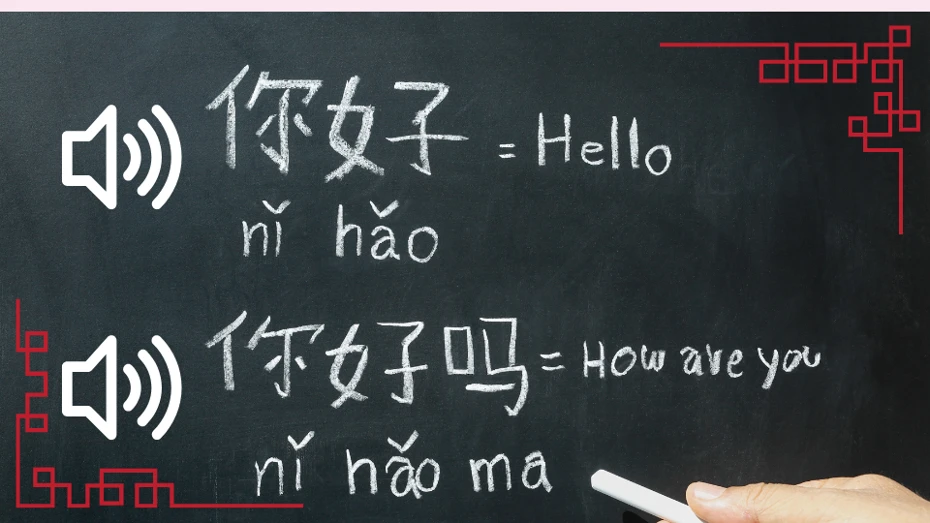
Ondoku reads aloud and downloads Chinese or Pinyin text. Use your phone to hear pronunciation from photos instantly. Essential for Chinese learners. Read more

When having an AI voice read Romaji, it often does not pronounce it as expected. There are two methods to get Romaji or coined English words to be pronounced correctly. Use Japanese voice. Use Phonics. Read more

Easily create foreign language audio with AI. No need for fluent speakers, meetings, or microphones. Streamline training and instructions with Ondoku. Read more

Explore specific Ondoku use cases. Learn how to use it for narration, work, study, books, broadcasting, and products. Read more

Business emails can also be created easily and efficiently by utilizing AI. This explains how to write business emails using ChatGPT. How to write business emails with ChatGPT Log in to ChatGPT Enter the business email prompt in the message input field an Read more
![[Free and Easy] How to have a voice conversation with ChatGPT! Settings and usage for PC and smartphone](https://storage.googleapis.com/ondoku3/image/voice_chat_with_ChatGPT_930.webp)
We will introduce how to have voice conversations with ChatGPT for two scenarios: PC and smartphone/tablet. We only introduce methods that are easy and free to use! Read more