English Slow Reading Site with Native Pronunciation [Free MP3 Downloads]
Best Site for Pinyin Text-to-Speech & Downloads: A Must for Chinese Learners
Aug. 28, 2026
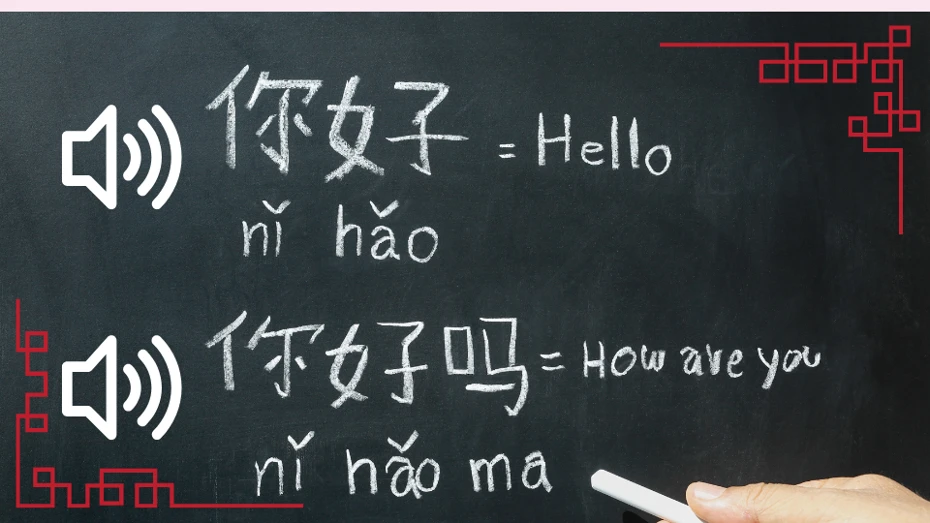
One of the hurdles in learning Chinese is the pronunciation of "pinyin."
Pinyin pronunciation has a different phonological system compared to other languages, so learners often find it difficult.

I wish I could listen to pinyin audio easily. I wish I could listen to it repeatedly on my smartphone.
I will introduce a recommended site that can make those wishes come true.
How to have pinyin notation read aloud
- Chinese pronunciation
- Pinyin pronunciation
- Take a photo of a Chinese textbook, upload the photo, and have it pronounced
There is a site that can do all that.
A site where you can read aloud and download both Chinese script and pinyin notation sentences
That is Ondoku!
With Ondoku, you can easily read aloud and download Chinese.
Using a smartphone, you can also have Chinese pronounced from a photo taken on the spot.
The "read aloud from image" feature is highly recommended as it allows you to instantly know the Chinese pronunciation even for textbooks or texts without audio.
With Ondoku, you can easily read aloud both pinyin notation and Chinese script with just one click. Downloading is also easy with one click.

If you are studying Chinese, this is a convenient site you must know about.
How to use Ondoku
First, I will introduce how to convert Chinese or pinyin text into audio.
1. Access the Ondoku website

Japanese Text-to-Speech Software | Ondoku
The text-to-speech software Ondoku can read aloud up to 5,000 characters for free. In addition, paid plans allow for up to 1 million characters per month. Text read aloud with high-quality audio can be downloaded as an audio file (.mp3) and used for commercial purposes.
You can access it freely from any device that can connect to the internet, such as a computer, smartphone, or tablet.

2. Enter text
Enter the text you want to read aloud into the text box.
You can enter text in various languages such as Chinese, pinyin, Japanese, English, and more.
3. Configure settings like language
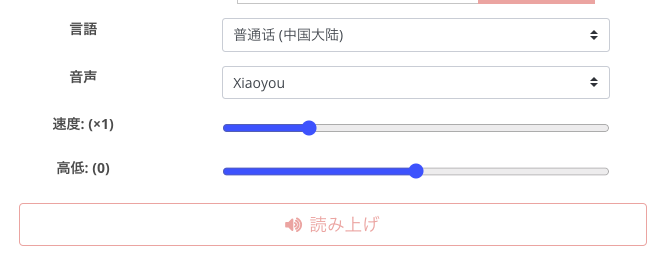
Select the language you want to read aloud from the language selection field.
Here, select "Mandarin (Mainland China)."
For "Voice," you can choose from many types such as female or male. Each has its own reading style, so please find your favorite voice.
Voices that are good at reading pinyin notation are:
- Xiaoxiao
- Xiaoyou
- Yunyang
For Chinese script, my impression is that all voices pronounce it well.
You can also set the speed, so if it feels too fast, you can slow it down.
You can listen to samples of Chinese read-aloud audio in this article! Please take a look.

For pronunciation checks and listening in Chinese learning! Listen to native pronunciation by 40 speakers, including female, male, and girl voices
Here, you can listen to Ondoku's Chinese voices. You can choose from regional languages such as Simplified Chinese (Mandarin), Cantonese, and Traditional Chinese (Taiwanese Mandarin). Voices include female, male, girl, and boy voices.
4. Click the "Read Aloud" button
After completing the settings, click the "Read Aloud" button. Then, the entered text will be read aloud in a few seconds.
5. Download audio
You can download the audio that was read aloud.
Click the download button to download the audio file, which you can play later or move to another device.
How to have text pronounced from an image
Next, I will introduce how to have Chinese pronounced from a photo taken on the spot, such as a textbook, via video.
* The video below auto-plays, so if you want to watch from the beginning, please return the playback bar to the start.
1. Open Ondoku on your smartphone
Access Ondoku on a device that can take photos on the spot, such as a smartphone or tablet.
Japanese Text-to-Speech Software | Ondoku
The text-to-speech software Ondoku can read aloud up to 5,000 characters for free. In addition, paid plans allow for up to 1 million characters per month. Text read aloud with high-quality audio can be downloaded as an audio file (.mp3) and used for commercial purposes.
2. Click the Image tab
Please click the Image tab on the TOP page.
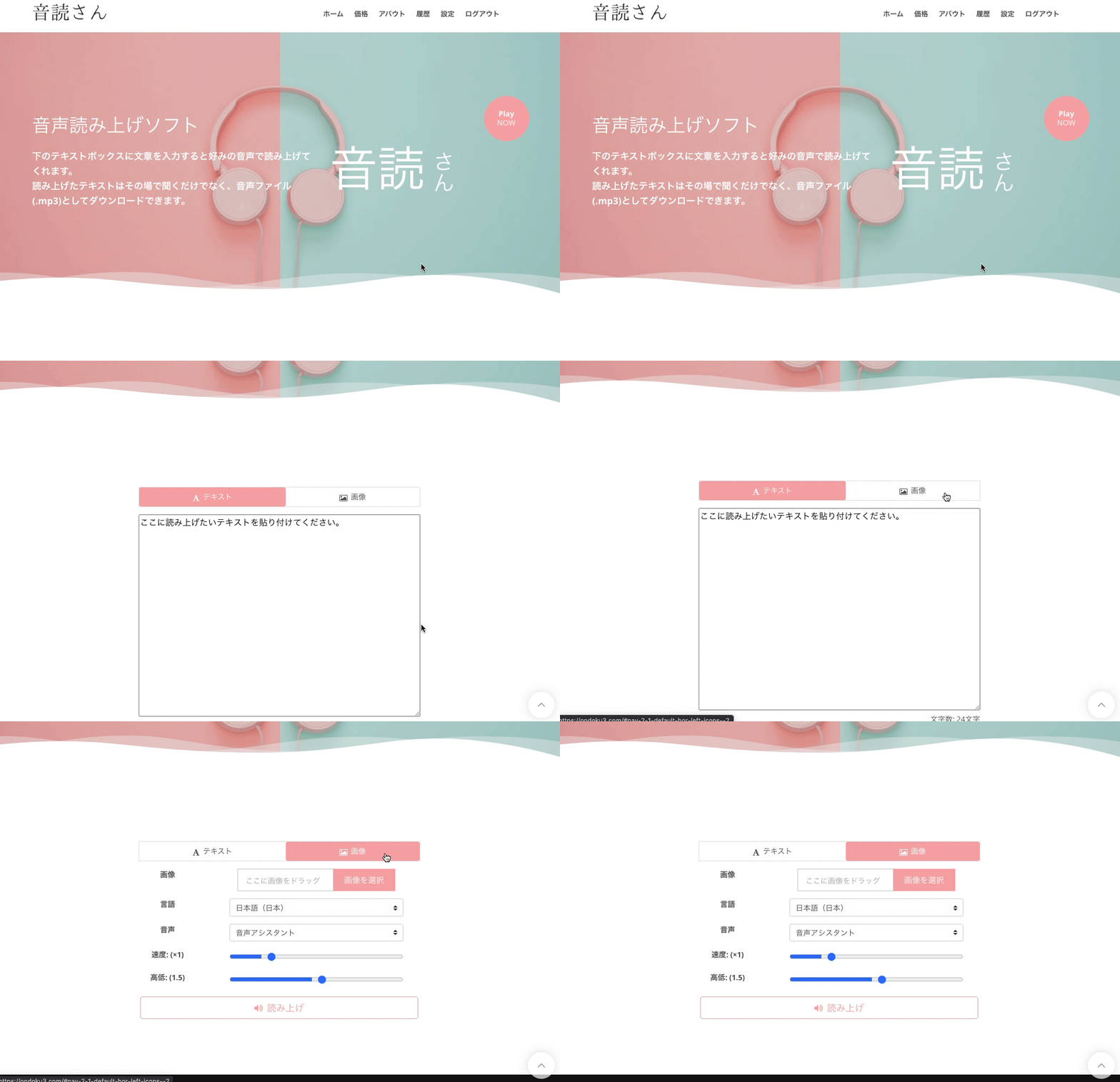
3. Take a photo or select an image containing the text you want to read aloud
Click "Select Image" and either:
- Take a photo on the spot
- Select the necessary photo from your photo folder
Choose the photo you want to convert to audio.
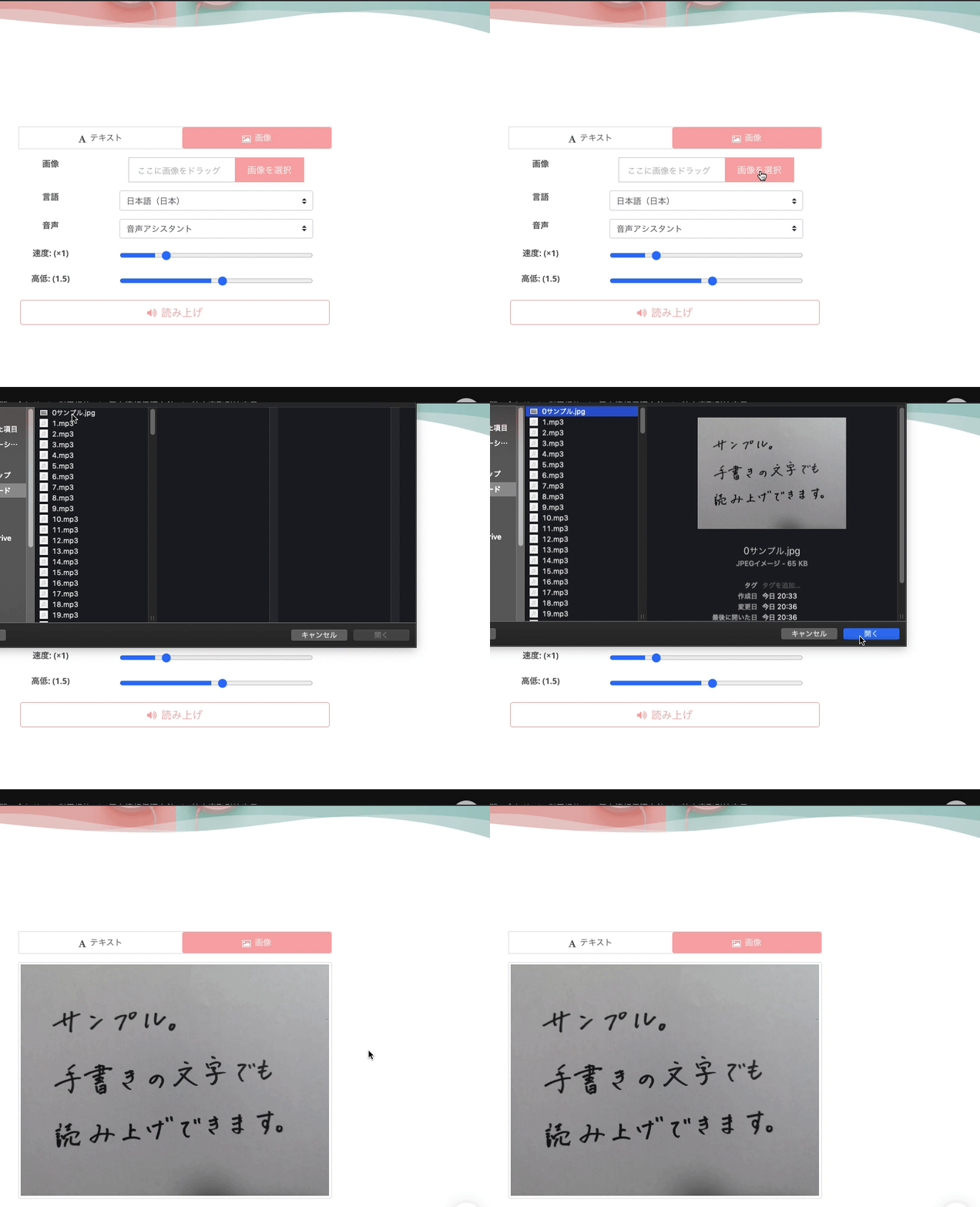
4. Configure settings like language
Select the language you want to read aloud from the language selection field.
Here, select "Mandarin (Mainland China)."
For "Voice," you can choose from many types such as female or male. Since there are different reading habits, please find your favorite voice.
For Chinese script, my impression is that all voices pronounce it well.
You can also set the speed, so if it feels too fast, you can slow it down.
5. Click the Read Aloud button
After completing the settings, click the "Read Aloud" button. Then, the entered text will be read aloud in a few seconds.
6. Download audio
You can download the audio that was read aloud.
Click the download button to download the audio file, which you can play later or move to another device.
Ondoku is perfect for Chinese language learning
Ondoku is a very strong ally for those studying Chinese.
It is also attractive that Ondoku can be used for 5,000 characters per month for free.
Of course, if you want to study more, you can purchase a capacity of 200,000 characters for 1,078 yen (tax included) per month to have more content pronounced.
Recommended feature
The image-to-audio feature is especially recommended.
By using the image-to-audio feature, you can easily have Chinese pronounced without having to write it yourself.
It is perfect for when:
You don't know the Chinese pronunciation in a textbook
You understand the meaning when it's read to you, but don't understand when it's written
Images can be either photos or screenshots.
Supported file formats are JPEG and PNG.
PDF format is not supported, so if you want to have a PDF pronounced, please take a screenshot before uploading.
This article provides a detailed explanation of the image-to-speech feature!

How to use Image-to-Speech | How to use free OCR to turn photo text into audio
Explaining the features of Ondoku, which can read text from images and photos (OCR) and read it aloud. It can be used for free. Whether on PC or smartphone, reading aloud is completed in just a few seconds simply by uploading an image.
Also recommended for Chinese speaking practice!
Ondoku is also recommended for Chinese speaking practice!
This article explains Chinese example sentences and recommended practice methods, so please take a look as well!
![[2026 Edition] Chinese Reading Aloud Study Method! Thorough explanation of recommended sites, apps, example texts, and how to use them](https://storage.googleapis.com/ondoku3/image/20250129_chinese_ondoku_tmb_930.webp)
[2026 Edition] Chinese Reading Aloud Study Method! Thorough explanation of recommended sites, apps, example texts, and how to use them
Solving the problem of being able to read kanji but not pronounce them! Carefully selected sites and apps recommended for reading Chinese aloud. Explaining how to use the free Ondoku, tips for acquiring native-level pronunciation, and example texts.
![Chinese Daily Conversation Scenario Examples for Immediate Use & How to Create Original Audio Materials [with Pronunciation Audio]](https://storage.googleapis.com/ondoku3/image/chinese_930.webp)
Chinese Daily Conversation Scenario Examples for Immediate Use & How to Create Original Audio Materials [with Pronunciation Audio]
Introducing Chinese daily conversations with audio materials. Furthermore, we will also show you how to create your own original audio materials to help with your learning.
Pronounce & download pinyin to listen repeatedly
Audio created with Ondoku can be downloaded.
What is very important in studying foreign language pronunciation is listening repeatedly, practicing the same pronunciation, and transcribing sentences by listening to the sounds.
Make effective use of files downloaded from Ondoku to assist your Chinese language learning.
■ AI voice synthesis software "Ondoku"
"Ondoku" is an online text-to-speech tool that can be used with no initial costs.
- Supports 81 languages and regions, including Japanese, English, Chinese, Korean, Spanish, French, and German
- Available from both PC and smartphone
- Suitable for business, education, entertainment, etc.
- No installation required, can be used immediately from your browser
- Supports reading from images
To use it, simply enter text or upload a file on the site. A natural-sounding audio file will be generated within seconds. You can use voice synthesis up to 5,000 characters for free, so please give it a try.

Text-to-speech software "Ondoku" can read out 5000 characters every month with AI voice for free.
You can easily download MP3s and commercial use is also possible.
If you sign up for free, you can convert up to 5,000 characters per month for free from text to speech.
Try Ondoku now.
HP:
ondoku3.com
Email: ondoku3.com@gmail.com
Email: ondoku3.com@gmail.com
Related posts
"Ondoku" is a Text-to-Speech service that anyone can use for free without installation. If you register for free, you can get up to 5000 characters for free each month. Register now for free
- What is Ondoku
- Start text-to-speech conversion
- Free registration
- Pricing
- Posts
- Try other free services














