Best Text-to-Speech Software: 7 Free & Paid Tools for Commercial Use
What is Free Text-to-Speech Software? 7 Best Free Tools and Sites
Sept. 27, 2026

Can I use reading software for free? I want to know about free software!

We will explain in detail about free reading software (text-to-speech software) that you can use for free.
Actually, the number of people using free reading software has been increasing recently.
By using reading software (text-to-speech software), you can easily add audio to videos for YouTube, Instagram, TikTok, and more.
In the past, text read by computers had unnatural pronunciation and intonation, but now, the latest AI can synthesize natural-sounding audio without any awkwardness!
Moreover, there are many high-performance reading software programs that can be used for free.
In this article, we will introduce recommended free reading software in detail.
From individual video creators to those who want to use text-to-speech software for work, why not try out our recommended reading software?
[Free] Recommended Free Reading Software
For those looking for free reading software (text-to-speech software), there is a free text-reading method we recommend.
That is "Ondoku".
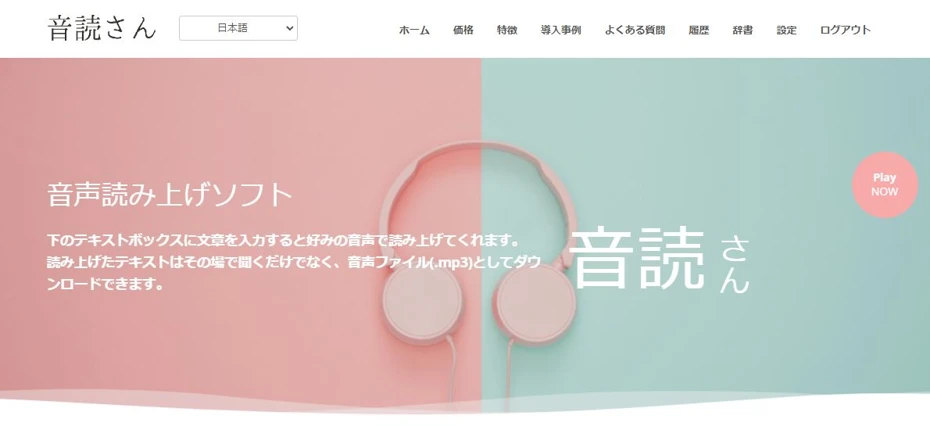
Ondoku is a reading service that can read text in a natural voice using the latest AI.
As a reading software (reading service) used through a web browser, it can be used from any environment, including PC, smartphone, or tablet.
With no tedious installation required, you can download high-quality reading audio immediately!
What's more, Ondoku can be used for free!
Registration and login are also unnecessary, so you can use it immediately whenever you think, "I want reading audio!"
If you are looking for reading software (text-to-speech software), why not start by using Ondoku from here?
What is Reading Software (Text-to-Speech Software)?
First, we will explain what kind of software reading software (text-to-speech software) is.
Features of Reading Software (Text-to-Speech Software)

Reading software (text-to-speech software) refers to software that reads text input on a computer or smartphone and synthesizes audio to read it aloud like a human voice.
Software for reading text has existed for a long time, but previously it was only possible to synthesize unnatural voices.
However, with the advancement of AI, it is now possible to read text in a natural voice that sounds just like an actual person speaking.
There are several reading software options available for free, so you can easily try them out at no cost.
Types of Reading Software (Text-to-Speech Software)
Free reading software includes:
- Software used from a web browser (Web services)
- Software used by installing
Software used from a web browser (web services) can be used immediately as there is no installation effort required.
Also, because reading software used from a web browser performs processing on a computer on the web (the cloud), you can easily use the latest AI even if you don't have a high-performance computer.
[Browser Compatible] 7 Selected No-Installation Reading Software Programs: Usage and Recommended Services Introduction
We explain how to read aloud from a web browser without installation. We also introduce services that allow reading for free.
In the case of software that requires installation, a high-performance PC is needed to comfortably synthesize audio with AI.
Advantages of Using Reading Software (Text-to-Speech Software)
The biggest advantage of using free reading software (text-to-speech software) is that anyone can easily synthesize high-quality reading audio for free.
Anyone Can Synthesize Easy-to-Listen-to Audio

In TV programs, have you ever found it difficult to hear the voices of general people being interviewed compared to announcers?
Actually, for people who have never studied narration, announcing, or theater, recording easy-to-hear audio is very difficult.

You'll understand if you try recording with your smartphone
In such cases, by using free reading software (text-to-speech software), anyone can immediately synthesize professional-level, easy-to-hear audio for free.
It is also recommended for those who feel "embarrassed to upload videos read by themselves."
No Editing Effort Required

When you read text yourself, you may make mistakes, necessitating editing.
Audio editing is actually a very time-consuming task.
It is common for it to take one hour to edit 10 minutes of audio.
With reading software (text-to-speech software), such effort is unnecessary.
Because AI reads it, there are no misreadings or stutters!
By using free reading software (text-to-speech software), you can drastically reduce the effort involved in making videos.
[Free] 7 Recommended Reading Software (Text-to-Speech Software) Available for Free
Well then, what kind of reading software should I use?
For those looking for free reading methods, we will introduce recommended reading software and web services that can be used for free!
1. Ondoku
The web service recommended for those looking for a free reading software (text-to-speech software) is Ondoku.
Ondoku is a service that can read text with audio that sounds just like a real human using the latest AI.
As it is a service used from a web browser, tedious installation is unnecessary.
You can read text from here right now.
Reading/Text-to-Speech Service Available for Free
The biggest feature of Ondoku is that it can be used for free.
Registration and login are unnecessary, and you can read up to 1,000 characters for free every month.
Furthermore, if you register your email address, you will be able to read up to 5,000 characters for free every month.
High Performance Despite Being Free!
Ondoku is a free reading/text-to-speech service, yet it is highly functional!
You can choose from 16 types of Japanese voices.

Listen to 16 types of voices from the text-to-speech software Ondoku for free. Change impressions with pitch variations.
Ondoku has 16 types of Japanese voices. Of course, both male and female voices are available. We have made it possible to listen to 8 commonly used Japanese voices and their sounds when adjusted for pitch.
Moreover, despite being free, it is possible to use multiple voices simultaneously to read like a conversation!

How to use the conversation/dialogue function of Ondoku. Make listening materials and long text creation more convenient with speech synthesis!
How to use Ondoku's conversation function! Explaining the usage of the conversation function with images. We will introduce specific examples of what uses the conversation function can be applied to.
Supports Foreign Languages
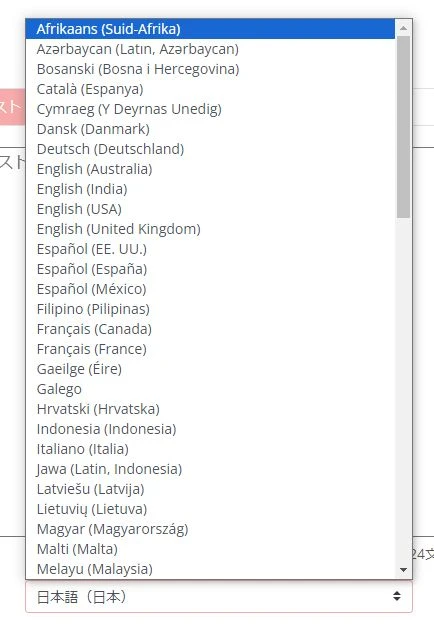
Furthermore, unlike other free reading software (text-to-speech software), it can read languages other than Japanese.
Supporting 81 languages and regions including Japanese, it is easy to create foreign language videos and upload them to YouTube.

[Ondoku] Listen to the types of voices and sample audio for supported languages
Here we will introduce the supported languages and sample audio of Ondoku.
Commercial Use is OK, of course!
Ondoku is, of course, OK for commercial use!
From personal use to corporate use, you can widely utilize high-quality reading audio.
*Credit is not required with paid plans!

What you can do with Ondoku. About commercial use (business use) and prohibited items.
Commercial use (business use) is possible with Ondoku. Use for the purpose of obtaining direct or indirect monetary or other profits, regardless of whether you are an individual or a corporation, is commercial use. However, please note that prohibited acts are established in Ondoku. This time, what can and cannot be done with Ondoku...
Why not try using high-quality reading audio for free?
If you are looking for free reading software (text-to-speech software), we recommend Ondoku first.
Why not start by experiencing actual reading with your own text from here?
2. Bouyomi-chan
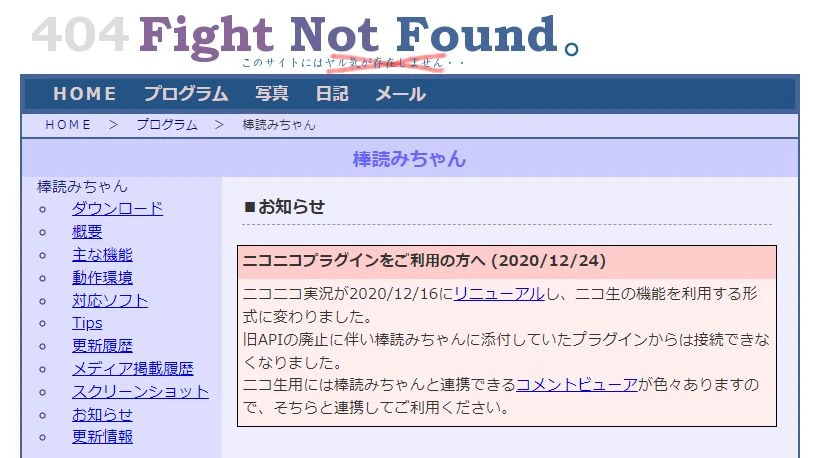
Bouyomi-chan is a reading software available for free.
It has been famous for a long time as a free text-to-speech software and has been used for various purposes.
Recently, it is also famous as the voice for "Yukkuri commentary" and "Yukkuri videos."
Bouyomi-chan uses the speech synthesis library "AquesTalk."
Because it uses an older version of "AquesTalk," it is available for commercial use for free.
Since it is an old software, it lacks realism, but...
- When you want to use a voice with a unique character
- When you want to use it in situations like game streaming where PC specs are limited
...it is a free software that still has its place in niche situations like these.

[2026 Latest] 6 Recommended Yukkuri Voice/Bouyomi Software Programs | Complete Comparison of PC and Smartphone Apps
Introducing carefully selected Yukkuri Voice/Bouyomi software ideal for video production and game commentary. From PC to smartphone, we explain how anyone can easily create high-quality audio with the latest 2026 apps.
3. SofTalk

SofTalk is also a free reading software (text-to-speech software) that has been famous for a long time.
Previously, SofTalk could also use "AquesTalk" (the Yukkuri video voice), but support has ended in the version currently being distributed.
The SofTalk software itself is available for commercial use, but since it uses external sound sources, you need to check the terms of use for the sound source when using it commercially.
4. CoeFont
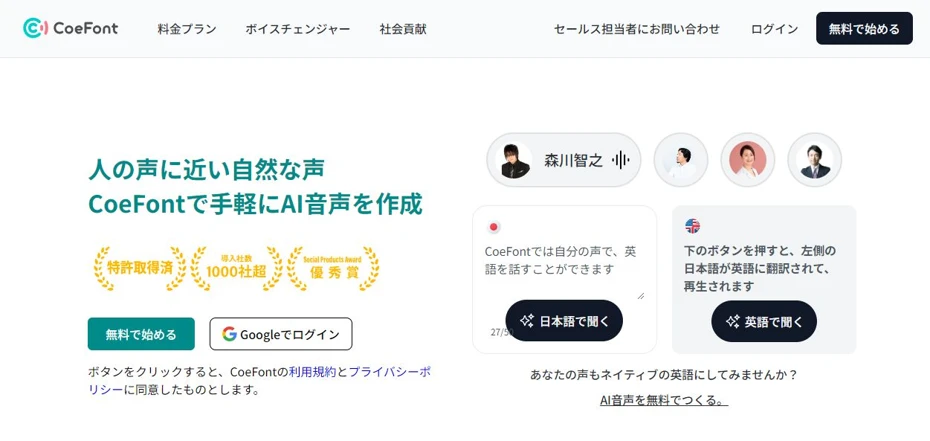
CoeFont is a reading tool (text-to-speech tool) that uses AI.
It is a tool used from a web browser and can be used for free for non-commercial use.
Login is required even for free use.
A paid plan contract is required for commercial use.
Also, separate from the regular plans, a plan for those who may lose their voice due to illness or surgery is provided for free.
5. VOICEVOX
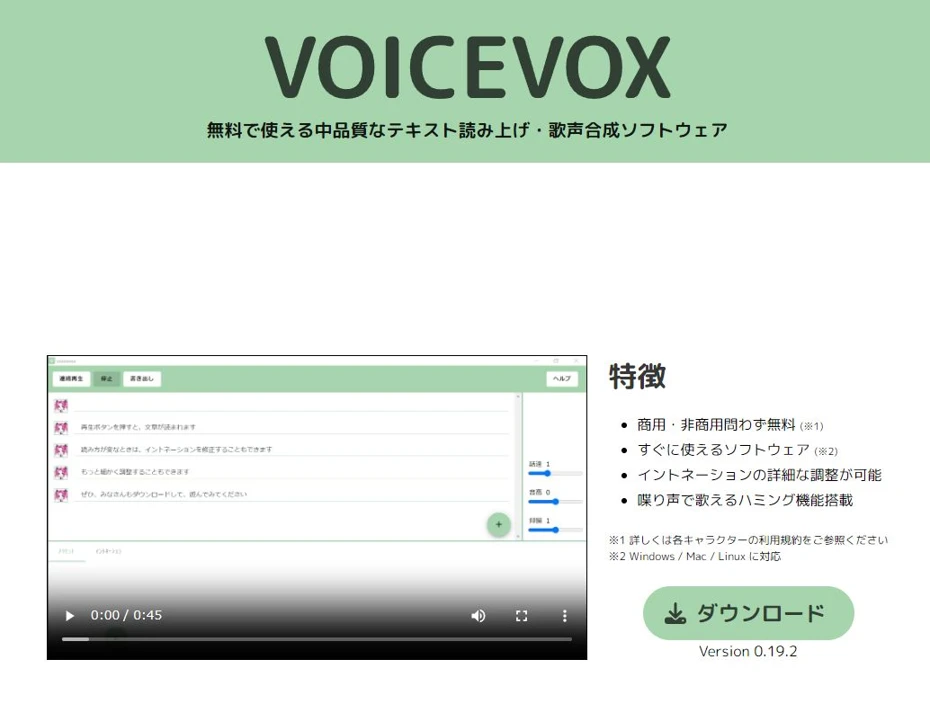
VOICEVOX is a reading software (text-to-speech software) used by installing it on a PC.
It is compatible with Windows and Mac.
A feature is that characters are prepared for each voice, and you can also use the voices of famous characters like "Zundamon" or "Kasukabe Tsumugi."
The VOICEVOX software itself can be used for free, but since licenses differ for each character, caution is necessary, especially for commercial use.
*For example, if you use characters such as "Zundamon," "Kasukabe Tsumugi," or "Shikoku Metan" for commercial purposes without credit, a usage fee of 400,000 yen (excluding tax) will be incurred per character.

Complete Guide on How to Use VOICEVOX! Detailed explanation from the features of free AI speech synthesis software to commercial use.
Detailed explanation from the features of VOICEVOX to usage and precautions during commercial use. A complete guide to the free AI speech synthesis software that can read aloud with voices of popular characters like Zundamon.
6. COEIROINK

COEIROINK is also a reading software (text-to-speech software) used by installing it on a PC.
It primarily targets creative purposes such as fiction and can be used for free.
In addition to official and authorized characters provided for each voice, users can also load and use their own created voice models called "MYCOE."
It can be used for free, but credit notation is mandatory.
Also, in addition to COEIROINK's terms of use, caution is required as it is necessary to follow the terms of use for each individual character.

What is COEIROINK? A thorough explanation of the features, usage, and commercial use of speech synthesis software.
Complete guide to the features and usage of COEIROINK. Detailed explanation from how to install the speech synthesis software to adding character voices and precautions for commercial use.
7. Textalk
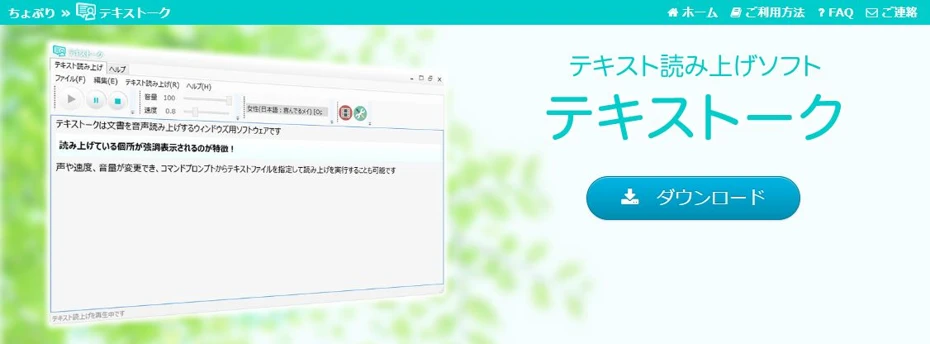
Textalk is a reading software (text-to-speech software) compatible with Windows.
It is a free software that can be used for free, and it supports the free speech synthesis engine OpenJTalk and Microsoft Haruka Desktop which comes with Windows.
It can be used without installation simply by extracting the zip file.
Because the speech synthesis engine it uses is old, there is a slight sense of awkwardness compared to recent reading software, but the appeal is its ease of use.
■ AI voice synthesis software "Ondoku"
"Ondoku" is an online text-to-speech tool that can be used with no initial costs.
- Supports 81 languages and regions, including Japanese, English, Chinese, Korean, Spanish, French, and German
- Available from both PC and smartphone
- Suitable for business, education, entertainment, etc.
- No installation required, can be used immediately from your browser
- Supports reading from images
To use it, simply enter text or upload a file on the site. A natural-sounding audio file will be generated within seconds. You can use voice synthesis up to 5,000 characters for free, so please give it a try.

Text-to-speech software "Ondoku" can read out 5000 characters every month with AI voice for free.
You can easily download MP3s and commercial use is also possible.
If you sign up for free, you can convert up to 5,000 characters per month for free from text to speech.
Try Ondoku now.
HP:
ondoku3.com
Email: ondoku3.com@gmail.com
Email: ondoku3.com@gmail.com
Related posts
"Ondoku" is a Text-to-Speech service that anyone can use for free without installation. If you register for free, you can get up to 5000 characters for free each month. Register now for free
- What is Ondoku
- Start text-to-speech conversion
- Free registration
- Pricing
- Posts
- Try other free services














