Recommended Text-to-Speech Software Summary: 7 Selections for Commercial Use [Free and Paid]
How to Set Up Two-Factor Authentication for Ondoku | Procedures for Enabling and Disabling Explained with Images
April 1, 2026
Thank you for always using Ondoku.
In order to protect your important data more securely, we have introduced a Two-Step Verification feature.
What is Two-Step Verification?
Two-Step Verification is a security feature that prevents unauthorized access by third parties by requiring you to enter a confirmation code sent to your smartphone or other device, in addition to your password.
Even in the unlikely event that your password is leaked, your account can still be protected.
How to Enable the Two-Step Verification Feature for Ondoku
Enabling the Two-Step Verification feature for Ondoku is very easy.
It can be completed in about one minute from the settings page.
1. Open the Ondoku Settings Page
First, open the Ondoku settings page.
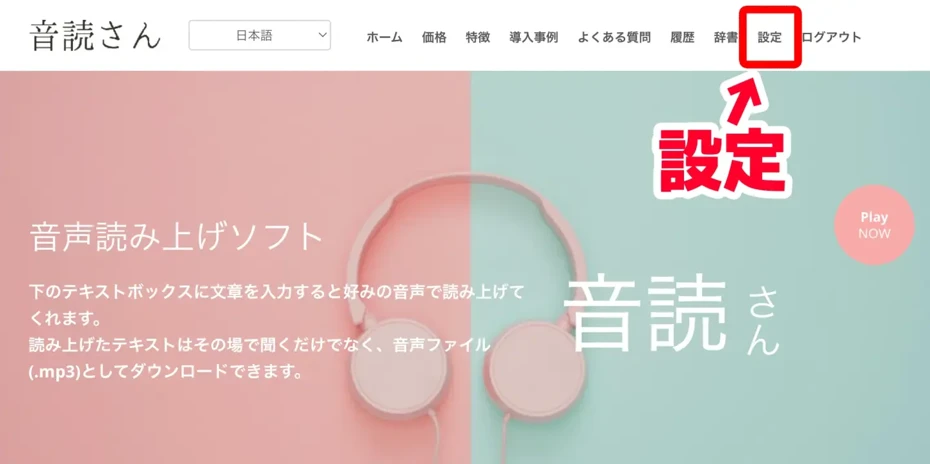
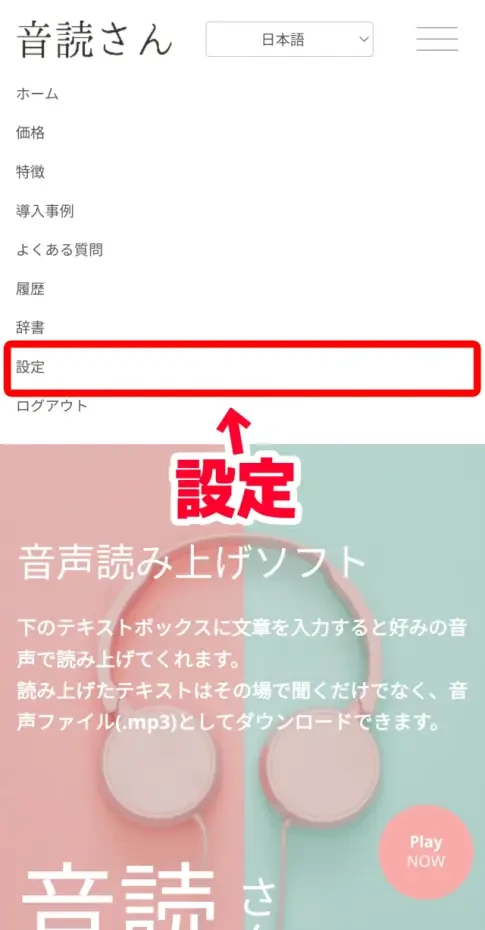
The settings page can be opened from "Settings" in the menu.
For PC
For iPhone (iOS) and Android smartphones
This is the settings page when opened.
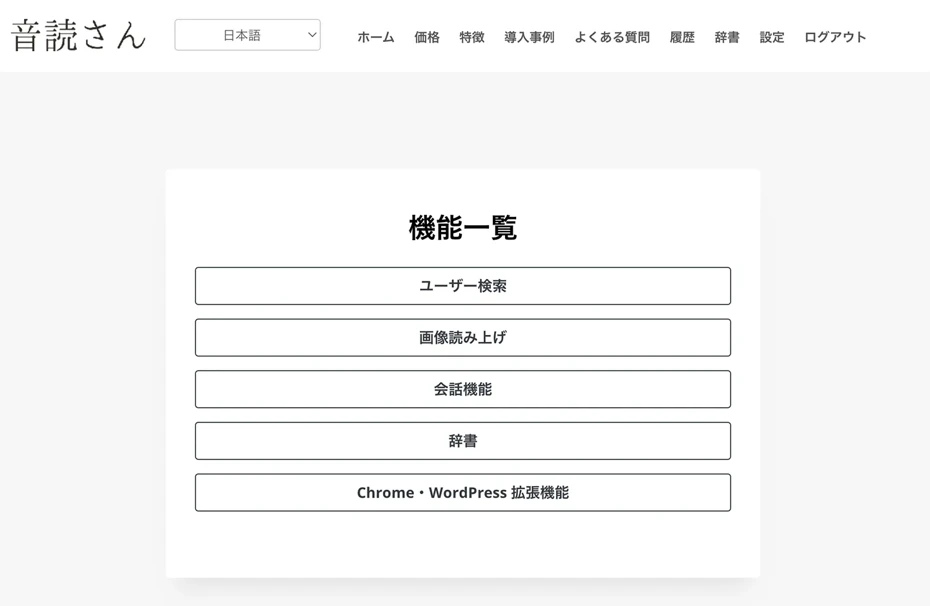
Scrolling down the settings page, you will find the "Two-Step Verification" item under "Security".
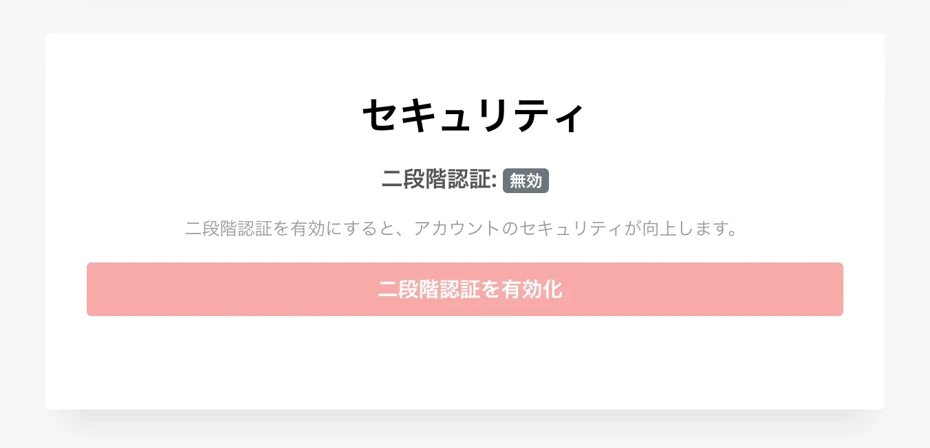
Clicking the "Enable Two-Step Verification" button will open the "Enable Two-Step Verification" screen.
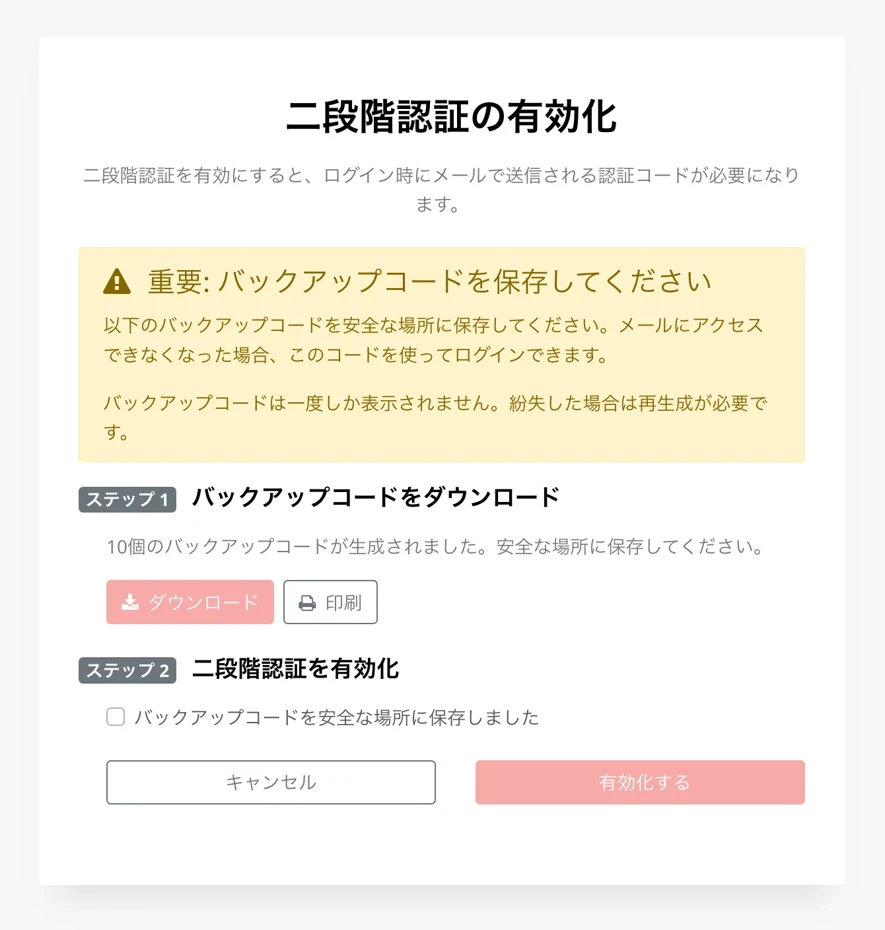
2. [Important] Download Backup Codes
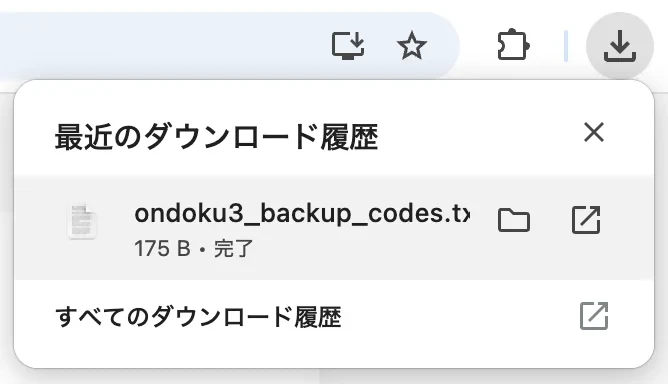
Once the "Enable Two-Step Verification" screen opens, first download your "Backup Codes".
Backup codes are codes used for logging in if you lose access to your email address.
These backup codes are only displayed once.
If lost, they will need to be regenerated.
Please note that if you lose access to both your email address and your backup codes, you will be unable to log in to Ondoku!

Once you have downloaded and stored your backup codes in a safe place, check the confirmation message.
3. Enable Two-Step Verification
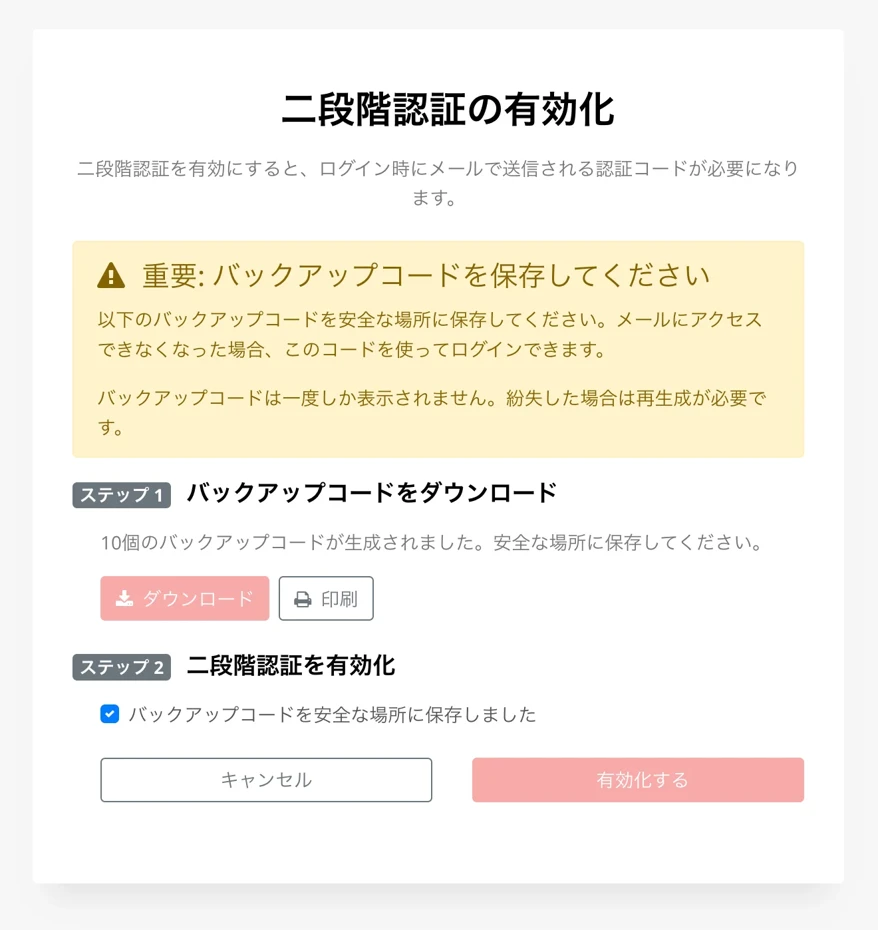
Clicking "Enable" will activate Two-Step Verification.
The screen will change and display "Two-Step Verification has been enabled."
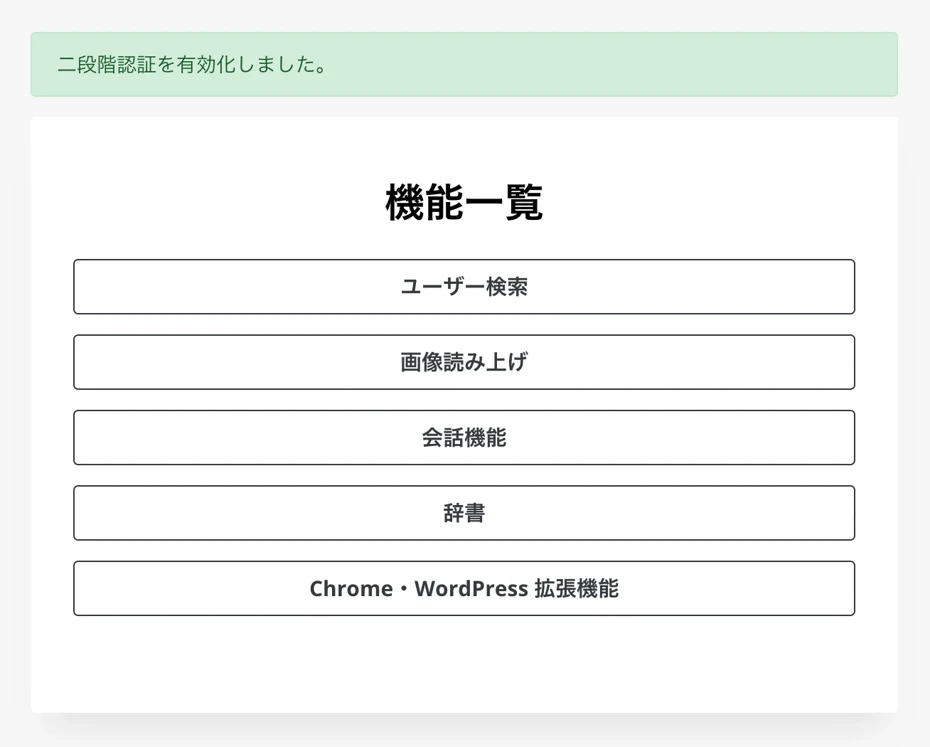
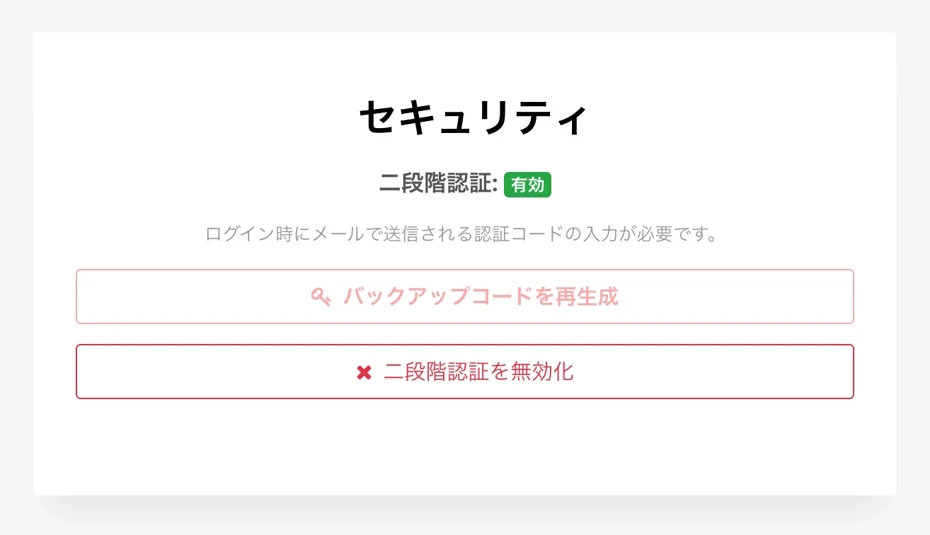
You can check the status of your Two-Step Verification settings on the settings screen.
If enabled, it will be displayed as "Two-Step Verification: Enabled".
How to Log In Using Two-Step Verification
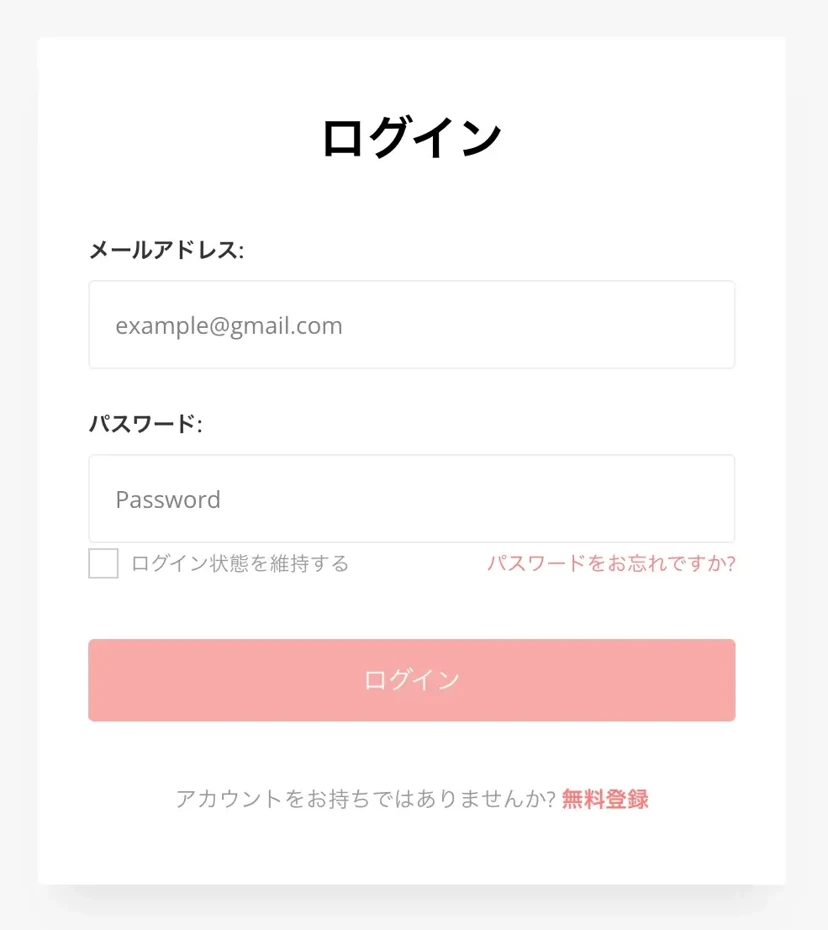
To log in using Ondoku's Two-Step Verification, first enter your email address and password and click "Login."
Then, the Two-Step Verification screen will open as shown.
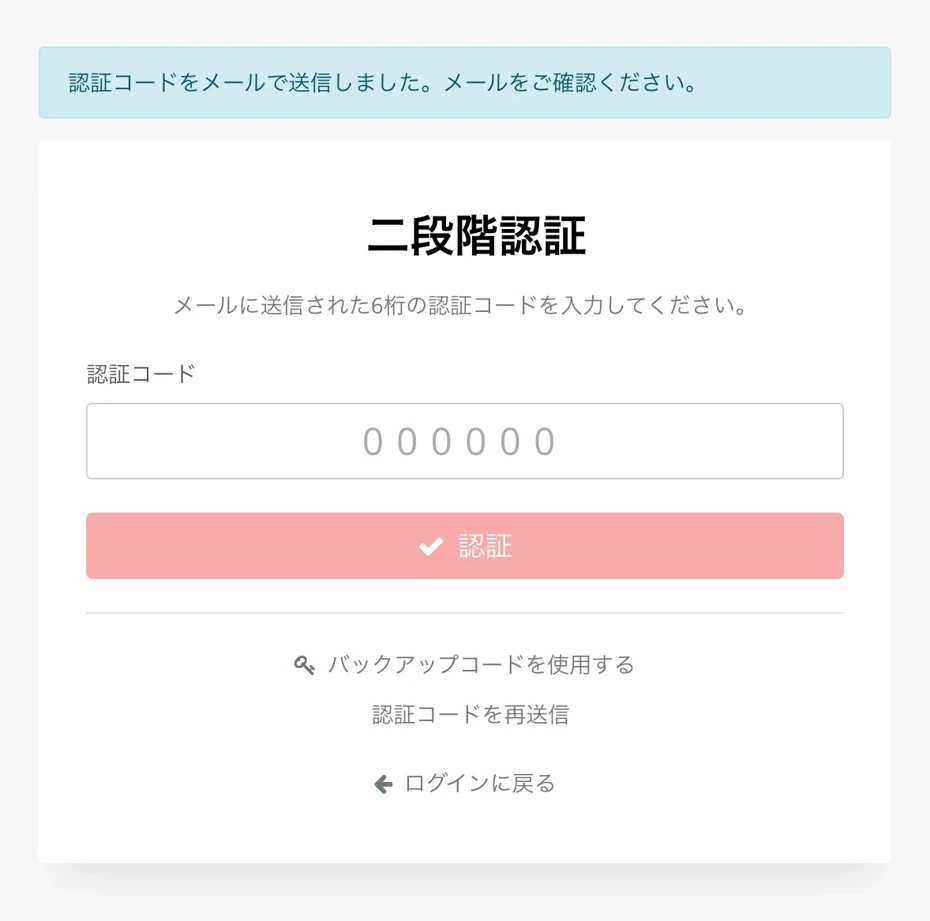
A Two-Step Verification code will be sent to the email address you use for logging in.
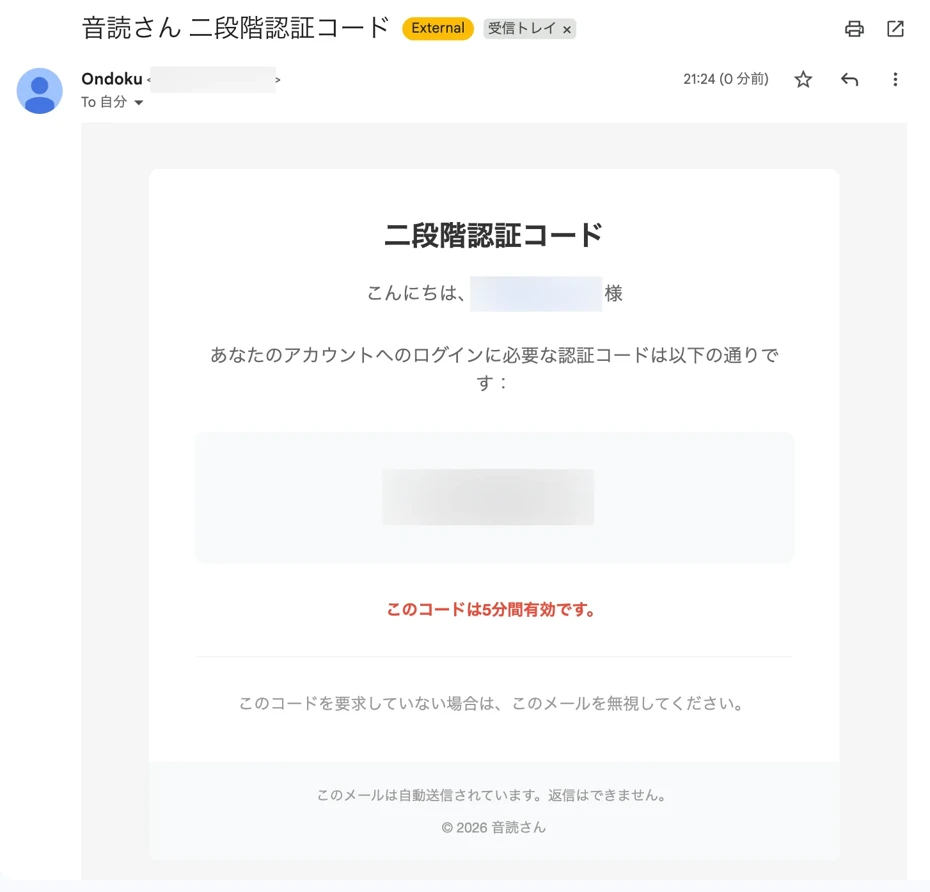
Enter the Two-Step Verification code and click "Verify" to log in.
※The Two-Step Verification code is valid for 5 minutes.
How to Disable Ondoku's Two-Step Verification
Two-Step Verification can be disabled via "Disable Two-Step Verification" on the Ondoku "Settings" page.
※We highly recommend using Two-Step Verification to increase the security of your account.
Clicking "Disable Two-Step Verification" will open a confirmation screen.
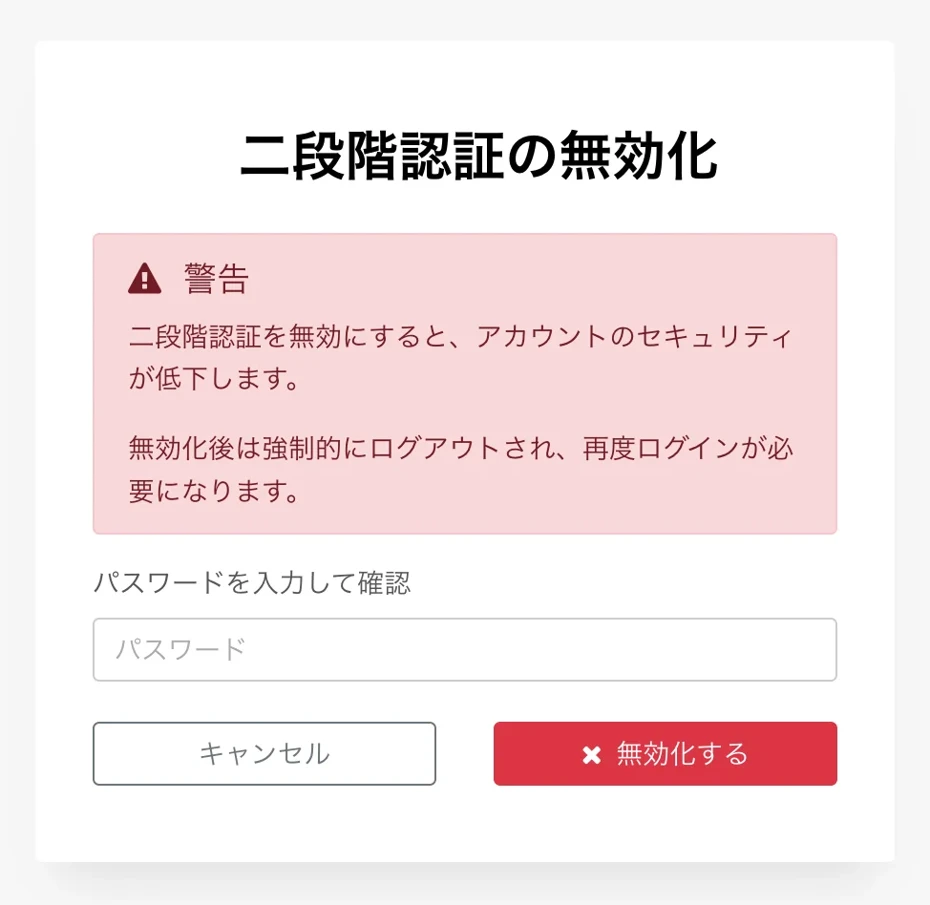
Entering your password on this screen will disable Two-Step Verification.
※Disabling Two-Step Verification will force a logout, and you will need to log in again.
Please Use Ondoku's Two-Step Verification Settings
As you can see, Two-Step Verification for Ondoku can be set up easily.
To enhance your account's security, we strongly recommend setting up Two-Step Verification.
We explain Ondoku's security measures in detail in this article. Please take a look.

We will continue to strive for stronger security so that you can keep using Ondoku as the best text-to-speech software for you.
■ AI voice synthesis software "Ondoku"
"Ondoku" is an online text-to-speech tool that can be used with no initial costs.
- Supports approximately 50 languages, including Japanese, English, Chinese, Korean, Spanish, French, and German
- Available from both PC and smartphone
- Suitable for business, education, entertainment, etc.
- No installation required, can be used immediately from your browser
- Supports reading from images
To use it, simply enter text or upload a file on the site. A natural-sounding audio file will be generated within seconds. You can use voice synthesis up to 5,000 characters for free, so please give it a try.

Text-to-speech software "Ondoku" can read out 5000 characters every month with AI voice for free.
You can easily download MP3s and commercial use is also possible.
If you sign up for free, you can convert up to 5,000 characters per month for free from text to speech.
Try Ondoku now.
HP:
ondoku3.com
Email: ondoku3.com@gmail.com
Email: ondoku3.com@gmail.com
Related posts
"Ondoku" is a Text-to-Speech service that anyone can use for free without installation. If you register for free, you can get up to 5000 characters for free each month. Register now for free
- What is Ondoku
- Start text-to-speech conversion
- Free registration
- Pricing
- Posts
- Try other free services














