
![[Voice Tuning] Thorough explanation of new AI voice reading styles. More human-like emotional expression and acting are now possible for free! | Text-to-speech software Ondoku](https://storage.googleapis.com/ondoku3/image/advanced-tts-voice-style_ja_tmb_930.webp)
![[Complete Guide] How to do English shadowing? Explaining how to create free teaching materials! | Text-to-speech software Ondoku](https://storage.googleapis.com/ondoku3/image/20250522_shadowing_tmb_02_930.webp)
Best Text-to-Speech Software: 7 Free & Paid Tools for Commercial Use
Free German Text-to-Speech! Best for Pronunciation & Learning
Aug. 28, 2026
When practicing German speaking, listening, or pronunciation, have you ever experienced these kinds of troubles?
- As a beginner, I don't know where to break up long compound nouns or where to place the accent.
- Since I am self-taught, I cannot properly pronounce German-specific sounds like umlauts (ä, ö, ü), Eszett (ß), or "ch."
- It is a hassle to look for the audio files that come with my textbook.
German is a language where words tend to be long and have a unique intonation.

I wish I could just look at the text and instantly know the correct way to read it.
You probably think that quite often, don't you?
Actually, there is a convenient site that can solve these German learning problems!
- You can play native audio just by pasting German text from your smartphone.
- Even when typing special characters like umlauts is a hassle, you can just upload an image or photo of the text, and it will read the characters and convert them to speech.
Equipped with convenient functions perfect for language study, even self-taught learners and beginners can rapidly improve their German pronunciation and speaking!
For your future German studies, we recommend using text-to-speech sites and apps.
Why not use this article as a reference and experience a new way of learning German for yourself?
Recommended Free Text-to-Speech Site for Learning German Pronunciation [OK for Beginners and Self-Taught Learners]

If you want to practice German pronunciation and speaking, we recommend Ondoku!
Ondoku is an AI text-to-speech site that reads aloud original German texts you prepare or phrases from reference books in a native speaker's pronunciation.
It is easy to use; just copy and paste the German text you want to read.
No special app installation is required.
Plus, Ondoku can be used for free!
It is also recommended for beginners and self-taught learners.
First, why not experience the natural German voice of Ondoku for yourself?
[Free] How to Use Ondoku's German AI Text-to-Speech (Supports Long Texts)
Using the free web app Ondoku is very simple.
- Access the Ondoku site
- Select "Deutsch (Deutschland)" (German) from the language list
- Copy and paste or type your German text into the text box
- Click the read aloud button
With just these steps, it will read the German text in a native speaker's pronunciation.
The read-aloud audio file can be downloaded as an MP3 file.
If you download it to your smartphone, you can listen to it repeatedly using an app at any time, allowing you to practice German listening during your commute or in your spare time.
Plus, Ondoku can be used for free.
- Without free registration: 1,000 characters
- With free registration: 5,000 characters
Since you can read aloud such a large number of characters, long texts are no problem.
It can also be used by beginners to check the pronunciation of words they don't know.
First, why not try reading aloud a German text you're interested in for free on Ondoku?
Create Diverse German AI Voices for Free with the Ondoku App
Ondoku offers many types of German voices.
A variety of female and male voice qualities are available, so you can have the text read in a voice that matches your learning objectives or one that is pleasing to your ears.
Furthermore, on Ondoku's new text-to-speech site, you can even specify the reading style freely!
- Acting
- Age
- Emotion
- Dialect
You can now create audio with a wider range of reading styles.
Let's listen to the German AI voices on the Ondoku site
Let's compare the different German voices of Ondoku.
The German phrase we will read this time is:
Hallo, ich bin Ondoku. Meine Stimme ist jetzt noch natürlicher und menschlicher geworden!
The audio is so realistic you can almost hear the breath sounds, so please give it a listen.
Female: 12 types
Anna: Female voice
Chloe: Female voice
Ellis: Female voice
Emma: Female voice
Flora: Female voice
Iris: Female voice
Lena: Female voice
Luna: Female voice
Misa: Female voice
Ruby: Female voice
Sophie: Female voice
Tina: Female voice
Male: 13 types
Ash: Male voice
Chris: Male voice
Eden: Male voice
Gray: Male voice
Hope: Male voice
Hugo: Male voice
Kai: Male voice
Leo: Male voice
Noah: Male voice
Reid: Male voice
Roy: Male voice
Sam: Male voice
Yann: Male voice
As you can hear, Ondoku's German audio is
Is this really a generated voice? Isn't someone actually speaking?

of such high quality that you might wonder if it's real.
You can create audio that is very easy to understand and perfect for learning.
The voices introduced here are multilingual and support languages from all over the world in addition to German!
You can find more detailed information in this article, so please take a look.
The Ondoku site can also read German text from images (photos)
When you want to read aloud text from a textbook, typing umlauts like ä, ö, ü or the ß (Eszett) on a keyboard can be difficult.
Especially with long texts, inputting everything can take a lot of time.
The AI app Ondoku is also equipped with an image/photo reading function that eliminates the need for such tedious work.
- Access the Ondoku site
- Click the "Image" tab
- Upload an image (photo) containing the German text you want to read
- Click the read aloud button
With just these steps, it will recognize the German from the image or photo and read it aloud with a native voice.
It is very convenient when you don't know how to read a word while studying on your own.
It's a very useful feature, so why not take a photo of a German book you have on hand and try reading it from the image?

How to use image reading | How to use free OCR to turn text in photos into audio
Explaining Ondoku's feature that can recognize text from images and photos (OCR) and read it aloud. It is free to use. On both PC and smartphone, reading is completed in just a few seconds by simply uploading an image.
Accurately supports long sentences and German-specific alphabets and pronunciation rules
In German, very long compound nouns made by joining multiple words appear frequently.
When trying to read them yourself, you might hesitate on where to break the pronunciation or lose the rhythm.
Ondoku can accurately read aloud such long words and pronunciation rules unique to German.
Even if you input long texts such as news articles or technical books, it will read with a natural intonation down to the verb at the end of the sentence according to the context, making it clear where to take a breath and how to apply inflection.
It is a very reliable feature when you have looked up a word in the dictionary but can't quite imagine how it should sound or be read.
Supports dialects and regional pronunciations!
On Ondoku's new text-to-speech site, by directly instructing the reading style, it is also possible to read in German dialects or regional pronunciations.
For example, in this case, the text is read with a Bavarian pronunciation.
Instructions: Lies auf Bayerisch, fröhlich.
Servus beinand, i bin da Ondoku! Mei Stimm klingt jetzt pfeilgrad wia von am echtn Menschen, is des ned a Wahnsinn?
Adjust speed for fast reading & slow, deliberate reading
Because German has consecutive consonants, it is often difficult to pronounce them correctly or catch them by ear.
When listening to audio created with Ondoku, it's okay if you think:
- I want it to be pronounced a bit more slowly
- Is there a slow-motion playback?
Ondoku allows you to change the speed of the audio.

Just by moving the reading speed slider:
- Move it to the left to make it slower
- Move it to the right to make it faster
By adjusting it this way, you can read German at a speed that is easy for you to hear.
The audio remains in its native pronunciation and can be downloaded as an MP3 file.
Slow reading with Ondoku's new "Reading Style" feature
When you want the text read slowly on Ondoku's new text-to-speech site, you can also give direct instructions via the reading style.
By providing instructions in German in the reading style field, such as:
Langsam lesen. (Please read slowly)
you can have the input German text read slowly.
Please also see this article on how to instruct reading styles with Ondoku's new AI voice.
Is the German pronunciation of the free AI app Ondoku really like a native speaker's?
When it comes to AI voices, you might wonder if they can correctly read the powerful rhythm of German, the "R" sound produced in the back of the throat, or the fricative "ch" sound.
Of course, they can!
The German voices of the AI app Ondoku can read with pronunciation that is exactly like a native speaker's, to the extent that people are often surprised and say, "It sounds just like a German person actually speaking."
It is perfect for German learning for self-taught students and beginners.
Why not try studying German by utilizing a text-to-speech site?
Until now, it was very difficult to know the exact pronunciation, reading, and phrasing of German texts.
But from now on, by using a text-to-speech site, anyone can easily learn the native German pronunciation!
We recommend downloading audio you want to hear repeatedly so that you can listen to it anytime, anywhere on a smartphone app.
It is also perfect for learning German through "shadowing," where you pronounce the words immediately after hearing them.
Why not try reading the German text you want to know the pronunciation of using the text-to-speech site Ondoku, which can be used for free?
AI text-to-speech sites are recommended for learning German effectively through reading aloud
From here, we will introduce more German learning methods using Ondoku.
Why is reading aloud recommended for German learning? From pronunciation and reading to listening
In German learning, do you ever find that:
I understand the grammar and word meanings, but when it comes to actually speaking, I get stuck on long words and have trouble finding my voice.
If so, we recommend reading German aloud using a free AI text-to-speech site.
By reading German aloud, you can rapidly improve your listening and speaking skills!
Of course, it is also highly effective for improving pronunciation and reinforcing vocabulary.
By knowing the correct methods and tips and putting them into practice, it is possible to dramatically improve your German proficiency.
What effects does incorporating reading aloud into German study have? OK even for self-study.
Reading German aloud has more learning benefits than you might imagine.
First, the most obvious is the improvement of pronunciation and reading.
By reading German aloud, you can experience the movement of your mouth and the position of your tongue.
Correct pronunciation will gradually become second nature.
Umlauts and consonant clusters that many learners find difficult will become naturally pronounceable as you repeat the reading aloud.
Reading aloud also has a significant effect on improving listening skills.
In language study, you can hear the sounds that you yourself can pronounce.
By acquiring the correct rhythm and pronunciation through reading aloud, you will be able to understand a native speaker's German even when self-studying.
By using both sight and hearing, it is possible to firmly acquire various German vocabulary, such as nouns with complex genders.
What are the points for reading German aloud effectively? Start slowly at first.
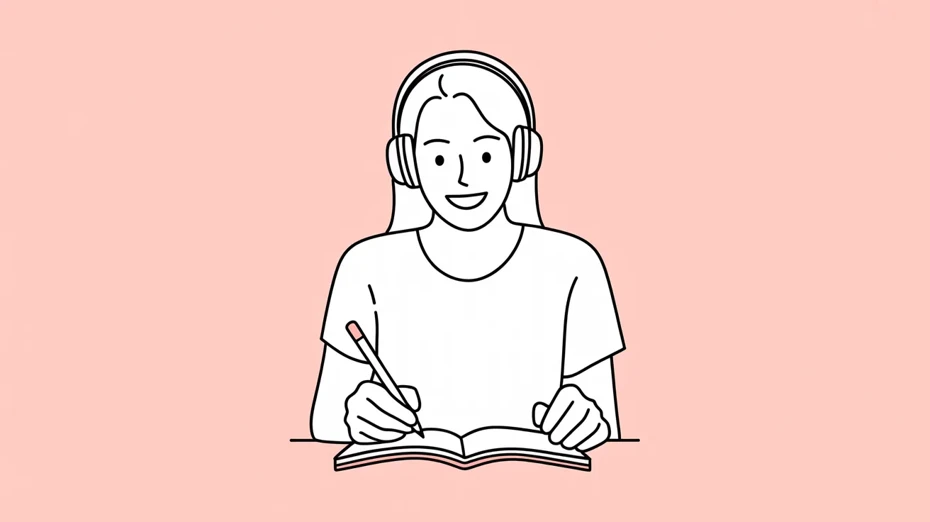
To maximize the benefits of reading aloud in your German studies, there are several important points.
First, it is crucial to refer to German audio with correct pronunciation.
Continuing to read aloud with incorrect pronunciation will not be effective.
We recommend creating native German pronunciation audio with Ondoku to acquire accurate pronunciation.
Starting at a slow speed and gradually increasing it is also a good method.
Beginners should progress through reading aloud practice in stages. Points for reading.
To effectively advance your reading aloud study of German, it is also important to level up in stages.
For beginners, first try starting by reading aloud slowly while looking at both the German text and listening to the audio.
Once you get used to it, try reading the German aloud relying only on the audio.
As you improve further, try challenging yourself with "shadowing," where you read aloud almost simultaneously while listening to the audio.
Regarding sentence length, the key is to start with short sentences and gradually practice longer ones.
Recording your own reading aloud on a smartphone app and comparing it with the model audio is also recommended.
[Free] Let's create German teaching materials with the Ondoku AI app!
![[Free] Let's create German teaching materials with the Ondoku AI app!](https://storage.googleapis.com/ondoku3/image/recommend-site-for-studying-german_003_930.webp)
To learn German effectively by reading aloud, choosing appropriate German texts is very important.
We recommend generating audio using the free AI app Ondoku.
[Supports long sentences!] Why the Ondoku site is recommended for language study
With the latest AI text-to-speech site Ondoku, you can easily create materials for study at any time.
The greatest advantage is that you can hear accurate native pronunciation at any time. You can have any text you like read aloud with a natural pronunciation.
Being able to adjust the reading speed is also a huge benefit. Ondoku can slow down the playback speed, making it perfect for beginners learning German.
What kind of German sentences should I use for reading aloud materials? Transcribing from images and photos.
Since Ondoku can freely read aloud content you want to study, you can create materials tailored to your individual learning goals.
You can take photos of textbooks or books and transcribe the text from images, so you can:
- Use sentences with casual expressions if you want to learn daily conversation
- Use long-form reading comprehension texts if you want to prepare for Goethe-Institut exams
- Read aloud related articles if you are interested in German culture or history
Try reading aloud German according to your purpose.
For beginners, it is recommended to start with simple greetings or short phrases.
Starting with short sentences and gradually challenging yourself with longer ones is also effective.
Why not learn German with the Ondoku AI text-to-speech app?
Reading German aloud is an effective learning method that can comprehensively improve your German skills, including pronunciation, listening, speaking, and reading comprehension.
For future language learning, we recommend utilizing high-quality AI text-to-speech sites.
Even beginners and self-taught learners can rapidly improve their pronunciation, speaking, and listening.
Why not start your German reading aloud study today using Ondoku for free?
■ AI voice synthesis software "Ondoku"
"Ondoku" is an online text-to-speech tool that can be used with no initial costs.
- Supports 81 languages and regions, including Japanese, English, Chinese, Korean, Spanish, French, and German
- Available from both PC and smartphone
- Suitable for business, education, entertainment, etc.
- No installation required, can be used immediately from your browser
- Supports reading from images
To use it, simply enter text or upload a file on the site. A natural-sounding audio file will be generated within seconds. You can use voice synthesis up to 5,000 characters for free, so please give it a try.

Text-to-speech software "Ondoku" can read out 5000 characters every month with AI voice for free.
You can easily download MP3s and commercial use is also possible.
If you sign up for free, you can convert up to 5,000 characters per month for free from text to speech.
Try Ondoku now.
HP:
ondoku3.com
Email: ondoku3.com@gmail.com
Email: ondoku3.com@gmail.com
Related posts
"Ondoku" is a Text-to-Speech service that anyone can use for free without installation. If you register for free, you can get up to 5000 characters for free each month. Register now for free
- What is Ondoku
- Start text-to-speech conversion
- Free registration
- Pricing
- Posts
- Try other free services














