Advantages and Disadvantages of Using Text-to-Speech Software for Proofreading and Review
What are the advantages and disadvantages of using text-to-speech software in online classes?
Jan. 26, 2026
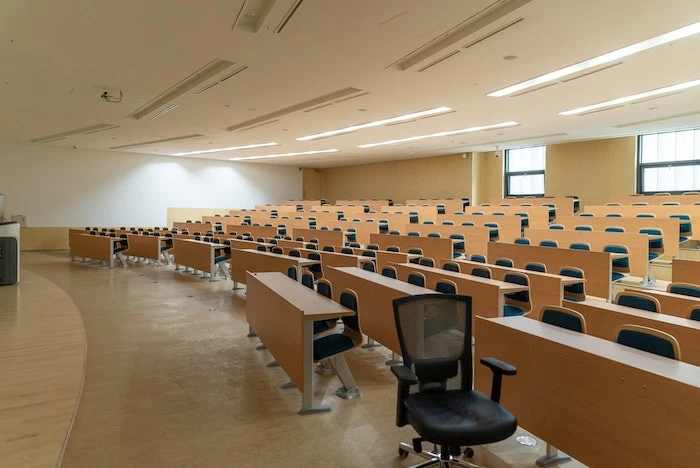
Due to the influence of the new coronavirus, the number of schools adopting online classes has gradually increased (this blog post was published in January 2021).
"How to create online classes" has become a major burden for teachers.
In the first place,
- preparing for class,
- conducting the class
requires a considerable amount of effort on its own.
In addition to that, a new format of teaching called "online classes," which is different from before, has emerged.
Concerns for teachers are constantly increasing, such as "How can I keep students focused?" and "Can I ensure they learn properly through a screen?"
What are the challenges of online classes?
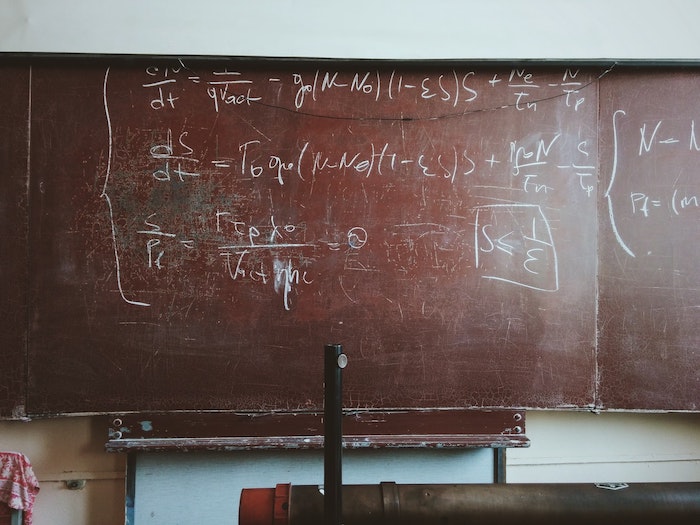
When teachers create video teaching materials for online classes, they often make videos that proceed as usual, such as recording themselves writing on a blackboard.
However, if you conduct a class in the same way in an environment across a screen that is different from usual,
- The voice is too quiet and hard to hear
- The teacher's articulation sounds worse than usual
- The voice quality doesn't translate well through a screen, making it hard to hear and difficult to maintain focus
problems different from conventional face-to-face classes will occur.
Recommended solutions for online class narration

In an environment different from previous face-to-face classes, teachers are using various methods to solve these challenges as much as possible.
One of those methods is using text-to-speech software.
By using text-to-speech software for narration, you no longer have to worry about your "voice," allowing you to concentrate solely on the actual creation of the lesson.
It's funny that a professor with a voice like the voice actor for Oshiri Kajiri Mushi is using text-to-speech software for online classes.
— Monsoro (@solomon2695) April 20, 2020
Since everyone's voice is different,
- Naturally hard to project the voice
- Voice quality is not suitable for videos
it is not uncommon.
To solve such problems, it seems that teachers are quickly incorporating text-to-speech software into their online classes.
Benefits of using text-to-speech software in online classes
The other day, this opinion appeared on Twitter.
A teacher who used text-to-speech software for lecture videos was very dedicated to their work...
"Videos that are extremely difficult to watch"
"Shocked by the low level of completion"
"The version with speech software... is definitely better" pic.twitter.com/vLeREzI4VM— Saito (@dLdcecyc7JEUDFu) May 17, 2020
The image portion says the following:
Actually, at first, I was making videos showing my face and using my own voice.
However,
- Poor articulation,
- Frequent slips of the tongue,
- Unstable speaking tempo and volume,
- Frequent noisy verbal habits like "um" and "uh,"
- The video became very difficult to watch for these reasons.
I'm not an announcer, so it can't be helped, but I was shocked by the low level of completion.
With practice, the narration might become pleasant, but by the time I get used to it, the lecture series might be over.
For these reasons, I decided to introduce speech software.
I am confident that even those who expressed discomfort in the survey would definitely think the speech software version is better if they watched the original live-voice video.
For the phrases read by the speech software, I control each one's:
- Accent,
- Intonation,
- Timing,
- Speed,
- Volume,
- Voice quality,
- Emotion, etc.
I'm not used to the software yet, but I think the "unnatural feeling" will gradually improve, so I hope you can be patient for a while.
I will consider "showing my face" while referring to opinions in future surveys.
As you can see, text-to-speech software has great benefits for use in classes.
Teachers' job is to teach; they are not professional video creators like YouTubers.
Since they haven't been trained in video production, it's difficult to suddenly try to speak with clear articulation like a professional announcer.
In that regard, with text-to-speech software, all you need to do is prepare a script and let the software read it.
Re-doing it is also easy.
Disadvantages of using text-to-speech software in online classes.

However, some opinions regarding disadvantages can also be heard.
According to an opinion on Twitter,
I don't have much resistance to online classes, but classes using text-to-speech software are honestly tough...
It's a subject I'm already bad at, and the content doesn't enter my head at all.— Yuki Watanabe (@EmZJvAQzQNHiRfT) April 23, 2020
As such, some people seem to have the impression that it's difficult to concentrate.
In this regard, it might be important for those providing text-to-speech software to improve it so that it reads more like a human.
Also, in the case of free text-to-speech software, you may only be able to use voices that are hard to hear and difficult to concentrate on.
The voice tone commonly referred to as "Yukkuri" is a voice for which there are pros and cons regarding its ease of listening.
If the audio is hard to hear, it certainly becomes difficult to concentrate.
Although it costs a little money, with paid text-to-speech software, it is relatively easy to make it read human-like.
Some software also allows you to add emotion to the reading style.
Using that kind of text-to-speech software might be one option.
Since then, AI text-to-speech software has improved rapidly!
Additionally, time has passed since this article was first written, and the situation has changed significantly.
AI text-to-speech technology has improved rapidly, and even with free text-to-speech software and services, it is now possible to read aloud with a voice that sounds just like a real human.
Ondoku is one of them.

Ondoku is easy for anyone to use, and you can download voices that are as easy to hear as a professional announcer's for free.
Online classes continue to be widely conducted even after the new coronavirus.
If you are struggling with narration for online classes, why not try Ondoku?
The New Normal and Online Classes.
It is said that once the current turmoil caused by the new coronavirus subsides, "a new daily life called the 'New Normal' will begin."
In the future, it is possible that online classes will become a matter of course in society.
Preparing and being ready for that now is one way to protect yourself.
Ondoku, one of the text-to-speech software options, is here to help you.
It can be used for free, so please give it a try.
We look forward to seeing you.
■ AI voice synthesis software "Ondoku"
"Ondoku" is an online text-to-speech tool that can be used with no initial costs.
- Supports 81 languages and regions, including Japanese, English, Chinese, Korean, Spanish, French, and German
- Available from both PC and smartphone
- Suitable for business, education, entertainment, etc.
- No installation required, can be used immediately from your browser
- Supports reading from images
To use it, simply enter text or upload a file on the site. A natural-sounding audio file will be generated within seconds. You can use voice synthesis up to 5,000 characters for free, so please give it a try.

Text-to-speech software "Ondoku" can read out 5000 characters every month with AI voice for free.
You can easily download MP3s and commercial use is also possible.
If you sign up for free, you can convert up to 5,000 characters per month for free from text to speech.
Try Ondoku now.
HP:
ondoku3.com
Email: ondoku3.com@gmail.com
Email: ondoku3.com@gmail.com
Related posts
"Ondoku" is a Text-to-Speech service that anyone can use for free without installation. If you register for free, you can get up to 5000 characters for free each month. Register now for free
- What is Ondoku
- Start text-to-speech conversion
- Free registration
- Pricing
- Posts
- Try other free services