
![How to Adjust Intervals and Blank Time in Ondoku Reading [2 Types] | Text-to-Speech Software Ondoku](https://storage.googleapis.com/ondoku3/image/Line_930.webp)
Recommended Text-to-Speech Software Summary: 7 Selections for Commercial Use [Free and Paid]
How to use SSML tags with Ondoku's multilingual reading? How to use the <lang> tag for multilingual audio
April 2, 2026
The multilingual reading feature isn't working properly for me!

Are you having trouble getting multilingual text, such as Japanese and English, to read aloud correctly?
The multilingual function of Ondoku is a convenient feature that allows a single voice (speaker) to read aloud text in multiple languages.
Since it can read in the same voice even when the language changes, you can synthesize speech in multiple languages without it sounding unnatural.
However,
- Sentences using many languages aren't being read well
- The English part sounds like Katakana pronunciation
Sometimes the AI gets confused about determining the language and fails to read it correctly...
Don't worry!
In those cases, you can just use "SSML tags"!
By using SSML tags, you can specify which part of the text should be read in which language, allowing for a perfect transition.
In this article, we will explain how to solve the problem of "pronunciation not working well" in the Ondoku multilingual reading function using SSML tags!
What can you do with Multilingual Reading × SSML tags?

When using the multilingual function (multilingual reading function) of Ondoku, we recommend utilizing SSML tags!
By combining the Ondoku multilingual reading function with SSML tags, expressions that were previously impossible become possible.
The biggest advantage is being able to freely mix and read multiple languages within a single text.
The multilingual reading function of Ondoku can identify and read languages correctly if the sentences are simple enough for the AI to distinguish between the Japanese and English parts, like in this example:
Please listen to the following English sentence. My name is Yuki and I'm a high school student.
However, complex sentences might not be read correctly.
For example, if many languages are used as in this sentence, the AI may not be able to identify the languages properly.
Example using many languages:
"こんにちは" in Japanese is "Hello" in English, "Bonjour" in French, "Guten Tag" in German, and "你好" in Chinese.
Also, when reading a sentence where English is mixed with Japanese, the English part may end up with a Katakana pronunciation.
Example of Katakana pronunciation:
Banana is pronounced as "banana" in English.
When it's not read well, you could read each language separately and connect the audio, but the editing work is difficult.
But it's okay!
In such cases, using SSML tags allows for smooth reading!
By using SSML tags to read the same sentences, both can be read with the correct pronunciation like this.
"こんにちは" in Japanese isHello in English,
Bonjour in French,
Guten Tag in German,
and你好 in Chinese.
Banana is pronounced asbanana in English.
By giving instructions to the AI with SSML tags, such as "from here in English" or "from here in French," you can create audio with perfect intonation, eliminating the need for editing work to join separate audio files.
Now, let's look at the specific details of how to use SSML!
What is the basic way to write the SSML <lang> tag? How to specify languages

Using SSML tags is very simple.
Just "sandwich" the text you want to specify between the "tags."
How to write the SSML <lang> tag to specify a language
To specify a language using SSML tags, first, wrap the entire text in <speak> tags.
The text you want to be read here
Next, wrap the parts where you want to specify the language in <lang> tags.
The text you want to be read here
As a specific example, if you want the word "Hello" to be read in American English, you would write it like this:
Hello
Just by writing this, the AI understands, "I should read this part with an American English pronunciation."
If you want to switch languages in the middle of a sentence, simply insert this tag at the point where you want to start reading in the other language.
What is a Language Code? Basic knowledge for switching multiple languages
The parts like en-US and ja-JP used within the tags are called "Language Codes."
They are composed of a combination of "language" and "region." In the case of English, American English is "en-US" and British English is "en-GB."
By using the correct code even for the same language, you can accurately specify accents and pronunciations unique to each country.
The main language codes are as follows:
| Language | Language Code |
|---|---|
| Japanese | ja-JP |
| English (United States) | en-US |
| English (United Kingdom) | en-GB |
| French | fr-FR |
| German | de-DE |
| Spanish | es-ES |
| Italian | it-IT |
| Russian | ru-RU |
| Chinese (Simplified) | zh-CN |
| Korean | ko-KR |
Once you get used to it, you can try various languages just by changing this code part.
However, in the beginning, we recommend copying and using the templates introduced below to prevent writing errors.
[Copy & Paste OK] 10 Popular Languages! List of SSML Templates
We have summarized the tags for major languages used around the world.
Simply copy the entire SSML tag from this table and paste it into the Ondoku text box to easily read aloud in multiple languages!
| Language | SSML Tag for Copying |
|---|---|
| Japanese | |
| English (United States) | |
| English (United Kingdom) | |
| French | |
| German | |
| Spanish | |
| Italian | |
| Russian | |
| Chinese (Simplified) | |
| Korean |
For English, the codes are separated for the United States and the United Kingdom, so you can clearly express differences in accents.
If even one character in the tag symbol is wrong, it won't work, so copying from this table is recommended!
Practical! Scene-specific Multilingual Reading Examples & Usage
Now that you know how to write SSML tags, let's look at specific use cases and how they are helpful in actual scenarios!
[Free] Explaining How to Create Multilingual Audio with Ondoku
To create multilingual audio with Ondoku, first, open the Ondoku top page.

First, enter the text in the text box.
This time, we will explain using the example sentence introduced at the beginning, which is difficult to read with the multilingual function alone.
Japanese, English, French, German, and Chinese are used in this manner.
"こんにちは" in Japanese is "Hello" in English, "Bonjour" in French, "Guten Tag" in German, and "你好" in Chinese.
Next, add SSML tags to the text.
Like in this text,
- The main text is Japanese
- Foreign languages are used only in parts
In sentences where the main language is clearly identifiable, you only need to add SSML tags to the parts where other languages are used.
This time, we will enter SSML tags for the four languages other than Japanese:
- English:
Text here - French:
Text here - German:
Text here - Chinese:
Text here
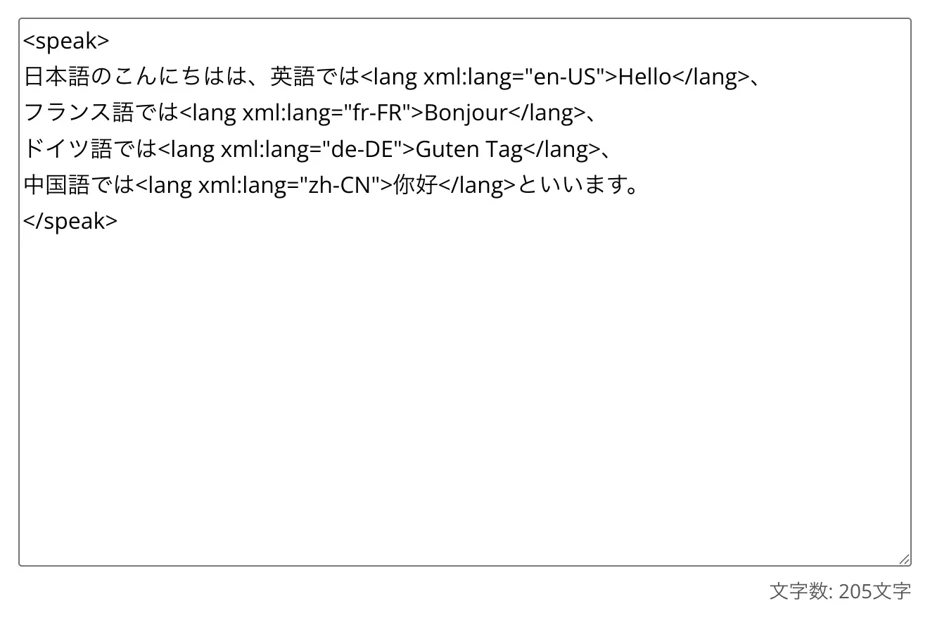
It looks like this when the SSML tags are entered:
"こんにちは" in Japanese isHello in English,
Bonjour in French,
Guten Tag in German,
and你好 in Chinese.
*You can also input the SSML tags in a text editor like Notepad beforehand and then copy and paste it.
When you enter this content into the text box, it looks like this:
Using Generative AI Services to Enter SSML Tags is Also Recommended

But entering so many tags is way too much work!
Don't worry!
By using generative AI services like ChatGPT, Gemini, or Claude, you can easily enter SSML tags!
The method for adding SSML tags using generative AI services is very simple.
Please add SSML lang tags for each language.
(Insert text you want to read aloud here)
By giving instructions like this, you can automatically insert SSML tags throughout the entire sentence.
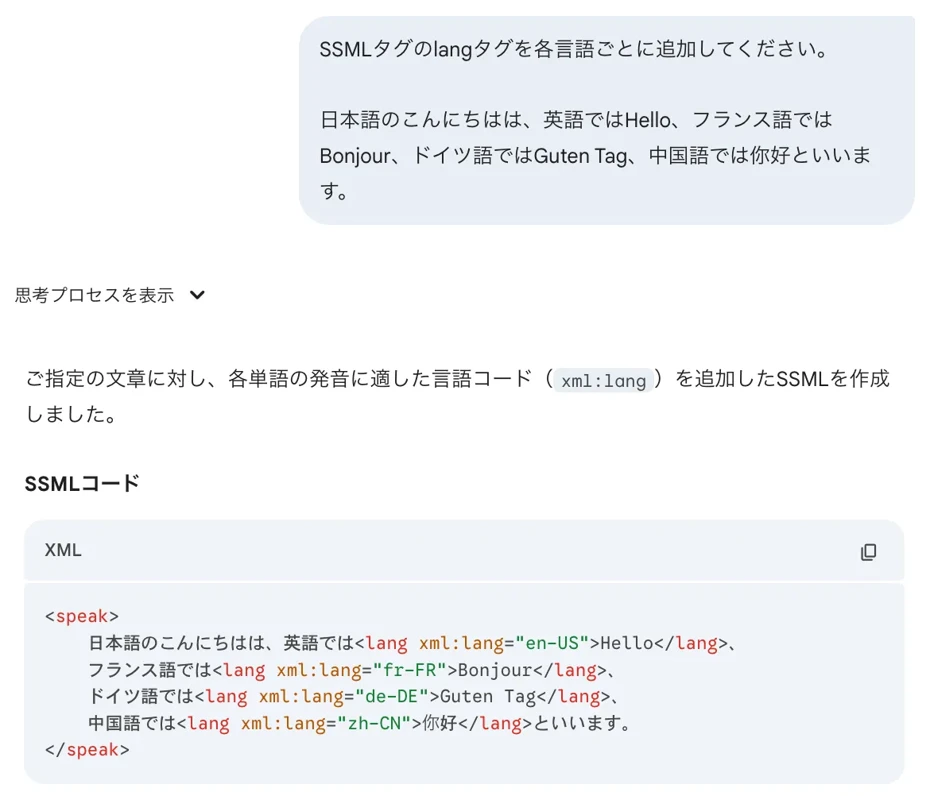
If you want to make corrections, such as "I want to read in British English instead of American English," you can say:
Please correct American English to British English.
If you instruct it like this, it will immediately correct <lang xml:lang="en-US"> to <lang xml:lang="en-GB">.
Points for Selecting a Multilingual Reading Voice
Select "Multilingual" from the Language settings.
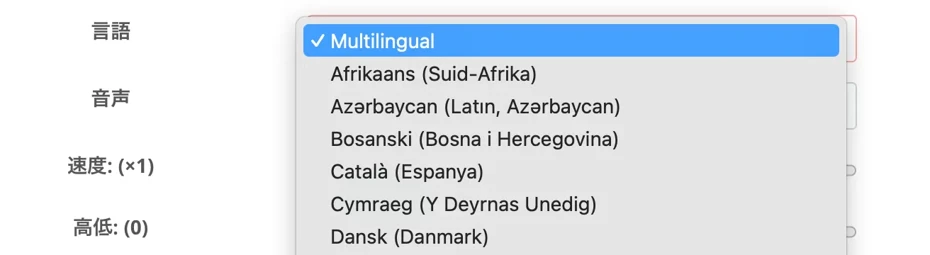
Next, select the Voice (speaker).
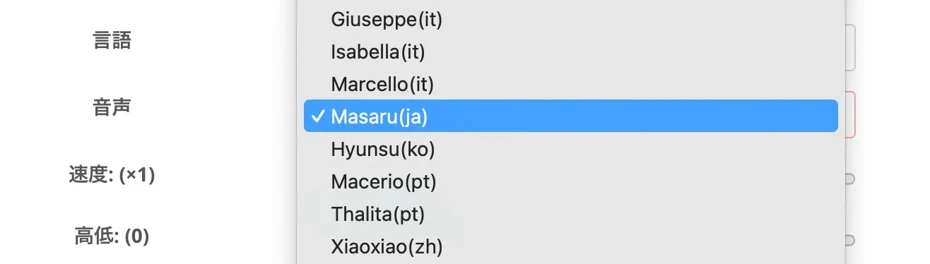
Since the example sentence used this time is primarily in Japanese with foreign languages included, we selected the Japanese voice "Masaru(ja)."
You can listen to samples of multilingual voices that support multilingual reading in this article.
Please take a look.
Now, the preparation for reading is complete.
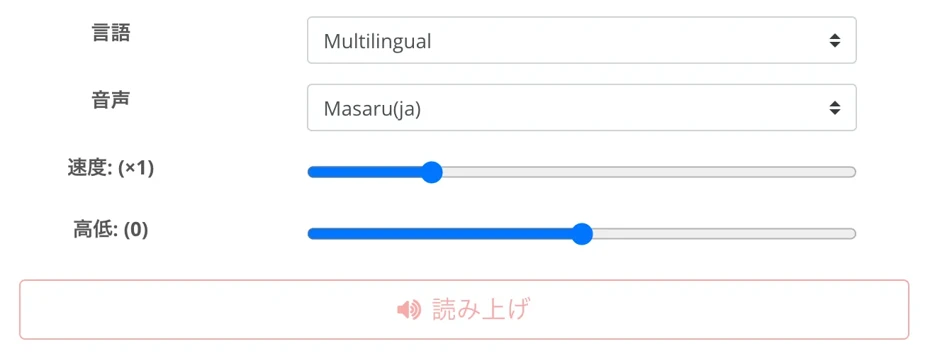
Press "Read Aloud" to start the speech synthesis.
Speech synthesis is completed in just a few seconds.
When the reading process is finished, the screen will switch, and the audio player will be displayed.
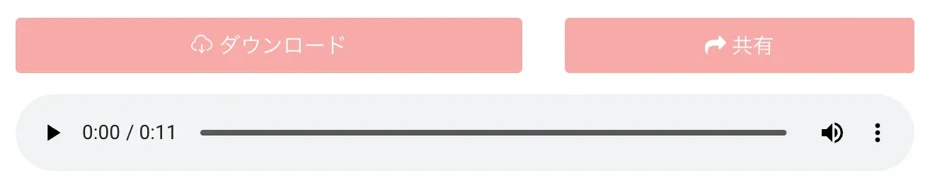
In this way, the languages used in the text were automatically identified and read aloud.
This completes the process of reading multilingual text using the Ondoku multilingual function!
Press "Download" to save the audio file in MP3 format.
The multilingual function (multilingual reading function) can be conveniently used in various situations, such as language teaching materials, YouTube videos for overseas audiences, and announcement broadcasts for inbound tourists.
Why don't you try creating audio using Ondoku's multilingual function for free?
How to Add SSML Tags to Text Where Identifying the Main Language is Difficult
The example sentences used in the explanation so far were texts where Japanese was the main language, so adding <lang> tags to parts other than Japanese (like English or French) allowed for successful reading.
However, for texts where it is difficult to tell which language is the main one, such as a vocabulary list for language learning, the language may not be identified correctly.
In such cases, please add <lang> tags to the entire sentence.
For example,
English vocabulary list related to cooking
Kitchen Kitchen
Recipe Recipe
Frying pan Frying pan
Knife Knife
Seasoning Seasoning
When you want to read this text aloud,
料理に関する英単語集
キッチン Kitchen
レシピ Recipe
フライパン Frying pan
包丁 Knife
調味料 Seasoning
As shown here, if you add SSML tags to everything—both the Japanese and English parts—it will be read aloud successfully.
Adjusting Audio "Pauses" is Also Possible with Ondoku's SSML Function!
In the "English vocabulary list related to cooking" example introduced above, we actually used not only <lang> tags but also the SSML tag <break time="1s"/>.
This is an SSML tag used to adjust the "pauses" in the audio.
By using this tag, Ondoku can read text even more naturally.
We explain how to adjust pauses in audio using SSML tags in this article, so please take a look.
Also, general instructions on how to use SSML tags in Ondoku are explained in this article.
Please check it out.

Why not try the multilingual reading function of Ondoku?
In this article, we explained the SSML tags that can be used in the Ondoku multilingual reading function.
Just by using the "lang tag" introduced in this article, the scope of Ondoku's utility expands instantly!
- Add English phrases to narration for YouTube videos
- Create authentic listening materials for English or other foreign languages
- Create multilingual announcements to be played in stores
Depending on your ideas, you can create various types of multilingual content.
Whether for multilingual YouTube, broadcasts in stores or facilities, we hope Ondoku will be useful for your activities!
■ AI voice synthesis software "Ondoku"
"Ondoku" is an online text-to-speech tool that can be used with no initial costs.
- Supports approximately 50 languages, including Japanese, English, Chinese, Korean, Spanish, French, and German
- Available from both PC and smartphone
- Suitable for business, education, entertainment, etc.
- No installation required, can be used immediately from your browser
- Supports reading from images
To use it, simply enter text or upload a file on the site. A natural-sounding audio file will be generated within seconds. You can use voice synthesis up to 5,000 characters for free, so please give it a try.

Text-to-speech software "Ondoku" can read out 5000 characters every month with AI voice for free.
You can easily download MP3s and commercial use is also possible.
If you sign up for free, you can convert up to 5,000 characters per month for free from text to speech.
Try Ondoku now.
HP:
ondoku3.com
Email: ondoku3.com@gmail.com
Email: ondoku3.com@gmail.com
Related posts
"Ondoku" is a Text-to-Speech service that anyone can use for free without installation. If you register for free, you can get up to 5000 characters for free each month. Register now for free
- What is Ondoku
- Start text-to-speech conversion
- Free registration
- Pricing
- Posts
- Try other free services














