
Best Text-to-Speech Software: 7 Free & Paid Tools for Commercial Use
How to Use "Bouyomi" Text-to-Speech on PC: Best Apps and Methods
Sept. 27, 2026

How do I use monotone reading software on a PC?

Monotone voices are often seen on video sites.
They are also known as "Yukkuri voices."
Actually, monotone voices (Yukkuri voices) can be easily used with software (apps) for PC.
Recently, AI text-to-speech software and apps have made it possible to read aloud with more realistic voices for free, but many people still want to use monotone voices for their unique charm.
Therefore, in this article, we will introduce software and apps for using monotone voices (Yukkuri voices) on a PC.
There are many other free text-to-speech software and apps available, so why not use this article as a reference to experience the perfect reading software for you?
We also introduce monotone reading software in this article! Please take a look as well.

【2026 Latest】6 Recommended Yukkuri Voice & Monotone Reading Software | Complete Comparison of PC and Smartphone Apps
Carefully selected Yukkuri voice and monotone reading software ideal for video production and game commentary. We explain how anyone can easily create high-quality audio with the latest 2026 apps, from PCs to smartphones.
【Realistic yet Free!】Recommended Text-to-Speech Services
Actually, there are other ways to read text for free besides monotone reading software (apps).
Ondoku is a recommended service that allows you to read text for free with a more realistic voice than monotone software (apps).
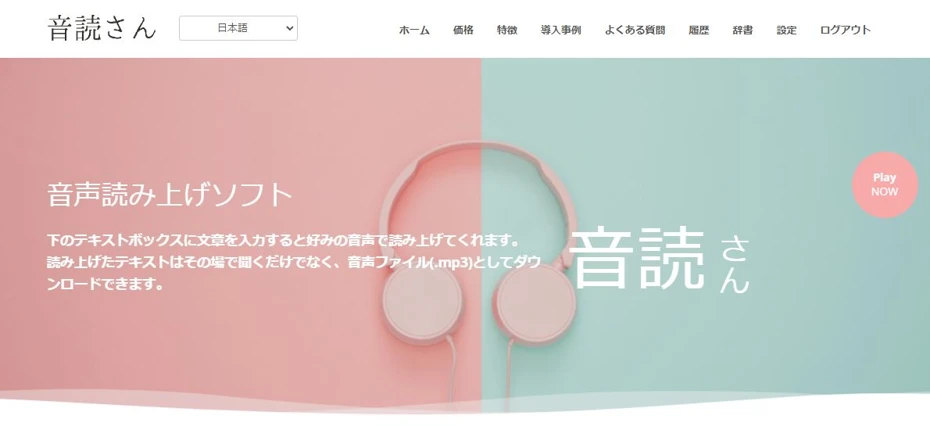
Ondoku is a web service that can read text for free using the latest AI.
Unlike software (apps) that you install on your PC, you can use it easily just by entering text from this page.
Moreover, Ondoku allows you to read up to 1,000 characters for free without logging in!
Registering and logging in allows you to read up to 5,000 characters for free.
Of course, commercial use is also possible.
If you want to read text using something other than monotone voice software or apps, why not try Ondoku?
What is Monotone Reading Software (Monotone Apps) for PC?
Monotone voices are well-known for "Yukkuri commentary" on video sites.
Monotone voices can be read aloud using software (apps) for PC.
What is a Monotone Voice?

Monotone voices are famous for their unique atmosphere.
Because they are used in "Yukkuri commentary" on video sites such as YouTube and Niconico Douga, they are sometimes called "Yukkuri voices."
The speech synthesis engine used for monotone voices is AquesTalk.
By using text-to-speech software or apps equipped with AquesTalk, you can read text in a monotone voice.
Merits of Monotone Voice (AquesTalk)

The biggest advantage of text-to-speech software and apps using monotone voices (AquesTalk) is that operation is extremely lightweight.
AquesTalk appeared in 2006.
Since it was originally developed for embedding into low-performance devices, it can read aloud smoothly even on low-spec PCs.
Because the software (app) puts little burden on the PC, it is widely used for reading game commentary.
Demerits of Monotone Voice (AquesTalk)
The disadvantage of text-to-speech software and apps using monotone voices (AquesTalk) is that they are not realistic.
If you are looking for realism, we recommend using an AI-based service like Ondoku.
Also, depending on the version of AquesTalk, please note that free commercial use may not be possible.
4 Selected PC Software and Apps that can use Monotone Voices

What kind of software can use monotone voices?
Here are the software (apps) for using monotone voices on a PC!
1. Bouyomi-chan (Windows PC)
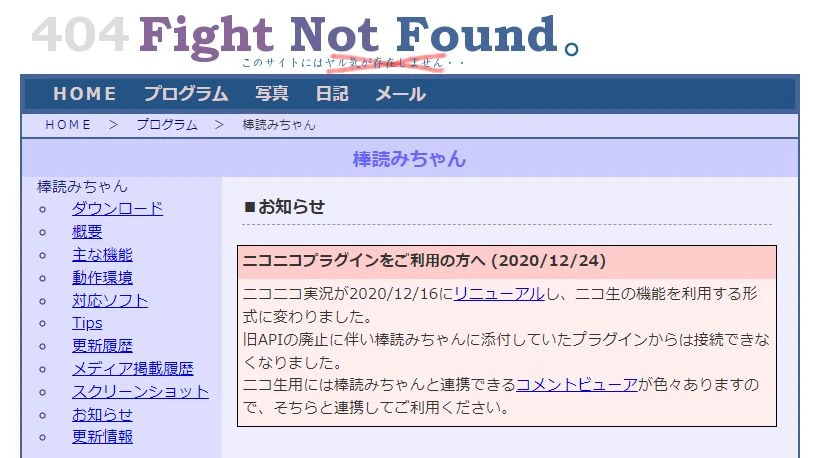
Bouyomi-chan is a software (app) for Windows PC that uses AquesTalk as its speech synthesis engine.
It is free software, and you can download and use the app for free.
Extensive Integration Features
A feature of Bouyomi-chan is its extensive integration features with other software (apps).
Among the integration features, the comment reading feature for video streaming is often used.
By using it simultaneously with "OBS Studio," a streaming software widely used for YouTube streaming, and a comment viewer such as "Multi Comment Viewer," you can read comments posted during a stream in a monotone voice.
In addition, features such as Twitter (now X) reading and clipboard reading are also included.
Available for Commercial Use for Free
Since Bouyomi-chan uses an older version of AquesTalk, it is available for commercial use for free.
2. AquesTalkPlayer (Windows/Mac)
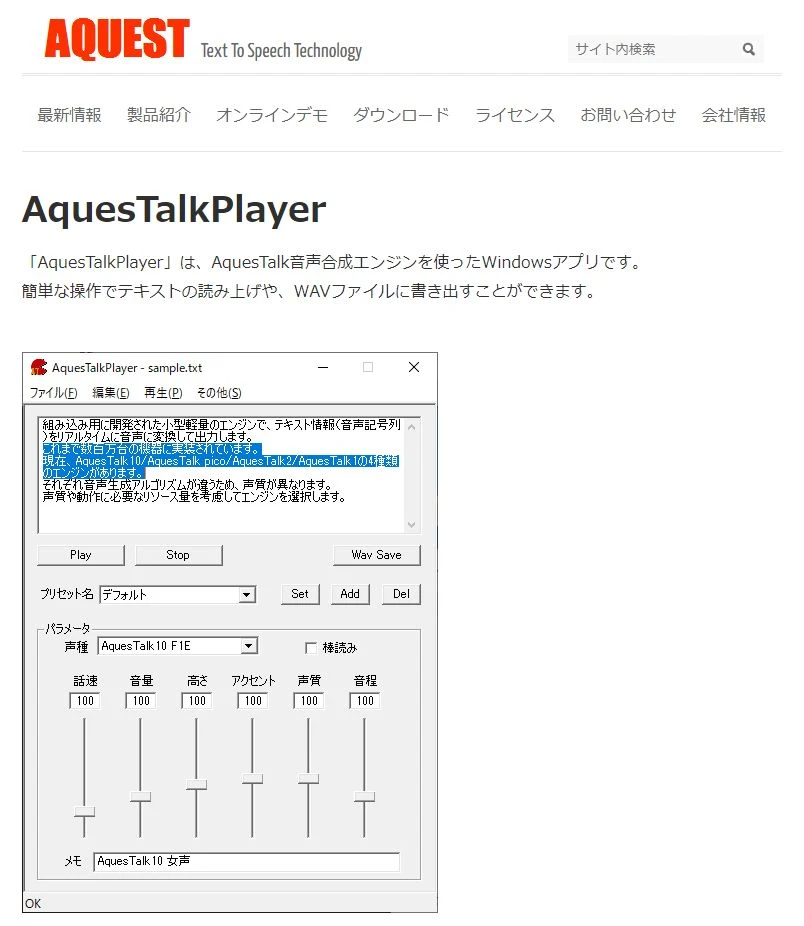
AquesTalkPlayer is the official software (app) for AquesTalk, the speech synthesis engine for monotone voices.
It is compatible with Windows PC and Mac.
Provided by the developer, A-Quest Co., Ltd., this software (app) allows you to use three types of speech synthesis engines:
- AquesTalk1
- AquesTalk2
- AquesTalk10
It officially supports monotone voices, and by checking "Bouyomi," you can read aloud in a voice like Yukkuri commentary.
Note the License for Commercial Use
When using AquesTalkPlayer, caution regarding the license is required.
Although the software (app) itself can be downloaded for free, free use is permitted only for individual and non-profit purposes.
For commercial use, purchase of a license is required.
3. Yukumo! (Web Service)

Yukumo! is a web service that can read text in a monotone voice.
Since it is a service used from a browser, you can read in a monotone voice regardless of the type of PC.
Because Yukumo! can be used from a browser, you can read in a monotone voice even on a Mac.
Since Mac is often used for video editing, it is recommended when you want to use a monotone voice on a Mac.
However, please note that for commercial use, you must purchase a commercial license for AquesTalk.
4. Yukkuri Voice Maker (Web Service)

Yukkuri Voice Maker is a web service that can read text in a monotone voice from a browser.
No installation is required, and it can be used from Windows, Mac, or even a smartphone browser.
It features AquesTalk1, AquesTalk2, and AquesTalk10, allowing you to choose various voices, including monotone voices.
You can finely adjust speed, pitch, accent, and voice quality.
Created audio can be saved in MP3 format.
It also has a function to combine multiple voices into one audio file, so you can create dialogue-style reading.
Since it can be used from a browser, it is particularly convenient if you want to use monotone voices on a Mac.
The service itself is free, but please note that to use it for purposes other than personal use, you must purchase an AquesTalk usage license from A-Quest.
Process of Reading Text with Monotone Reading Software (Apps)
So, how do you use monotone reading software (apps)?
Using Bouyomi-chan as an example, we will explain the process of reading aloud in a monotone voice on a Windows PC.
1. Download Bouyomi-chan
First, download Bouyomi-chan to your PC from this page.

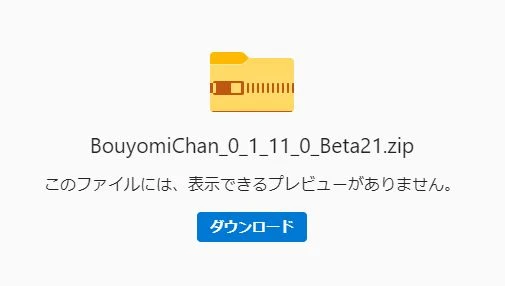
Clicking the download button opens the download page (Microsoft OneDrive).
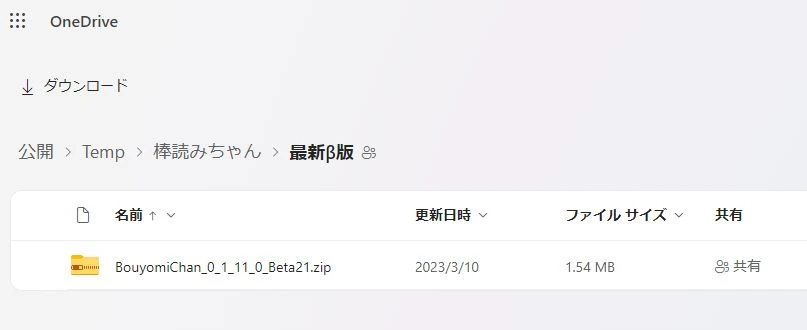
Click the file name to download the ZIP file.
2. Extract the ZIP file
Extract the downloaded ZIP file.

Open the extracted folder.
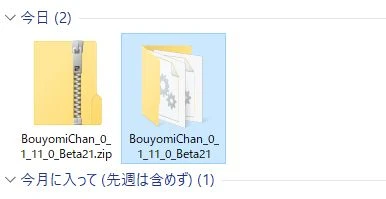
(You can move the folder to any location.)
3. Launch Bouyomi-chan
Bouyomi-chan is an installation-free software (app).
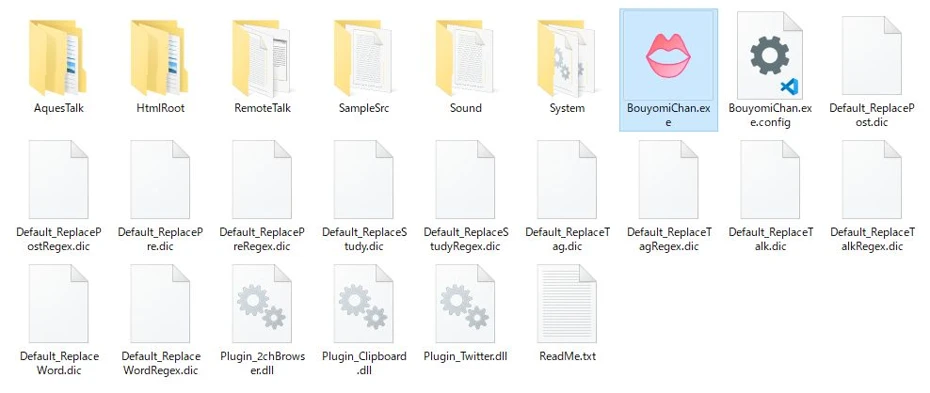
You can launch it directly from the file in the extracted folder.
Double-click BouyomiChan.exe to launch Bouyomi-chan.
*Microsoft .NET Framework 2.0 or higher is required to run Bouyomi-chan.
Upon first launch, you will be asked whether to enable plugins for:
- 2ch browser reading
- Clipboard monitoring
- Twitter reading
Enable plugins if necessary.
4. Enter Content to be Read
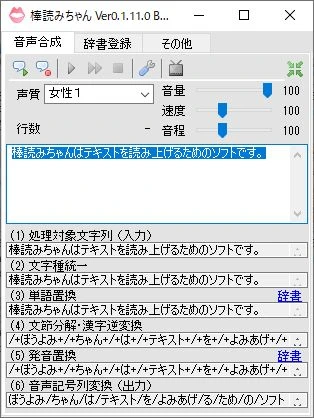
Enter the content you want to read aloud in the text box.
5. Read Text Aloud
Press the "Speech Synthesis" button at the top left, and the content entered in the text box will be read aloud.
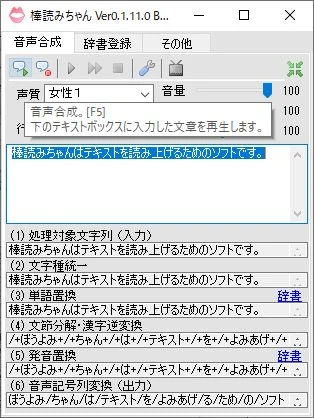
(You can also read aloud using the F5 key.)
6. Save the Reading
Press "Save to File" next to "Speech Synthesis" to save the content entered in the text box as a WAV file on your PC.
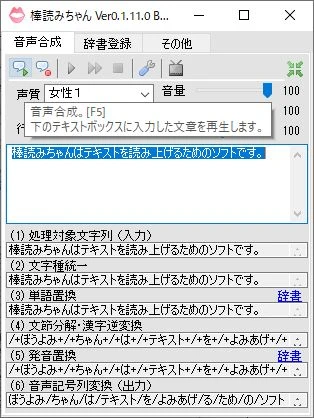
(You can also save using the F6 key.)
Once you specify the destination, the reading process starts automatically.
In this way, you can save the audio read by Bouyomi-chan as a WAV file on your PC.
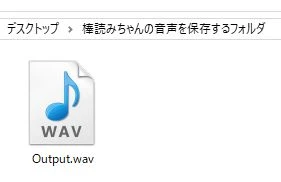
This completes the process of reading audio using the text-to-speech software (app) Bouyomi-chan.
Dialogue-style Reading Requires Editing
When reading audio in a monotone voice, editing takes time and effort.
For example, in videos such as "Yukkuri commentary," text is sometimes read as if having a conversation using multiple voices, but in that case, the work of arranging audio files in order and editing them is required.
Ondoku is also Recommended for Easy & Realistic Reading
Using Bouyomi-chan allows you to read in a monotone voice for free, but using it requires a certain amount of knowledge about Windows PCs.
Also, text-to-speech audio from software (apps) using AquesTalk like Bouyomi-chan is not very realistic.
For reading text with realistic audio that sounds like a real human, we recommend a text-to-speech service using the latest AI.
Process for Reading Text with Ondoku
By using the latest AI text-to-speech service Ondoku, you can read text for free more easily than software (apps) using monotone voices.
Here is a brief explanation of the process for reading text using Ondoku.
1. Open the Ondoku Page
Open the Ondoku top page from here.
2. Enter Text
Enter the text you want to read aloud.

3. Choose a Voice
Select the voice to use for reading.
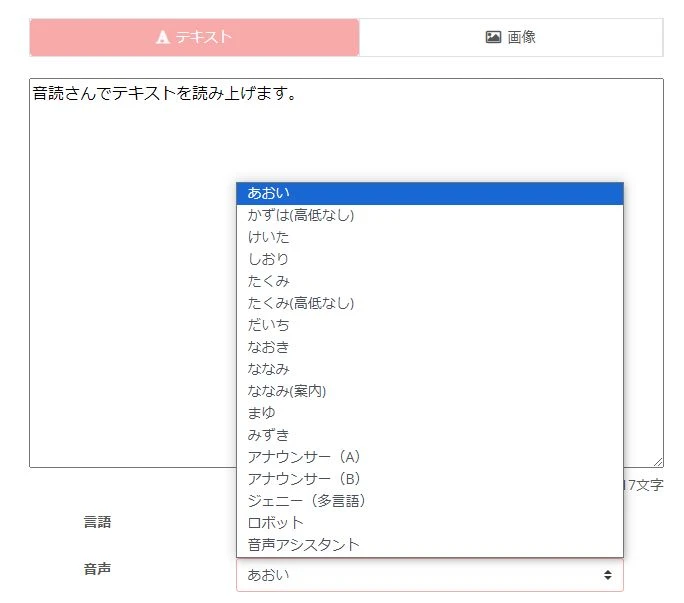
*Since Ondoku allows free reading, you can actually read short texts to check the voice tone.
4. Read Aloud
Press the "Read Aloud" button to read the text.

The read audio can be downloaded from the "Download" button.
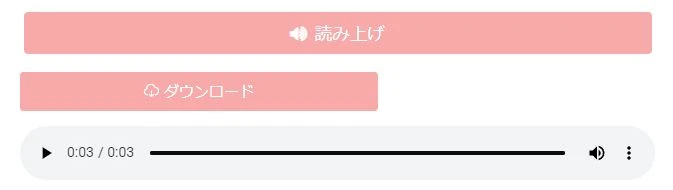
This completes the process of reading text with Ondoku.
Dialogue-style Reading is Also Easy
To read dialogue-style text with monotone software, it was necessary to export each voice type separately and then edit them together.
With Ondoku, it is also possible to read and save dialogue-style audio using multiple voice tones at the same time!
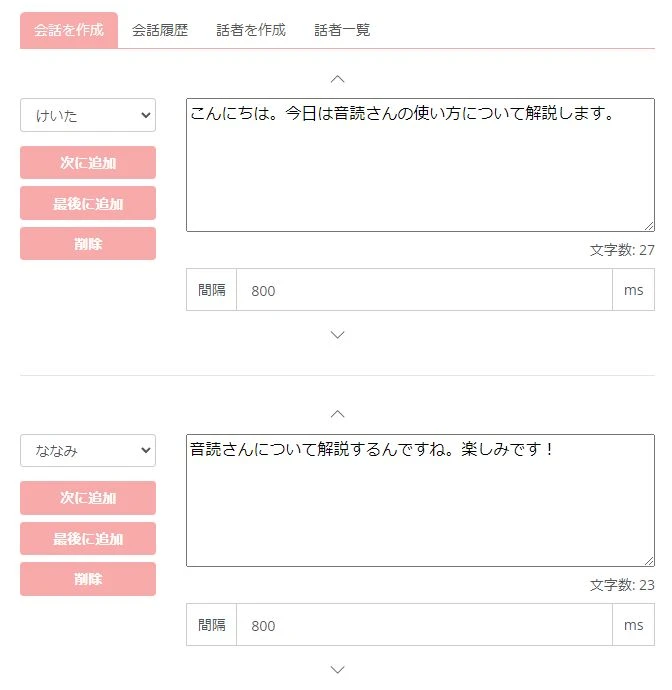
Since tedious editing work is unnecessary, you can more easily create dialogue-style videos.
Since you can read text for free with more ease and features than using monotone voice software (apps) on a PC, why not experience Ondoku for yourself?
■ AI voice synthesis software "Ondoku"
"Ondoku" is an online text-to-speech tool that can be used with no initial costs.
- Supports 81 languages and regions, including Japanese, English, Chinese, Korean, Spanish, French, and German
- Available from both PC and smartphone
- Suitable for business, education, entertainment, etc.
- No installation required, can be used immediately from your browser
- Supports reading from images
To use it, simply enter text or upload a file on the site. A natural-sounding audio file will be generated within seconds. You can use voice synthesis up to 5,000 characters for free, so please give it a try.

Text-to-speech software "Ondoku" can read out 5000 characters every month with AI voice for free.
You can easily download MP3s and commercial use is also possible.
If you sign up for free, you can convert up to 5,000 characters per month for free from text to speech.
Try Ondoku now.
HP:
ondoku3.com
Email: ondoku3.com@gmail.com
Email: ondoku3.com@gmail.com
Related posts
"Ondoku" is a Text-to-Speech service that anyone can use for free without installation. If you register for free, you can get up to 5000 characters for free each month. Register now for free
- What is Ondoku
- Start text-to-speech conversion
- Free registration
- Pricing
- Posts
- Try other free services














