Best Text-to-Speech Software: 7 Free & Paid Tools for Commercial Use
How to Create Free Museum Audio Guides! AI Voice Guidance for Small Exhibits
Sept. 9, 2026


I want to introduce an audio guide, but it's difficult in terms of cost...
Museum audio guides have already become common in large-scale special exhibitions and major museums with many visitors.
Have you given up because you think introduction is difficult?
In fact, audio guides can be introduced easily!
The key is to use a text-to-speech service using the latest AI.
Small-scale museums, private museums, municipal local history museums—any kind of museum can easily produce audio guidance using AI.
Please refer to this article and try introducing an audio guide to the museum you manage or work at!
Recommended AI Text-to-Speech Services for Museum Audio Guides
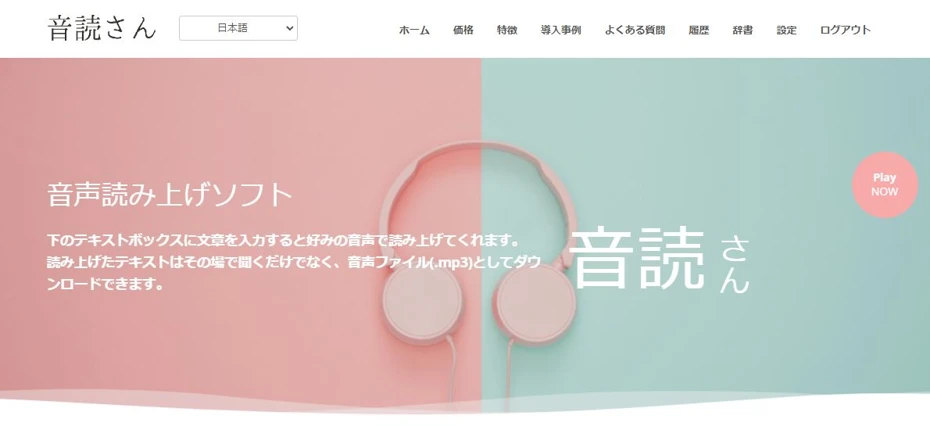
"Ondoku" is a recommended AI text-to-speech service for creating museum audio guides.
It is a proven service that has been introduced at the National Museum of Ethnology, so you can use it with peace of mind.
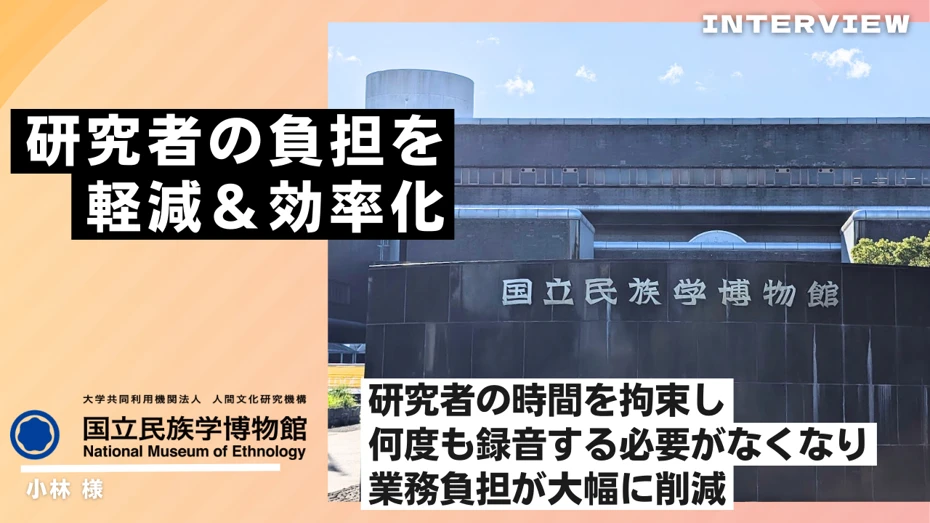
Reducing researcher workload and achieving efficient symposium management by introducing Ondoku! Case study of the National Museum of Ethnology
The National Museum of Ethnology introduced Ondoku. Ondoku is active in many art galleries and museums. It eliminates the need for researchers to spend time recording repeatedly, significantly reducing the operational burden. The speed of producing video works has also improved, making it possible to meet tight schedules...
The greatest feature is the ability to generate realistic and easy-to-hear audio.
Furthermore,
- Without registration: 1,000 characters
- With registration: 5,000 characters
Text-to-speech is available for free up to these limits!
Requesting a professional to record an audio guide can be very expensive, but with "Ondoku," there is no need for such concern.
Even museums that had given up on introducing audio guides due to cost can now implement them!
Why not try creating an audio guide for free with "Ondoku"?
Why Not Introduce an Audio Guide to Your Museum?
Introducing an audio guide to a museum offers many benefits.
First, let's explain the features and key points of audio guides.
What is a Museum Audio Guide?
Audio guides have become common in large-scale museums and tourist facilities.
By playing the audio guide in front of an exhibit, you can more effectively explain the content of the exhibit to visitors.
Museum audio guides offer many advantages.
Capable of Conveying More Information

As a curator's sentiment, one would want to convey as much information as possible about the exhibit.
However, it is common to be unable to include sufficient content due to limitations in exhibition space or the specifications of captions and exhibition panels.
In such cases, using an audio guide is recommended!
By conveying more detailed explanations and trivia through audio, you can communicate the charm of the exhibits more deeply.
Improving Accessibility

The introduction of audio guides also benefits seniors and visitors with visual impairments.
The text on captions and exhibition panels tends to be small, which can be difficult for senior visitors to read.
By introducing an audio guide, you can remove barriers for seniors and visitors with visual impairments and improve accessibility.
Additionally, since visitors no longer need to lean in close to read captions, damage to exhibits can be prevented beforehand.

Realize professional-level facility broadcasting with automated voice! Complete guide to AI announcements
Automate facility broadcasting with AI! With Ondoku, you can create narrator-level automated voices for free. Multilingual support ensures perfect inbound tourism measures. Also contributes to cost reduction through operational efficiency!
Supporting Foreign Tourists with Multilingual Text-to-Speech

By preparing multilingual audio guidance, you can also cater to inbound tourists.
While large museums increasingly install captions in English, Chinese, and Korean, small-scale museums often cannot manage that level of detail, right?
In such cases, it is recommended to start with multilingual audio guidance in foreign languages, which can be introduced easily.
For example, "Ondoku" supports 81 languages and regions.
With an AI text-to-speech service, foreign language reading is possible with easy-to-hear native pronunciation.
By using AI translation services and AI text-to-speech services, foreign language audio guidance can be created easily, so why not try it if your museum has many inbound visitors?

Supporting inbound tourists! Explaining the latest methods and benefits of creating multilingual audio guides for free
A must-see for cultural facilities struggling with inbound support! A complete manual for creating multilingual audio guides with the latest AI. Thoroughly explains everything from methods to start for free with Korean and Chinese support to tips for preventing trouble.
Acquire Repeaters by Increasing Satisfaction
And the greatest benefit of introducing a museum audio guide is, above all, that visitors can enjoy and be satisfied with the exhibition.
Whether it's a special exhibition or a permanent one, it's normal for there to be more first-time visitors than repeaters.
By introducing the exhibition more clearly and kindly through a museum audio guide, you can appeal to its charm and make it possible for them to become repeaters.
Recommended Methods for Creating Museum Audio Guides
Previously, museum audio guides had high introduction costs, making them difficult for small-scale or private museums to implement.
But that's different now!
By using the latest AI text-to-speech services, it has become possible to create audio for free!
AI Text-to-Speech Services are Recommended for Creating Museum Audio Guides

To create a museum audio guide, it was previously necessary to have professional narrators or voice actors record the audio, which incurred very high costs.
However, with the advancement of AI, it has become possible to create high-quality audio for free!
Text-to-speech services using the latest AI can read text and output it in a realistic and easy-to-hear voice.
Costs are also very low, and there are even services like "Ondoku" that can be used for free.
If you are making an audio guide for a museum, using an AI text-to-speech service is recommended.
Audio Guides Can Be Introduced Even in Small Museums
By using AI text-to-speech services, audio guides can be introduced at low cost even in relatively small museums, such as municipal local history museums and private museums!
One of the major purposes of a museum is to spread education through exhibitions.
By introducing an audio guide, you can convey the charm of the exhibition to layers of people you haven't reached before and encourage them to visit repeatedly.
Why not use an AI text-to-speech service to introduce an audio guide to your museum?
Recommended AI Text-to-Speech Service "Ondoku"
"Ondoku" is a recommended AI text-to-speech service for creating audio for museum audio guides!
Using the latest AI, it can read text in a realistic and easy-to-hear voice.
There are 17 types of Japanese voices!
Foreign language reading is also possible, and because it supports 81 languages and regions, you can create audio guides for visitors from abroad, starting with English.
It can also cater to regional characteristics, such as Chinese and Portuguese.
Introduced at the National Museum of Ethnology
"Ondoku" is also introduced at the National Museum of Ethnology.
Reducing researcher workload and achieving efficient symposium management by introducing Ondoku! Case study of the National Museum of Ethnology
The National Museum of Ethnology introduced Ondoku. Ondoku is active in many art galleries and museums. It eliminates the need for researchers to spend time recording repeatedly, significantly reducing the operational burden. The speed of producing video works has also improved, making it possible to meet tight schedules...
As it is a proven AI text-to-speech service, you can use it for reading museum audio guides with confidence.
Moreover, "Ondoku" can be used for free!
- Without registration: 1,000 characters
- With registration: 5,000 characters
Since you can read aloud for free up to these limits, you can sufficiently create audio for one special exhibition or for permanent exhibitions for free!
Why not use "Ondoku" to introduce an audio guide to your museum?
How to Create Audio Guidance for Free
How should I go about making audio files for an audio guide?

Specifically, here is how to create audio files for a museum audio guide!
1. Write a Script

First, write the script for the museum audio guide.
As for the writing method, anything is OK as long as you can select and copy the text later, such as word processing software or a text editor.
Tips for Writing Audio Guidance Text
How should I write the text for audio guidance?
It is very hard to write audio guidance text (scripts) amidst busy curatorial duties.
Therefore, here are some tips for efficiently writing accurate audio guidance text (scripts).
Explanations for All Exhibits are Unnecessary

Many people have probably listened to an audio guide by entering the number next to an exhibit at a special exhibition in a large museum.
As you can tell from that, you do not need to provide an audio guide for every single explanation.
It is fine to provide audio commentary only for important exhibits where you want to say, "This is it!"
However, if the number is too small, there's no point in introducing an audio guide, so depending on the scale of the museum, it is recommended to provide audio commentary for at least 15 locations.
Recommended to Expand Based on Catalog Explanations
The speed of reading aloud is actually very slow compared to the speed of reading text with your eyes.
Considering accessibility, a guideline is up to about 300 characters per minute.
If you already have text for a catalog, try expanding the content based on that.
If you write based on the volume of the catalog text, a 300-character explanation can be created quickly.
Don't Be Too Afraid of Technical Terms
Content that is too difficult for visitors is a concern, but avoiding technical terms too much is also a no-no.
Even for first-time visitors, borrowing an audio guide means they are definitely deeply interested in the exhibition content.
By inserting annotations for overly difficult content while delving into slightly more niche topics, you can further increase visitor satisfaction.
Also Recommended to Create Versions for Adults and Children

It is also recommended to create separate audio for adults and children.
Especially during periods like Golden Week, summer vacation, and spring vacation when family visitors increase, writing dedicated scripts is effective.
2. Use "Ondoku" to Read Aloud
Open the Ondoku top page from here and read aloud.
First, paste and input text into the text box.

At this time, it is recommended to paste and read each exhibit explanation separately.
When you download the read-aloud file, it will be divided for each exhibit, making it convenient to use as-is later in the audio guide.
Select the voice to use.

*Samples of audio files are introduced on this page.
When ready, press "Read aloud" to start the process.

The audio file creation is completed in just a few seconds.
3. Check the Result and Download
When the read-aloud file is created, the display switches to show an audio player and a download button.

Listen to the audio with the player and check if there are any errors in the content.
In the case of a museum audio guide, check carefully if there are any errors, especially in proper nouns.
If there are no problems, press "Download" to download the file.

Files can be saved as MP3 files.
At this time, it is convenient to change the file names to sequential numbers after saving for later use in the audio guide.
As you can see, the flow of creating audio for a museum audio guide with "Ondoku" is very simple.
Why not use "Ondoku" to introduce an audio guide to your museum?
Points to Consider When Choosing Audio Guide Playback Equipment
Finally, we will explain how to play museum audio guides.
There are three main methods.
1. Use Dedicated Audio Guide Equipment

First, what comes to mind is introducing dedicated audio guide equipment, such as those used in large museums.
They have a rich track record of use, and there is the benefit that manufacturers or leasing companies can provide warranties in case of trouble.
However, in exchange, the cost is high for both purchasing and leasing.
2. Use a Simple MP3 Player

What is recommended for small-scale museums is using a simple consumer MP3 player.
An inexpensive and simple MP3 player with only play, stop, fast forward, and rewind buttons can substitute for audio guide equipment.
Just putting sequentially numbered MP3 files on a MicroSD card is enough, so introduction is very easy.
The downside is that it's necessary to prepare for breakdowns and the possibility of theft.
3. Post Audio on a Website

There is also a method of posting the audio for the audio guide on the museum's website and having visitors listen to it on their smartphones.
The biggest advantage is that there is no need to introduce dedicated equipment.
However, it is necessary to have visiting customers provide their own earphones.
In this way, museum audio guides can be introduced without high costs!
Why not try introducing an audio guide using the AI text-to-speech service "Ondoku"?
■ AI voice synthesis software "Ondoku"
"Ondoku" is an online text-to-speech tool that can be used with no initial costs.
- Supports 81 languages and regions, including Japanese, English, Chinese, Korean, Spanish, French, and German
- Available from both PC and smartphone
- Suitable for business, education, entertainment, etc.
- No installation required, can be used immediately from your browser
- Supports reading from images
To use it, simply enter text or upload a file on the site. A natural-sounding audio file will be generated within seconds. You can use voice synthesis up to 5,000 characters for free, so please give it a try.

Text-to-speech software "Ondoku" can read out 5000 characters every month with AI voice for free.
You can easily download MP3s and commercial use is also possible.
If you sign up for free, you can convert up to 5,000 characters per month for free from text to speech.
Try Ondoku now.
HP:
ondoku3.com
Email: ondoku3.com@gmail.com
Email: ondoku3.com@gmail.com
Related posts
"Ondoku" is a Text-to-Speech service that anyone can use for free without installation. If you register for free, you can get up to 5000 characters for free each month. Register now for free
- What is Ondoku
- Start text-to-speech conversion
- Free registration
- Pricing
- Posts
- Try other free services














