Best Text-to-Speech Software: 7 Free & Paid Tools for Commercial Use
15 Best Text-to-Speech Software & Sites! Free Synthesis Methods
Sept. 27, 2026

I want to know about software and sites that can automatically speak and read text aloud!

By using text-to-speech software and sites, you can have text displayed on your PC or smartphone spoken and read aloud.
Text-to-speech technology is advancing rapidly, making high-quality vocalization services easily accessible to everyone.
Since there are also free services available,
- Adding narration to videos posted on video sites
- Integrating into websites to improve accessibility for people with low vision or the elderly
- Automating telephone responses
You can utilize text-to-speech software and sites that automatically speak for a wide range of purposes like these.
In this article, we will introduce recommended text-to-speech and vocalization methods, ranging from software for PCs and smartphones to sites that can be easily used in a browser.
If you're unsure about how to automatically generate voice and read text aloud, why not start by trying the recommended software and sites introduced in this article?
[Free Speech Available] Recommended Text-to-Speech Sites
A service recommended for those looking for text-to-speech software or sites is "Ondoku."
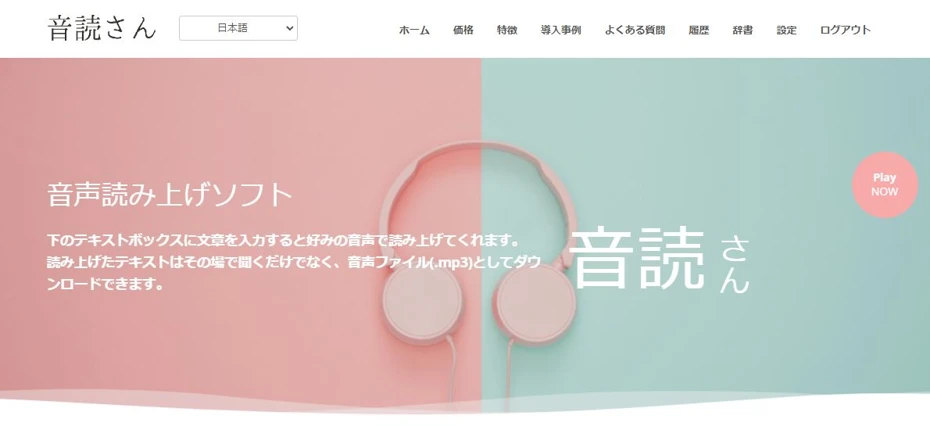
"Ondoku" is a service that can automatically speak and read text aloud.
As it is a web service used by opening a website in a browser, it can be used on PCs, smartphones, tablets, and in various environments.
Moreover, "Ondoku" can read aloud for free!
- No registration/login: 1,000 characters
- With registration/login: 5,000 characters
You can read text aloud for free up to these limits, so you can easily turn text into voice using the latest AI right now.
If you are looking for a way to automatically speak and read text aloud, why not try "Ondoku" first?
What are automatic text-to-speech software and sites?
To automatically speak and read content based on text, it is recommended to use text-to-speech software and sites.
By using text-to-speech software or sites, you can convert text into voice more easily and with higher quality than a human reading it aloud.
Benefits of using text-to-speech software and sites

There are several benefits to using software and sites that speak and read aloud based on text.
Information becomes easier to convey
Information that is difficult to convey through text alone becomes easier to understand when spoken aloud.
For example:
- Increasing views by adding clear narration to explanatory videos
- Improving service through automatic broadcasting in stores and facilities
Text-to-speech software and sites are useful for a wide range of purposes, from personal use to use by companies and organizations.

Achieve professional-level in-store broadcasting with automatic voice! Complete Guide to AI Announcements
Automate in-store broadcasting with AI! With Ondoku, create narrator-level automatic voices for free. Multi-language support ensures readiness for inbound tourism. Contribute to cost reduction through operational efficiency!
High cost performance

When turning text into voice, it is of course possible for a human to speak and read it aloud themselves.
However, requesting a professional narrator or voice actor to read text is very expensive.
While recording it yourself is an option, audio recorded by a non-professional is usually unclear and very difficult to listen to.
Furthermore, if you record it yourself, it takes time and effort to edit parts where you made mistakes or stumbled.
In that regard, with text-to-speech software and sites that use the latest AI:
- Low cost (some software and sites are free)
- Professional-level clarity and quality
- No need for later editing
In this way, you can convert text into voice more affordably and smoothly than hiring a professional or recording it yourself.
To turn text into voice cost-effectively, using text-to-speech software or sites is recommended.
Improving accessibility

By reading text aloud and turning it into voice, you can improve accessibility.
Adding a text-to-speech function allows people with low vision or the elderly to browse websites.
Additionally, adding narration to videos posted on sites like YouTube makes automatic subtitles available, allowing users abroad to watch videos using the automatic translation feature.

How to quickly create narration for YouTube and other videos using text-to-speech software. Tips and points
Explains how to quickly create YouTube video narration with Ondoku. From script creation to using Ondoku, adjusting natural intonation, and editing tips in video software. A must-see for those wanting to streamline video production!
As shown, software and sites that automatically speak and read aloud based on text offer many benefits.
To read text aloud and turn it into voice, using software and sites that use the latest AI is recommended.
15 Recommended Text-to-Speech and Vocalization Software and Sites
Here are recommended software and sites that automatically speak and read text aloud for you.
There are also free vocalization software and sites available, so why not experience the reading for yourself?
- Ondoku
- SofTalk
- Textalk
- A.I.VOICE
- AITalk
- Coestation
- CeVIO
- VOICEVOX
- COEIROINK
- Bouyomi-chan
- AquesTalkPlayer
- Text to voice
- Speech Editor
- CoeFont
- ReadSpeaker
1. Ondoku
"Ondoku" is a text-to-speech service using the latest AI that can be used for free.
As a website-based service used from a browser, it can be used from any environment, including PCs, smartphones, and tablets.
It is very easy to use: just enter text on this page and press "Read."
Anyone can easily and without hesitation turn text into voice right now.
Reading with 16 types of voices
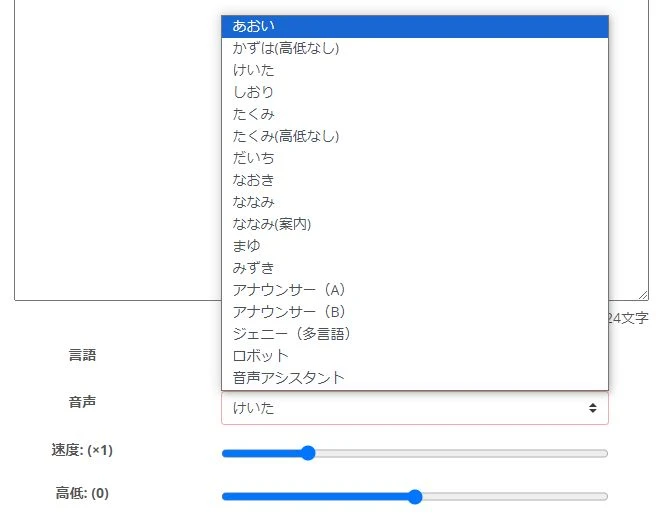
In "Ondoku," 16 types of voices are available for Japanese.
Because it vocalizes using the latest AI, the speech is very realistic compared to previous text-to-speech software.
You can generate audio that sounds as if an actual human is reading it aloud.

Listen to 16 types of voices from the text-to-speech software Ondoku for free. Change impressions by adjusting pitch
Ondoku has 16 types of Japanese voices. It includes both male and female voices. We have made it possible to listen to 8 commonly used Japanese voices and how they sound when their pitch is adjusted.
Supports reading in foreign languages
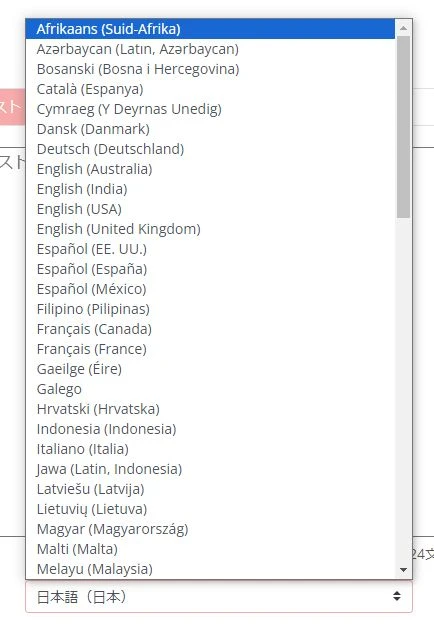
"Ondoku" supports 81 languages and regions, including Japanese and English.
It is also easy to add foreign language narration to videos uploaded to sites like YouTube.
![[Ondoku] Listen to voice types and sample audio for supported languages](https://storage.googleapis.com/ondoku3/image/%E5%A4%9A%E6%A7%98%E6%80%A7_930.webp)
[Ondoku] Listen to voice types and sample audio for supported languages
Here we introduce the supported languages and sample voices of Ondoku.
Conversation-like audio can also be generated
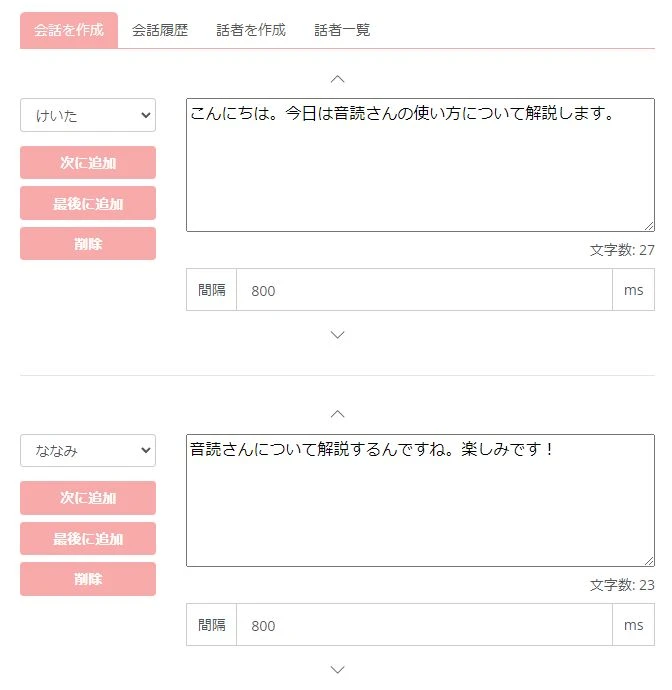
Furthermore, "Ondoku" allows you to create conversation-like audio using multiple voices!
The read-aloud audio can be downloaded as is.
There is no need to stitch audio files together later.

How to use Ondoku's conversation/dialogue function. Voice synthesis makes listening materials and long text creation more convenient!
How to use Ondoku's conversation function! Explains the conversation function with images and provides specific examples of what the function can be used for.
Text-to-speech service usable for free
Moreover, "Ondoku" can be used for free!
You can read up to 1,000 characters without registration/login, and up to 5,000 characters upon registration for free.
Commercial use is also possible for free (Click here for details on commercial use).
If you are looking for a text-to-speech software or service that can vocalize for free, why not try "Ondoku" first?
2. SofTalk

SofTalk is a free text-to-speech software for Windows.
- SofTalk original sound source
- MikoVoice
- SAPI/Speech Platform
can be used for vocalization.
It previously supported AquesTalk (monotone voice, Yukkuri voice), but it is no longer supported due to licensing issues.
While the software itself allows commercial use, caution is needed as users must also follow the terms of use for the specific voice sound source during commercial use.
3. Textalk
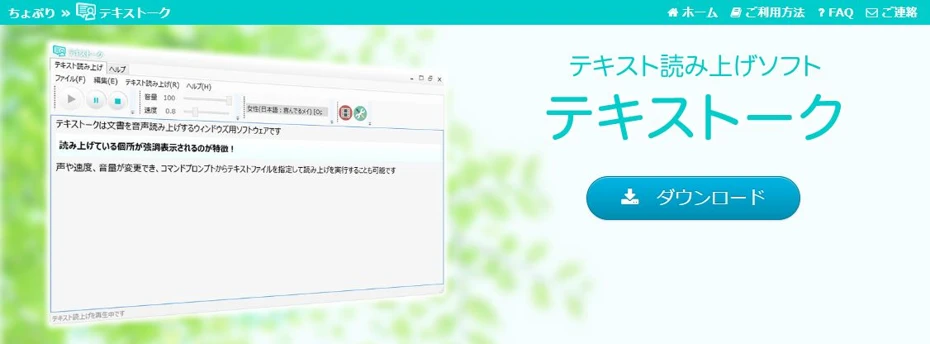
Textalk is a simple text-to-speech software for Windows.
- OpenJTalk
- Microsoft Haruka Desktop (Japanese)
- Microsoft Zira Desktop (English)
can be used to speak.
As the software's last update was in 2015 and is older, the vocalization is not as realistic as the latest AI, but being free is an attractive feature.
4. A.I.VOICE

A.I.VOICE is software for individuals using the voice synthesis engine "A.I.Talk."
It is compatible with Windows and Mac.
It features many characters previously deployed as VOICEROID, such as Kotonoha Akane/Aoi, Yuzuki Yukari, and Kizuna Akari.
It is paid software, with prices ranging from approximately 12,000 yen to 18,000 yen, which is slightly high.
It is recommended for those who want to vocalize with popular character voices.
A.I.VOICE2 Complete Guide! Detailed explanation of the features, installation, and usage of the successor to VOICEROID
Explains the features and usage of A.I.VOICE2, where you can use Kotonoha Akane/Aoi and Yuzuki Yukari, familiar from VOICEROID videos. Provides details from installation to voice export.
5. AITalk

The synthesized voice engine "AITalk" also offers a wide variety of products for corporate use.
- Narration creation software "AITalk Koe no Shokunin"
- Vocalization software for PowerPoint "AITalk Koe Plus"
- Server-installed synthesized voice "AITalk Server"
Products finely tuned according to the application are available.
Inquiries and quotes are required for use.
6. Coestation
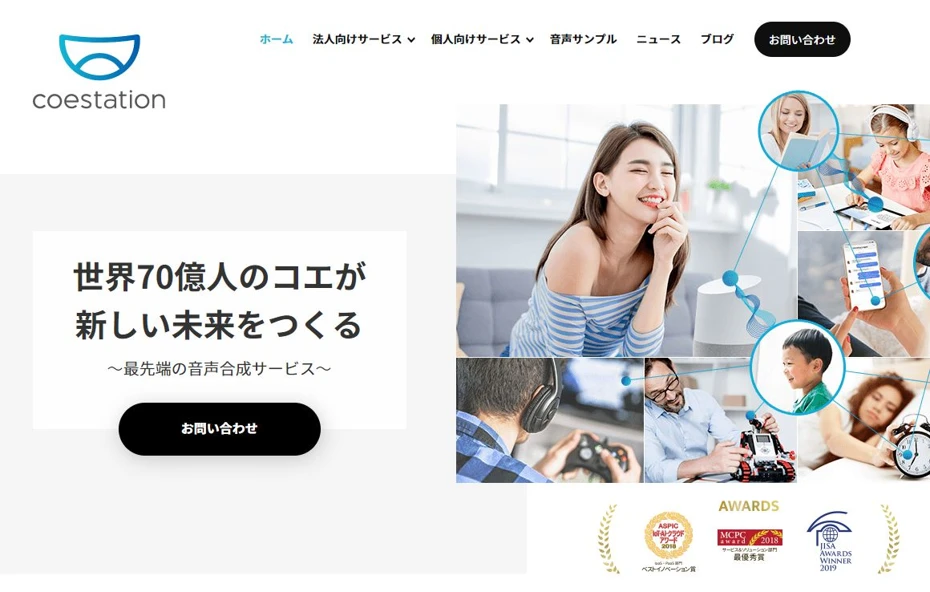
Coestation is an AI service that allows the use of synthesized voices based on real human voices.
Provided by AI Inc., which also deploys A.I.VOICE and AITalk, it offers voices of celebrities such as announcers, artists, and comedians.
7. CeVIO
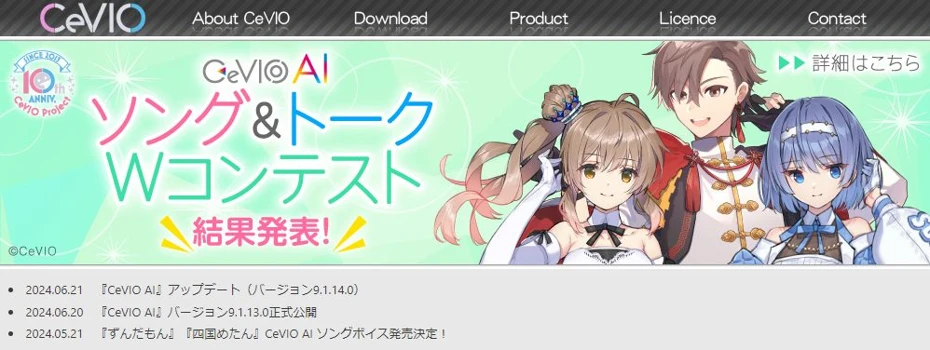
CeVIO is vocalization software primarily provided for individuals.
It features characters famous among creative users, such as Sato Sasara and Suzuki Tsudumi.
It is paid software, with the price for a starter set (voice + editor) starting from approximately 12,000 yen.
Supported OS is Windows only; Mac is not supported.
It is recommended for those who want to produce videos or audio works using popular characters.

What is CeVIO AI? Detailed explanation of the features, usage, and commercial use of the voice synthesis software
A complete guide to the AI singing voice synthesis software CeVIO AI. Explains the features of popular characters like Sato Sasara and Suzuki Tsudumi, how to purchase, and precautions for commercial use for beginners.
8. VOICEVOX
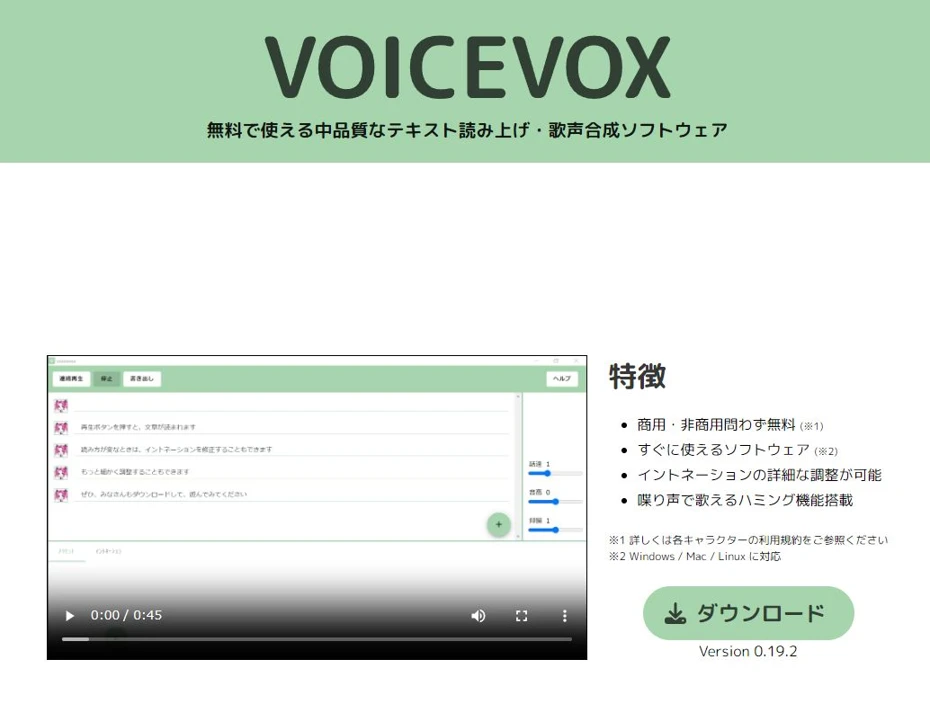
VOICEVOX is text-to-speech software that can vocalize using AI.
It is compatible with Windows, Mac, and Linux.
You can vocalize using the voices of famous characters such as Zundamon, Shikoku Metan, and Kasukabe Tsumugi.
The software itself is free for both commercial and non-commercial use, but caution is required as users must also follow the terms of use for each specific character in the case of commercial use.

Complete Guide to using VOICEVOX! Detailed explanation from features to commercial use of the free AI voice synthesis software
Detailed explanation from features to usage and precautions for commercial use of VOICEVOX. A complete guide to the free AI voice synthesis software that can read aloud in the voices of popular characters like Zundamon.
9. COEIROINK

COEIROINK is text-to-speech software compatible with Windows and Mac.
The software is free, and you can vocalize using official/authorized character voices as well as voices posted by users.
Commercial use is possible, but credit is mandatory when using it.
Also, because terms of use vary by character, you should check the terms beforehand, especially for commercial use.

What is COEIROINK? Thorough explanation of the features, usage, and commercial use of the voice synthesis software
A complete guide to the features and usage of COEIROINK. Provides details from how to install the voice synthesis software to adding character voices and precautions for commercial use.
10. Bouyomi-chan
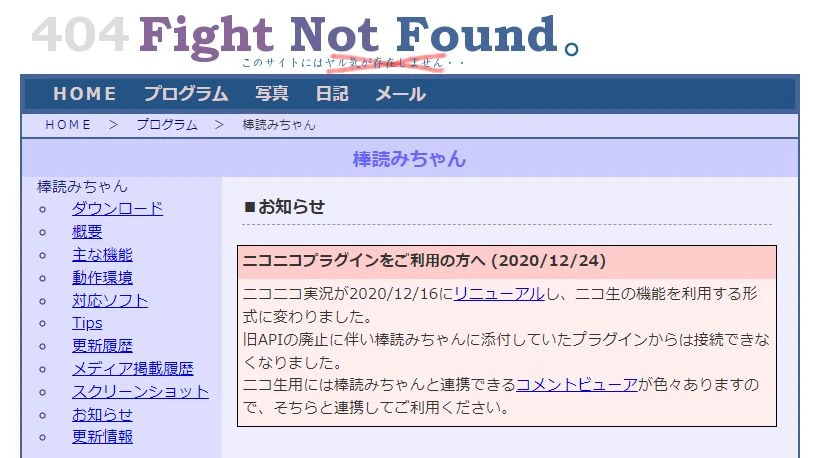
Bouyomi-chan is Windows text-to-speech software using the voice synthesis engine AquesTalk, capable of vocalizing in the so-called "Yukkuri Voice."
It is available for free download and, since it uses an older version of AquesTalk, commercial use is also possible for free.
It is recommended when you want to use monotone voices (Yukkuri Voice).
11. AquesTalkPlayer
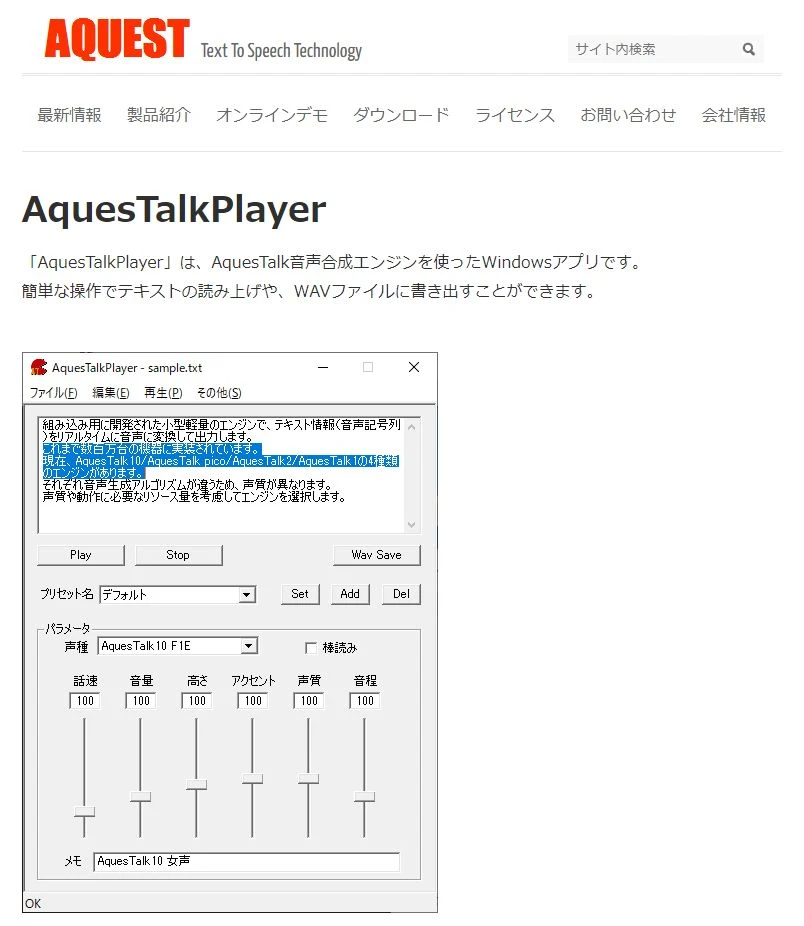
AquesTalkPlayer is text-to-speech software officially provided by the developer of the AquesTalk voice synthesis engine.
It is compatible with Windows.
- AquesTalk1
- AquesTalk2
- AquesTalk10
Three types of voice synthesis engines can be used, and monotone voices are also supported.
Downloading is free, but purchasing a license is required for commercial use.
![[2026 Latest] 6 Recommended Yukkuri Voice/Bouyomi Software | Complete comparison of PC and Smartphone apps](https://storage.googleapis.com/ondoku3/image/20250507yukkuri_bouyomi_software_tmb_930.webp)
[2026 Latest] 6 Recommended Yukkuri Voice/Bouyomi Software | Complete comparison of PC and Smartphone apps
Selection of Yukkuri Voice and Bouyomi software ideal for video production and game commentary. Explains how anyone can easily create high-quality audio using the latest 2026 apps from PCs to smartphones.
12. Text to Speech - Text to voice

Text to Speech - Text to voice is a text-to-speech site used from a browser.
As it is a service used from a browser, installation is unnecessary, and vocalization and saving are possible for free.
While easy to use, caution is required as the operator is not explicitly stated.
13. Speech Editor
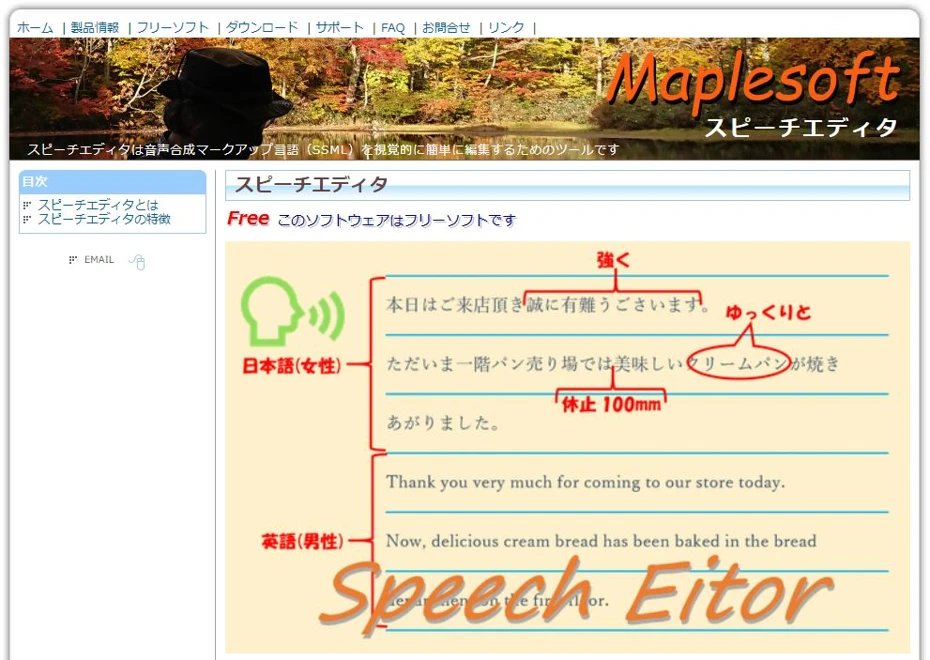
Speech Editor is a tool for editing Speech Synthesis Markup Language (SSML).
It uses Microsoft's voice synthesis engine "SAPI5" for vocalization.
It is free software, and it is also possible to generate conversation-like audio using multiple voices.
14. CoeFont
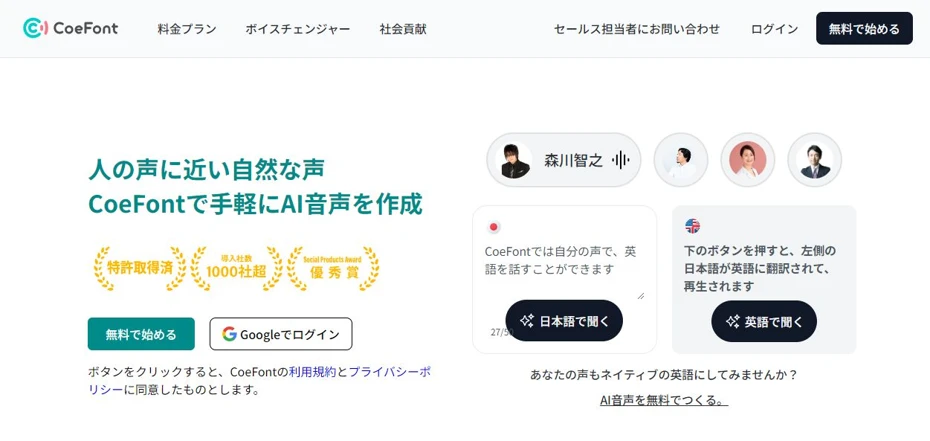
CoeFont is a text-to-speech tool capable of easily generating AI voices.
Primarily a corporate service, it allows for vocalization with the voices of many famous people, including actors, voice actors, and narrators.
A feature to create a synthesized voice engine based on your own voice is also available.
15. ReadSpeaker

ReadSpeaker is a text-to-speech service primarily provided for corporations.
It has a track record of implementation in diverse fields such as digital signage, chatbots, automatic telephone response, and POS terminals, with customization possible for each business type.
It has also been introduced in station and in-train broadcasts for Tokyu Railways and Nankai Electric Railway.
■ AI voice synthesis software "Ondoku"
"Ondoku" is an online text-to-speech tool that can be used with no initial costs.
- Supports 81 languages and regions, including Japanese, English, Chinese, Korean, Spanish, French, and German
- Available from both PC and smartphone
- Suitable for business, education, entertainment, etc.
- No installation required, can be used immediately from your browser
- Supports reading from images
To use it, simply enter text or upload a file on the site. A natural-sounding audio file will be generated within seconds. You can use voice synthesis up to 5,000 characters for free, so please give it a try.

Text-to-speech software "Ondoku" can read out 5000 characters every month with AI voice for free.
You can easily download MP3s and commercial use is also possible.
If you sign up for free, you can convert up to 5,000 characters per month for free from text to speech.
Try Ondoku now.
HP:
ondoku3.com
Email: ondoku3.com@gmail.com
Email: ondoku3.com@gmail.com
Related posts
"Ondoku" is a Text-to-Speech service that anyone can use for free without installation. If you register for free, you can get up to 5000 characters for free each month. Register now for free
- What is Ondoku
- Start text-to-speech conversion
- Free registration
- Pricing
- Posts
- Try other free services














