What are the advantages and disadvantages of using text-to-speech software in online classes?
Advantages and Disadvantages of Using Text-to-Speech Software for Proofreading and Review
Jan. 26, 2026
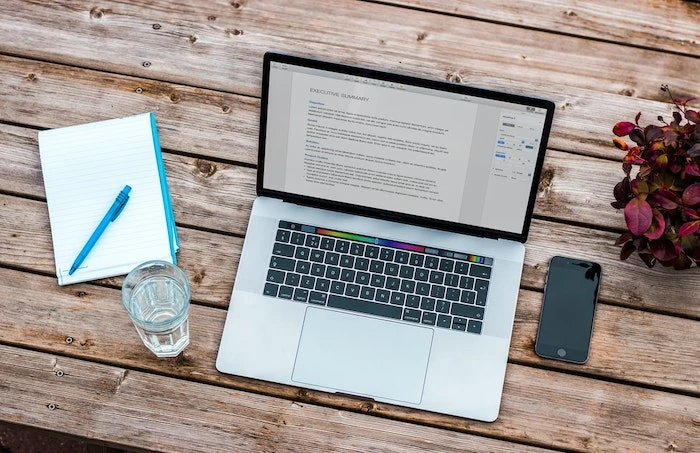
For writers who write for a living and editors who do editorial work, typos and missing words are a very important issue.
And typos and missing words are things that are easy to overlook no matter how many times you check.
I also review my blog posts many times before posting them, but it is often difficult to notice typos just by reading silently.
Sometimes I only notice them when a reader finally points out, "There is a mistake here."
You would want to avoid such a situation if possible, right?
This time, I will introduce three benefits of using text-to-speech software for proofreading and verification work.
What are the benefits of using text-to-speech software for proofreading?

Text-to-speech software offers three benefits that are perfect for proofreading and editing.
- It is easier to notice typos and missing words by listening to audio,
- Improve efficiency with speed adjustment,
- Easy to share
First, let me introduce the first benefit.
It is easier to notice typos and missing words by listening to audio
When reading text, it is quite difficult to notice typos and missing words just by reading silently.
Humans have a very strong power of assumption, and especially with your own writing, there are many cases where you read while assuming, "I wrote it this way."
If you read silently in such a state, it becomes increasingly difficult to notice small typos and missing words.
The technique that removes this "power of assumption" is reading aloud.
Furthermore, it is easier to notice mistakes when you have someone else read it to you rather than reading it aloud yourself.
For example,
"Today is nice weather, so let's go for a walk to the nearby park."
Suppose you intended to write that, but instead wrote
"Today is nice weather [danara], so let's go for a walk [mate] the nearby park."
There are two mistakes, but in reality, it is difficult to notice the mistakes just by looking with your eyes.
It is said that the Typoglycemia effect influences this phenomenon.
Typoglycemia is a phenomenon where even if the order of letters in some words in a sentence is swapped, except for the first and last letters, you can still read it correctly.
Source: Wikipedia
When following characters with your eyes, you tend to overlook typos and missing words for such reasons.
In such cases, simply having the text read aloud allows you to notice mistakes in an instant.
Why not try proofreading your text using actual read-aloud audio with Ondoku?
Improve efficiency with speed adjustment
With text-to-speech software, you can adjust the speed to the rate you want it read.
If you are not used to it, you can proofread carefully at 1x speed, and once you get used to it, you can improve work efficiency by checking at 1.5x or 2x speed.
Easy to share
This is a feature unique to Ondoku, but you can easily share the read-aloud data of the proofread text on SNS or blogs.
By sharing audio on SNS or blogs, you can increase the added value of that blog.
Since you can acquire new readers who are not good at reading text, you can approach a new reader demographic and easily target new markets and audiences.
Disadvantages of using text-to-speech software

When using text-to-speech software for proofreading and verification work, there are mainly two disadvantages.
- Reading errors occur
- Typos in homophones are hard to find
Let's look at specifically what these disadvantages are in order.
Reading errors occur (Resolved by dictionary registration)
Depending on the text-to-speech software, some reading errors may occur.
Characters that text-to-speech software is not good at include, for example:
- Numbers,
- Symbols,
- Some kanji
For a sentence like "I want the design of this HP to be cute ☆,"
While you want it to be read as "I want the design of this homepage to be cute star,"
Text-to-speech software might read it as "I want the design of this H-P to be cute."
Caution is necessary as text-to-speech software frequently makes these small reading errors.
As a workaround, using the dictionary tool is recommended.
Please see this article as it explains how to use the dictionary tool.
Typos in homophones are hard to find
Also, when reading aloud with text-to-speech software, it is difficult to find typos involving homophones.
Since you are listening to "audio," if the characters have the same reading, they will be read with the same sound.
Homophones must still be found by yourself.
Points for proofreading using text-to-speech software
When proofreading using text-to-speech software, you need to be careful about the number of available characters.
If you read a long text many times, the number of available characters will decrease rapidly.
For a blog, instead of reading the entire text, reading it section by section by heading can help keep the number of characters used down.
Text-to-speech software is a recommended tool for text proofreading
By using text-to-speech software, you can definitely improve the efficiency of your text proofreading work.
Ondoku is particularly recommended.

With Ondoku, you can read text aloud for free.
The fact that it is read in a smooth, easy-to-understand voice, rather than the mechanical sounds of the past, is also a key point.
Even if you listen for a long time, your ears are less likely to get tired, so your impression of text-to-speech software will surely change.
Please give it a try.
I hope this helps make your proofreading and verification work more efficient.
■ AI voice synthesis software "Ondoku"
"Ondoku" is an online text-to-speech tool that can be used with no initial costs.
- Supports approximately 50 languages, including Japanese, English, Chinese, Korean, Spanish, French, and German
- Available from both PC and smartphone
- Suitable for business, education, entertainment, etc.
- No installation required, can be used immediately from your browser
- Supports reading from images
To use it, simply enter text or upload a file on the site. A natural-sounding audio file will be generated within seconds. You can use voice synthesis up to 5,000 characters for free, so please give it a try.

Text-to-speech software "Ondoku" can read out 5000 characters every month with AI voice for free.
You can easily download MP3s and commercial use is also possible.
If you sign up for free, you can convert up to 5,000 characters per month for free from text to speech.
Try Ondoku now.
HP:
ondoku3.com
Email: ondoku3.com@gmail.com
Email: ondoku3.com@gmail.com
Related posts
"Ondoku" is a Text-to-Speech service that anyone can use for free without installation. If you register for free, you can get up to 5000 characters for free each month. Register now for free
- What is Ondoku
- Start text-to-speech conversion
- Free registration
- Pricing
- Posts
- Try other free services














