[Free] Text-to-Speech and Speech Synthesis Software Ranking
[Creating Internal Training Materials] This Is the Speech Synthesis Software for e-learning Materials Available for Free!
Jan. 26, 2026
![[Creating Internal Training Materials] This Is the Speech Synthesis Software for e-learning Materials Available for Free!](https://storage.googleapis.com/ondoku3/image/employee-training_930.webp)
For internal training, opportunities to create slides using PowerPoint and videos for seminars are increasing.
Within this, situations where one wants to "add narration to slides or videos" are also increasing. Recently, narration is also frequently added to presentations.
However,
- I am embarrassed to use my own natural voice
- I was turned down by others as well
- It is not worth hiring a voice actor
- I cannot afford a voice actor due to budget constraints
As such, there are endless worries when it comes to adding narration.
In such cases, text-to-speech services and speech synthesis software are recommended.
What is text-to-speech software?
It is software that converts documents such as text and characters into audio and reads them aloud.
In this blog, we will introduce speech synthesis software for e-learning materials that can be used for free and is recommended for creating internal training materials.
Recommended speech synthesis software for narration

Recently, with the advancement of AI technology, many amazing speech synthesis softwares have appeared in the world.
However, when it comes to "Can it be used for work?", the terms of use can be complicated or the price can be high, often leading people not to use them.
Therefore, we recommend "Ondoku"!

Ondoku offers
- Creating materials for internal training
- e-learning materials
- Ease of use in PowerPoint
- Ease of use within the company
- Ease of operation for creating audio
In any situation, its ease of use is outstanding compared to other speech synthesis software.
In fact, it is already being used in many internal training materials, presentations, and e-learning.
It is also popular for presentations at academic conferences.
Reasons why Ondoku is recommended for internal training materials and e-learning

When trying to use text-to-speech services or speech synthesis software for work, various restrictions are often added as "commercial use."
Also, for commercial use, it may be necessary to purchase a license separately...
But with Ondoku, there is no such worry.
Even for free, Ondoku can be used for narration in internal training materials.
Specifically
Available for free (Credit attribution required)
- Use in internal training and video manuals.
- Use on corporate sites, social media accounts operated by corporations, etc.
- Using Ondoku's audio in lectures and research presentations.
Example: Giving a lecture using Ondoku
Available with the purchase of a paid plan (Business plan)
- Distribution and sale of download content using Ondoku's audio.
Example: Distribution or sale on Podcast, Voicy, etc. - Sale of teaching materials using Ondoku's audio.
Example: Selling materials for cram schools
As shown, it is clearly stated that commercial and corporate use is possible.
Please see this article for details.

What you can do with Ondoku. About commercial use (business use) and prohibited items. | Text-to-speech software Ondoku
Commercial use (business use) is possible with Ondoku. Regardless of whether it is an individual or a corporation, use for the purpose of obtaining monetary or other benefits directly or indirectly is commercial use. However, please note that prohibited acts are established in Ondoku. This time, we will introduce what you can and cannot do with Ondoku.
There is also a nice benefit that corporations can use up to 10 terminals with a single account.
"Is this usage okay?" "I want something that can be used easily and for free."
It is a text-to-speech service that fulfills such requests.
Of course, you can also incorporate audio into PowerPoint. Please refer to the blog below for details.
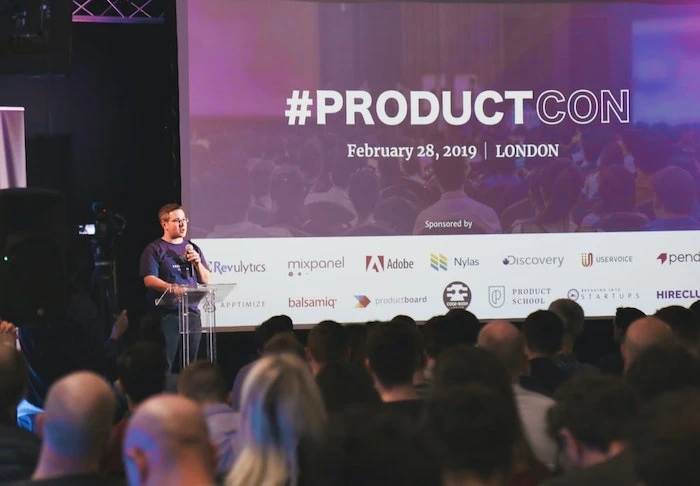
Let's put audio files into slides and presentations such as PowerPoint. Recommended software and how to insert | Text-to-speech software Ondoku
On slides such as PowerPoint, by adding audio in addition to illustrations and photos, you can make presentations easier to understand. We will introduce how to input audio to make attractive slides using text-to-speech software, along with recommended software.
Reputation of Ondoku in internal training, presentations, and e-learning

Ondoku has received many comments from people who have actually used it internally or for work.
We will introduce some of the customer feedback.
I think it is a very easy-to-use and good service.
I used it for a presentation. Since the presentation is finished for now, I will cancel. It is very good software, and I would like to use it again.
I am satisfied with the quality, which is highly cost-effective.
Regarding the reading of the manuscript, there were many generally positive opinions from those who listened.
I would definitely like to use it again for the next creation. As for my feedback, I think it would be an even better service if intonation could be adjusted a bit more finely.
I used it for an internal presentation, and it was highly praised by those listening.
I thought it was a very easy-to-use and good service. There were occasionally strange pronunciations, but it was generally good lol. Also, if there were natural intonation and inflection, it would be perfect.
The price and features were very much appreciated.
Since the creation of new materials has finished. It was very easy to use. Thank you very much. I will use it with proper credit attribution!
Try using Ondoku right now
Ondoku allows you to create audio for free without even registering as a member.
You can solve your worries right now about what kind of reading it can do and whether you can create narration at the level you require.
In Ondoku, you can choose narration from 8 voices for Japanese. It also supports foreign languages such as English. You can create narration with native pronunciation.
There is also a blog post and YouTube for trial listening, so please check them out!

Listen to 16 types of Ondoku text-to-speech voices for free. Change the impression by varying pitch | Text-to-speech software Ondoku
Ondoku has 16 types of Japanese voices. Of course, both male and female voices are available. We have made it possible to listen to 8 types of commonly used Japanese voices and the sounds when the pitch of each voice is adjusted.
Why don't you also utilize Ondoku for internal training, presentations, and e-learning?
■ AI voice synthesis software "Ondoku"
"Ondoku" is an online text-to-speech tool that can be used with no initial costs.
- Supports approximately 50 languages, including Japanese, English, Chinese, Korean, Spanish, French, and German
- Available from both PC and smartphone
- Suitable for business, education, entertainment, etc.
- No installation required, can be used immediately from your browser
- Supports reading from images
To use it, simply enter text or upload a file on the site. A natural-sounding audio file will be generated within seconds. You can use voice synthesis up to 5,000 characters for free, so please give it a try.

Text-to-speech software "Ondoku" can read out 5000 characters every month with AI voice for free.
You can easily download MP3s and commercial use is also possible.
If you sign up for free, you can convert up to 5,000 characters per month for free from text to speech.
Try Ondoku now.
HP:
ondoku3.com
Email: ondoku3.com@gmail.com
Email: ondoku3.com@gmail.com
Related posts
[Free/Paid] Summary of Speech Synthesis Engines from Various Companies. Introducing which software …
How to use the Conversation and Dialogue function of Ondoku. Making listening materials and long te…
"Ondoku" is a Text-to-Speech service that anyone can use for free without installation. If you register for free, you can get up to 5000 characters for free each month. Register now for free
- What is Ondoku
- Start text-to-speech conversion
- Free registration
- Pricing
- Posts
- Try other free services
![[Creating Internal Training Materials] This Is the Speech Synthesis Software for e-learning Materials Available for Free!](https://storage.googleapis.com/ondoku3/image/recommend-site-for-studying-spanish_tmb_140.webp)
![[Creating Internal Training Materials] This Is the Speech Synthesis Software for e-learning Materials Available for Free!](https://storage.googleapis.com/ondoku3/image/recommend-site-for-studying-german_tmb_140.webp)
![[Creating Internal Training Materials] This Is the Speech Synthesis Software for e-learning Materials Available for Free!](https://storage.googleapis.com/ondoku3/image/recommend-site-for-studying-french_tmb_140.webp)
![[Creating Internal Training Materials] This Is the Speech Synthesis Software for e-learning Materials Available for Free!](https://storage.googleapis.com/ondoku3/image/recommend-site-for-studying-italian_tmb_140.webp)
![[Creating Internal Training Materials] This Is the Speech Synthesis Software for e-learning Materials Available for Free!](https://storage.googleapis.com/ondoku3/image/recommend-site-for-studying-korean_tmb_140.webp)









