Recommended Text-to-Speech Software Summary: 7 Selections for Commercial Use [Free and Paid]
Reducing Operating Costs and Maintaining Attention to Detail with Ondoku! Introduction of a Case Study of Ginza Parking Center Co., Ltd.
Jan. 26, 2026
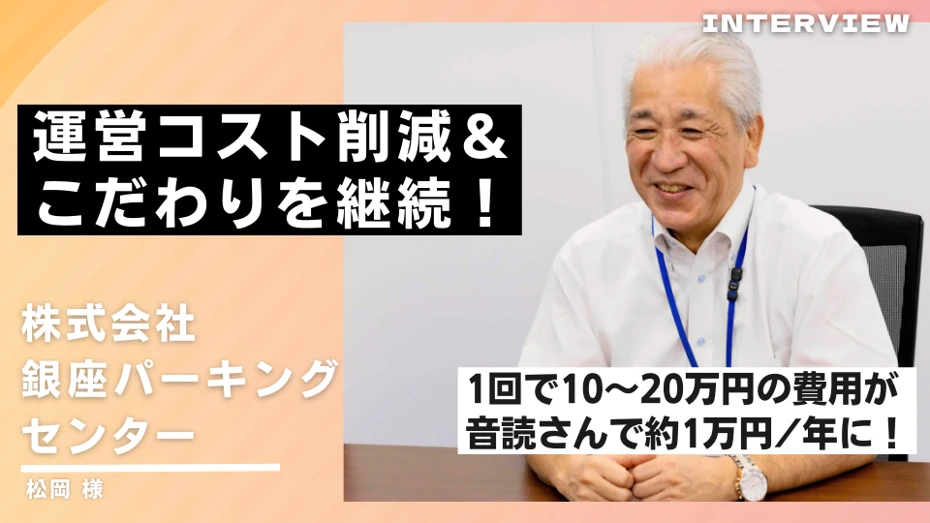
- Ginza Parking Center Co., Ltd.
- Size: 25-30 people
- Industry: Service industry
- Interviewee: Mr. Matsuoka
Purpose/Challenges
Used for audio information within the "Nishi-Ginza Parking Lot" we operate. It is necessary to change messages periodically based on the day of the week or time slot, but hiring a professional for voice recording results in significant costs and time.
Solution
Create audio information using Ondoku.
Results
Significant cost reduction as outsourcing is no longer necessary.
Ability to respond immediately to minor content changes, and voice recordings can be redone internally as many times as needed.
Introduction to the Company and Department

Our company operates the "Nishi-Ginza Parking Lot," located underground in the heart of Ginza, with a capacity of approximately 700 vehicles.
As a "backup parking lot" that supports Ginza's transportation and urban functions, we daily pursue what we can do for the city beyond just providing stress-free parking spaces.
Our strength lies in our easy-to-use self-parking and flat-surface parking, which has contributed to improving convenience mainly for those driving large vehicles and contractors in charge of construction for surrounding facilities. Additionally, we have established systems for disaster prevention stockpiling during emergencies and for accepting vehicles of people unable to return home.
The department using Ondoku is the "Parking Lot Department," which manages and operates the Nishi-Ginza Parking Lot. While text-to-speech tools are likely used in many industries, I feel that examples in parking lots are rare, so I hope this information is helpful.
Ginza Parking Center Co., Ltd.: Nishi-Ginza Parking Lot Website
Please tell us about the background behind introducing a text-to-speech tool.

We introduced a text-to-speech tool because we felt the need to operate audio information within the parking lot while reducing costs.
The Nishi-Ginza Parking Lot we operate runs 24/7, 365 days a year. It is part of our job to convey correct information by broadcasting various messages over speakers according to the season, day of the week, and time of day.
For example, during nighttime hours, we switch to messages for preventing drunk driving. Additionally, we need to provide information about services that change from time to time, and we currently continue to provide information with about 30 types of audio.
Before introducing the text-to-speech tool, we broadcast information using sound sources recorded on CDs. However, to deliver information to customers, it is necessary to change messages to match the times and environment.
To re-record a CD, we had to outsource the voice recording to a professional every time. Considering that the audio would continue to change, the cost and budget were not aligned, which became an issue.
Although it doesn't cost money, using employees' voices puts a burden on them. Furthermore, since it is something customers hear, a certain level of quality is required.
While searching for something to solve these problems, we encountered a text-to-speech tool that could create messages at a low cost.
Could you tell us how you decided to introduce Ondoku?
The fact that "commercial use is allowed" was the major deciding factor.
We looked for many services similar to Ondoku, but I think many of them prohibited business use in exchange for being free. Among those that allowed commercial use, we arrived at Ondoku while filtering out those that did not fit the cost.
In terms of pricing, I thought it had an overwhelming advantage. We have an annual contract, and since the number of characters available is large, we use it for creating new messages or making corrections without worrying about usage limits.
Actually, before introducing Ondoku, we were using a different demo site that could perform text-to-speech. It was high-performance, but it closed down after a while, and the only way to continue commercial use was to purchase an expensive license.
I think Ondoku is a service with a solid balance between price and functionality.
Compared to before introducing Ondoku, have your company's challenges been solved (improved)?

Since introducing Ondoku, we have achieved low-cost audio data creation. If we had asked a professional to do the voice recording every time we changed a message in the parking lot, it would have cost 100,000 to 200,000 yen per time.
Because information in the parking lot reaches customers' ears directly, we are very particular about the words we choose. It is standard for several people to make corrections many times, checking if the message is too long or if the honorifics are used correctly.
If we had outsourced it, it would cost money even to redo it. With Ondoku, I like that we can brush it up on the spot while listening to the actual voice.
How often do you currently use Ondoku?
Currently, our usage has settled at once or twice a month. Perhaps because the format has become established as we use it, our work now concludes with reusing audio data or just changing the broadcast order.
However, when we suddenly decide to launch a campaign, it's time for Ondoku, which can be used immediately within the company. We integrate the created audio into the onsite broadcasting system and use it alongside online BGM to provide smooth information to customers.
If you have any further requests for improvement for Ondoku, please let us know.
It would be great if there was a feature that optimizes voice conversion accuracy for each individual user. It would be interesting if usability improved daily using learning functions like AI.
Because the audio is delivered directly to customers, we cannot compromise on intonation, so the current situation is that we create them through trial and error every time. If something feels even slightly off, we try using Hiragana or Katakana, or inserting punctuation.
Having quirks in intonation is the same for any text-to-speech tool. If Ondoku becomes able to naturally read out words frequently used by each company, it will lead to differentiation.
How do you plan to use Ondoku in the future?
In the near future, we are planning to use Ondoku to create the words for "IVR" (Interactive Voice Response), which handles customer inquiry calls with automated voices. We started with broadcasts in the parking lot, but as we use it, we've seen more possibilities.
Also, regarding areas that might be necessary in the future, multi-language reading functions could be mentioned. However, there are currently not many foreigners using the parking lot.
Therefore, if the number of foreign users increases in the future, I believe it will be an opportunity to actively use Ondoku.
Currently, we are playing digital signage images on a large monitor installed at the Sukiyabashi entrance. We haven't installed speakers there yet, but in the future, it might be interesting to play messages created with Ondoku along with them for a different kind of impact.

By utilizing Ondoku, it led to increased flexibility in audio information and cost reductions of over 100,000 yen! Thank you for sharing such a wonderful case study.
Ondoku is a text-to-speech service that allows commercial use for free. It supports 80 languages/dialects and has a total of over 650 speakers. You can listen to the types of voices and sample audio for supported languages here.

■ AI voice synthesis software "Ondoku"
"Ondoku" is an online text-to-speech tool that can be used with no initial costs.
- Supports approximately 50 languages, including Japanese, English, Chinese, Korean, Spanish, French, and German
- Available from both PC and smartphone
- Suitable for business, education, entertainment, etc.
- No installation required, can be used immediately from your browser
- Supports reading from images
To use it, simply enter text or upload a file on the site. A natural-sounding audio file will be generated within seconds. You can use voice synthesis up to 5,000 characters for free, so please give it a try.

Text-to-speech software "Ondoku" can read out 5000 characters every month with AI voice for free.
You can easily download MP3s and commercial use is also possible.
If you sign up for free, you can convert up to 5,000 characters per month for free from text to speech.
Try Ondoku now.
HP:
ondoku3.com
Email: ondoku3.com@gmail.com
Email: ondoku3.com@gmail.com
Related posts
"Ondoku" is a Text-to-Speech service that anyone can use for free without installation. If you register for free, you can get up to 5000 characters for free each month. Register now for free
- What is Ondoku
- Start text-to-speech conversion
- Free registration
- Pricing
- Posts
- Try other free services














