Best Text-to-Speech Software: 7 Free & Paid Tools for Commercial Use
How to Create YouTube Thumbnails for Global Audiences: Design Tips & Fonts
Sept. 9, 2026


How do I make YouTube video thumbnails? I want to know the methods for overseas audiences!
In order to get many people to play your YouTube videos, the way you create video thumbnails is very important.
To appeal to overseas viewers, we recommend creating thumbnails that catch many people's eyes.
Effective thumbnail creation is essential not only for personal YouTube channels but also for operating channels for business purposes such as product promotion and branding.
In this article, we will explain in detail how to create thumbnails for YouTube videos aimed at overseas audiences.
We will also explain how to deal with language differences, which is important in producing YouTube thumbnails for overseas markets. Why not use this article as a reference to make your YouTube channel more attractive?
[Free] Recommended AI Narration Creation Site for YouTube Videos Aimed Overseas

When uploading videos for overseas audiences to YouTube, adding narration with native pronunciation is just as important as the thumbnail.
In such cases, we recommend the AI text-to-speech service Ondoku.
Ondoku is a text-to-speech service that employs the latest speech synthesis AI.
It supports 81 languages and regions worldwide, including English, French, German, Spanish, Chinese, and Korean.
Speech synthesis is possible with high-quality native pronunciation for any language.
No installation is required, and it can be used 24 hours a day from your browser, so you can easily produce attractive YouTube videos that strongly appeal to overseas viewers!
And Ondoku is free!
It can be used without registration or login, so why not start by using Ondoku to upload your videos for overseas audiences to YouTube?
Why are thumbnails important for YouTube videos aimed at overseas audiences?
Thumbnails are important for getting more viewers to watch your YouTube videos!
By paying attention to thumbnails for overseas videos, you can significantly increase your view counts and subscribers.
Appealing to overseas viewers with YouTube video thumbnails

The reason why thumbnails are important when uploading videos for overseas audiences to YouTube is that they increase the likelihood of the video being opened when it is displayed on the YouTube home page or in related videos.
For YouTube videos aimed at overseas audiences, thumbnails greatly influence the click-through rate.
When you choose a YouTube video, don't you look at the thumbnail first?
It's the same for overseas viewers.
By creating thumbnail images that strongly attract interest through careful use of images, text, and overall design, you can explosively increase your video view counts.
Additionally, for videos used for marketing purposes such as product promotion and branding, it is important to produce videos for each target country or region.
By including text in each language on the thumbnail, it is possible to more strongly appeal to viewers in specific countries or regions.
Overseas video thumbnails require a different creation method than domestic ones
However, for YouTube video thumbnails aimed at overseas audiences, a different creation method than that for domestic videos is required.
For example, if you use the same creation method as for videos intended for Japan, it may result in a thumbnail image that feels out of place to overseas viewers.
Overseas viewers have different preferences depending on their country or region.
- Preferences for color and contrast.
- Whether they prefer calm expressions or flashy expressions.
It is also necessary to choose fonts that don't feel out of place for each target country or region.
When making videos for overseas audiences in English or other foreign languages, it is recommended to create thumbnails after clearly thinking about which country or region's viewers you are targeting.
Please try creating effective thumbnails by referring to the points introduced in this article.
7 Methods for Creating Attractive Thumbnails for Overseas YouTube Videos
I want to know how to create thumbnails for YouTube videos aimed at overseas audiences!

Now, let's specifically explain the points for creating thumbnails for YouTube videos aimed at overseas audiences.
1. Create YouTube video thumbnails in 16:9
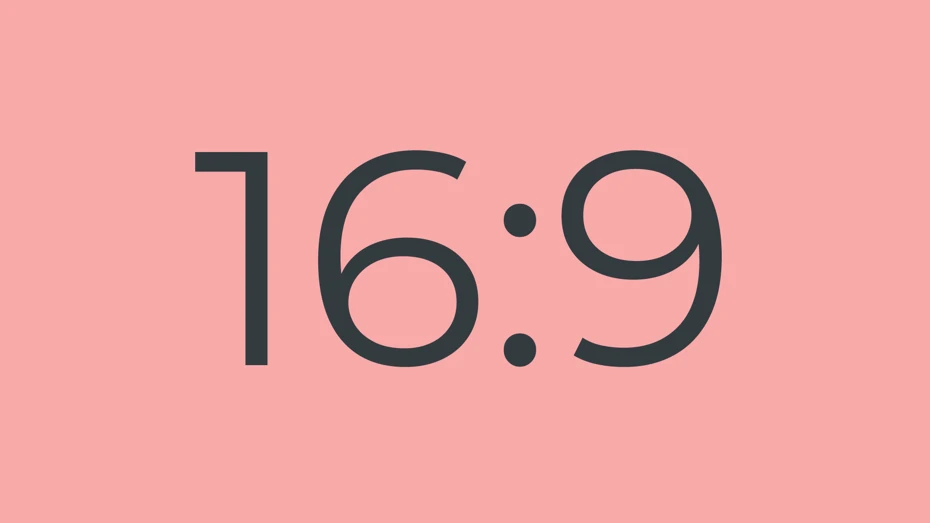
Basic knowledge about YouTube thumbnails is important when making thumbnails for overseas videos.
The format for YouTube video thumbnails is:
- Resolution: 1280x720 pixels (16:9 aspect ratio)
- Image file formats: JPG, GIF, PNG, etc.
- File size: 2MB or less
The aspect ratio of the image is 16:9.
Even if the image resolution is large, it will be resized during upload, so there is no problem with it being large.
It is okay to create and upload at 1920x1080 pixels, the same as the video.
2. Use fonts other than those standard on the OS
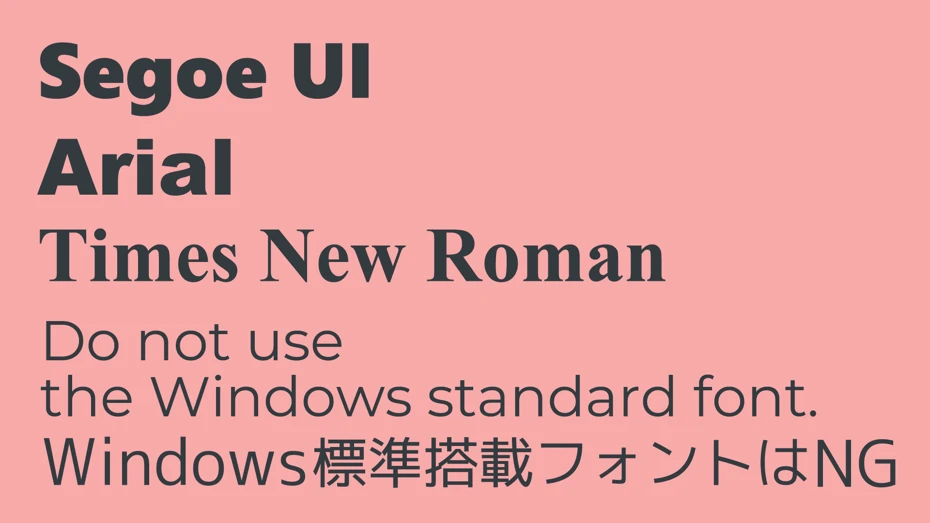
What is very important when making thumbnails for overseas videos is selecting appropriate fonts for each target country or region.
Specifically, if you are using Windows, using standard fonts is a no-go.
*In the case of Mac, it is not a problem, but it is recommended to also install fonts other than the standard ones.
Have you ever felt a sense of discomfort with the fonts in advertisements created by overseas companies?
A common mistake when overseas companies make advertisements for Japan is using standard Windows fonts such as MS Gothic, Meiryo, or Yu Gothic.
When Japanese companies make advertisements for Japan, they almost never use standard Windows fonts.
When creating YouTube video thumbnails for overseas audiences, choosing fonts randomly often leads to the same situation.
To prevent such mistakes, it is recommended to research what kind of fonts are preferred in the target country or region.
By asking generative AI such as ChatGPT, Claude, or Gemini a question like:
Please tell me recommended commercially available free fonts to use for YouTube video thumbnails aimed at the United States.
You can have them tell you the optimal fonts for appealing to overseas viewers.
This article also introduces fonts perfect for YouTube video thumbnails aimed overseas, so please take a look.
3. Arrange text in a large font size
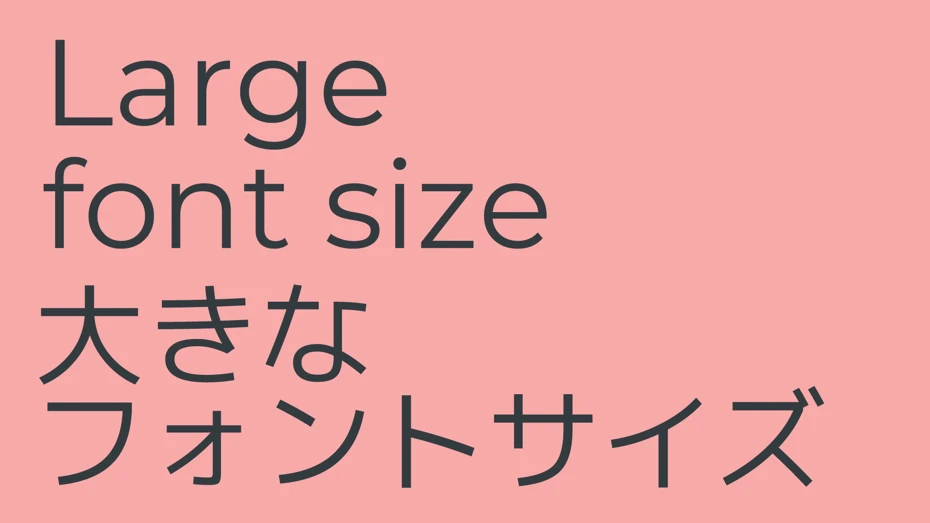
What is important when creating YouTube video thumbnails is arranging text in a large font size.
To make the video content clear to anyone at a glance, it is recommended to use either the left or right half of the thumbnail as space for text.
The number of characters you can use is limited with large font sizes, but for YouTube videos aimed overseas, it is often difficult to think of the exact words.
In such cases, it is recommended to use generative AI services such as ChatGPT, Claude, or Google Gemini.
I am producing a YouTube video about ○○. Please think of text to put in the video's thumbnail image within 10 characters.
By giving instructions like this, they will think of text that can effectively appeal to viewers.
If you have a script, it is also recommended to upload the script file before giving instructions.
Please provide 10 different ideas.
There is also a technique of giving instructions like this and choosing the one you like.
4. The font weight should be Extra Bold only
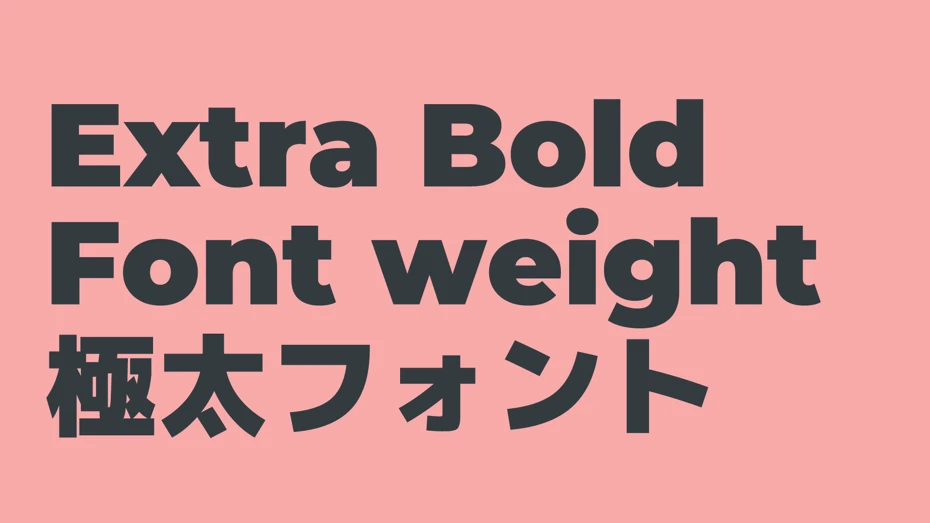
The thickness (weight) setting of the characters used in YouTube thumbnail images is also important.
For the font weight, choose the thickest one, such as "Extra Bold" or "Black."
There are expressions that use thin characters, but that is for advanced users.
At first, you can't go wrong if you use the thickest characters from the available options.
5. Outlined text is best
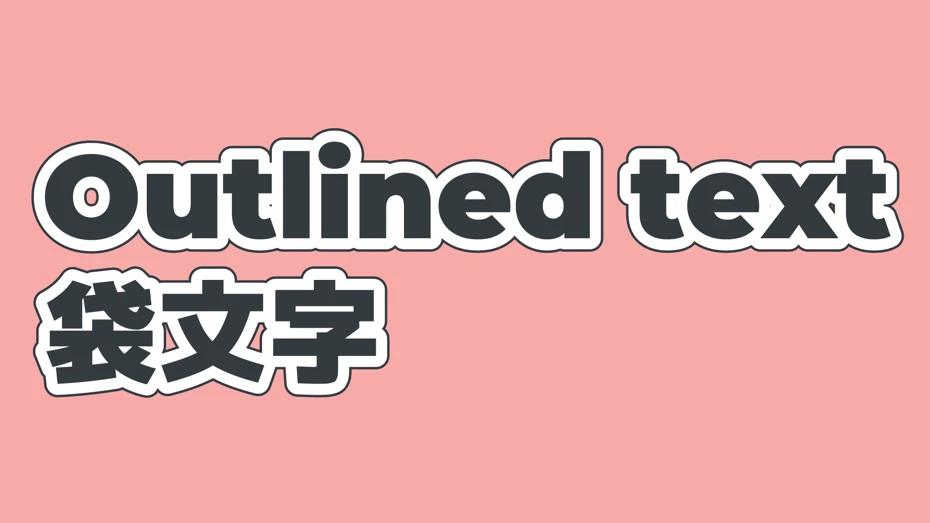
When creating YouTube thumbnail images, it is recommended to make all text "outlined text."
Outlined text refers to characters that have an outline around them, as shown in the image.
Not only is it easier to read than just typing characters alone, but it can also appeal to viewers by giving a strong impression.
As in the image, making the border double is also recommended.
Since almost all video thumbnails made by professionals use outlined text, it can also give the impression of a high-quality video.
6. Add a border in the image color around the image
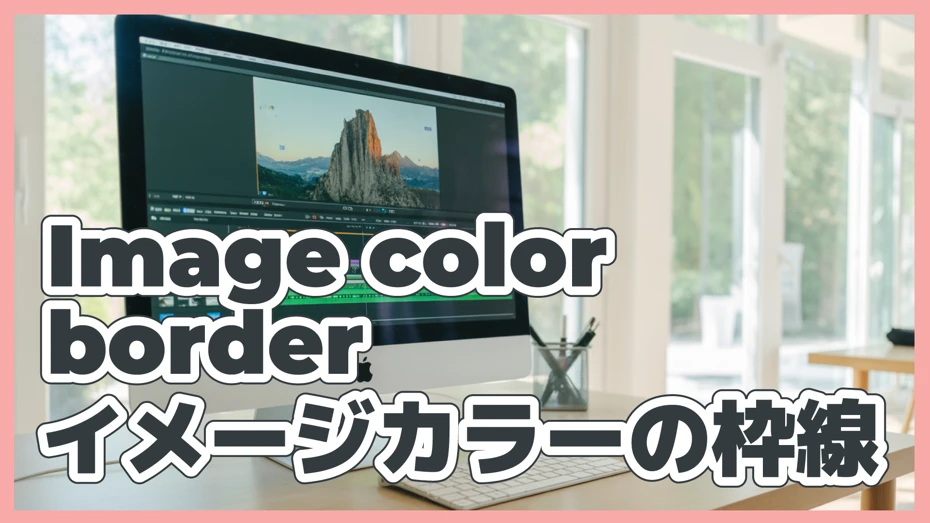
A point for making YouTube thumbnail images more attractive is adding a border around the image.
This is especially important when the background of the thumbnail is a photo.
As in the image, surrounding the perimeter with a thick line makes the thumbnail stand out, increasing the probability that it will be clicked (tapped) from among many thumbnails lined up.
When adding a border, color is also important.
By deciding on an image color for your YouTube channel and using that color, you can give a consistent impression to viewers.
If you don't have a specific image color, it is safe to use a strong color like red or black.
7. Make the text slightly upward-slanted
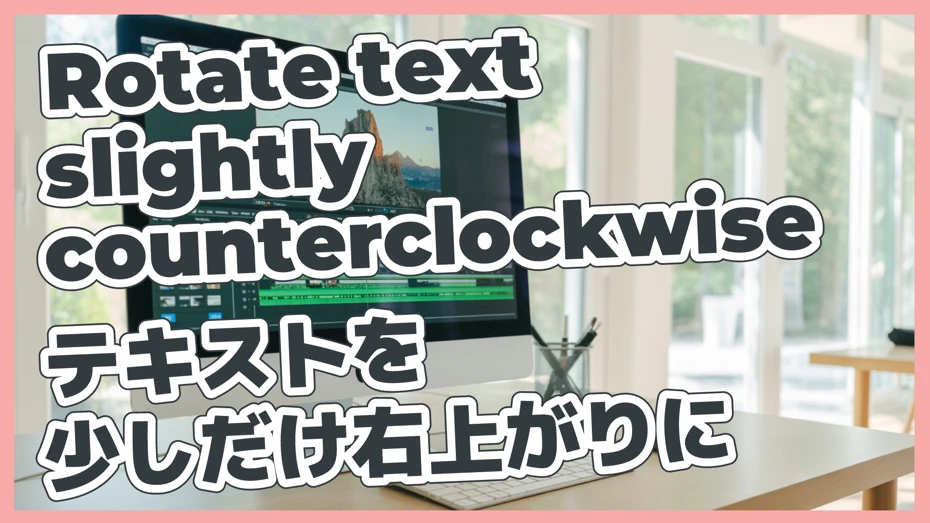
When arranging text, another point is to place it slightly slanted upwards to the right.
By making it slightly upward-slanted, you can give a dynamic impression to the image, making it a thumbnail that catches the eye of more people.
8. Cut out and place images of people
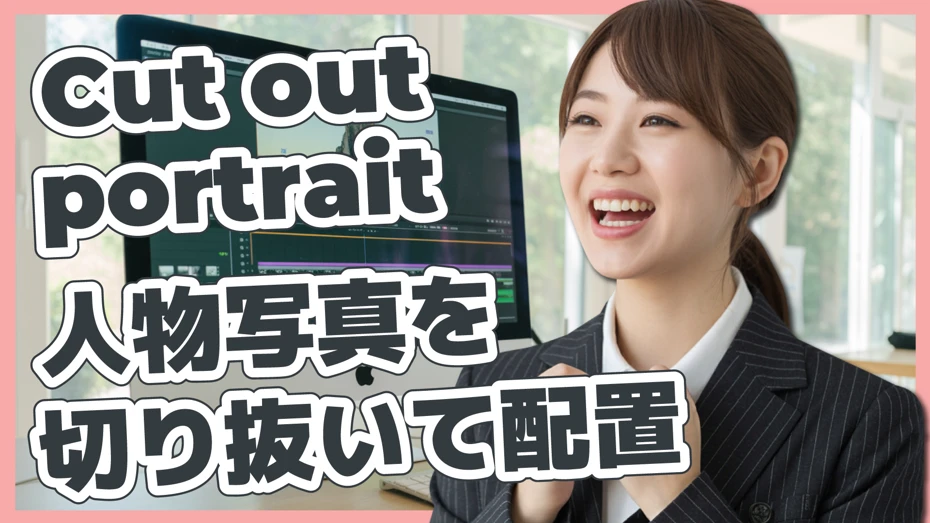
If you can use photos of people for the thumbnail, it is recommended to cut out the photo and layer it on top of the background image.
Photos of people can give a strong impression to viewers.
By placing the photo large like this image, you can maximize the effect of the person's photo.
When placing photos of people, they become even more attractive if you add a shadow (Illustrator's "Stylize -> Drop Shadow") or add a white border around the image (Photoshop's "Layer Style -> Stroke").
In thumbnail production for marketing purposes such as product promotion and branding, it is also recommended to cut out product photos and arrange them in the same way.
YouTube thumbnail for overseas audiences is complete
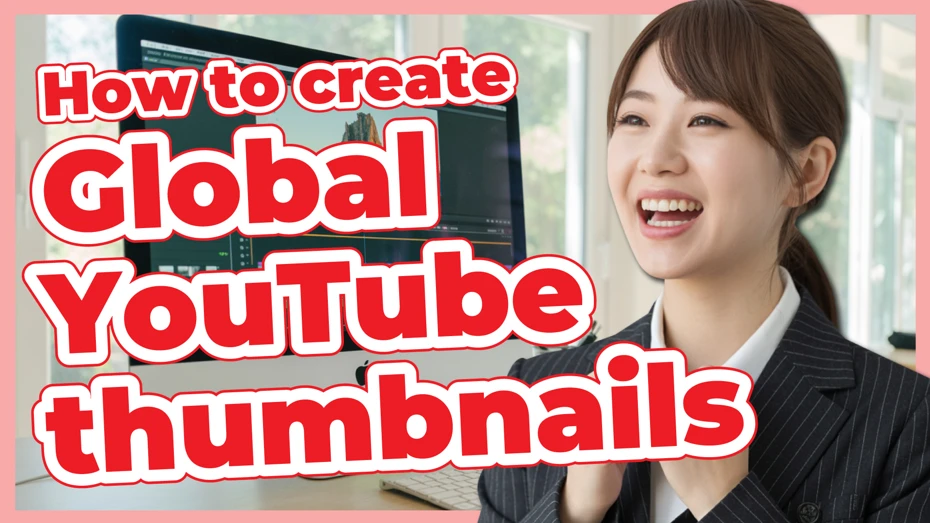
All that's left is to adjust the text color and arrangement, and your YouTube thumbnail for overseas audiences is complete!
*If you are unsure about the text color, it is generally safe to use the most conspicuous red first.
Why not try creating your own YouTube video thumbnails for overseas audiences using this creation method as a reference?
[Free] Ondoku is recommended for producing YouTube videos for overseas audiences
When making YouTube videos for overseas audiences, video narration with native pronunciation is just as important as the thumbnail.
Even if you attract viewers' attention with an attractive YouTube thumbnail for overseas markets, if the audio is difficult to hear or the pronunciation is unnatural, the video will be closed immediately.
In such cases, why not try using the AI text-to-speech service Ondoku?
Ondoku is a text-to-speech service that can synthesize speech using cutting-edge AI technology.
In 81 languages and regions, including English, it can read aloud with natural pronunciation just like a native speaker.
![[Ondoku] Listen to the types of voices and sample audio for supported languages](https://storage.googleapis.com/ondoku3/image/%E5%A4%9A%E6%A7%98%E6%80%A7_930.webp)
[Ondoku] Listen to the types of voices and sample audio for supported languages
Here we introduce the supported languages and sample voices of Ondoku.
By combining YouTube thumbnails for overseas markets with high-quality audio, you can produce attractive video content for overseas viewers.
Operation is simple; just enter the text and select the language!
In just a few seconds, it generates a high-quality audio file that you can download immediately.
And Ondoku can be used for free without registration or login!
If you are making YouTube videos for overseas audiences, why not start by making foreign language narration with Ondoku?
This article explains how to create foreign language narration for YouTube using Ondoku.
Please take a look.
![[2026 Latest] How to add English narration to YouTube videos? Easy production with AI speech synthesis](https://storage.googleapis.com/ondoku3/image/youtube_english_narration_tmb_930.webp)
[2026 Latest] How to add English narration to YouTube videos? Easy production with AI speech synthesis
A thorough explanation of how to add English narration to YouTube videos. Easily produce high-quality foreign language narration with the free AI text-to-speech service "Ondoku." Introducing video production techniques effective for gaining overseas viewers.
[Free] Recommended Fonts for YouTube Thumbnails Aimed Overseas
Choosing the right font is important when making thumbnails for YouTube videos for overseas audiences.
However, if you use the fonts that come by default on your PC, it may not only feel out of place but could also make the video look cheap...
Therefore, from here, we will specifically introduce recommended fonts that you can use for free right now.
- Montserrat: Recommended free font for English
- Bebas Neue: Free English font with a vertically elongated typeface
- Black Han Sans: Recommended free font for Korean
- Alibaba PuHuiTi: Recommended free font for Simplified Chinese
- M+: (Extra) Recommended free font for Japanese
Montserrat: Recommended Extra Bold font for English YouTube video thumbnails

A recommended font when making thumbnails for English videos on YouTube is "Montserrat."
Montserrat is one of the standard sans-serif fonts (what are called Gothic fonts in Japanese).
It is a font that can be used for free, and the key point is that an extra bold "Black" weight is available.
Because it is distributed under a license called "SIL Open Font License," which is okay for commercial use, you can use it with peace of mind for YouTube video thumbnails.
It can be downloaded for free from Google Fonts.
Bebas Neue: A font for thumbnails characterized by a vertically elongated typeface

"Bebas Neue" is a standard font perfect for video thumbnails, characterized by its vertically elongated typeface.
This is also distributed under the "SIL Open Font License," so you can use it for YouTube video thumbnails without worrying about the license.
It is available for free and can be downloaded from Google Fonts.
If you are making English video thumbnails, you probably can't go wrong if you first prepare these two types: "Montserrat" and "Bebas Neue."
Black Han Sans: A standard Extra Bold font recommended for Korean video thumbnails

A recommended font when making thumbnails for YouTube videos aimed at Korea is "Black Han Sans."
Black Han Sans is a Hangul font with a unique extra-bold weight, and it is widely used in advertisements and other media in Korea.
It can be downloaded from Google Fonts and is distributed under the "SIL Open Font License," which allows for commercial use, so it can be used with confidence.
Alibaba PuHuiTi: A free font that can be used for Chinese video thumbnails
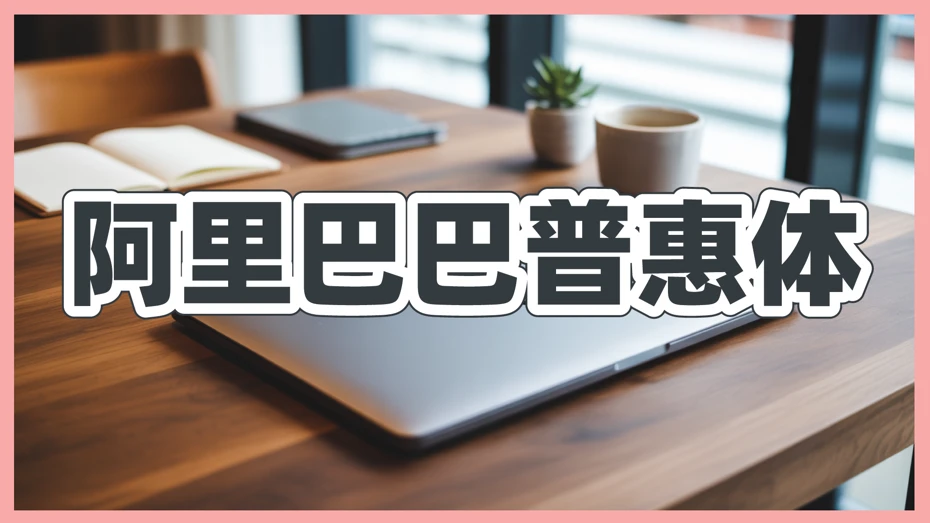
"Alibaba PuHuiTi (阿里巴巴普惠体)" is a free font developed by Alibaba in China.
It is distributed under its own license, but it is stated that it can be used commercially for free permanently.
Because extra-bold font weights are available, it is perfect for thumbnails for Chinese videos.
It can be downloaded from the official Alibaba Fonts website.
M+: Recommended free font for Japanese video thumbnails

This article introduces how to create thumbnails for YouTube videos aimed at overseas audiences, but finally, we will also explain recommended fonts for Japanese.
Among free Japanese fonts, "M+" is particularly recommended for video thumbnails.
M+ is a sans-serif (Gothic) Japanese font with nine different font weights available.
Even with the extra-bold (Black) weight, the typeface has no quirks and can be utilized in a wide range of situations.
*M+ is also used for the Japanese font in the images in this article.
Since the license is "SIL Open Font License," it can be used without problems even for commercial use.
It is a free font you definitely want to use if you are unsure about Japanese YouTube video thumbnails.
Recommended Software for Creating YouTube Video Thumbnails Aimed Overseas
Finally, we will explain what kind of software you should use to create YouTube video thumbnails for overseas audiences.
1. Adobe Illustrator | Standard Software for Graphic Design

Adobe Illustrator is a standard paid software also used for producing printed materials.
To use it, you need to sign up for an Adobe Creative Cloud subscription.
As it has been used for many years as the standard software for graphic design, its ease of use is guaranteed.
You can quickly create professional-level YouTube video thumbnails.
The monthly fee is high, but it is a paid software that is definitely worth it.
Vector Graphics Software – Adobe Illustrator
2. Inkscape | Create Thumbnails with Free Software

Inkscape is a free drawing software.
It is also known as an alternative software to Adobe Illustrator.
Adobe Illustrator is a high-performance software, but if you're just making YouTube video thumbnails, free software is sufficient.
It has enough functions for arranging images and text to create thumbnails.
Of course, by mastering it, you can also perform full-scale design.
Inkscape - Draw Freely. | Inkscape
Why not try appealing with thumbnails for overseas YouTube videos?
If you want to further increase the number of views for your YouTube videos, we recommend focusing on thumbnails.
By just being conscious of the points introduced in this article, you can create thumbnails that attract the attention of many viewers.
If you create narration with AI speech synthesis, YouTube videos for overseas audiences can be easily produced.
Why not try producing YouTube videos for overseas audiences and increase your views and subscribers all at once?
■ AI voice synthesis software "Ondoku"
"Ondoku" is an online text-to-speech tool that can be used with no initial costs.
- Supports 81 languages and regions, including Japanese, English, Chinese, Korean, Spanish, French, and German
- Available from both PC and smartphone
- Suitable for business, education, entertainment, etc.
- No installation required, can be used immediately from your browser
- Supports reading from images
To use it, simply enter text or upload a file on the site. A natural-sounding audio file will be generated within seconds. You can use voice synthesis up to 5,000 characters for free, so please give it a try.

Text-to-speech software "Ondoku" can read out 5000 characters every month with AI voice for free.
You can easily download MP3s and commercial use is also possible.
If you sign up for free, you can convert up to 5,000 characters per month for free from text to speech.
Try Ondoku now.
HP:
ondoku3.com
Email: ondoku3.com@gmail.com
Email: ondoku3.com@gmail.com
Related posts
"Ondoku" is a Text-to-Speech service that anyone can use for free without installation. If you register for free, you can get up to 5000 characters for free each month. Register now for free
- What is Ondoku
- Start text-to-speech conversion
- Free registration
- Pricing
- Posts
- Try other free services














