Summary of 5 Recommended Popular Text-to-Speech Software in English [Free, Paid, Commercial Use]
[Free] 5 Free Text-to-Speech Software Programs for Mac
Jan. 26, 2026
![[Free] 5 Free Text-to-Speech Software Programs for Mac](https://storage.googleapis.com/ondoku3/image/Mac%E5%AF%BE%E5%BF%9C%E3%81%AE%E7%84%A1%E6%96%99%E9%9F%B3%E5%A3%B0%E8%AA%AD%E3%81%BF%E4%B8%8A%E3%81%91%E3%82%BD%E3%83%95%E3%83%885%E7%A8%AE%E9%A1%9E_930.webp)
Hello, thank you for always using Ondoku.

Text-to-speech software is so convenient, I want to use it!
But in those moments, it is a daunting task for Mac users to find such software.
Actually, compared to Windows, the number of text-to-speech software compatible with Mac is very small.
This time, we will introduce text-to-speech software and sites that can be used even by Mac users.
Free text-to-speech software available on Mac

There are mainly 5 **free** text-to-speech software (sites) available on Mac.
Ondoku

Ondoku offers a wide range of free usage, and the sound quality is very clean and easy to listen to.
Since it can be used on the website, there is no need to install it on a computer or smartphone. You can use it easily anywhere.
It supports a wide range of foreign languages, covering over 30 countries.
The created audio can be downloaded immediately in MP3 format.
Commercial use is also possible.
If you are unsure about text-to-speech methods, why not try using Ondoku first?
Mac OS standard software
On Mac, since OS X Yosemite (10.9), it has been possible to create synthetic voice narration using only standard OS software.
For the voice types, you can choose:
- A Japanese female voice called "Kyoko"
- A Japanese male voice called "Otoya"
The configuration method is:
[System Preferences] → [Accessibility] → [Speech]
You can set it there.
You can try it right now on your Mac, so please give it a challenge.
Please note that if you are considering commercial use, you will need to check Apple's terms of use.
Can't I use Siri?
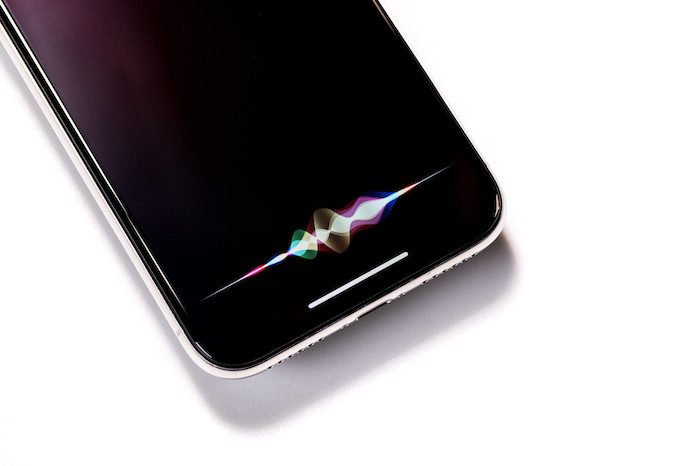
Many people want to use the voice of Siri, the AI assistant available on Mac OS.
In conclusion, while it takes some effort, it is not impossible to use.
[How to use]
- Enter the text you want to read in a text memo
- Launch Siri
- Instruct Siri to "Read the memo"
However, this method depends on your **Mac environment.**
**Depending on Siri's condition, it may or may not read it for you.**
It truly **depends on Siri's mood.**
I do not recommend it because it is not guaranteed to work stably.
VOICEVOX
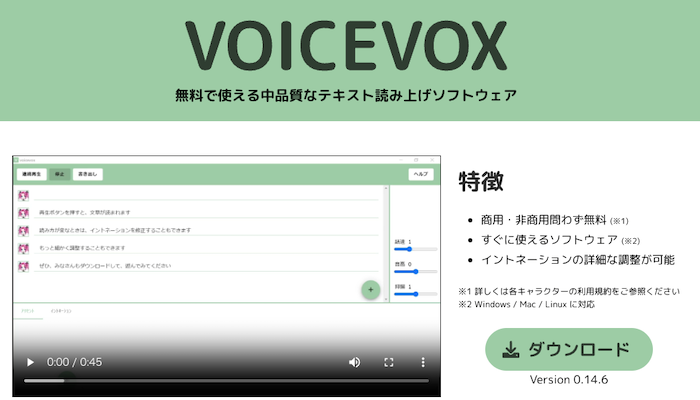
This is the software that provides the voice of "Zundamon," famous on YouTube and elsewhere.
The key point is that it is free and can be used commercially.
However, the terms of use for commercial purposes differ depending on the character used, so it is recommended to check properly for each character before use.
Some characters are very relaxed, while others require permission from a separate contact in advance.
VOICEVOX was developed by Hiroshiba (Hiho), an engineer at "Dwango Media Village."
It is a wonderful text-to-speech software that can be used for free.

Yukumo!
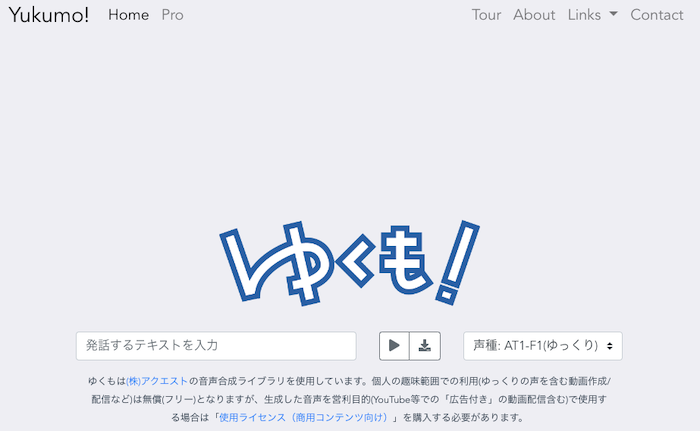
Yukumo! is a web service that can read text from a browser.
Since it can be operated on the web, it can be used regardless of the OS.
It is a free text-to-speech software created using the speech synthesis library "AquesTalk" developed and sold by Aquest.
Use within the scope of personal hobbies (such as creating/streaming videos including "Yukkuri" voices) is free, but if you use the generated audio for commercial purposes (including video streaming with "ads" on YouTube, etc.), you must purchase a "usage license (for commercial content)."
Text-to-Speech Reader
- Mac OS standard software "Kyoko"
- Android reading voice
This is a text-to-speech site that can read using these voices.
Since there is no mention of commercial use, it seems necessary to inquire whether it can be used.
Let's try text-to-speech software
All five text-to-speech software introduced this time can be used for free.
*In the case of personal use. Commercial use varies depending on the software/site, so please check each one.
If it is something that can be used on a website, you can use it right now by accessing it.
The Mac OS standard software also has a quality that should not be underestimated.
For Mac users, finding compatible software is quite an effort.
Even if you think "This software is great!" and try to use it, you cannot use it if the OS is not supported.
However, the number of text-to-speech software compatible with Mac and those available on websites has increased.
It might still be difficult to read with as much emotion as a human.
Also, because Japanese has various types of character scripts like Kanji, Hiragana, and Katakana, it is more difficult to read aloud than other languages.
Therefore, older text-to-speech software would sometimes make reading mistakes.
However, the way of reading is now much more human-like than it was five years ago.

As long as text-to-speech software continues to be developed, the quality of reading will continue to improve.
We are now in the future that someone once dreamed of.
I, Ondoku, will continue to do my best to ensure that we can read aloud wonderful audio.
Please try actually using too.
Well then, I look forward to meeting you.
■ AI voice synthesis software "Ondoku"
"Ondoku" is an online text-to-speech tool that can be used with no initial costs.
- Supports approximately 50 languages, including Japanese, English, Chinese, Korean, Spanish, French, and German
- Available from both PC and smartphone
- Suitable for business, education, entertainment, etc.
- No installation required, can be used immediately from your browser
- Supports reading from images
To use it, simply enter text or upload a file on the site. A natural-sounding audio file will be generated within seconds. You can use voice synthesis up to 5,000 characters for free, so please give it a try.

Text-to-speech software "Ondoku" can read out 5000 characters every month with AI voice for free.
You can easily download MP3s and commercial use is also possible.
If you sign up for free, you can convert up to 5,000 characters per month for free from text to speech.
Try Ondoku now.
HP:
ondoku3.com
Email: ondoku3.com@gmail.com
Email: ondoku3.com@gmail.com
Related posts
[Free/Paid] Summary of Speech Synthesis Engines from Various Companies. Introducing which software …
Introducing 2 New Types of Japanese Voices! Listen to Ondoku Text-to-Speech Software Voices for Free
"Ondoku" is a Text-to-Speech service that anyone can use for free without installation. If you register for free, you can get up to 5000 characters for free each month. Register now for free
- What is Ondoku
- Start text-to-speech conversion
- Free registration
- Pricing
- Posts
- Try other free services
![[Free] 5 Free Text-to-Speech Software Programs for Mac](https://storage.googleapis.com/ondoku3/image/recommend-site-for-studying-spanish_tmb_140.webp)
![[Free] 5 Free Text-to-Speech Software Programs for Mac](https://storage.googleapis.com/ondoku3/image/recommend-site-for-studying-german_tmb_140.webp)
![[Free] 5 Free Text-to-Speech Software Programs for Mac](https://storage.googleapis.com/ondoku3/image/recommend-site-for-studying-french_tmb_140.webp)
![[Free] 5 Free Text-to-Speech Software Programs for Mac](https://storage.googleapis.com/ondoku3/image/recommend-site-for-studying-italian_tmb_140.webp)
![[Free] 5 Free Text-to-Speech Software Programs for Mac](https://storage.googleapis.com/ondoku3/image/recommend-site-for-studying-korean_tmb_140.webp)









