![How to adjust pause and blank time in Ondoku reading [2 types] | Text-to-speech software Ondoku](https://storage.googleapis.com/ondoku3/image/Line_930.webp)
Recommended Text-to-Speech Software Summary: 7 Selections for Commercial Use [Free and Paid]
[2026 Latest] 4 Recommended AI Voice Apps with Middle-Aged Male Voices! Detailed Introduction of Free Adult Male Voices
Jan. 26, 2026
![[2026 Latest] 4 Recommended AI Voice Apps with Middle-Aged Male Voices! Detailed Introduction of Free Adult Male Voices](https://storage.googleapis.com/ondoku3/image/middle_aged_man_tts_tmb_930.webp)

I wonder if there are any sites or apps that can read text aloud in an older man's voice.
When creating videos or narrations, there are times when you want a calm, older man's voice, aren't there?
However, it is often difficult to record a clear and easy-to-hear older man's voice on your own.
In such cases, sites and apps that can automatically read text aloud in an older man's voice are very convenient.
With the advancement of AI technology, it has become possible to easily create natural-sounding voices that sound just like a real older man is speaking.
Furthermore, sites and apps that can be used for free have also appeared!
In this article, we will carefully select and introduce automated voice creation sites and apps that offer older men's voices.
From free sites to high-quality apps utilizing AI technology, we will explain how to read text aloud with a voice that perfectly fits your purpose. Why not try using them for your video production or narration creation?
[Free] Recommended Automated Voice Apps for Free Text-to-Speech in an Older Man's Voice

For those who want to create automated voices in an older man's voice, we recommend Ondoku.
Ondoku is a free automated voice app that uses the latest AI technology.
Since it is a web app used through the official website on your browser, it requires no installation and can be used easily.
The greatest appeal is that you can generate high-quality older men's voices for free just by entering text.
From a deep, cool older man's voice to a friendly one, you can have text read aloud in a wide variety of voices!
What's more, Ondoku is free!
You can create automated voices in an older man's voice for free up to 1,000 characters without registration, and up to 5,000 characters after registration.
Since commercial use is OK, you can use these voices for monetizing videos or for company operations with peace of mind.
If you are unsure which automated voice app to use for an older man's voice, why not try Ondoku first?
What are the Characteristics of an Older Man's Voice? Recommended Points of Automated Voice Apps

First, we will briefly explain the characteristics of an older man's voice and the recommended points of automated voice apps.
What are the Merits of Using an Older Man's Voice in Video Production and Narration?
Why is an older man's voice used for video narration?

Actually, there are many merits to using automated speech in an older man's voice.
The biggest characteristic of an older man's voice is that it can convey a sense of security and friendliness.
Compared to a young man's voice, an older man's voice can provide a stronger sense of reassurance.
Additionally, it is suitable for situations that require persuasiveness and reliability.
If you are making business-related videos or videos with formal content, an older man's voice is recommended!
It can put the listener's mind at ease and convey the message more effectively.
Free Sites and Apps are Recommended for Creating Automated Voices in an Older Man's Voice
If you want to utilize an older man's voice in video production or narration, free text-to-speech sites and apps are recommended.
With the advancement of AI technology, sites and apps have appeared that allow you to easily create automated voices just by entering text.
However, many paid AI text-to-speech software have many female and young male characters, while those that can read in an older man's voice are relatively few.
If you want to read text in an older man's voice, free AI text-to-speech sites are recommended.
The AI text-to-speech site Ondoku, which allows commercial use, can also be used for YouTube monetization and corporate use.
Why not use a free automated voice app to generate AI voices with a natural sound?
[Free Options Available] 4 Recommended Automated Voice Apps for Reading in an Older Man's Voice
I want to try using an automated voice app that can read in an older man's voice!
Now, let's introduce in detail the automated voice apps where you can use an older man's voice!
We will also explain what kind of "ojisan" voices are available, so please use this as a reference when choosing an automated voice app.
1. Ondoku: A Free Automated Voice Web App for Creating Older Men's Voices
Ondoku is a free AI text-to-speech web app.
If you are going to create automated voices in an older man's voice from now on, we recommend using Ondoku first.
Its greatest feature is that it uses the latest AI technology to read text in a natural older man's voice.
From a deep, mature voice to a friendly one, you can choose the best voice according to your purpose.
As it is a web app used from a website, another highlight is that it requires no installation and is easy to use for free.
It can be used in any environment: Windows, Mac, Linux, smartphones, and tablets!
Introducing Older Man Automated Voices Available in Ondoku
In Ondoku's Japanese text-to-speech, you can use male, female, and children's voices.
When you want to read in an older man's voice, the particularly recommended voices are:
- Keita
- Naoki
.
Recommended Older Man's Voice 1: "Keita"
"Keita" is a male voice with a calm atmosphere.
Since it is a lower voice, it can be used as a calm-sounding older man's voice.
Setting
Audio
Pitch: 0
Pitch: 10
Pitch: -10
Recommended Older Man's Voice 2: "Naoki"
"Naoki" is also a calm male voice that can be used for sophisticated expressions or video narration for product explanations.
Setting
Audio
Pitch: 0
Pitch: 10
Pitch: -10
Adjusting Pitch Allows for the Reproduction of an Older Man's Voice
Furthermore, by adjusting the pitch of the voice when reading with Ondoku, you can use other voices like an older man's voice.
In Ondoku, you can adjust the pitch and speed of the text-to-speech audio.
By lowering the pitch, you can make other male voices sound like an older man's voice.
Recommended Older Man's Voice 3: "Announcer (B)"
Recommended when lowering the pitch is "Announcer (B)", which can read like a professional announcer.
Since it has particularly good compatibility with the pitch adjustment function, it is possible to lower the voice pitch without it sounding unnatural.
Setting
Audio
Pitch: 0
Pitch: 10
Pitch: -10
On this page, we introduce the Japanese voices available in Ondoku in detail.
Please take a look.

Ondoku is a Free Web App. Create Automated Voices for Free!
What's more, Ondoku can be used for free!
As it is a free automated voice web app, you can read aloud and download 1,000 characters without registration, and up to 5,000 characters after registration for free.
Commercial use is also OK, and it supports monetization and corporate use (click here for details on commercial use)!
It is safe to use when you want to monetize on video sites like YouTube, or when using an older man's voice for work such as announcements or call centers.
Since it can be used for free from a browser without installation, why not first experience Ondoku's older man automated voice for free?
2. A.I.VOICE Announce Department: A Paid App for Reading in an Older Man's Voice

A.I.VOICE Announce Department is a paid AI text-to-speech software.
It is paid software installed on a computer and is compatible only with Windows.
It is a product of the A.I.VOICE series, which includes popular characters such as Kotonoha Akane/Aoi and Yuzuki Yukari, and features 4 characters in its lineup.
(The A.I.VOICE series is also introduced in this article.)
When you want to create an automated voice in an older man's voice, "A.I.VOICE Announce Department Kazami Soichi" is recommended.

Set as a veteran announcer who has served on news programs for many years, he is the first mature male character in the A.I.VOICE series.
You can create automated voices in an older man's voice that provides a sense of security.
It also supports emotional expression, allowing for reading in four styles: Neutral, Joy, Anger, and Sadness.
Depending on your needs, you can read text aloud expressively in an older man's automated voice.
However, the license is the same as other characters like Kotonoha Akane/Aoi and Yuzuki Yukari, so for corporate use, you need to purchase an additional corporate license.
For individual use, monetization on YouTube is possible, but caution is needed as an individual commercial license may be required depending on the application.
3. Kantan! AITalk 5: An Automated Voice App for Easily Using an Older Man's Voice
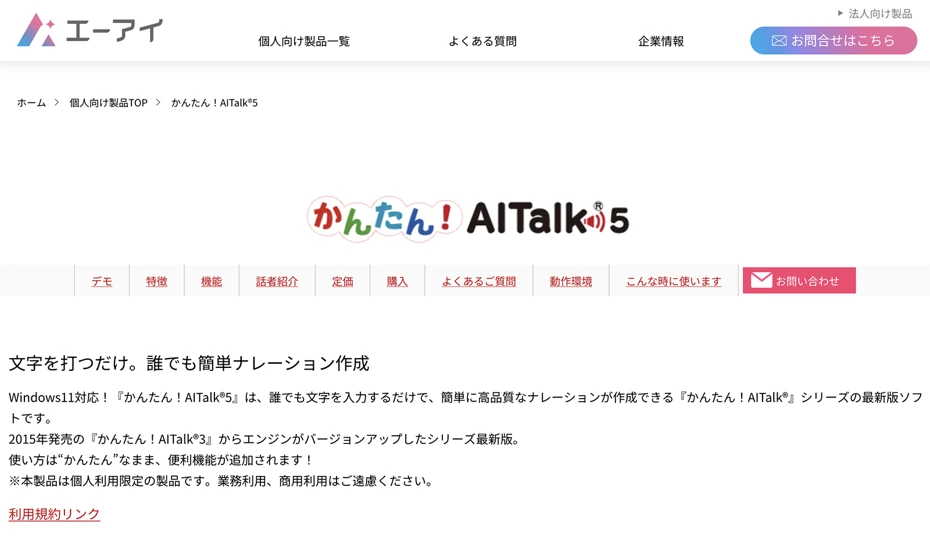
Kantan! AITalk 5 is an automated voice app that lets you easily read text in an older man's voice.
It is paid software equipped with the voices of 5 characters, allowing you to create automated voices that sound just like a real older man is speaking.
It is software installed on a computer and is compatible only with Windows.
If reading in an older man's voice, "Seiji" is recommended.

With the concept of a "sincere and calm male voice," you can read text in a reassuring, lower voice.
Since the voice is not overly character-driven, it can be utilized for commentary videos on YouTube as well.
However, note that commercial use is prohibited for both individuals and corporations for Kantan! AITalk 5.
Use is permitted only on video sites such as YouTube and Niconico Douga, including advertising displays and affiliate links.
This is a recommended automated voice app for reading in an older man's voice when individuals want to use it for casual purposes.
4. VOICEPEAK: Features the popular software talk character "Furimomen"

VOICEPEAK is paid AI text-to-speech software installed on a computer.
It is compatible with Windows, Mac, and Linux.
It is software that can read text in various character voices, and along with the A.I.VOICE series and CeVIO series, it is widely used in "Voiro" videos on YouTube and Niconico Douga.
When you want to use an older man's voice in VOICEPEAK, the male character "Furimomen" is recommended.

Furimomen is a male character with attractive, deep low tones.
Produced based on the voice of voice actor Akira Koga, he can read in a variety of styles, from powerful expressions to gentle speaking.
In addition to standard automated speech, emotional expressions such as "Happy," "Angry," "Sad," and "Prankster" are possible.
You can also combine it with other VOICEPEAK products to create dialogue-style automated speech.
Actually, he is a hidden popular older man character that some people love using in Voiro (Boi-Chevi) videos on YouTube and Niconico Douga.

[Free] How to Create an Automated Voice in an Older Man's Voice? Explaining the Flow of Free AI Text-to-Speech
Next, using Ondoku as an example, we will explain in detail the flow of reading an older man's voice with an automated voice app!
Introducing How to Generate an Older Man's Automated Voice with Ondoku
By using the automated voice app Ondoku, anyone can easily perform AI text-to-speech in an older man's voice.
First, open the Ondoku official website in your computer or smartphone browser.
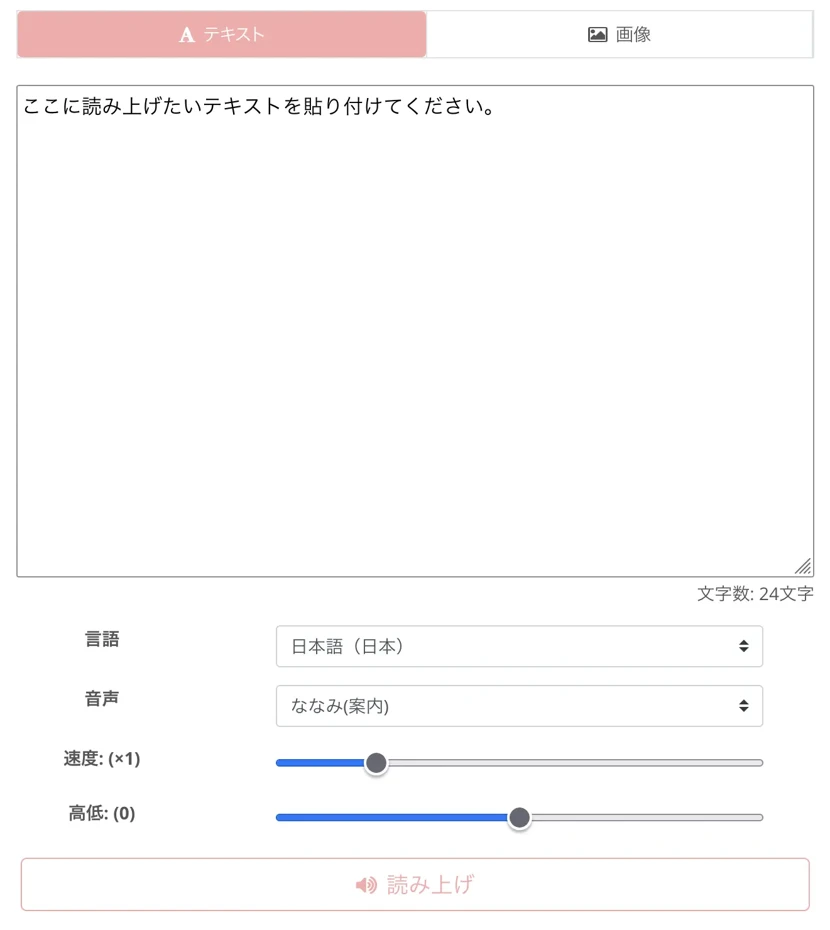
Once you open the top page, enter the text you want to read aloud in an older man's voice into the text input field.
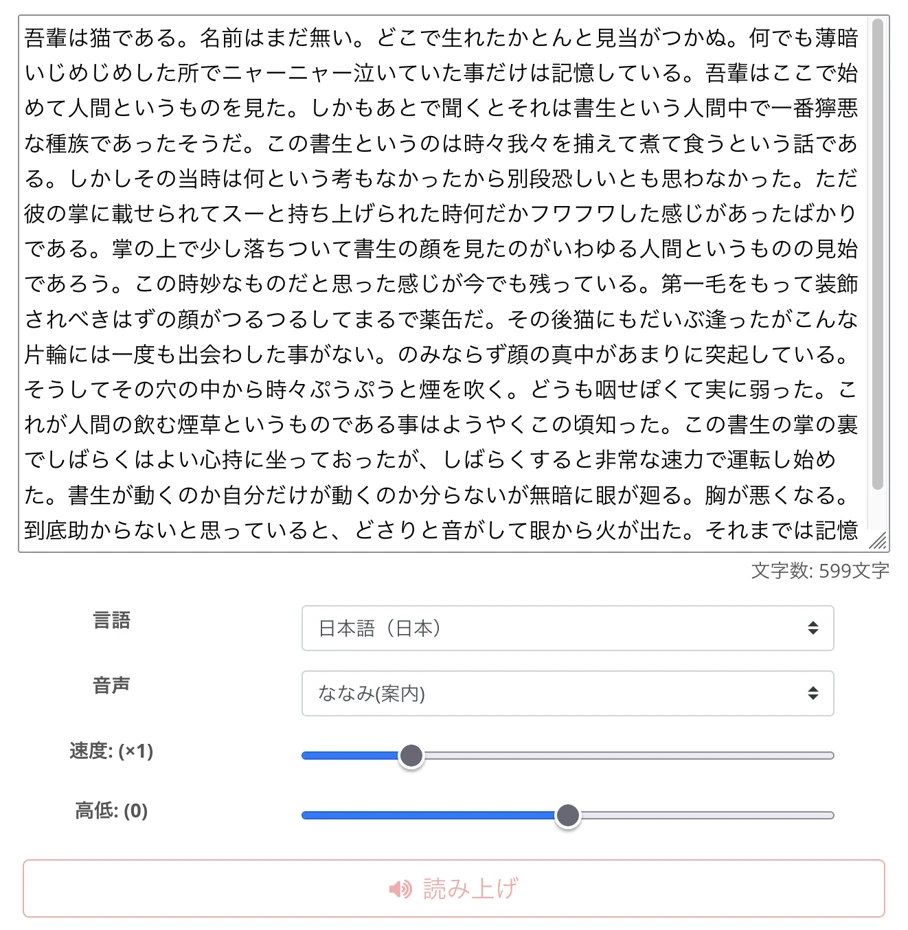
Next, select the voice type.
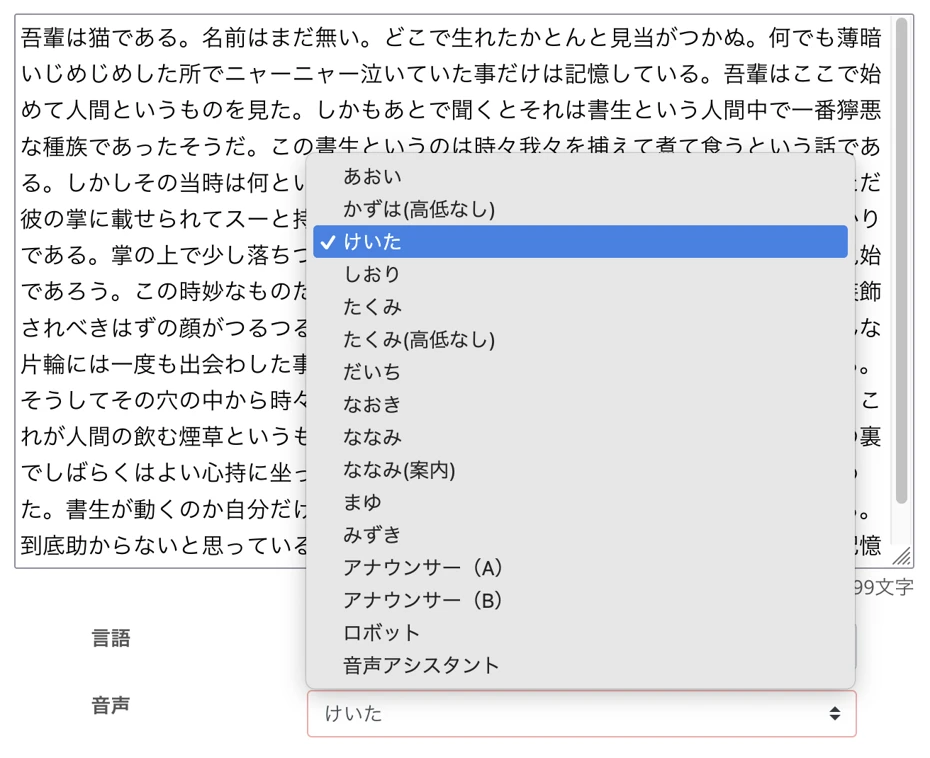
If reading in an older man's voice,
- Keita
- Naoki
- Announcer (B)
are recommended.
In Ondoku, you can adjust the reading speed and pitch, so it is also recommended to adjust it to a slightly lower voice.

Now you are ready to read in an older man's voice.
Press the "Read aloud" button to start reading.

The process of generating the automated voice is completed in just a few seconds.
The screen display will switch, and the narration in the older man's voice will play.
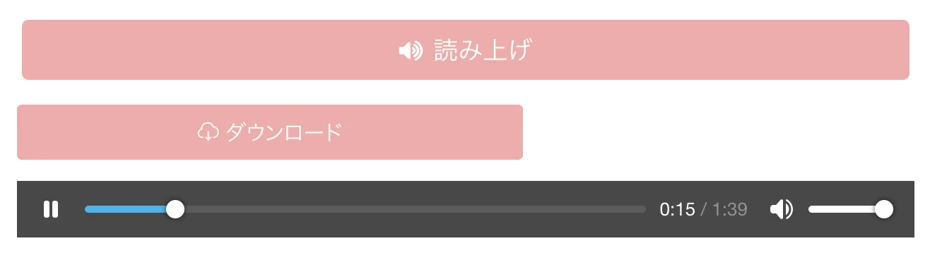
Check the audio, and if there are no problems, save the MP3 file using the "Download" button.
This completes the flow of using Ondoku to create an older man's automated voice for free.
In this way, with the free automated voice app Ondoku, anyone can easily create an older man's voice.
Why don't you also use Ondoku for free and create an automated voice in an older man's voice?
What are the Tips for Utilizing an Older Man's Automated Voice?

Automated speech in an older man's voice can be utilized in a wide range of situations, such as video narration and in-store announcements.
We will briefly explain what you should be careful of to utilize an older man's voice more effectively.
How to Create a More Natural Older Man's Voice?
By paying attention to a few points, you can create even more natural automated voices using the free text-to-speech app Ondoku.
First, adjust the reading speed.
In Ondoku, the reading speed can be adjusted.
Usually, you don't need to change the settings, but by setting it slightly slower, you can reproduce an older man's voice with a more mature atmosphere.
工夫ing the sentence structure is also a point.
When creating the text to be read, by using punctuation to take appropriate pauses, you can create narration with a calm impression.
We explain how to take pauses when performing AI reading in Ondoku in this article.
Please take a look.
What Kinds of Videos are Effective for Older Man Narration?
When creating video narration, there are video genres where an older man's voice is particularly effective.
First, commentary-type videos.
By including narration in an older man's voice, you can convey information clearly while providing a sense of reliability to the viewer.
Another point is that an older man's calm voice can strengthen persuasiveness.
Additionally, an older man's automated voice is recommended for product review videos.
If you use a calm older man's voice, you can give the impression that it is a trustworthy video introducing the product objectively.
With AI text-to-speech sites and apps that can be used for free, you can produce video narration for free.
Why not try using an automated older man's voice for your YouTube narration to increase view counts and subscribers more effectively?
Why Not Try Utilizing an Older Man's Automated Voice?
In this article, we introduced automated voice apps and sites where you can use an older man's voice.
Automated speech in an older man's voice can create a calm impression and persuasiveness.
By using an older man's voice on video sites such as YouTube, you can leave a stronger impression on viewers.
If you are going to create an automated voice in an older man's voice, free text-to-speech sites that can synthesize speech with the latest AI are recommended!
With the AI text-to-speech site Ondoku, anyone can easily create an automated voice using an older man's voice.
Why don't you also use a modern AI automated voice creation site/app to create an older man's voice?
■ AI voice synthesis software "Ondoku"
"Ondoku" is an online text-to-speech tool that can be used with no initial costs.
- Supports approximately 50 languages, including Japanese, English, Chinese, Korean, Spanish, French, and German
- Available from both PC and smartphone
- Suitable for business, education, entertainment, etc.
- No installation required, can be used immediately from your browser
- Supports reading from images
To use it, simply enter text or upload a file on the site. A natural-sounding audio file will be generated within seconds. You can use voice synthesis up to 5,000 characters for free, so please give it a try.

Text-to-speech software "Ondoku" can read out 5000 characters every month with AI voice for free.
You can easily download MP3s and commercial use is also possible.
If you sign up for free, you can convert up to 5,000 characters per month for free from text to speech.
Try Ondoku now.
HP:
ondoku3.com
Email: ondoku3.com@gmail.com
Email: ondoku3.com@gmail.com
Related posts
"Ondoku" is a Text-to-Speech service that anyone can use for free without installation. If you register for free, you can get up to 5000 characters for free each month. Register now for free
- What is Ondoku
- Start text-to-speech conversion
- Free registration
- Pricing
- Posts
- Try other free services
![[2026 Latest] 4 Recommended AI Voice Apps with Middle-Aged Male Voices! Detailed Introduction of Free Adult Male Voices](https://storage.googleapis.com/ondoku3/image/recommend-site-for-studying-spanish_tmb_140.webp)
![[2026 Latest] 4 Recommended AI Voice Apps with Middle-Aged Male Voices! Detailed Introduction of Free Adult Male Voices](https://storage.googleapis.com/ondoku3/image/recommend-site-for-studying-german_tmb_140.webp)
![[2026 Latest] 4 Recommended AI Voice Apps with Middle-Aged Male Voices! Detailed Introduction of Free Adult Male Voices](https://storage.googleapis.com/ondoku3/image/recommend-site-for-studying-french_tmb_140.webp)
![[2026 Latest] 4 Recommended AI Voice Apps with Middle-Aged Male Voices! Detailed Introduction of Free Adult Male Voices](https://storage.googleapis.com/ondoku3/image/recommend-site-for-studying-italian_tmb_140.webp)
![[2026 Latest] 4 Recommended AI Voice Apps with Middle-Aged Male Voices! Detailed Introduction of Free Adult Male Voices](https://storage.googleapis.com/ondoku3/image/recommend-site-for-studying-korean_tmb_140.webp)









