How to easily have blogs and news on the web read aloud. From reading to listening.
[Easy] A US resident taught me tips for reading English faster
Jan. 26, 2026
![[Easy] A US resident taught me tips for reading English faster](https://storage.googleapis.com/ondoku3/image/Read_while_listeing_to_english_930.webp)
I want to read English faster! But for those of us who aren't native speakers, the difficulty of speed-reading in English is very high.
However, speed-reading is necessary for English tests and exams,
and speed-reading news or books increases the amount of information you can take in.
When you search the internet for "tips for reading English faster," you find:
- Read aloud 50 times or more
- Understand word order
- Finish reading a book without a dictionary
They all seem like quite difficult study methods...
Is it just me, or do you also find it hard to get motivated when these kinds of search results pop up right when you're thinking, "Time to study!"?
In the midst of that,
the tip for reading English faster introduced in a YouTube video was very interesting and seems easy for anyone to replicate, so I’d like to introduce it.
AIUEO Phonics Video
Allie, Fuzzy, and Super Fuzzy, who live in Los Angeles, explain English "Phonics" and
the very basics of English in a thorough way. It's a channel where anyone, from children to adults, can study in an easy-to-understand and fun way.
Since each video is about 5 minutes long, the appeal is that you can watch them anytime during your spare time.
This is the YouTube channel I watch the most for my English studies.

Introduced in AIUEO Phonics' video, "[I Didn't Know This] Tips for Reading English Faster! Training with this method will change your English reading speed - Phonics for Adults [#308]," here is
the tip for reading English faster!
Read while listening to the audio
Reading English sentences while listening to the audio

Many research results have been published stating that when humans read a text, they read while pronouncing the words in their heads.
This method takes advantage of this inherent human characteristic and applies it to English study.
By actually listening to the pronunciation while looking at the English text, you don't have to vocalize it in your head, allowing you to read faster than simply reading silently.
I actually tried it
In fact, I tried reading the children's news site introduced in the video while listening to the English audio.
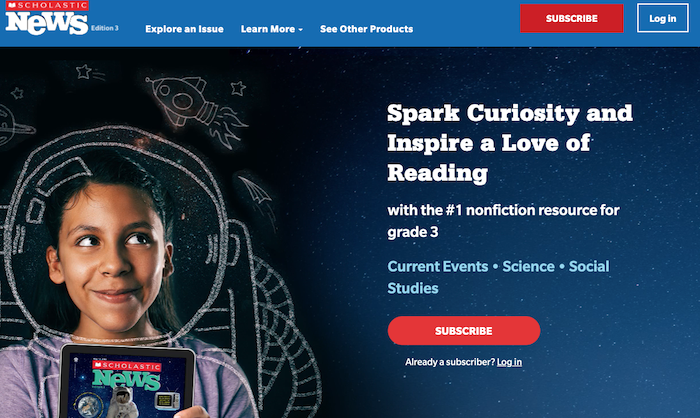
Scholastic News (Children's News)
$5.39/year
First time: Reading without audio - Finished in 12 minutes
Read the text 3 times while listening to the audio
Second time: Reading without audio - Finished in 5 minutes
This was the result.
It’s true that the second time was the same text, but I felt that as I repeat this, the time it takes to read a text for the first time without audio will also likely decrease.
By reading the text while listening to the audio, I was able to read twice as fast as my usual speed, and I understood the content immediately.
Personally, I was more surprised that reading while listening to English improved my level of comprehension rather than just the fact that I could read faster.
Here are some other opinions and comments!
There were also comments like these in the video's comment section.
The content of this video was a total blind spot! I used to do a correspondence course called "Kodomo Challenge," and back when I was in the first grade of elementary school, I used to solve Japanese language problems while listening to cassette tapes (that shows my age lol), but from the second grade onwards, the cassette tapes stopped coming and I remember struggling because I had to read on my own. It was the exact moment I felt the content of this video was true.
Quoted from body less, partial excerpt
I tried using audiobooks (Flowers for Algernon and Holes) and while reading along with the narration, I was surprised by how much my reading speed changed. It felt like a sensory switch in the brain, as mentioned in this video, was being flipped—a sense of things connecting. Especially for those who feel they should have the knowledge but for some reason can't read, or those for whom traditional reading aloud didn't work, I highly recommend reading while listening to audio.
Quoted from Hideo Ishida, partial excerpt
There were comments like that as well.
By repeatedly listening to audio while looking at the text, or reading a whole book using an audiobook while listening to the English, you gradually get used to reading faster.
Eventually, you will be able to read the text itself quickly even without listening to the audio.
What should I do if my comprehension can't keep up with the speed?
The important thing is to listen to audio that matches your level.
If the text is full of unknown English words, no matter how much you listen to the narration, you won't be able to understand the meaning.
If you can't understand the meaning, your reading speed will inevitably drop.
What should I do when my comprehension can't keep up with the reading speed...
Quoted from Wasabi Furikake
To this comment, AIUEO Phonics gave this advice:
Apps like Speechify allow you to slow down the speed (if there are too many words you don't know, the level might simply not be right for you)
Quoted from "AIUEO Phonics" English Pronunciation
Wouldn't it be better to read aloud myself?
Wouldn't it be killing two birds with one stone to read aloud myself?
I thought so too, but there was someone in the comments asking the same thing.
Can I get the same effect as reading aloud?
Quoted from Kenji Nani-tabe
I believe you should do this before reading aloud. (If you learn incorrect pronunciation on your own through reading aloud, it's very hard to relearn the correct pronunciation later—speaking from experience)
Quoted from "AIUEO Phonics" English Pronunciation
I see...! So if you read aloud while your pronunciation is still shaky, there's a risk of memorizing words with incorrect, self-taught pronunciation!!
True, there are several words I learned in junior high school that I've memorized with very Romaji-style pronunciations.
Along with increasing basic English vocabulary, I felt that knowing how to read texts while listening to audio would make it possible to read English faster, so I decided to introduce this method.
How can I listen to English narration for free?
The English children's news site is good, but I'd like to start for free if possible.
There are many ways to listen to English text narration other than children's news sites.
- English news sites
- Google Translate
- Ondoku, etc.
Ondoku is especially recommended.
With Ondoku, you can listen to the audio of any English text you want read aloud.
Many English learners also recommend Ondoku.
【Teaching Materials/Learning Tools】#Ondoku is a tool that converts various languages from text to speech. It reads aloud not only in American and British English, but also in Indian and Australian English. Plus, various voice qualities like Amy, Emma, Brian, etc., are available. Amazing! #教師のバトン #英語https://t.co/NmhRLNuya1
— High School English Teacher (@high_school_JTE) August 2, 2022
For those who are not good at presentations in English... I recommend the automatic text-to-speech service "Ondoku." If you enter English text, it will read it aloud with natural intonation.
— Ko Harada (@Ko__Harada) August 24, 2022
When doing an English presentation or academic conference presentation, it might be effective to have Ondoku read your English manuscript and practice with shadowing. pic.twitter.com/PSKQl3zmR2
Ondoku is recommended by many English learners and instructors
Ondoku is a powerful ally for English learners. It has many convenient features.
- Free up to 5,000 characters every month
- 47 English speakers
- Read text from images
- Save audio as MP3
- With the conversation function, you can create listening audio yourself for male/female/multi-person conversations or in English/Japanese
Free up to 5,000 characters every month.
Ondoku offers:
For the Free Plan
- No registration: 1,000 characters
- With registration: 5,000 characters
For Paid Plans
- Basic: 200,000 characters
- Value: 450,000 characters
- Premium: 1,000,000 characters
This character count is updated every month.
Changing settings or even slightly altering the text will count towards the character limit, so be careful when using the free version!
English has a lot of characters, so if you study seriously, 5,000 characters will be gone in no time.
In such cases, subscribing for just one month is also an option.
Ondoku has 47 English speakers.
With reading aloud being so popular, aren't there a lot of people who don't know about "Ondoku"? Just as the name suggests, it reads the text you enter aloud. Free registration allows up to 5,000 characters, and for 980 yen a month, you can use up to 200,000 characters. For English, you can choose dialects, it supports multiple languages, and you can also select the type of voice and speed. Reading aloud is effective only when you hear the correct sound. It’s useful when your English diary or example sentences don’t have audio. pic.twitter.com/ZqxTl65duB
— Ellie (@ColorOfEllie) October 18, 2022
English in various dialects, voices ranging from children to adults. Multiple males and females.
You can choose the narration to your liking, so if you think, "This voice is hard to hear," you can switch to another one.
Furthermore, the reading speed can be slowed down or sped up. The ability to create something that fits your level is also appealing.
You can listen to samples of Ondoku's English voices on this page, so please make use of it.

Read text from images
This feature is incredibly convenient.
Paper media like textbooks cannot be copied and pasted, making text entry a hassle.
However, if you take a photo with your smartphone and upload it to Ondoku, it can be converted to audio immediately. You can easily turn the teaching materials you have on hand into audio.
![[Convert images to speech for free] How to use the feature that reads text from images and converts it to audio [Image reading] | Text-to-speech software Ondoku](https://storage.googleapis.com/ondoku3/image/%E9%9F%B3%E5%A3%B0%E8%AA%AD%E3%81%BF%E4%B8%8A%E3%81%91%E3%82%BD%E3%83%95%E3%83%88%E3%82%92%E4%BD%BF%E3%81%86%E4%BA%BA_930.webp)
For example, copying text from an English problem and—huh? I can't...
Actually, it's because the PDF is protected, so you can't copy and paste.
But don't worry, the amazing thing about Ondoku is that just by taking a screenshot and uploading it, it automatically analyzes the text. This is incredible.
Quoted from The English text-to-speech software is way too amazing|Kazuya Takahashi | A practical learning theory and neuroscience column that can be read in 3 minutes! @kz8_takahashi
With Ondoku, you can also create your own original audiobooks.
![[Free] Let's make an audiobook with speech synthesis! Summary of self-publishing methods using narration services | Text-to-speech software Ondoku](https://storage.googleapis.com/ondoku3/image/20240815-audiobook06_930.webp)
Save audio as MP3
The narrated audio can be downloaded as an MP3, so you can listen to it offline anytime, anywhere.
A strong ally for those who study.
Create listening audio yourself for male/female/multi-person conversations or in English/Japanese with the conversation function
You can create audio exactly the way you want, such as alternating male and female conversations like in a textbook, or audio for English word listening.
It's really recommended, but it's a feature that's not very well known. Please give it a try.
Just between us, it's actually even used in English listening tests at schools! ❗
![[Must-see for teachers] Create English listening problems for free! Thorough explanation of how to do it without recording. | Text-to-speech software Ondoku](https://storage.googleapis.com/ondoku3/image/girl-read-book_930.webp)
Learn the tips for reading English faster and apply them to your learning
The tip for reading English faster is to read the text while listening to the English narration.
By repeating this and building it up steadily every day, you can reach your goal.
I will also do my best with my English studies. Let's work hard on our English studies together!
■ AI voice synthesis software "Ondoku"
"Ondoku" is an online text-to-speech tool that can be used with no initial costs.
- Supports approximately 50 languages, including Japanese, English, Chinese, Korean, Spanish, French, and German
- Available from both PC and smartphone
- Suitable for business, education, entertainment, etc.
- No installation required, can be used immediately from your browser
- Supports reading from images
To use it, simply enter text or upload a file on the site. A natural-sounding audio file will be generated within seconds. You can use voice synthesis up to 5,000 characters for free, so please give it a try.

Text-to-speech software "Ondoku" can read out 5000 characters every month with AI voice for free.
You can easily download MP3s and commercial use is also possible.
If you sign up for free, you can convert up to 5,000 characters per month for free from text to speech.
Try Ondoku now.
HP:
ondoku3.com
Email: ondoku3.com@gmail.com
Email: ondoku3.com@gmail.com
Related posts
"Ondoku" is a Text-to-Speech service that anyone can use for free without installation. If you register for free, you can get up to 5000 characters for free each month. Register now for free
- What is Ondoku
- Start text-to-speech conversion
- Free registration
- Pricing
- Posts
- Try other free services
![[Easy] A US resident taught me tips for reading English faster](https://storage.googleapis.com/ondoku3/image/recommend-site-for-studying-spanish_tmb_140.webp)
![[Easy] A US resident taught me tips for reading English faster](https://storage.googleapis.com/ondoku3/image/recommend-site-for-studying-german_tmb_140.webp)
![[Easy] A US resident taught me tips for reading English faster](https://storage.googleapis.com/ondoku3/image/recommend-site-for-studying-french_tmb_140.webp)
![[Easy] A US resident taught me tips for reading English faster](https://storage.googleapis.com/ondoku3/image/recommend-site-for-studying-italian_tmb_140.webp)
![[Easy] A US resident taught me tips for reading English faster](https://storage.googleapis.com/ondoku3/image/recommend-site-for-studying-korean_tmb_140.webp)









