Recommended Text-to-Speech Software Summary: 7 Selections for Commercial Use [Free and Paid]
[2026 Latest] Create video narration with AI voice synthesis! Free services and usage recommended for YouTube monetization
Jan. 26, 2026
![[2026 Latest] Create video narration with AI voice synthesis! Free services and usage recommended for YouTube monetization](https://storage.googleapis.com/ondoku3/image/video-narration-ai_tmb_930.webp)

I want to post videos on YouTube, but I'm a bit hesitant about using my own voice...
Even if you want to be active as a video creator on YouTube, there are times when you just can't create good narration, right?
So, in this article, we will explain how to create video narration just for you!
In fact, by utilizing the latest speech synthesis AI, anyone can easily produce videos with high-quality narration.
Moreover, it is possible to produce them in a short time with overwhelmingly lower costs compared to conventional methods!
Even without paid software like VOICEROID, you can generate YouTube video narration for free using AI.
- I don't want to show my face or use my voice, but I want to monetize YouTube videos
- I want to effectively promote corporate products or services
- I want to easily create educational content or commentary videos
In such cases, why not try video production using video narration AI by referring to this article?
[Free] Recommended AI Reading Services for YouTube Video Narration

If you want to add narration to your YouTube videos, Ondoku is recommended!
Ondoku is a reading service that allows anyone to easily generate speech using the latest AI speech synthesis engine.
You can produce narration audio with natural pronunciation just by entering text.
Furthermore, Ondoku can be used for free!
Since it is OK for commercial use, you can monetize YouTube with peace of mind.
Since it can be used without registration or login, why not start by producing video narration for free using Ondoku?
How to Create YouTube Video Narration with the Latest AI? Basic Knowledge Explained
I want to upload videos to YouTube, but it's hard to do the narration myself...

For those of you, we will first briefly explain the basic knowledge of video narration using the latest AI.
How to Utilize AI for Narration in YouTube Video Production?

AI technology is advancing rapidly.
In the field of video production as well, speech synthesis AI that generates natural speech from text is attracting attention.
Many video creators are already using AI narration on YouTube.
Previous reading software and reading services could only read aloud with a robotic voice that felt unnatural.
But today's speech synthesis AI is different.
AI models that have learned from massive amounts of voice and text data understand the content of the text and read it aloud with realistic intonation and pauses, as if a real narrator were reading it.
Since it can now read aloud with a voice that feels natural, synthesized narration has become widely used in genres beyond specific ones like commentary videos.
You Can Easily Create YouTube Videos with AI Reading Services
Previously, producing narration required hiring a professional narrator or recording it yourself.
With AI technology, it is possible to create natural narration audio as if a human were reading it just by entering the script text.
Since it eliminates the cost of hiring a narrator and the effort of recording yourself, utilizing the latest AI allows you to create YouTube videos exactly as you imagine, much more easily than before.
The appearance of AI reading services has significantly lowered the bar for video production, making it easy for anyone to add narration to YouTube videos.
What Are the Benefits of Using AI Reading Services for YouTube Video Narration?

- I want to make videos, but I'm hesitant about using my own voice
- It's difficult to hire a professional due to costs...
In such cases, creating narration with an AI reading service is recommended.
Let's explain the benefits of using AI to create narration.
Video Production Possible Without Showing Face or Voice!
The biggest benefit when producing videos individually is that you can add video narration without using your own voice.
When uploading videos to sites like YouTube, there are many cases where you don't want your private information, such as age or gender, to be known.
In such cases, adding narration with the latest AI is recommended.
By using an AI reading service, you can easily produce narration just by entering text.
Since there is a wide variety of voice types, including female, male, and children's voices, you can also add narration in your ideal voice.
Possible to Produce Narration at a Lower Cost Than Hiring a Narrator
AI narration is also recommended when creating videos for YouTube for business purposes, such as at companies or public institutions.
The biggest benefit of using AI narration for business is that you can add high-quality narration at a lower cost.
For videos on official corporate channels, such as product promotion videos, you want to include professional, high-quality narration.
However, hiring a professional narrator costs tens of thousands of yen at a minimum.
It is a significant burden to pay tens of thousands of yen every time you upload a new video to your YouTube channel.
In such cases, using an AI reading service is recommended!
AI reading services can be used for as little as 1,000 to 3,000 yen per month.
There are also services that can be used for free, so you can upload official videos to YouTube without worrying about costs.
Many paid reading software programs have licenses that make it difficult for companies to use, but the AI reading service Ondoku is OK for commercial use, making it ideal for business use.
Narration Production Possible 24 Hours a Day
Another benefit of AI reading services is that you can produce high-quality narration that rivals professional narrators at any time.
When hiring a narrator, you need to coordinate schedules and check the availability of recording studios, but with AI technology, you can produce it as soon as you think of it.
I produce videos individually, but since I live in a rental, I can't use my voice late at night

For you as well, creating narration with an AI reading service is recommended.
From individual YouTubers to those making official videos for companies, anyone can create video narration very conveniently by using an AI reading service.
No Audio Editing Required! Significantly Shortens Video Editing Time
Anyone who has actually produced a video will definitely agree with this benefit.
If you create narration with an AI reading service, no audio editing is required, and you can use it as is!
When you record narration yourself, editing is required to cut out things like:
- Mistakes in speaking
- Silent periods
- Parts with poor tempo
But in fact, this task is very difficult.
It is common to take over an hour to produce 5 minutes of audio.
In contrast, with an AI reading service, you can create audio in just a few seconds that can be played as is without editing.
Since you can drastically reduce the effort of video editing, you can post videos to YouTube more casually.
3 Recommended AI Services and Tools for Video Narration (Includes Free Options)

I want to make videos using AI narration!
From here, we will introduce recommended services and tools that can produce narration with AI.
1. Ondoku: The Recommended Free AI Reading Service Ideal for YouTube Video Narration
If you want to create narration audio for YouTube videos, we first recommend using Ondoku.
The greatest feature of Ondoku is that anyone can easily produce high-quality video narration.
Just by entering text on the Ondoku page, you can create video narration as if a real narrator were reading it.
As it is a web app used from a browser, it can be used from any environment, including Windows, Mac, Linux, and smartphones.
Since Ondoku is OK for commercial use, you can use it with confidence for YouTube monetization or corporate use (click here for details on commercial use).
It supports over 48 languages including Japanese, English, Chinese, and Korean, so you can also create foreign language videos to increase YouTube views and subscribers.

Listen to voice types and sample audio of supported languages on Ondoku | Text-to-speech software Ondoku
Here, we will introduce the supported languages and sample audio of Ondoku.
Furthermore, Ondoku can be used for free!
Just by registering an account, you can read aloud up to 5,000 characters, so for short YouTube videos, you can complete narration production completely free of charge.
Audio files can be downloaded in MP3 format, so they can be used with any video editing software.
If you're creating video narration with AI, Ondoku is recommended.
When creating YouTube video narration, why not try using Ondoku for free first?
2. Kantan! AITalk: Paid Software for Easily Creating AI Narration
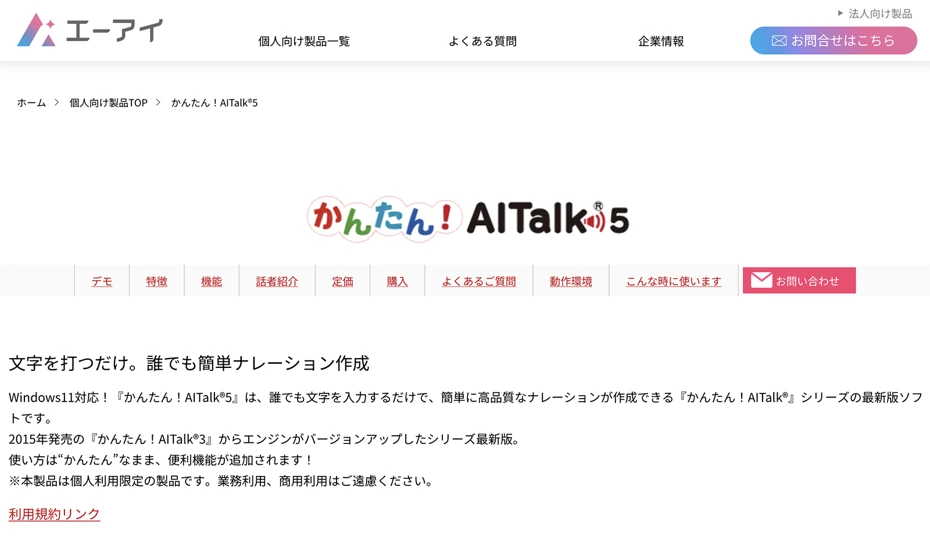
Kantan! AITalk is an AI voice software developed by AI Inc.
It is software installed on a PC that allows for high-quality speech synthesis using the AI speech synthesis engine "AITalk."
It is compatible with Windows only.
YouTube monetization is also possible for individual use.
There are many types of software using AITalk, but the feature of Kantan! AITalk is, as its name suggests, that its operation is particularly easy.
Since it has many orthodox voices that can be used in any situation, it is also recommended if you feel that other paid reading software programs are difficult to use because they sound like anime or game characters.
Kantan! AITalk is paid software, and "Kantan! AITalk 5," which is compatible with Windows 11, is sold for 16,500 yen.
However, Kantan! AITalk is software for personal use only and cannot be used by companies or corporations.
If you want to use AITalk as a company or corporation, you need to apply for a quote from AI Inc.'s corporate page.
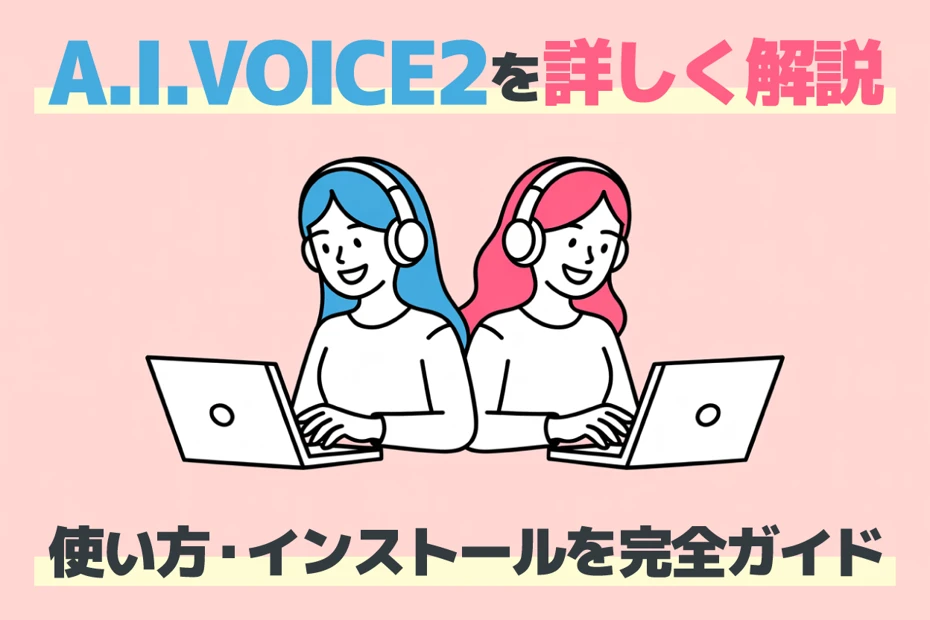
In addition to this, AI Inc.'s products include the "A.I.VOICE" series, which is rich in character personality.
Please also see this page where the A.I.VOICE series is explained.
3. CeVIO AI: Paid AI Reading Software Capable of Rich Emotional Expression

CeVIO AI is a reading software that can synthesize rich character voices with the latest AI technology.
It is software to be installed on a PC and is compatible with Windows only.
There are several types of text-to-speech software with set characters, and its feature is that it is particularly good at emotional expression among them.
It is widely used on YouTube and Nico Nico Douga, from commentary videos to game commentary videos.
Another feature is that it also provides a song synthesis function.
By purchasing the "Song Voice" song synthesis software in addition to the "Talk Voice" AI reading software, you can make the same voice sing songs within a YouTube video.
YouTube monetization is also possible for individual use.
However, for other purposes, registration of usage status may be required even for individual use.
Also, for commercial use by corporations, it is necessary to request an individual quote from the seller.
CeVIO AI is paid software, and for first-time purchases, "Talk Voice Starter" is sold for about 17,000 yen.
This is a recommended AI reading software if you want to create YouTube narration with character voices.

[Free] How to Create YouTube Video Narration Using Ondoku? Method Explained
I want to know how to create a video with narration using AI!

Next, we will explain how to create YouTube video narration for free using the AI reading service Ondoku!
We will also explain tips for video editing, so please try creating a video by referring to them.
1. Create a Script for the YouTube Video

First, create a script for the YouTube video.
- Commentary video
- Game commentary
- News video
- Company introduction
- Product introduction
Try writing a script according to the content of the video.
However, there are many cases where you can't write a script well.
In such cases, utilizing generative AI services is recommended!
First, write the text freely as you think, without worrying about the writing style or tone.
At this point, you don't need to worry about the linguistic expressions.
First, try writing it just as you would normally speak.
It is also recommended to actually speak and input using the voice input on your smartphone or PC.
Next, load the script file into a generative AI service such as ChatGPT, Claude, or Google Gemini and give instructions like this:
This is a draft for a YouTube video script. Based on this draft, please create a script for a video about [Example: corporate product introduction]. Please use a tone that matches the content.
Then, it will rewrite it into a tone (writing style) that is perfect for the video content.
Finally, just read the file created by the generative AI service and check if there are any errors in the content.
With this, you have created a script for YouTube video narration.
Generative AI services like ChatGPT, Claude, and Google Gemini can be used for free, so it is recommended to actively use them when creating YouTube videos.
2. [Free] Generate AI Narration Audio with Ondoku
Once the script is ready, generate AI voice with Ondoku.
First, open the official Ondoku website in your browser.
Paste the created script into the text box on the top page.
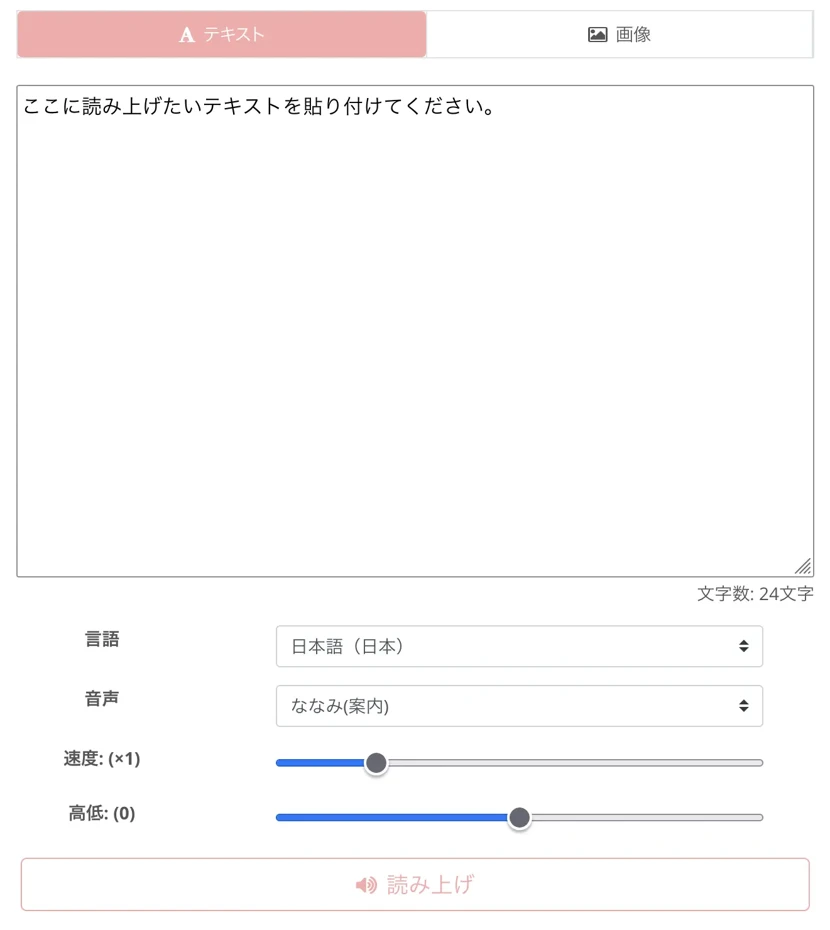
If the language is set to something other than Japanese, select Japanese.
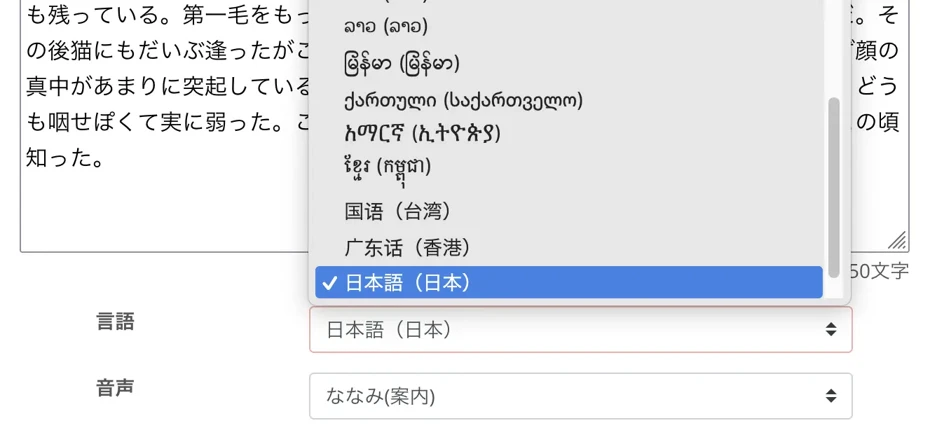
Select the voice.
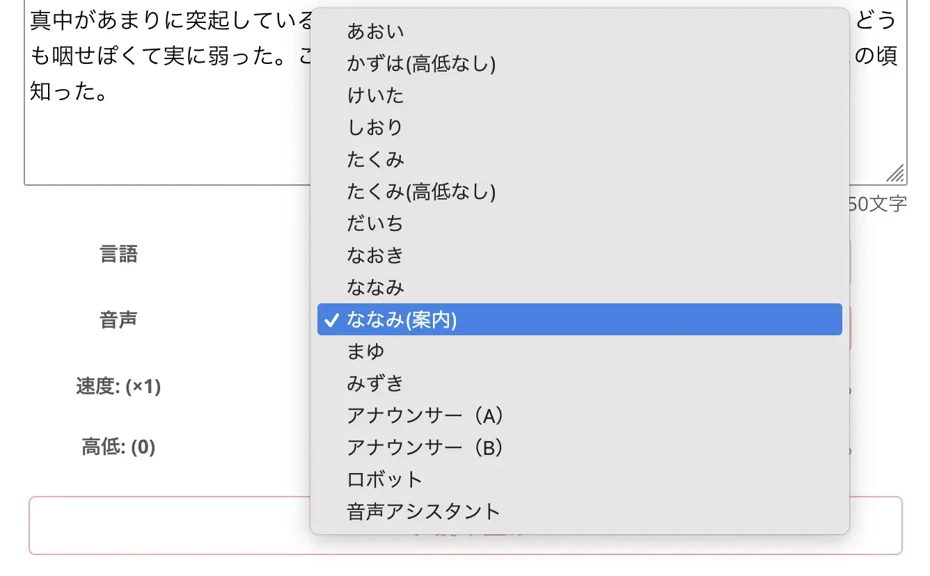
In Ondoku, you can read aloud with many voices, such as female and male voices.
Select according to the video content, such as a friendly female voice for a product introduction video or a reliable male voice for a corporate introduction video.
You can listen to Ondoku's Japanese voices on this page, so please take a look.
When settings are complete, press the "Read" button to start generating audio.

The audio for YouTube will be generated immediately.
Once generation is finished, the screen display changes and an audio player is displayed.

The audio will start playing automatically, so check the content and if there are no problems, press "Download" to download the MP3 file.
With this, you have generated the narration audio for the YouTube video!
Ondoku can be used for free.
- Without account registration: 1,000 characters
- With account registration: 5,000 characters
You can read aloud for free up to these limits, so we recommend experiencing video narration creation first.
3. Edit the YouTube Video with Video Editing Software

After downloading the video narration audio file, combine it with video materials and edit.
Standard video editing software includes Adobe Premiere and DaVinci Resolve.
Adobe Premiere's strength lies in its orthodox operability, unique to Adobe software.
DaVinci Resolve's benefits are that it is free and has a UI that allows for smoother operation as you become more skilled.
Since Ondoku's audio files are in MP3 format, they can be loaded into either without any problems.
4. Upload the Finished Video to Your YouTube Channel
When the video is finished, upload the video to your YouTube channel.
A point when uploading a video is to input a clear title and description.
To get more people to notice the video, it is recommended to load the script file into a generative AI service such as ChatGPT, Claude, or Google Gemini and then give instructions like this:
Based on this script, please think of a title and description content for a YouTube video
Also, setting subtitles for YouTube videos is a point for increasing views and subscribers.
By setting subtitles, you can convey the content to more viewers.
You can also have subtitles automatically translated for overseas viewers to watch, so you can further increase views and have people all over the world subscribe to your channel.
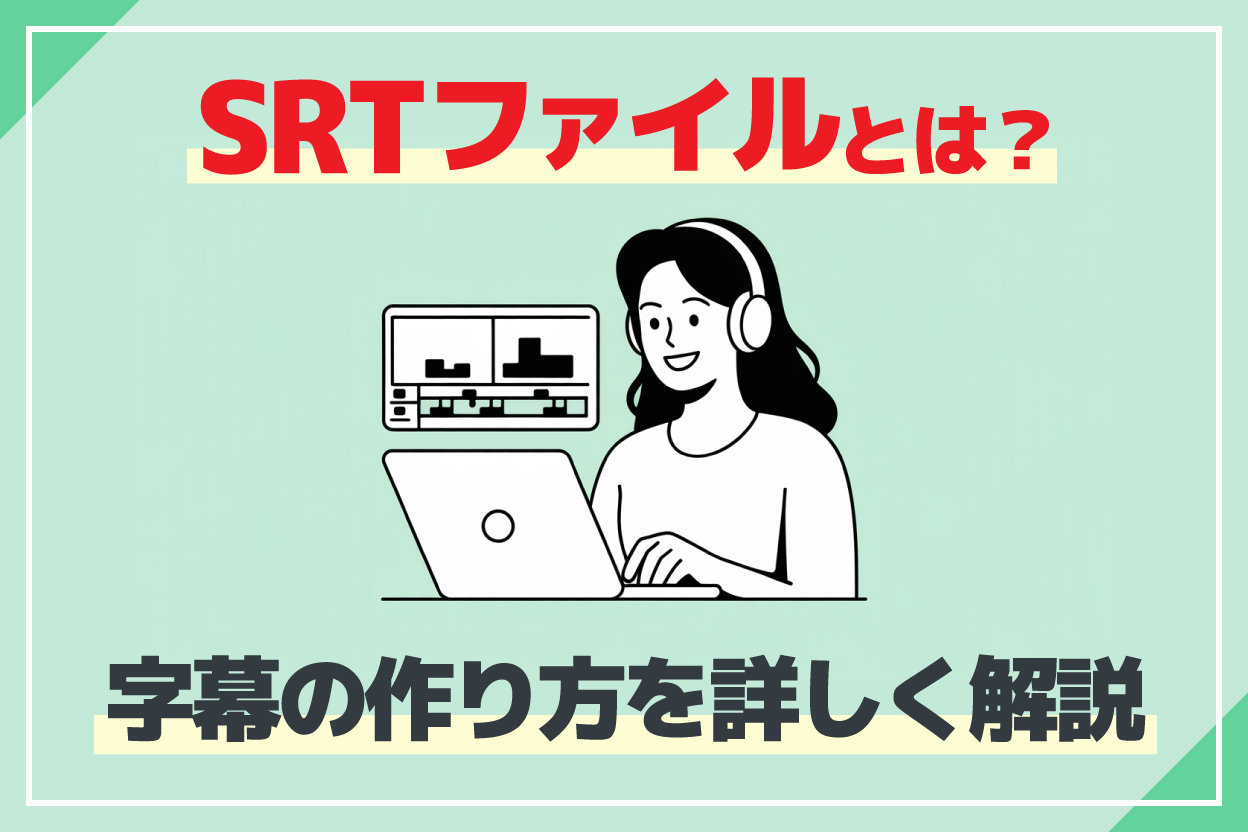
If you're making subtitles, we recommend automatically generating SRT files for subtitles from video narration audio files using AI.
We explain how to create subtitle SRT files using the AI transcription service Mojiokoshi-san in this article, so please take a look at it as well.
With this, the flow of creating a YouTube video with the AI reading service Ondoku is complete.
By using Ondoku, anyone can easily produce video narration.
Why not try creating narration audio for your videos by utilizing Ondoku?
Tips for Using AI-Generated Narration More Attractively in YouTube Videos

Finally, we will introduce tips for using narration audio created with AI even more attractively.
Just by grasping a few tips for video editing, you can create attractive videos like a popular YouTuber.
Boldly Cut Unnecessary Parts of the Narration Audio
Recommended for those creating videos individually is cutting unnecessary parts of the narration.
When watching videos by major YouTubers, there are many cases where they are speaking at a fast and good tempo as if one thing follows another.
This is actually not how they speak from the beginning.
They edit the audio by cutting unnecessary parts to make it a better-paced audio than it actually is.
If you actually try reading the script and feel that the linguistic expressions are too redundant, we recommend boldly editing and cutting them.
The impression of text changes significantly between seeing it as characters in a script and actually hearing it as audio.
Parts that you feel are "unnecessary" when turned into audio will result in a much easier-to-watch video if you just cut them out.
Conversely, for official videos of companies or corporations, it may be just right to have a little more information.
By daring not to cut off information, you can enhance the reliability required for official information.
Pay Attention to the Volume Balance Between Narration Audio and BGM
BGM is essential for YouTube videos.
When adding BGM, pay attention to the volume balance with the video narration.
BGM audio files are produced at a volume intended for listening to them individually as music.
When inserting BGM into a video, you need to lower the volume drastically.
For example, when editing a video with Adobe Premiere, the volume will be appropriate if you lower the BGM volume to about "-30db."
Why Not Try Creating YouTube Video Narration for Free with an AI Reading Service?
With the advancement of AI technology, anyone can now easily create YouTube video narration for free.
AI reading services are also recommended for those who are hesitant to show their face or use their voice.
From those producing videos individually to those making videos in companies or organizations, anyone can easily create high-quality narration.
First, why not try creating narration for a YouTube video for free using Ondoku?
■ AI voice synthesis software "Ondoku"
"Ondoku" is an online text-to-speech tool that can be used with no initial costs.
- Supports approximately 50 languages, including Japanese, English, Chinese, Korean, Spanish, French, and German
- Available from both PC and smartphone
- Suitable for business, education, entertainment, etc.
- No installation required, can be used immediately from your browser
- Supports reading from images
To use it, simply enter text or upload a file on the site. A natural-sounding audio file will be generated within seconds. You can use voice synthesis up to 5,000 characters for free, so please give it a try.

Text-to-speech software "Ondoku" can read out 5000 characters every month with AI voice for free.
You can easily download MP3s and commercial use is also possible.
If you sign up for free, you can convert up to 5,000 characters per month for free from text to speech.
Try Ondoku now.
HP:
ondoku3.com
Email: ondoku3.com@gmail.com
Email: ondoku3.com@gmail.com
Related posts
"Ondoku" is a Text-to-Speech service that anyone can use for free without installation. If you register for free, you can get up to 5000 characters for free each month. Register now for free
- What is Ondoku
- Start text-to-speech conversion
- Free registration
- Pricing
- Posts
- Try other free services
![[2026 Latest] Create video narration with AI voice synthesis! Free services and usage recommended for YouTube monetization](https://storage.googleapis.com/ondoku3/image/recommend-site-for-studying-spanish_tmb_140.webp)
![[2026 Latest] Create video narration with AI voice synthesis! Free services and usage recommended for YouTube monetization](https://storage.googleapis.com/ondoku3/image/recommend-site-for-studying-german_tmb_140.webp)
![[2026 Latest] Create video narration with AI voice synthesis! Free services and usage recommended for YouTube monetization](https://storage.googleapis.com/ondoku3/image/recommend-site-for-studying-french_tmb_140.webp)
![[2026 Latest] Create video narration with AI voice synthesis! Free services and usage recommended for YouTube monetization](https://storage.googleapis.com/ondoku3/image/recommend-site-for-studying-italian_tmb_140.webp)
![[2026 Latest] Create video narration with AI voice synthesis! Free services and usage recommended for YouTube monetization](https://storage.googleapis.com/ondoku3/image/recommend-site-for-studying-korean_tmb_140.webp)









