Best Text-to-Speech Software: 7 Free & Paid Tools for Commercial Use
9 Best Text-to-Speech Software & Sites! Compare MP3 Download Services
Sept. 9, 2026

I want to know some recommended text-to-speech software! It would be great if I could save files in MP3...

In this article, we will introduce recommended software and websites for reading text aloud.
Since text-to-speech software and sites allow you to save the read content as audio files such as MP3,
- Use it as narration material for video production
- Play it as in-store broadcasts on audio players or smartphones
It can be utilized for a wide variety of purposes.
From individual users who want to use it for hobbies to business users who want to use it in shops or companies, why not use this article as a reference to find a reading software or site that suits your needs?
[MP3 Compatible] Recommended Text-to-Speech Sites
For those looking for a way to read text aloud, there is a recommended MP3-compatible reading site.
That is "Ondoku".
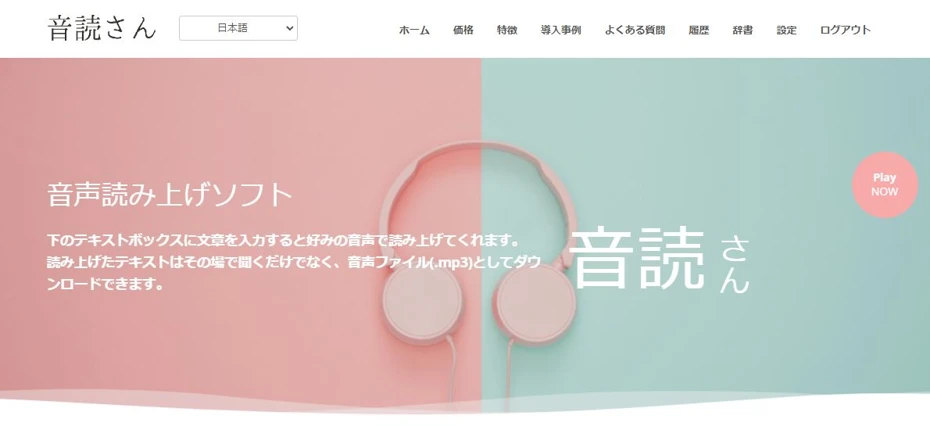
"Ondoku" is a web service that uses the latest AI to read text aloud.
Unlike reading software, there is no need for the hassle of installation, so you can use it immediately whenever you want to read something!
Furthermore, Ondoku can be used for free!
Just by registering for free, you can read up to 5,000 characters of text.
Read files can be saved in MP3 format, so they can be easily played on smartphones or music players.
Importing into video editing software is also easy.
If you are looking for reading software or a site, why not try "Ondoku" first?
What is text-to-speech software/sites?

What kind of software is text-to-speech software?
First, let's briefly explain reading software and sites.
Features of text-to-speech software/sites

Text-to-speech software and sites are tools that load text and read it aloud as audio.
They read based on the input text and can save it as audio files such as MP3 or WAV.
Software for synthesizing speech has existed for a long time, but previously only software with robot-like voices existed, where it was immediately obvious that a computer had synthesized it.
However, it is different now.
Latest text-to-speech software and sites use AI to synthesize speech, allowing them to read text in clear and realistic voices, just like a professional narrator is speaking.
For reading text aloud, it is recommended to choose software or sites that use the latest AI.
Benefits of reading software/sites
Can read aloud immediately

Reading software and sites using the latest AI can read input text immediately.
For example, in the case of "Ondoku", it can generate 1,000 characters of reading audio in just a few seconds and save it as an MP3.
Easier and clearer than reading it yourself
It is very difficult for someone who is not a professional narrator or voice actor to read text aloud, and it usually results in articulation and pronunciation that is very hard to hear.
In such cases, by using a reading software or site, anyone can easily read aloud in a clear and easy-to-hear voice.
Furthermore, editing also takes a long time.
With text-to-speech software and sites using the latest AI, such effort is unnecessary.
Good cost performance
You can request a professional narrator or voice actor to do the reading, but it incurs a very high fee.
Furthermore, when requesting a professional, it takes time until the audio file, such as an MP3, is delivered.
In contrast, with reading software and sites, it is possible to read text for free and save the MP3 file immediately.
Dedicated software/sites are recommended for utilizing reading audio

In fact, text-to-speech functions are standard on iPhone and Android smartphones.
By turning on the smartphone's reading function from the settings app, it is possible to read the content displayed on the screen.
However, if you want to utilize reading audio for hobbies or work, it is recommended to use dedicated reading software or sites.
The reason is that dedicated reading software and sites can save audio in formats such as MP3.
Since the reading functions standard on smartphones are for improving accessibility, they do not have an audio saving function.
With dedicated software and sites, you can save as audio files such as MP3, making it easy to import into video editing software or play as a broadcast on an audio player.
Since there are services like "Ondoku" that allow you to save MP3 files for free, dedicated software or sites are recommended for reading text.
![[2026 Latest] A must-see for iPhone users! Thorough comparison of 8 recommended automatic text-to-speech apps](https://storage.googleapis.com/ondoku3/image/20250430_iphone_text_to_speech_app_tmb_930.webp)
[2026 Latest] A must-see for iPhone users! Thorough comparison of 8 recommended automatic text-to-speech apps
A must-see for iPhone users! Thorough comparison of 8 apps that read text in natural voices. We analyze from various perspectives such as sound quality, ease of use, and pricing plans to introduce the latest recommended services for 2026.
![[2026 Latest Edition] 5 Recommended Reading Apps for Android Smartphones!](https://storage.googleapis.com/ondoku3/image/android-yomiage-app_tmb_2026_930.webp)
[2026 Latest Edition] 5 Recommended Reading Apps for Android Smartphones!
Introducing recommended reading apps that can be used on Android smartphones. We also explain the reading functions standard on Android smartphones.
9 Recommended Reading Software/Sites [MP3 Compatible Included]
So, what kind of reading software and sites are recommended?
Here we introduce recommended software and sites for reading text and saving it in audio files such as MP3!
1. Ondoku
"Ondoku" is a recommended reading site that can read text using the latest AI.
Amazingly, Ondoku allows you to read up to 5,000 characters for free.
You can synthesize clear and realistic audio unique to the latest AI for free!
16 types of diverse voice tones and conversation function included
Ondoku's speech synthesis AI can read Japanese in 16 different voice tones.
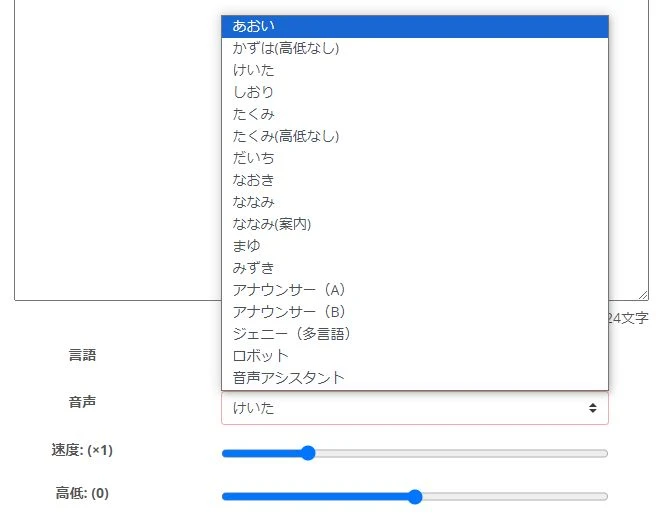
From hobbies to work, you can choose the perfect voice tone for various situations.

Try listening to 16 types of Japanese voices from Ondoku text-to-speech for free. Change impressions with pitch variations
Ondoku has 16 types of Japanese voices. Of course, both male and female voices are available. We have made it possible to listen to 8 types of commonly used Japanese voices and the voices when the pitch of each is adjusted.
Furthermore, conversation reading using multiple voices is also available for free.
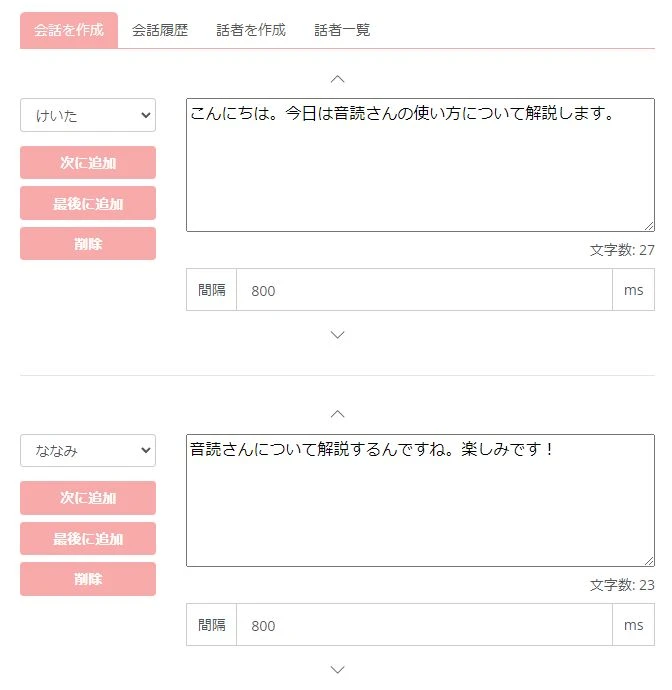
You can easily create audio for commentary videos where multiple characters appear.

How to use Ondoku's conversation/dialogue function. Speech synthesis makes listening materials and long text creation more convenient!
How to use Ondoku's conversation function! Explaining how to use the conversation function with images. We will introduce specific examples of what purposes the conversation function can be used for.
Supports reading in foreign languages
Ondoku can read languages other than Japanese!
It supports reading in 81 languages and regions, including Japanese, English, Korean, Chinese, French, Spanish, Vietnamese, etc.
![[Ondoku] Check voice types and sample audio for supported languages](https://storage.googleapis.com/ondoku3/image/%E5%A4%9A%E6%A7%98%E6%80%A7_930.webp)
[Ondoku] Check voice types and sample audio for supported languages
Here we introduce the supported languages and sample voices of Ondoku.
Read files can be saved as MP3
Read audio files can be saved in MP3 format.
Saving MP3 files is a simple operation, just by pressing a button after the reading is complete.
Of course, MP3 file downloads are possible even when using for free.
Commercial use OK, also recommended for video production
Ondoku is OK for commercial use, so it is perfect for monetizing video sites.
Commercial use is also possible when using it for free.
*Credit is mandatory for free use. Credit notation becomes unnecessary when you subscribe to a paid plan. Detailed explanation can be found here.

How to write credit for Ondoku. Examples and precautions for notation.
Ondoku is very welcome to be used for free. However, if used for free, credit notation is mandatory. We also received questions like, "So, specifically how should I write the notation?" This time, we will explain how to write credit for Ondoku's free use...
Why not try Ondoku for free?
Ondoku is a reading site that can be used for free!
Specifically,
- Before email registration: Up to 1,000 characters
- After email registration: Up to 5,000 characters
You can read aloud for free.
If you are looking for reading software or a site, why not try Ondoku for free first?
2. Textalk
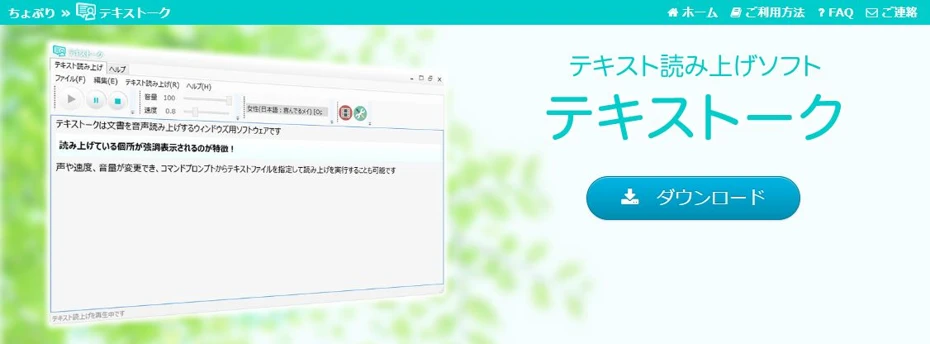
Textalk is a speech synthesis software that can read Japanese text aloud.
The speech synthesis engines used are OpenJTalk and Microsoft Haruka Desktop (SAPI5), compatible with Windows PCs.
Read audio can be exported in MP3 and WAV formats.
It also features a function to specify phonetic readings for words that the speech synthesis engine easily misreads, and a function to specify parts to skip, such as symbols.
The last update was in 2015, making it a bit old, but it is an MP3-compatible reading software that can still be active with its easy-to-use interface.
3. Bouyomi-chan
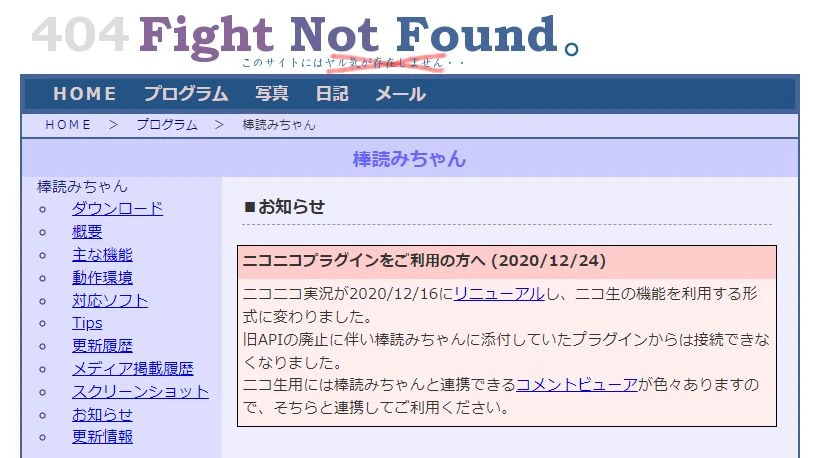
Bouyomi-chan is a reading software that can read text in the so-called "Yukkuri Voice".
The operation is very lightweight, and it is suitable for launching simultaneously with other software for real-time reading, so it is also widely used for reading comments in broadcasts like game commentary.
An audio export function is also included, and it is possible to save in WAV files.
*WAV files can be easily converted to MP3 files with MP3 encoding software or web services.
The "Yukkuri Voice" speech synthesis engine "AquesTalk" originally requires a paid license for commercial use, but because Bouyomi-chan uses an old version of "AquesTalk," commercial use is also possible for free.
4. AquesTalk Player
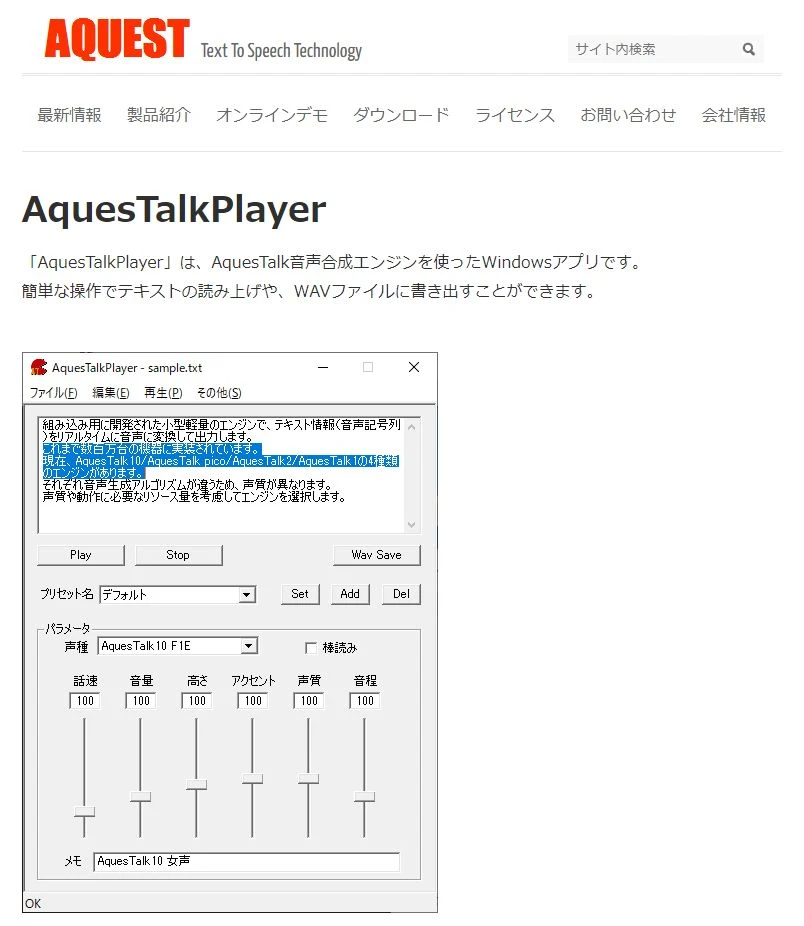
AquesTalk Player is a reading software officially distributed by AQUEST Corp., the developer of the so-called "Yukkuri Voice".
In addition to "Yukkuri Voice," newer speech synthesis engines developed by the same company can also be used.
Read audio can be exported as WAV files.
For commercial use, a paid license contract is required.
5. SofTalk

SofTalk is a reading software that can read Japanese text aloud using various speech synthesis engines.
Previously, it also supported "Yukkuri Voice," but it is unsupported in the current version.
Even so, its appeal as free software is the very large number of choices for speech synthesis engines.
Read audio can be exported as WAV files.
In the case of commercial use, precautions regarding licenses are necessary as terms of use vary depending on the speech synthesis engine used.
6. VOICEVOX
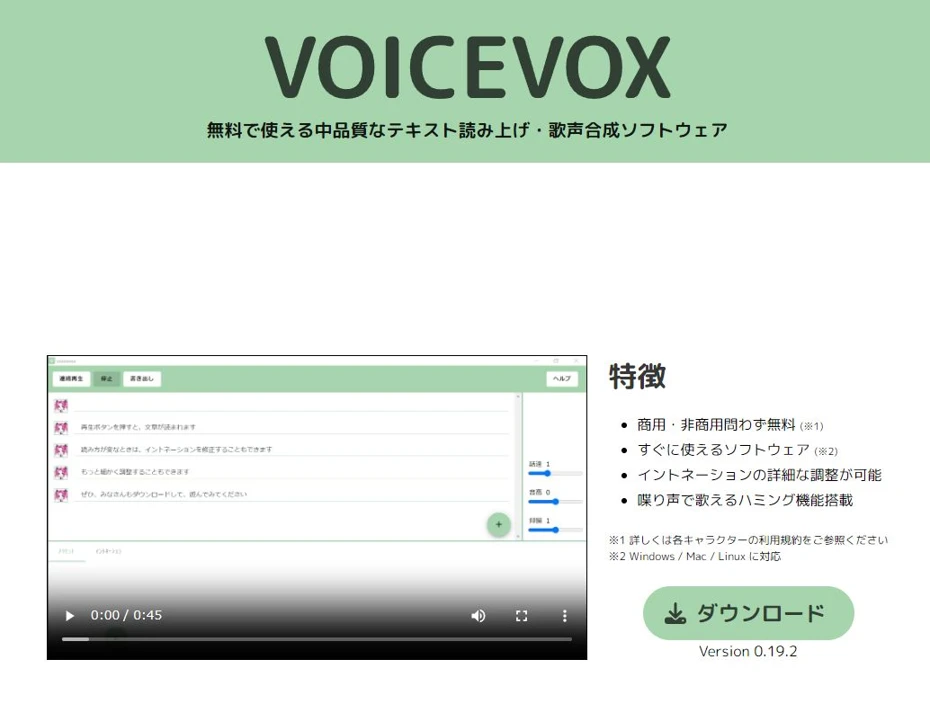
VOICEVOX is a software that can read text aloud using various character voices via speech synthesis AI.
You can read in realistic audio using voices of characters well-known on video sites, such as Zundamon, Kasukabe Tsumugi, and Shikoku Metan.
The software itself is free, and editing functions such as inflection and intonation are also substantial.
However, when using for paid purposes, it is necessary to follow each character's license.
Read audio can be exported as WAV files.
If you want to distribute works in MP3 format using character voices, it is recommended to encode in MP3 format when exporting after editing.

Complete guide on how to use VOICEVOX! Detailed explanation from features of free AI speech synthesis software to commercial use
Detailed explanation from features to usage and precautions for commercial use of VOICEVOX. A complete guide to the free AI speech synthesis software that allows reading in popular character voices like Zundamon.
7. COEIROINK

COEIROINK is also a software capable of reading aloud in various character voices using speech synthesis AI.
It is a software primarily targeting users who use it for creative activities such as doujin works, and it features functions convenient for producing recitation works.
Not only official and certified characters, but user-created voices "MYCOE" can also be used.
Read audio can be saved in WAV format.
Here too, when making works using voices, it is recommended to encode in MP3 format when exporting after editing.
Credit notation is mandatory for both commercial and non-commercial use.
Also, it is necessary to follow the terms of use for each character.

What is COEIROINK? Thorough explanation of features, usage, and commercial use of the speech synthesis software
Complete guide to features and usage of COEIROINK. Detailed explanation from how to install the speech synthesis software to adding character voices and precautions for commercial use.
8. A.I.Voice

A.I.Voice is a paid software that can read aloud in realistic character voices using AI.
Voices of characters previously deployed as VOICEROID can also be used.
In "A.I.Voice Editor," the software used for editing audio, files can be exported in MP3, WAV, and WMA formats.

A.I.VOICE2 Complete Guide! Detailed explanation of features, installation methods, and usage of the successor software to VOICEROID
Explaining the features and usage of A.I.VOICE2, which allows using Kotonoha Akane/Aoi and Yuzuki Yukari, familiar from VOICEROID videos. Detailed introduction from installation methods to audio export.
9. CeVIO AI
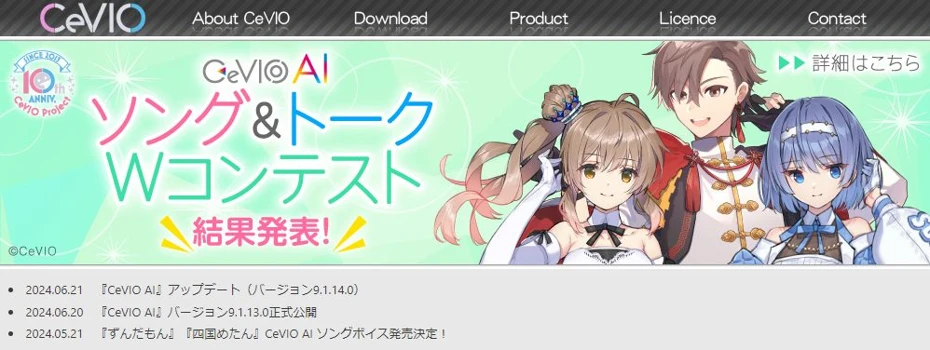
CeVIO AI is also a paid reading software capable of reading text in realistic character voices from an AI speech synthesis engine.
It uses a speech synthesis engine developed primarily at Nagoya Institute of Technology.
It can read Japanese in realistic voices with a flavor different from other reading software.
Saving reading audio is done through the export function.
The file saving format is WAV.
If you need files in MP3 format, it is recommended to convert them after exporting.

What is CeVIO AI? Detailed explanation of features and usage of the speech synthesis software, and commercial use
Complete guide to the AI singing voice synthesis software CeVIO AI. Explaining features of popular characters like Sato Sasara and Suzuki Tsudumi, how to purchase, and precautions for commercial use for beginners.
■ AI voice synthesis software "Ondoku"
"Ondoku" is an online text-to-speech tool that can be used with no initial costs.
- Supports 81 languages and regions, including Japanese, English, Chinese, Korean, Spanish, French, and German
- Available from both PC and smartphone
- Suitable for business, education, entertainment, etc.
- No installation required, can be used immediately from your browser
- Supports reading from images
To use it, simply enter text or upload a file on the site. A natural-sounding audio file will be generated within seconds. You can use voice synthesis up to 5,000 characters for free, so please give it a try.

Text-to-speech software "Ondoku" can read out 5000 characters every month with AI voice for free.
You can easily download MP3s and commercial use is also possible.
If you sign up for free, you can convert up to 5,000 characters per month for free from text to speech.
Try Ondoku now.
HP:
ondoku3.com
Email: ondoku3.com@gmail.com
Email: ondoku3.com@gmail.com
Related posts
"Ondoku" is a Text-to-Speech service that anyone can use for free without installation. If you register for free, you can get up to 5000 characters for free each month. Register now for free
- What is Ondoku
- Start text-to-speech conversion
- Free registration
- Pricing
- Posts
- Try other free services














