Recommended Text-to-Speech Software Summary: 7 Selections for Commercial Use [Free and Paid]
How to Create Museum Audio Guides for Free! Recommendation for AI Audio Guidance for Small Museums and Permanent Exhibitions
April 1, 2026


I want to introduce an audio guide, but the cost makes it difficult...
Museum audio guides have already become common in large-scale special exhibitions and large facilities with many visitors.
Have you given up, thinking that introducing one would be too difficult?
In fact, audio guides can be introduced easily!
The key is to use a text-to-speech service using the latest AI.
Whether it is a small-scale museum, a private museum, or a municipal local history museum, audio guidance can be easily produced for any museum using AI.
Why not use this article as a reference to introduce an audio guide to the museum you manage or work at?
Recommended AI Text-to-Speech Services for Museum Audio Guides
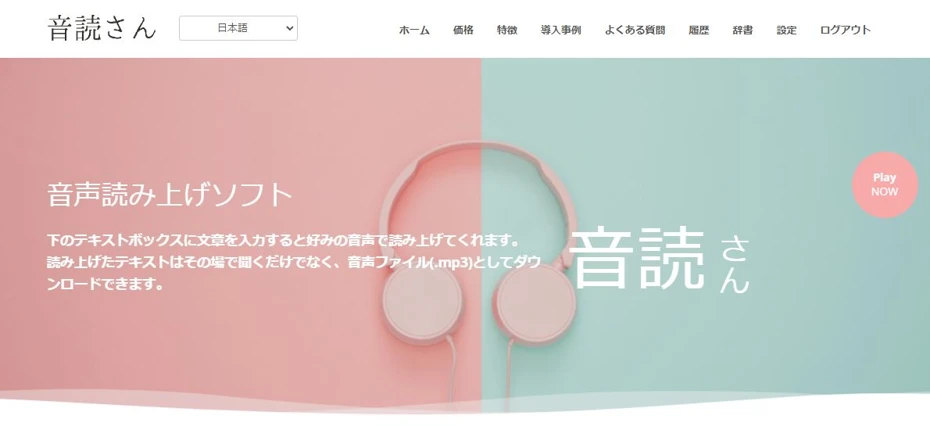
"Ondoku" is a recommended AI text-to-speech service for creating museum audio guides.
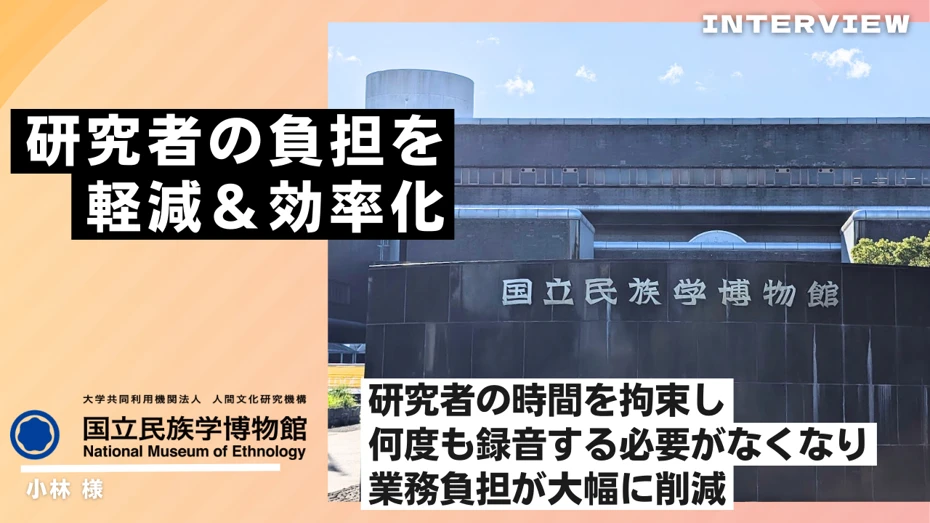
It is a proven service that has been introduced even at the National Museum of Ethnology, so you can use it with peace of mind.
The biggest feature is the ability to generate realistic and easy-to-hear audio.
Furthermore,
- Without registration: 1,000 characters
- With registration: 5,000 characters
can be read aloud for free!
Hiring a professional to record an audio guide is very expensive, but with Ondoku, there is no need for such worries.
Even museums that had given up on introducing audio guides due to cost can now introduce them!
Why not try creating an audio guide for free with "Ondoku"?
Why Not Introduce an Audio Guide to Your Museum?
There are many benefits to introducing an audio guide to a museum.
First, we will explain the features and key points of audio guides.
What is a Museum Audio Guide?
Audio guides have become common in large-scale museums and tourist facilities.
By playing the audio guide in front of an exhibit, you can more effectively explain the content of the exhibition to visitors.
Museum audio guides offer many advantages.
Able to Convey More Information

As a curator, the desire is to convey as much information about the exhibition as possible.
However, it is common that sufficient content cannot be included due to limitations in exhibition space or the specifications of captions and exhibition panels.
In such cases, utilizing an audio guide is highly recommended!
By conveying more detailed explanations and trivia via audio, you can communicate the appeal of the exhibits more deeply.
Improving Accessibility

The introduction of audio guides also benefits seniors and visitors with visual impairments.
The characters on captions and exhibition panels tend to be small, which can sometimes be difficult for senior visitors to read.
By introducing audio guides, you can remove barriers for seniors and visitors with visual impairments and improve accessibility.
Additionally, since visitors no longer need to get close to read captions, you can also prevent damage to the exhibits.

Handling Foreign Tourists with Multilingual Support

By preparing multilingual audio guidance in foreign languages, you can also handle guidance for inbound tourists.
Large-scale museums are increasingly installing captions in English, Chinese, and Korean, but small-scale museums often can't afford that much effort, can they?
In such cases, it is recommended to start with multilingual foreign language audio guidance that can be easily introduced.
For example, Ondoku supports 48 languages.
With an AI text-to-speech service, foreign language reading is possible with easy-to-hear native pronunciation.
Since foreign language audio guidance can be easily created using AI translation services and AI text-to-speech services, why not try it if your museum has many inbound visitors?

Increasing Satisfaction and Acquiring Repeaters
And the biggest benefit of introducing a museum audio guide is, above all, that visitors can enjoy and be satisfied with the exhibition.
Whether for special or permanent exhibitions, it is normal for there to be more first-time visitors than repeaters.
By introducing the exhibition more clearly and kindly with a museum audio guide, you can appeal its charm and encourage visitors to become repeaters.
Recommended Methods for Creating Museum Audio Guides
In the past, museum audio guides had high introduction costs, making them difficult to introduce to small-scale or private museums.
But it's different now!
By using the latest AI text-to-speech services, it has become possible to create audio for free!
AI Text-to-Speech Services are Recommended for Creating Museum Audio Guides

To create a museum audio guide, it was previously necessary to have professional narrators or voice actors record the audio, which involved very high costs.
However, with the development of AI, it has become possible to create high-quality audio for free!
Text-to-speech services using the latest AI can read text and speak it in an easy-to-hear, realistic voice.
The cost is also very low, and there are even services like Ondoku that can be used for free.
If you are making an audio guide for a museum, using an AI text-to-speech service is highly recommended.
Audio Guides Can Be Introduced Even in Small-scale Museums
By using AI text-to-speech services, audio guides can be introduced at a low cost even in relatively small museums, such as local history museums in municipalities or private museums!
One of the major goals of a museum is to provide education and outreach through exhibitions.
By introducing an audio guide, you can convey the appeal of the exhibition to segments of the population that have not been reached before and encourage them to visit repeatedly.
Why not use an AI text-to-speech service to introduce an audio guide to your facility?
Recommended AI Text-to-Speech Service "Ondoku"
"Ondoku" is an AI text-to-speech service recommended for creating audio for museum audio guides!
Using the latest AI, it can read aloud in a realistic and easy-to-hear voice.
There are 17 types of Japanese voices!
Foreign language reading is also possible, and since it supports 48 languages, you can create audio guides for visitors from abroad, including English.
It can also accommodate regional characteristics such as Chinese and Portuguese.
Introduced even at the National Museum of Ethnology
Ondoku has been introduced at the National Museum of Ethnology.
As a proven AI text-to-speech service, you can use it for reading museum audio guides with peace of mind.
Furthermore, Ondoku can be used for free!
- Without registration: 1,000 characters
- With registration: 5,000 characters
Since you can read aloud for free up to these limits, it is perfectly possible to create audio for one special exhibition or a permanent exhibition for free!
Why not use Ondoku to introduce an audio guide to your facility?
How to Create Audio Guidance for Free
How should I make audio files for an audio guide?

Specifically, we will introduce how to create audio files for museum audio guides!
1. Write the Script

First, write the script for the museum audio guide.
For the writing method, anything is fine as long as you can select and copy the text later, such as word processing software or a text editor.
Tips for Writing Audio Guidance Text
How should I write the text for audio guidance?
Writing text for audio guidance amidst busy curatorial duties is very hard.
Therefore, we will introduce some tips for efficiently writing accurate audio guidance text (scripts).
Explanations for All Exhibits Are Not Necessary

Many people may have listened to an audio guide by entering the number next to an exhibit at a large-scale exhibition.
As can be seen from that, it is not necessary to provide an audio guide for every explanation.
It's fine to just add audio commentary to the important exhibits where it counts!
However, if there are too few, there's no point in introducing the audio guide, so depending on the scale of the museum, it is recommended to provide audio commentary for at least 15 locations.
Recommended to Expand Based on Catalog Explanations
The speed of reading aloud via audio is actually very slow compared to the speed of reading text with your eyes.
Considering accessibility, the guideline is up to about 300 characters per minute.
If you already have text for a catalog, try expanding the content based on that.
If you write based on the volume of the catalog text, a 300-character explanation can be created quickly.
Don't Be Too Afraid of Technical Terms
Content that is too difficult for visitors can be a problem, but avoiding technical terms too much is also a no-no.
Even for first-time visitors, the fact that they are borrowing an audio guide means they are definitely deeply interested in the exhibition content.
By providing explanations that delve into slightly geeky content while adding annotations to parts that are too difficult, you can further increase visitor satisfaction.
Recommended to Create Both Adult and Child Versions

It is also recommended to create separate audio for adults and children.
In particular, during periods like Golden Week, summer vacation, and spring vacation when the number of family visitors increases, writing dedicated scripts is effective.
2. Read Aloud Using Ondoku
Open the Ondoku homepage from here and read aloud.
First, paste the text into the text box to input it.

At this time, it is recommended to paste and read aloud each exhibit explanation one by one.
When you download the reading files, they will be separated for each exhibit location, which is convenient because you can use them as they are later when using them for the audio guide.
Select the voice to use.

*Sample audio files are introduced on this page.
When ready, press "Read" to start reading aloud.

Audio file creation will be completed in just a few seconds.
3. Check the Result and Download
Once the reading file is created, the display changes and an audio player and download button are displayed.

Listen to the audio on the audio player and check for any errors in the content.
In the case of a museum audio guide, check carefully to ensure there are no errors, especially with proper nouns.
If there are no problems, press "Download" to download the file.

The file can be saved as an MP3 file.
At this time, it is convenient to change the file names to sequential numbers after saving for later use as an audio guide.
As you can see, the process of creating audio for a museum audio guide with Ondoku is very simple.
Why not use Ondoku to introduce an audio guide to your facility?
Points When Choosing Audio Guide Playback Equipment
Finally, we will explain how to play museum audio guides.
There are three main methods.
1. Use Dedicated Audio Guide Equipment

First, what comes to mind immediately is introducing dedicated audio guide equipment like that used in large-scale museums.
It has an abundant track record of use, and has the advantage that the manufacturer or leasing company can provide a guarantee in case of any trouble.
However, in exchange, the price is high whether you buy or lease it.
2. Use a Simple MP3 Player

What is recommended for small-scale museums is to use a simple consumer MP3 player.
An inexpensive and simple MP3 player that only has play, stop, fast forward, and rewind buttons can substitute for audio guide equipment.
Since all you have to do is put the sequentially numbered MP3 files on a MicroSD card, introduction is very easy.
A disadvantage is that you need to be prepared for breakdowns and potential theft.
3. Post Audio on the Website

Another method is to post the audio of the audio guide on the museum's website and have visitors listen to it on their smartphones.
The biggest advantage is that there is no need to introduce dedicated equipment.
However, it is necessary to have visiting customers prepare their own earphones.
In this way, museum audio guides can be introduced without spending much money!
Why not use the AI text-to-speech service Ondoku to introduce an audio guide?
■ AI voice synthesis software "Ondoku"
"Ondoku" is an online text-to-speech tool that can be used with no initial costs.
- Supports approximately 50 languages, including Japanese, English, Chinese, Korean, Spanish, French, and German
- Available from both PC and smartphone
- Suitable for business, education, entertainment, etc.
- No installation required, can be used immediately from your browser
- Supports reading from images
To use it, simply enter text or upload a file on the site. A natural-sounding audio file will be generated within seconds. You can use voice synthesis up to 5,000 characters for free, so please give it a try.

Text-to-speech software "Ondoku" can read out 5000 characters every month with AI voice for free.
You can easily download MP3s and commercial use is also possible.
If you sign up for free, you can convert up to 5,000 characters per month for free from text to speech.
Try Ondoku now.
HP:
ondoku3.com
Email: ondoku3.com@gmail.com
Email: ondoku3.com@gmail.com
Related posts
"Ondoku" is a Text-to-Speech service that anyone can use for free without installation. If you register for free, you can get up to 5000 characters for free each month. Register now for free
- What is Ondoku
- Start text-to-speech conversion
- Free registration
- Pricing
- Posts
- Try other free services














