Best Text-to-Speech Software: 7 Free & Paid Tools for Commercial Use
[Free] Create Audiobooks with AI Text-to-Speech! DIY Methods & Tools
Sept. 27, 2026
![[Free] Create Audiobooks with AI Text-to-Speech! DIY Methods & Tools](https://storage.googleapis.com/ondoku3/image/20240815-audiobook06_930.webp)

I want to make my own audiobook using speech synthesis!
An audiobook reads the content of a book aloud.
While audiobooks are available for a fee, you can actually create them yourself easily and for free using speech synthesis.
To make an audiobook yourself, it is recommended to use a free AI text-to-speech service.
In this article, we will explain the flow of speech synthesis using a free AI text-to-speech service for those who want to make their own audiobooks.
Recommended Text-to-Speech Services for Those Who Want to Synthesize Audiobooks
There is a recommended service for those who want to synthesize speech and make an audiobook themselves.
It is the latest AI text-to-speech service "Ondoku".

"Ondoku" is a web service that allows anyone to easily read text aloud.
Once you open the page here, you can read text aloud for free immediately just by pasting it.
Since it is a web service used from a browser, no installation is required.
You can synthesize audiobooks with clear and easy-to-understand audio, unique to the latest AI.
If you want to make an audiobook, why not start by using Ondoku from here?
Original Audiobooks Made with Speech Synthesis
An audiobook is a book that you "read by listening with your ears."
In fact, anyone can easily make an audiobook by using AI speech synthesis.
Characteristics of Audiobooks
An audiobook is a book you read with your ears, where the contents of the book are read aloud so they can be played back as an audio file.
They have been sold in formats like cassette tapes and CDs for a long time, but they have become much more accessible, especially since the appearance of smartphones.
Many audiobooks are sold as audio files that can be played on smartphones, but there are still fewer varieties compared to paper books or e-books.
In such cases, making your own audiobook (self-digitizing) is recommended.
In fact, anyone can easily create an audiobook if they use AI speech synthesis.
Scenes Where Audiobooks are Useful
Aren't paper books or e-books good enough?

In fact, audiobooks have several scenes they excel in, unique to "reading with your ears."
1. During Exercise

A major benefit of audiobooks is the ability to listen to books while exercising, such as running, walking, or training at the gym.
By synthesizing an original audiobook, you can turn exercise time into study time.
In fact, the activity of listening to audio while doing things like exercising is attracting attention as "Mimikatsu" (listening activities).
This is a way to utilize audiobooks that you should definitely incorporate into your life.
What is the talked-about "Mimikatsu"? Recommended ways to start and 5 free apps explained
A recommendation for Mimikatsu that you can start even in your busy daily life. Introducing 5 recommended free apps like AI text-to-speech apps and podcasts, and how to utilize them in various scenes like commuting, housework, walking, and during exercise.
2. While Driving

Listening to a book while driving a car is another use case unique to audiobooks.
People who commute by train can read during their commute, but normally you cannot read a book if you commute by car.
With an audiobook, it is possible to read your favorite book by listening with your ears during commute time.
3. Reading for the Visually Impaired

Braille books and audiobooks have long been created for the visually impaired.
Until now, it was necessary for professional narrators or voice actors to read them aloud, so the types of audiobooks were limited.
By using AI speech synthesis, it is possible to vastly increase the audiobook options for the visually impaired.
5 Recommended Speech Synthesis Services and Software for Audiobooks

If I'm making an audiobook, what method should I use for speech synthesis?
Here are some recommended speech synthesis services and software for creating audiobooks!
1. Ondoku
"Ondoku" is a recommended AI speech synthesis service for creating audiobooks.
Since it is a web service used from a browser, it can be used immediately without installation.
Moreover, "Ondoku" can synthesize speech for free!
You can experience realistic and easy-to-understand reading voices unique to the latest AI for free right now.
Simple and Easy-to-Use Reading Screen
How to use "Ondoku" is very simple.
Just open the top page, paste the text into the text box, and press the "Read" button.
The speech synthesis is completed immediately, and you can download the MP3 file.
16 Types of Japanese Voices
Ondoku can read Japanese in 16 different voices.

Try listening to 16 types of voices from the text-to-speech software Ondoku for free. Change impressions by adjusting pitch
Ondoku has 16 types of Japanese voices. Of course, both male and female voices are available. We have made it possible to listen to samples of the 8 commonly used Japanese voices, as well as how they sound when the pitch of each voice is adjusted.
There are many natural voices that are not too character-heavy, so you can concentrate on the content of the book without being distracted.
You can synthesize speech with the perfect voice to match the author or the content of the book.
Foreign Language Speech Synthesis is Also Possible
Ondoku supports speech synthesis in 81 languages and regions, including Japanese and English!

You can also use it for listening practice by reading foreign language books aloud.
![[Ondoku] Preview voice types and sample audio for supported languages](https://storage.googleapis.com/ondoku3/image/%E5%A4%9A%E6%A7%98%E6%80%A7_930.webp)
[Ondoku] Preview voice types and sample audio for supported languages
Here, we will introduce the supported languages and sample voices of Ondoku.
Speech Synthesis Service That Can Be Used for Free
And Ondoku can be used for free!
You can synthesize 1,000 characters without logging in, and 5,000 characters for free when you log in, so you can easily check right now what kind of voice can be used for reading.
If you are looking for a way to synthesize speech for an audiobook, why not experience "Ondoku" for free first?
2. CeVIO

CeVIO is an AI speech synthesis software compatible with Windows.
It uses a unique AI developed by a venture company from the Nagoya Institute of Technology, and among paid software, it allows for particularly natural and easy-to-understand speech synthesis.
Package and download versions are available.
Since it is good at emotionally expressive reading, it is recommended for those who want to turn novels into audiobooks via speech synthesis.
3. VOICEVOX

VOICEVOX is a speech synthesis software compatible with Windows, Mac, and Linux.
It is used by downloading it from the official website.
It is famous as a software that can read aloud in character voices like Zundamon, Kasukabe Tsumugi, and Shikoku Metan, but it can also be used for audiobook speech synthesis.
As neutral voices suitable for audiobooks:
- Shikoku Metan
- Meimei Himari
are recommended.

VOICEVOX Usage Complete Guide! Detailed explanation from features of AI free speech synthesis software to commercial use
A detailed explanation from the characteristics of VOICEVOX to its usage and precautions for commercial use. A complete guide to the free AI speech synthesis software that can read aloud with popular character voices like Zundamon.
4. AquesTalkPlayer
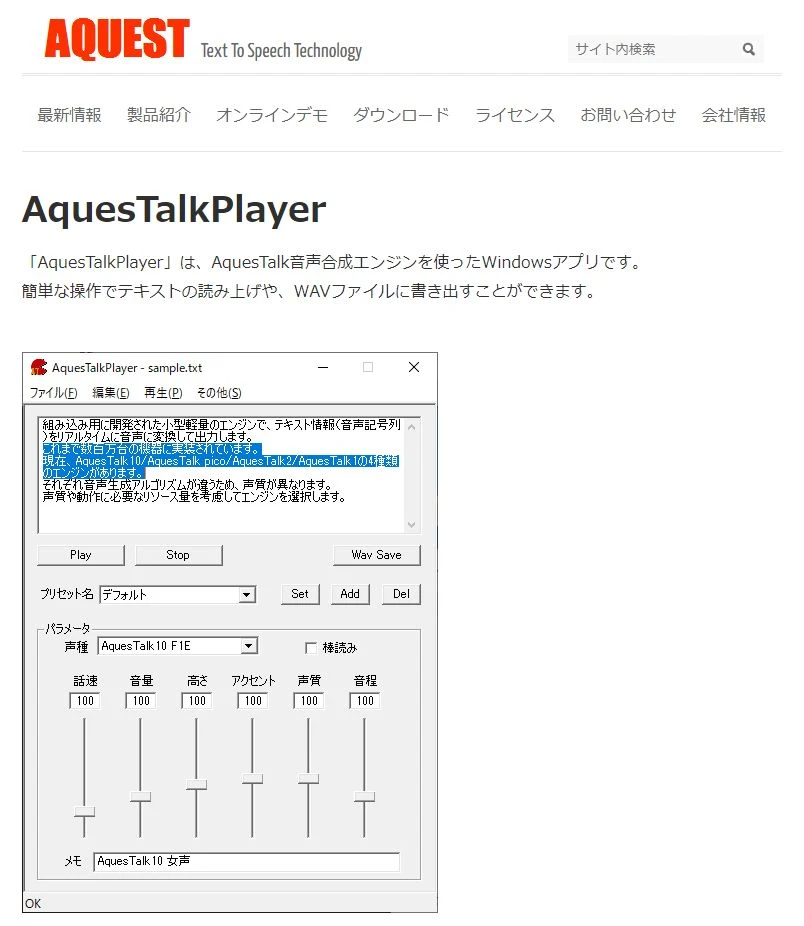
AquesTalkPlayer is a speech synthesis software for Windows provided by Aquest Co., Ltd., which is also known as the developer of the so-called "Yukkuri Voice."
Many voices other than Yukkuri Voice are available, allowing for reading in voices that are not too character-heavy and are easy to use for audiobooks.
Compared to the latest AI speech synthesis, it is not as realistic, but instead, it is lightweight in operation, which is also a key point.
This is recommended if you don't place much emphasis on realism and just want the book content to be read aloud.
![[2026 Latest] 6 Recommended Yukkuri Voice/Monotone software | Complete comparison of PC and smartphone apps](https://storage.googleapis.com/ondoku3/image/20250507yukkuri_bouyomi_software_tmb_930.webp)
[2026 Latest] 6 Recommended Yukkuri Voice/Monotone software | Complete comparison of PC and smartphone apps
Carefully introducing Yukkuri Voice and monotone software ideal for video production and game commentary. Explaining methods for anyone to easily create high-quality audio with the latest 2026 apps for PC and smartphones.
5. A.I.VOICE

A.I.VOICE is a paid speech synthesis software that can read aloud in realistic and easy-to-understand character voices.
It is compatible with Windows and Mac, and package and download versions are available.
The lineup includes characters that were also featured in the "VOICEROID" series, such as Yuzuki Yukari, Kizuna Akari, and Kotonoha Akane/Aoi.
It is also possible to read in voices that don't show too much character, making them easy to use for audiobook reading.
How to Synthesize an Audiobook Using a Text-to-Speech Service
How do you make an audiobook?

We will explain the flow of making an audiobook for free using the text-to-speech service "Ondoku"!
1. Prepare the Source Text
First, prepare the text that will be the basis of the audiobook.
In this example, we will use text from "Aozora Bunko," a website that publishes copyright-free texts.

(Instructions on how to remove ruby from Aozora Bunko text are explained here)
2. Open the "Ondoku" Page
Open the Ondoku top page from here.
3. Paste the Text
Paste the text into the text box.

4. Set the Voice Type and Speed

Adjust the voice type and reading speed.
5. Press the "Read" Button to Start Speech Synthesis
When preparations are complete, press the "Read" button.

"Loading" will be displayed, and speech synthesis will start.

6. Speech Synthesis Complete
Speech synthesis on Ondoku is completed quickly.
When speech synthesis is finished, the screen automatically switches, and the audio is played back on the browser.

Example: It takes only a few seconds to read 1,000 characters.
7. Download the File
When speech synthesis is complete, a "Download" button is displayed.
When you press the "Download" button, the synthesized file is downloaded in MP3 format.
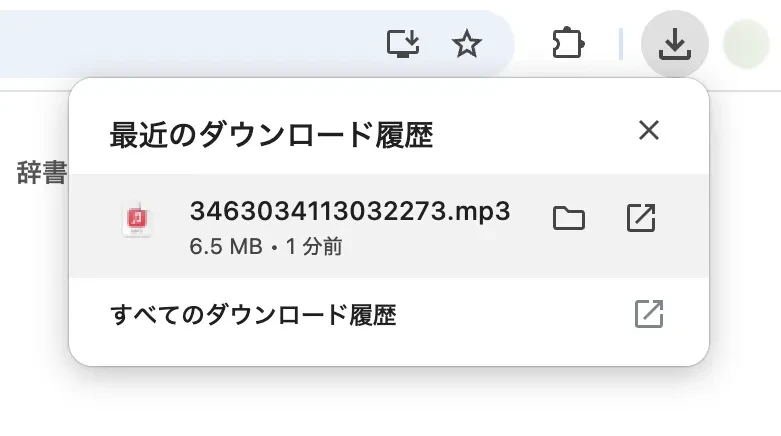
This completes the flow of synthesizing your own audiobook using Ondoku.
Tips for Making Audiobooks with Speech Synthesis
Here is some useful information when self-digitizing audiobooks using speech synthesis.
Be Careful with Copyright
When making an audiobook with speech synthesis, attention to copyright is necessary.
There is no problem if you listen to the read audio personally, but you cannot sell it or distribute it for free.
Be especially careful when basing it on texts that are still under copyright, such as books converted to text using OCR.
If the source is copyright-free text like "Aozora Bunko," you can create audiobooks without copyright issues.
How to Remove Ruby from Aozora Bunko Text?
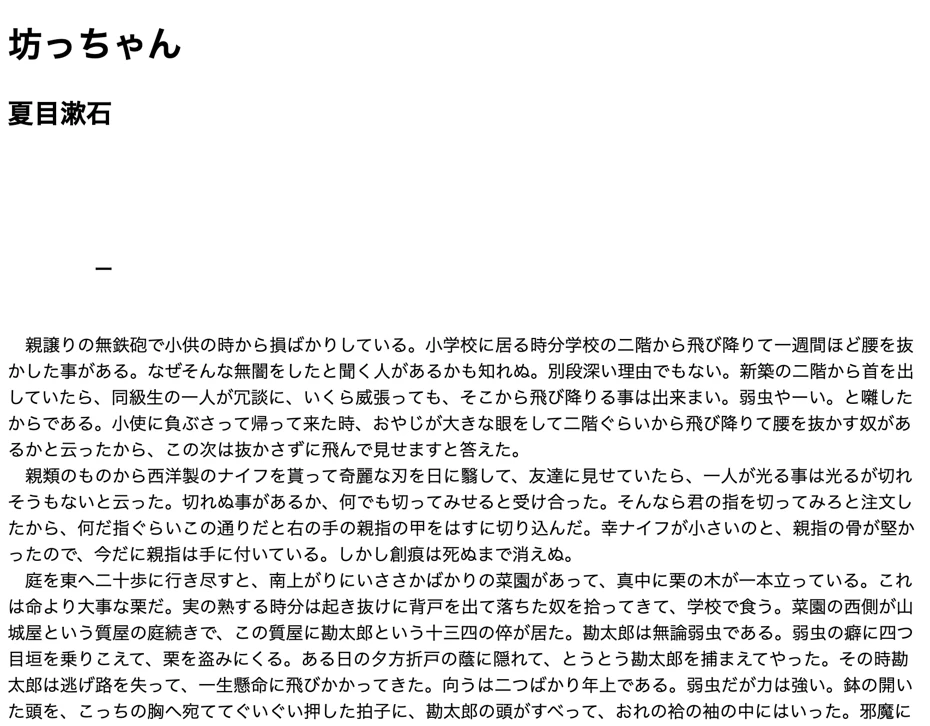
Texts from Aozora Bunko have ruby (reading aids), as seen in this image (Natsume Soseki's "Botchan").

If ruby is present, the ruby itself will be read aloud along with the main text, so when making an audiobook from Aozora Bunko, it is recommended to remove the ruby in advance using a tool.
Tools for Removing Ruby
Example of Removing Ruby
When using "Aozora Bunko Ruby Removal Tool: Long Text Version," paste the URL and press "Submit."

Then, the reading aid portions are removed like this, resulting in the correct text.
Guidelines for Word Count when Making Audiobooks

The number of characters you can synthesize for free with Ondoku is:
- No login: 1,000 characters
- With login: 5,000 characters
For paperbacks or new books, the number of characters per page is around 600 characters.
With Ondoku, you can synthesize and read about 8 to 9 pages worth of content for free.
The total character count per book is often around 80,000 to 120,000 characters for paperbacks or new books, so if you want to synthesize an entire book and make an audiobook, subscribing to a paid plan is recommended.
Ondoku's paid plans are as follows.
| Plan | Price | Characters that can be read |
|---|---|---|
| Basic Plan | 980 yen | 200,000 characters/month |
| Value Plan | 1,980 yen | 450,000 characters/month |
| Premium Plan | 2,980 yen | 1,000,000 characters/month |
With the Value Plan, you can make 4 original audiobooks every month, and with the Premium Plan, you can make as many as 10 original audiobooks every month!
Since you can read aloud much more affordably than purchasing paid software, Ondoku is recommended if you're unsure about the speech synthesis method for audiobooks.
■ AI voice synthesis software "Ondoku"
"Ondoku" is an online text-to-speech tool that can be used with no initial costs.
- Supports 81 languages and regions, including Japanese, English, Chinese, Korean, Spanish, French, and German
- Available from both PC and smartphone
- Suitable for business, education, entertainment, etc.
- No installation required, can be used immediately from your browser
- Supports reading from images
To use it, simply enter text or upload a file on the site. A natural-sounding audio file will be generated within seconds. You can use voice synthesis up to 5,000 characters for free, so please give it a try.

Text-to-speech software "Ondoku" can read out 5000 characters every month with AI voice for free.
You can easily download MP3s and commercial use is also possible.
If you sign up for free, you can convert up to 5,000 characters per month for free from text to speech.
Try Ondoku now.
HP:
ondoku3.com
Email: ondoku3.com@gmail.com
Email: ondoku3.com@gmail.com
Related posts
"Ondoku" is a Text-to-Speech service that anyone can use for free without installation. If you register for free, you can get up to 5000 characters for free each month. Register now for free
- What is Ondoku
- Start text-to-speech conversion
- Free registration
- Pricing
- Posts
- Try other free services
![[Free] Create Audiobooks with AI Text-to-Speech! DIY Methods & Tools](https://storage.googleapis.com/ondoku3/image/irodori-tts_tmb_140.webp)
![[Free] Create Audiobooks with AI Text-to-Speech! DIY Methods & Tools](https://storage.googleapis.com/ondoku3/image/tategaki-image-yomiage_howto_tmb_140.webp)
![[Free] Create Audiobooks with AI Text-to-Speech! DIY Methods & Tools](https://storage.googleapis.com/ondoku3/image/iphone-video-narration_tmb_140.webp)
![[Free] Create Audiobooks with AI Text-to-Speech! DIY Methods & Tools](https://storage.googleapis.com/ondoku3/image/chrome-reading-mode-pc_tmb_140.webp)
![[Free] Create Audiobooks with AI Text-to-Speech! DIY Methods & Tools](https://storage.googleapis.com/ondoku3/image/pdf-to-mp3-howto_tmb_140.webp)









