English Learning & Pronunciation: How to Use Ondoku for US and UK English
Learn Chinese & Check Pronunciation! How to Use Free Text-to-Speech Ondoku
Aug. 28, 2026

Hello, thank you for always using Ondoku.

Because Chinese uses "ideograms," you can understand the meaning just by looking at the characters, but it is difficult to imagine the pronunciation.
English uses "phonetic characters" that represent sounds, so you can generally imagine the pronunciation, but that is not the case with Chinese.
Moreover, even if the characters are the same as in Japanese, the pronunciation in Chinese and Japanese is different. Furthermore, since Chinese is a tonal language, the "four tones" can result in completely different meanings and words.
Hearing this, it feels like an extremely difficult language...
However, since Japanese people know kanji, they can understand the meaning if the communication is text-only.
By taking advantage of this, Japanese people are at an overwhelming advantage in learning Chinese compared to people from other countries.
That's why you want to master pronunciation and speak with Chinese people in Chinese.
A common trap Japanese people fall into when having a conversation in Chinese is that "the meaning is not conveyed because my Chinese pronunciation is bad."
If you read aloud Chinese words or sentences with Ondoku, you can listen and confirm the pronunciation!

Related articles for learning Chinese with Ondoku
The following articles also provide detailed explanations about reading aloud and creating audio in Chinese using Ondoku.

[2026 Edition] Chinese Reading Aloud Study Method! Thorough Explanation of Recommended Sites, Apps, Example Texts, and Usage
You can read the characters but can't pronounce them... Solve that problem! Introducing carefully selected sites and apps recommended for reading Chinese aloud. Explaining how to use the free tool "Ondoku," tips for acquiring native-level pronunciation, and example texts.

[2026 Edition] Complete Guide to Chinese Text-to-Speech | Detailed Explanation from Pronunciation Practice to Inbound Tourism
Improve your pronunciation with Chinese text-to-speech services! Explaining the features and usage of text-to-speech tools that support Mandarin, Taiwanese Mandarin, Cantonese, and various regional dialects. Why not try these free Chinese text-to-speech tools, suitable for everyone from beginners to advanced learners?
How to check Chinese pronunciation with Ondoku
"Ondoku" is a service that reads aloud Chinese words and sentences you enter.
It supports both Simplified and Traditional characters, and you can choose from Mandarin (Mainland China), Cantonese (Hong Kong), and Guoyu (Taiwan).
You can choose your preferred voice from multiple speakers and check the pronunciation by adjusting the reading speed and pitch.
In addition to entering text, you can also read aloud by scanning images of textbooks or handouts. The created audio can be saved in MP3 format.
In this article, we will introduce the process of selecting a speaker, entering text and images, reading aloud, and saving audio.
Reading aloud Chinese with Ondoku

"Ondoku" is a text-to-speech service that can be used in a browser.
Enter the characters you want to read aloud, select the type of Chinese and the speaker, and click "Read Aloud" to play the audio.
It supports Simplified and Traditional characters, and you can choose from multiple speakers, such as women, men, girls, and boys.
Types of Chinese voices in Ondoku
Voices include those of women, men, girls, and boys.
- Mandarin (Mainland China)
Men: 10 types
Women: 16 types
Boys: 3 types
Girls: 3 types - Cantonese (Hong Kong)
Men: 1 type
Women: 2 types - Guoyu (Taiwan)
Men: 3 types
Women: 3 types
Each speaker has their own unique pronunciation, allowing you to hear realistic Chinese.
- Features to make the speech faster or slower, and
- features to make the pitch higher or lower
are also provided. Changing the settings can alter the impression and improve ease of listening.
When I let my Chinese friend listen to the audio, they said, "Amazing! It sounds native!"

Please try the free trial listening in this article.

For pronunciation checks and listening in Chinese learning! Trial listening (samples) of native pronunciation with 40 speakers: voices of women, men, and girls
Here, you can trial listen (sample) Ondoku's Chinese voices. You can choose from the regional languages: Simplified Chinese (Mandarin), Cantonese, and Traditional Chinese (Guoyu). Voices include those of women, men, girls, and boys.
It also supports many other languages, so you can use it for language learning other than Chinese.

[Ondoku] Voice Types of Supported Languages and Sample Audio Trial
Here, we introduce the supported languages and sample voices of Ondoku.
It is basically free to use, and with a paid plan, you can further increase the number of characters read aloud.
However, if you only need to check Chinese pronunciation, the free range is sufficient.
For those looking for pronunciation sites for learning Chinese, please also see this article, "[Free] Chinese Text-to-Speech Site! Recommended for Pronunciation Checks in Language Learning."
How to use Ondoku
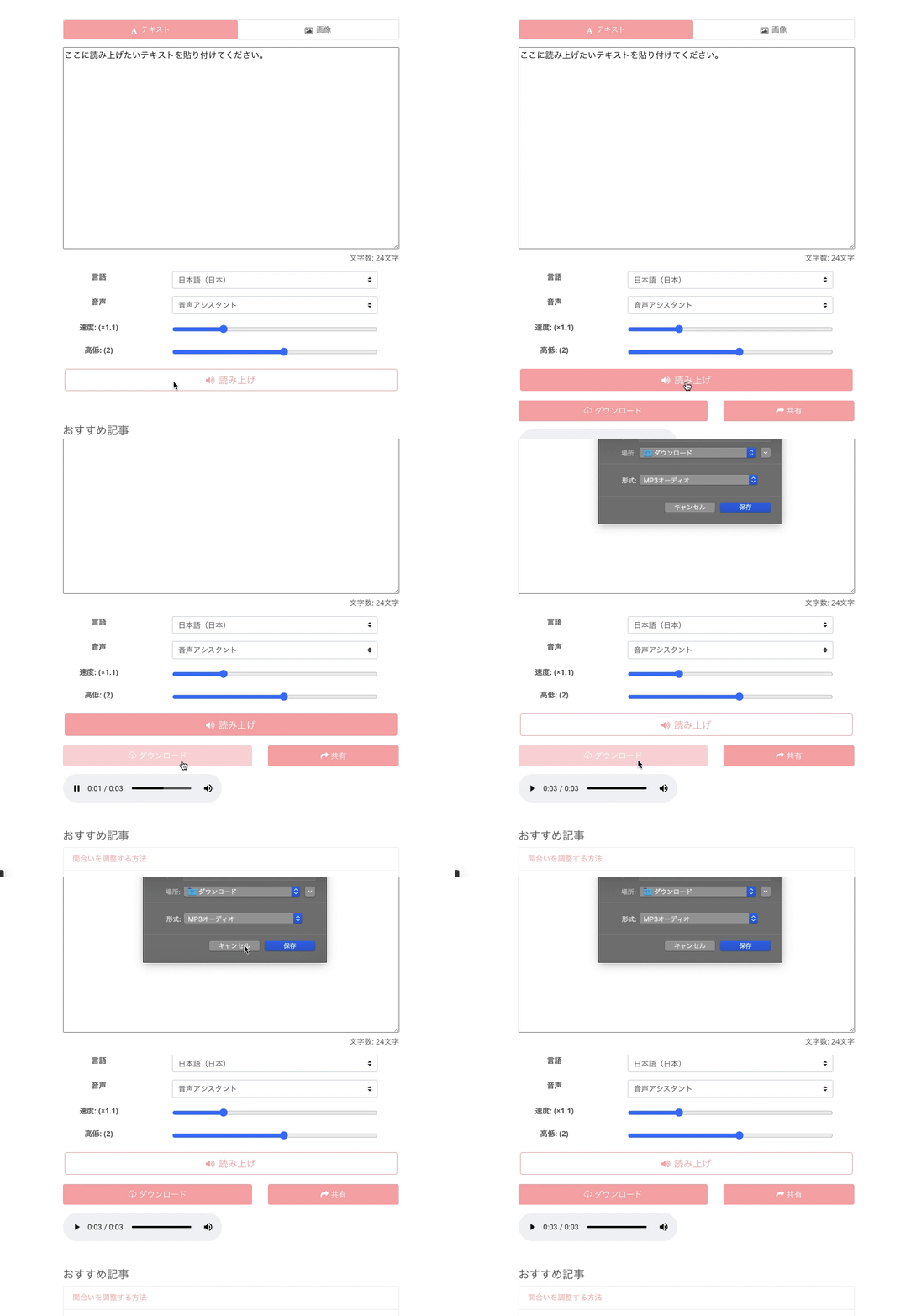
Using Ondoku for free is very simple.
There is no need to download apps or software. One of the attractions is that everything can be operated via a web browser.
How to use:
- Access the Ondoku site
- Enter the characters you want to read aloud in the text box (copy and paste is also OK)
- Adjust to your preferred settings, such as language, voice type, and speech speed
- Click "Read Aloud"
That's all.
Since the site supports Japanese, you don't have to worry about what is written.
On foreign sites, one tends to be hesitant until they understand how to use it, but a Japanese site provides peace of mind!
Furthermore, audio can be downloaded in MP3 format.
Textbooks and handouts can also be read aloud
Ondoku has other convenient features.
The feature is "Reading aloud text by uploading an image."
You can read aloud images taken with a smartphone or similar device.

You can take pictures of picture books, books, textbooks, etc., and read them aloud with Ondoku.
Chinese has characters that normally cannot be entered from Japanese smartphones or computers, so it is very convenient!
This feature instantly solves problems such as not knowing how to read when teaching Chinese to children at home or reading a Chinese textbook.
Moreover, since you don't have to enter words one by one yourself, it's hassle-free and very convenient.
[How to Use the Image-to-Speech Feature]
- Access the Ondoku top page.
- There are "Text" and "Image" tabs above the text box.
- Click the "Image" tab.
- Click "Select Image" and choose your preferred image.
*In the case of a smartphone, you can also start the camera here and take a photo directly. - After selecting an image, adjust the reading speed and pitch.
- Click the "Read Aloud" button.
Then, the image is analyzed in a few seconds, and the audio can be read aloud.
After loading the image, the recognized characters are displayed in the text box.
If there are recognition errors and you want to correct the reading, you can edit it here.
Detailed usage is introduced here.

How to use image reading | How to use free OCR to turn text in photos into audio
Explaining the feature of "Ondoku" that can read characters in images or photos (OCR) and read them aloud. It is free to use. On both PC and smartphone, reading is completed in just a few seconds by simply uploading an image.
Ondoku is perfect for Chinese learning
Checking Chinese pronunciation and reading aloud Chinese sentences. Furthermore, it can even recognize characters from images and read aloud Chinese...!
Ondoku is so convenient because you can use so many features for free!
Precisely because it can be used for free, you can try it right now!
May the excellent Ondoku, which reads aloud with Chinese pronunciation, help you in your efforts to study Chinese.
Please give it a try.
For pronunciation checks and listening in Chinese learning! Trial listening (samples) of native pronunciation with 40 speakers: voices of women, men, and girls
Here, you can trial listen (sample) Ondoku's Chinese voices. You can choose from the regional languages: Simplified Chinese (Mandarin), Cantonese, and Traditional Chinese (Guoyu). Voices include those of women, men, girls, and boys.

Scene examples for everyday Chinese conversation ready for immediate use • How to make original audio teaching materials [with pronunciation audio]
Introducing everyday Chinese conversation with audio teaching materials. Furthermore, we also introduce how to make original audio teaching materials, so please use them for your learning.
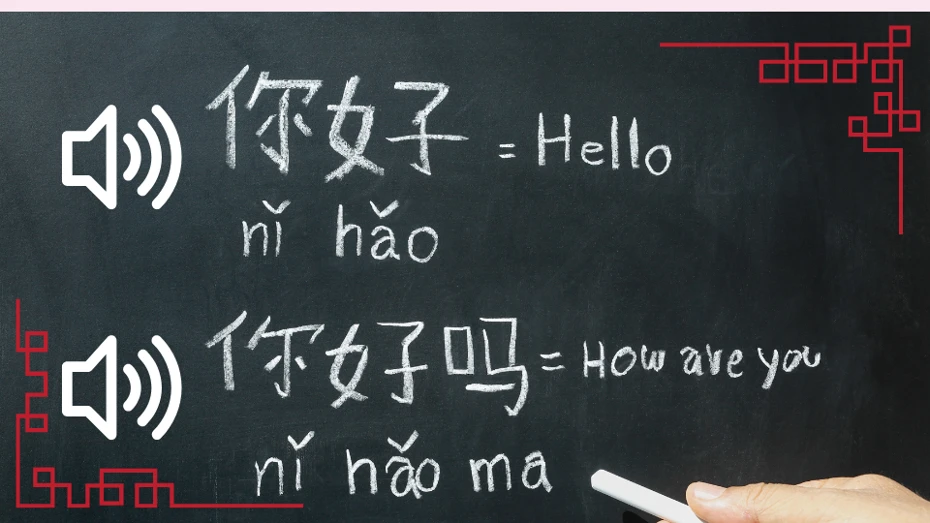
The ultimate site for reading aloud and downloading Pinyin pronunciation [A must-see for Chinese learners]
Ondoku is a site that can read aloud and download both Chinese notation and Pinyin notation sentences. If you use a smartphone, you can also have Chinese pronounced from a photo taken on the spot.
■ AI voice synthesis software "Ondoku"
"Ondoku" is an online text-to-speech tool that can be used with no initial costs.
- Supports 81 languages and regions, including Japanese, English, Chinese, Korean, Spanish, French, and German
- Available from both PC and smartphone
- Suitable for business, education, entertainment, etc.
- No installation required, can be used immediately from your browser
- Supports reading from images
To use it, simply enter text or upload a file on the site. A natural-sounding audio file will be generated within seconds. You can use voice synthesis up to 5,000 characters for free, so please give it a try.

Text-to-speech software "Ondoku" can read out 5000 characters every month with AI voice for free.
You can easily download MP3s and commercial use is also possible.
If you sign up for free, you can convert up to 5,000 characters per month for free from text to speech.
Try Ondoku now.
HP:
ondoku3.com
Email: ondoku3.com@gmail.com
Email: ondoku3.com@gmail.com
Related posts
"Ondoku" is a Text-to-Speech service that anyone can use for free without installation. If you register for free, you can get up to 5000 characters for free each month. Register now for free
- What is Ondoku
- Start text-to-speech conversion
- Free registration
- Pricing
- Posts
- Try other free services














