Best Text-to-Speech Software: 7 Free & Paid Tools for Commercial Use
How to Create Synthetic Voices: 7 Best Free Apps [2026 Edition]
Sept. 9, 2026
![How to Create Synthetic Voices: 7 Best Free Apps [2026 Edition]](https://storage.googleapis.com/ondoku3/image/20240828onsei-sakusei-app-06_930.webp)
I want to create synthetic voices with a voice creation app!

To create synthetic voices, an AI-powered voice creation app is recommended!
Synthetic voices often used on video sites like YouTube are made using voice creation apps.
Older synthetic voices had an unnatural feel, like a robot speaking, but with the development of AI, it is now possible to create realistic and easy-to-hear voices that rival professional announcers.
With an AI voice creation app, anyone can easily synthesize high-quality audio.
Compared to speaking yourself, it also saves time and effort.
Why not find a voice creation app to make synthetic voices by using this article as a reference?
Recommended Voice Creation Apps
The recommended voice creation app for those who want to create synthetic voices is Ondoku.
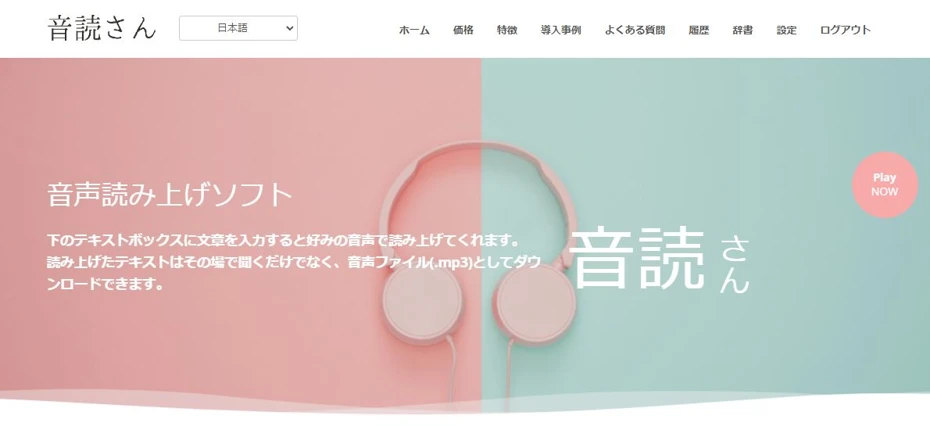
Ondoku is a web app that allows you to create high-quality synthetic voices using the latest AI.
Since it is a web app used from a browser, there is no hassle of installation.
Moreover, Ondoku allows you to create synthetic voices for free!
If you want to read text aloud and create synthetic voices, why not start by using Ondoku for free from here?
What is a voice creation app? Explanation of synthetic voices
First, we will briefly explain voice creation apps for making synthetic voices.
What is a voice creation app?

A voice creation app is an app for synthesizing voices that sound like humans speaking using a computer.
They have long been widely used for business purposes such as automated telephone responses and train announcements, but with the development of AI, even general users can now easily create synthetic voices with high-performance apps.
When you enter text into a voice creation app, it will read it out in a few seconds for short sentences, and just a few minutes even for long sentences.
Previous synthetic voices were immediately recognizable as computer-synthesized, with unnatural intonation and inflection.
In contrast, synthetic voices using the latest AI can synthesize very realistic voices that sound like they are being read by professional announcers or narrators.
Situations where synthetic voices from voice creation apps are useful
Video sites such as YouTube and TikTok

Videos with narration on video sites like YouTube and TikTok.
Actually, you can make them easily using a voice creation app!
Narration is completed just by having the voice creation app read the text.
After that, you just need to combine the video and the narration audio file.
Meeting presentations
If you are not good at speaking in public, why not create presentation materials using a voice creation app?
With easy-to-hear synthetic voices, you can convey important information more reliably.

How to quickly create narrations for videos like YouTube with text-to-speech software. Tips and points
Explaining how to quickly create YouTube video narrations with Ondoku. From how to write a script to using Ondoku, adjusting natural intonation, and editing tips for video editing software, we explain it in an easy-to-understand way. A must-see for those who want to streamline video production with text-to-speech software!
Announcements in shops and public facilities

When you want to play broadcasts in workplaces such as shops and public facilities, a voice creation app is recommended.
Recording easy-to-hear audio is a specialized skill that can only be done by people with experience in theater or narration.
By using a voice creation app with the latest AI, you can play broadcasts that are much easier to hear than recording them yourself.

Achieve professional-level in-building broadcasts with automated voices! Complete guide to AI announcements
Automate in-building broadcasts with AI! With Ondoku, create narrator-level automated voices for free. Multilingual support ensures perfect inbound measures. Contributes to cost reduction through operational efficiency!
Benefits of voice creation apps
Can be read in a voice of your preferred gender

- I am male but want to narrate with a female voice
- I am female but want to narrate with a male voice
In such cases, synthetic voices from voice creation apps are also recommended!
With a voice creation app, you can have text read aloud in any voice you like, regardless of your actual gender.
Privacy is protected

Voice creation apps are also recommended for those concerned about privacy.
- I don't want my friends or family to know I'm making videos
- I don't want my gender or age to be known
- I'm embarrassed to speak in my own voice
Even if you have such concerns, you can freely create video narrations using a voice creation app.
Easier than reading it yourself
- Recording equipment is expensive
- Ambient noise can sometimes get in
- Editing work takes a very long time
Creating an audio file by reading it yourself is very difficult.
The editing work especially takes a lot of time and effort.
The process of deleting mistakes and removing silent parts to improve the tempo takes many times longer than the length of the recording file itself.

When I was making commentary videos on YouTube, I used to read the scripts myself.
The recording finishes quickly, but the editing is very hard.
Sometimes it takes 2 hours to edit the audio for a 5-minute video...
Now, using synthetic voice, the audio is completed in just 1 minute!
I should have started using synthetic voice sooner.
The recording finishes quickly, but the editing is very hard.
Sometimes it takes 2 hours to edit the audio for a 5-minute video...
Now, using synthetic voice, the audio is completed in just 1 minute!
I should have started using synthetic voice sooner.
If you use a voice creation app, tedious editing work is unnecessary!
If you want to easily create video narrations or broadcast audio, voice creation apps are recommended.
7 Selected Voice Creation Apps for Making Synthetic Voices
What kind of voice creation apps are recommended?

Introducing recommended voice creation apps for reading synthetic voices!
1. Ondoku, a web app that can be used for free
Ondoku is a web app that can read synthetic voices using the latest AI.
Its features are its high performance and the fact that it can be used for free!
It synthesizes easy-to-hear synthetic voices unique to the latest AI in a short amount of time.
Since it is a web app, no installation is required, and it can be used from any environment including Windows, Mac, and Linux.
Realistic reading with 16 types of Japanese voices
Ondoku offers 16 types of Japanese synthetic voices.
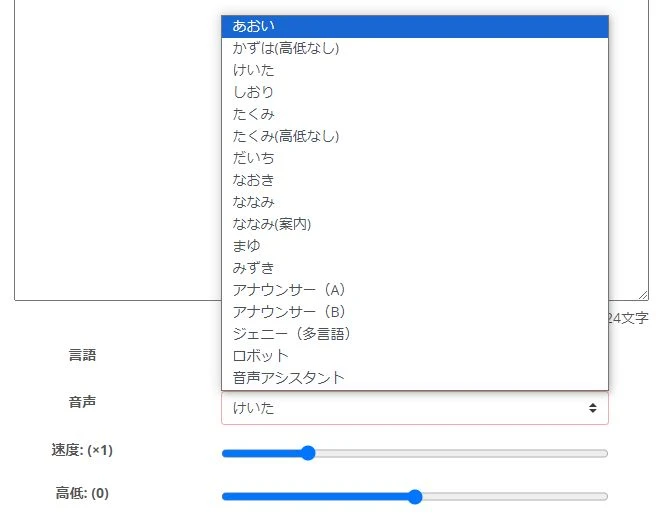
Every voice is very clear and realistic.
Since both male and female voices have rich variations, you can synthesize audio with the exact voice you desire.

Listen to 16 types of voices from the text-to-speech software Ondoku for free. Change impressions by adjusting pitch
Ondoku has 16 types of Japanese voices. Both male and female voices are available. We have made it possible to listen to 8 types of commonly used Japanese voices and the voices when the pitch of each is adjusted.
The function to read like a conversation using multiple voices is also available for free.
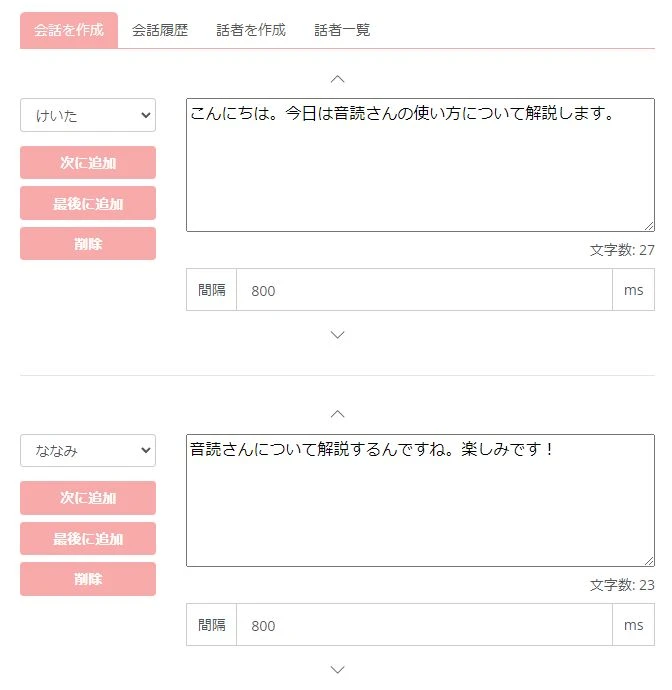

How to use Ondoku's conversation/dialogue function. Voice synthesis makes listening materials and long text creation even more convenient!
How to use Ondoku's conversation function! Explaining how to use the conversation function with images. We will introduce specific examples of what the conversation function can be used for.
Foreign languages can also be read aloud
Ondoku can read in 81 languages and regions.
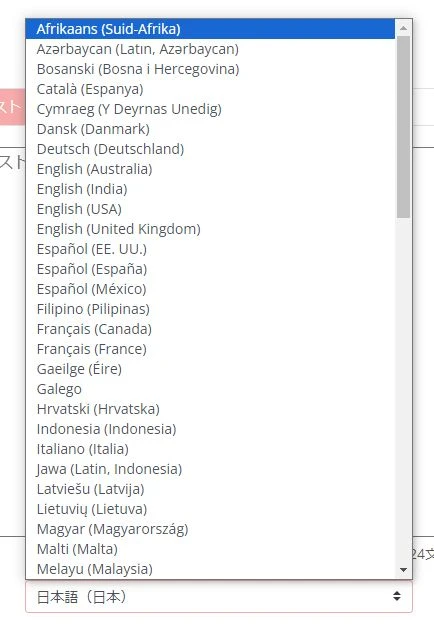
You can easily create audio files for languages widely used on video sites, including English, French, Spanish, Chinese, and Korean.
It is also useful for getting international views on video sites.
![[Ondoku] Voice types of supported languages and sample audio listening](https://storage.googleapis.com/ondoku3/image/%E5%A4%9A%E6%A7%98%E6%80%A7_930.webp)
[Ondoku] Voice types of supported languages and sample audio listening
Here we introduce the supported languages and sample voices of Ondoku.
Commercial use OK!
Commercial use of Ondoku is OK!
You can feel secure when you monetize on video sites or when you want to use it in shops or public facilities.
*Credit must be displayed for the free plan. Credit is not required for paid plans. Please see here for details.

What you can do with Ondoku. Regarding commercial use (business use) and prohibited items.
Commercial use (business use) is possible with Ondoku. Any use for the purpose of obtaining financial or other benefits, directly or indirectly, regardless of whether it is an individual or a corporation, is considered commercial use. However, please note that prohibited acts are established for Ondoku. This time, we will cover what you can and cannot do with Ondoku...
Why not use Ondoku for free voice synthesis?
Ondoku allows you to create synthetic voices for free!
- Without registration: up to 1,000 characters
- With registration: up to 5,000 characters
Since you can read such long texts for free, you can create videos or in-store broadcasts immediately!
When you want to create synthetic voices, why not start by using Ondoku for free?
2. A.I.VOICE, where famous characters can be used
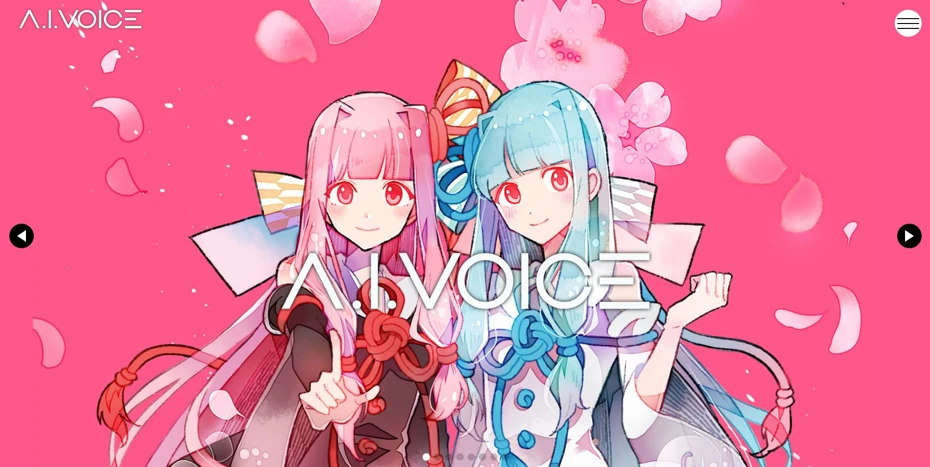
A.I.VOICE is a recommended voice creation app for those who want to use famous characters for reading aloud.
It is especially recommended for those who want to use synthetic voices of famous characters from the "VOICEROID" series.
Characters with many fans, such as Kotonoha Aoi/Akane and Yuzuki Yukari, are available.
It is a paid app compatible with Windows and macOS (Apple Silicon models only), and packaged and download versions are sold.
However, since it is a voice creation app that puts characters at the forefront, attention to the characters' terms of use is necessary when using it commercially.
Complete guide to A.I.VOICE 2! Explaining the features, installation, and usage of the successor to VOICEROID in detail
Explaining the features and usage of A.I.VOICE 2, where you can use Kotonoha Akane/Aoi and Yuzuki Yukari, familiar from VOICEROID videos. Detailing everything from installation to audio export.
3. VOICEPEAK with a diverse lineup
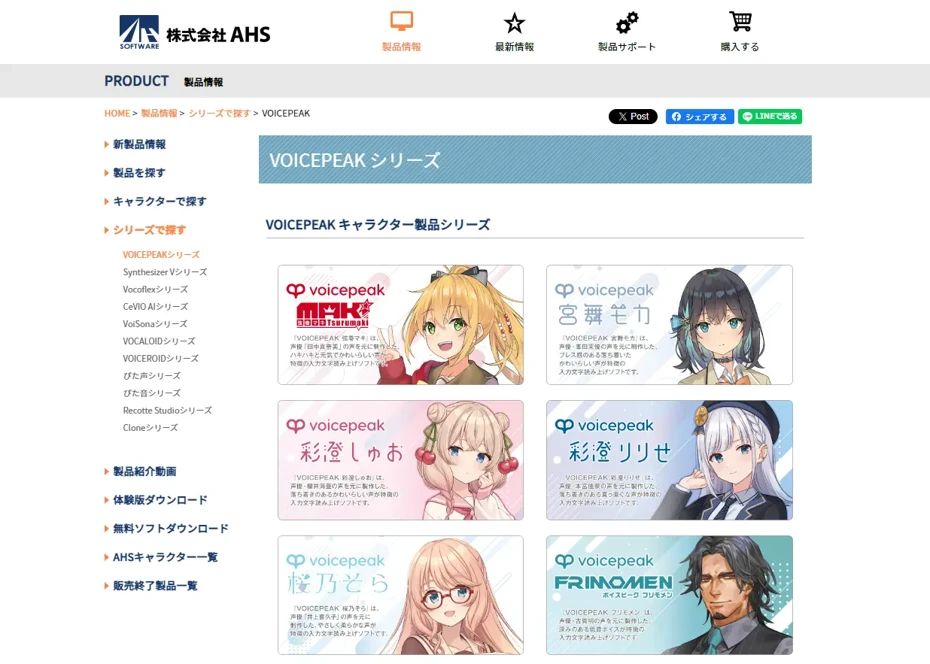
VOICEPEAK is a paid voice creation app that allows you to use various characters.
It is compatible with Windows, Mac, and Linux.
Many characters are available, including popular characters such as Koharu Rikka and Tsurumaki Maki.
Also, characters from the "Tohoku Zunko Project" such as Tohoku Zunko and Tohoku Kiritan are sold.
It also features bonus voices, so you can get multiple voices with a single purchase (excluding some products).
For this as well, attention to the characters' terms of use is required for commercial use.
The "VOICEPEAK Commercial Narrator" series, which supports commercial use, is also sold, so that is also recommended for use in shops and public facilities.
What is the voice synthesis software VOICEPEAK? Detailed explanation of features and commercial use
Detailed explanation of the features of the voice synthesis software "VOICEPEAK". Also introducing commercial use terms, which vary greatly by character.
4. CeVIO AI with an attractive unique voice synthesis engine
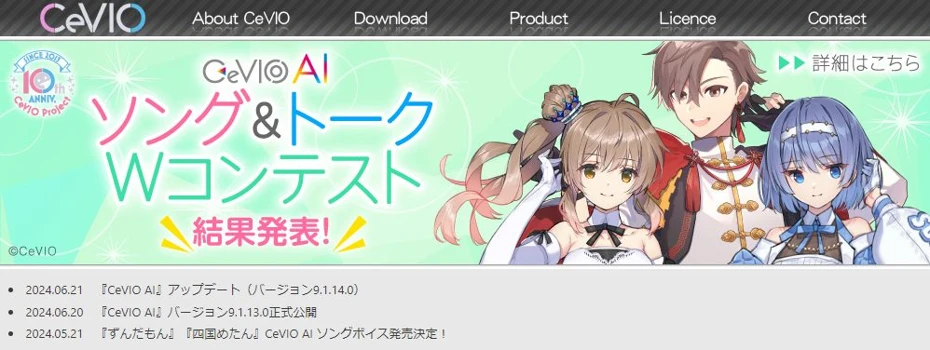
CeVIO AI is a paid voice creation app.
It is compatible with Windows.
Charming characters such as Sato Sasara and Suzuki Tsudumi are available.
It uses a voice synthesis engine developed at the Nagoya Institute of Technology, allowing for reading with very natural inflection and intonation.
If you were not satisfied with other voice creation apps, we recommend trying CeVIO AI.

What is CeVIO AI? Detailed explanation of voice synthesis software features, usage, and commercial use
Complete guide to the AI singing voice synthesis software CeVIO AI. We explain the features of popular characters such as Sato Sasara and Suzuki Tsudumi, purchase methods, and precautions for commercial use for beginners.
5. Bouyomi-chan for reading with Yukkuri voices
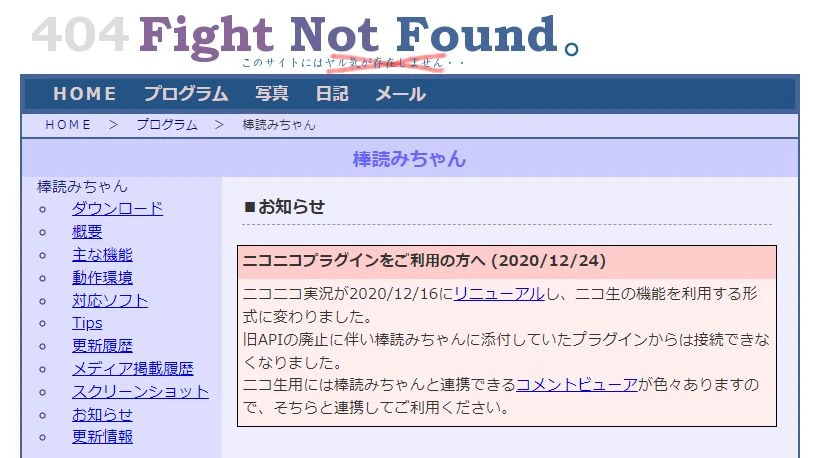
Bouyomi-chan is free software that can be used for free on Windows.
Its biggest feature is that it can read in so-called "Yukkuri voices."
The "AquesTalk" used for Yukkuri voices is a synthetic voice with a long history, developed in the 2000s.
Because of that, it is not realistic, but it is indispensable for making videos such as Yukkuri commentaries.
It is also characterized by being very lightweight compared to other installed software.
Since Bouyomi-chan uses an older version of "AquesTalk," commercial use is OK.
6. VOICEVOX with a variety of voices
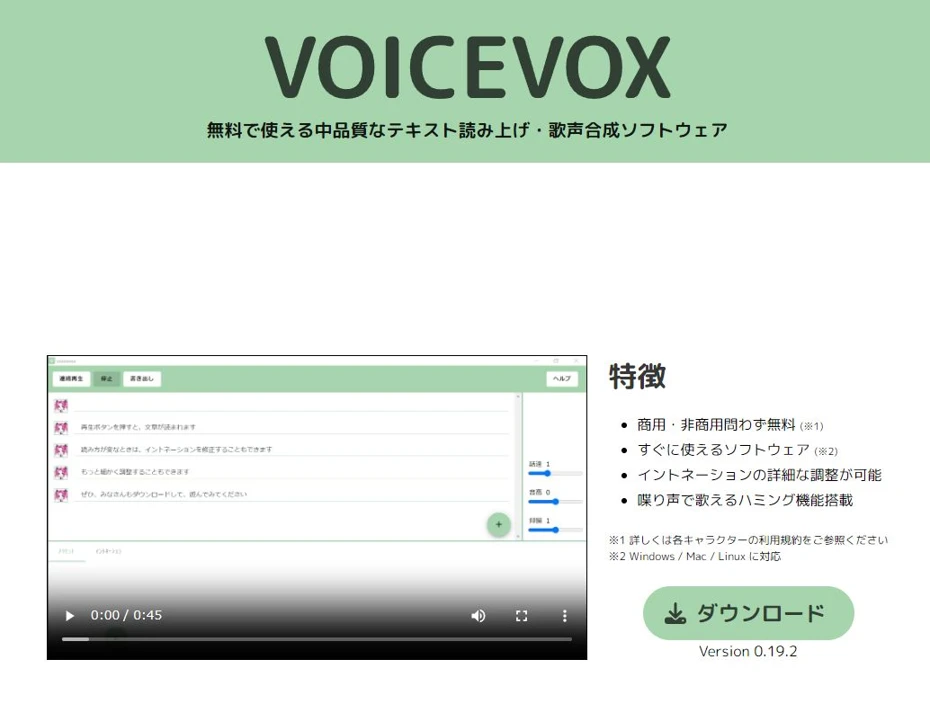
VOICEVOX is a voice creation app compatible with Windows, Mac, and Linux.
It is an app that allows you to read with the voices of characters famous on video submission sites, such as Zundamon, and you can select from a wide variety of voices.
When using synthesized audio files, credit notation is mandatory, and you must also follow the terms of use for each character.
Since many characters, like Zundamon, have different terms for free use and commercial use, we recommend checking in advance, especially for commercial use.

Complete guide to using VOICEVOX! Detailed explanation from features to commercial use of the free AI voice synthesis software
Detailed explanation from the features of VOICEVOX to its usage and precautions for commercial use. We provide a complete guide to the free AI voice synthesis software that can read aloud with the voices of popular characters such as Zundamon.
7. COEIROINK, easy to use for creative works

COEIROINK is a voice creation app designed with creative applications in mind.
It is compatible with Windows, Mac, and Linux.
In addition to official and authorized voices, it features a function for users to publish synthetic voice data.
Synthetic voice data created by users can be downloaded from "MYCOE."
While the editor's functionality is extensive, the terms of use are strict because the app is intended for hobbies and creative works, such as audio works and individual video contributors.
While commercial use of the software itself is OK, individual terms of use are set for each voice, so be careful especially regarding commercial use.

What is COEIROINK? Thorough explanation of voice synthesis software features, usage, and commercial use
Complete guide to the features and usage of COEIROINK. Explaining in detail everything from how to install the voice synthesis software to adding character voices and precautions for commercial use.
■ AI voice synthesis software "Ondoku"
"Ondoku" is an online text-to-speech tool that can be used with no initial costs.
- Supports 81 languages and regions, including Japanese, English, Chinese, Korean, Spanish, French, and German
- Available from both PC and smartphone
- Suitable for business, education, entertainment, etc.
- No installation required, can be used immediately from your browser
- Supports reading from images
To use it, simply enter text or upload a file on the site. A natural-sounding audio file will be generated within seconds. You can use voice synthesis up to 5,000 characters for free, so please give it a try.

Text-to-speech software "Ondoku" can read out 5000 characters every month with AI voice for free.
You can easily download MP3s and commercial use is also possible.
If you sign up for free, you can convert up to 5,000 characters per month for free from text to speech.
Try Ondoku now.
HP:
ondoku3.com
Email: ondoku3.com@gmail.com
Email: ondoku3.com@gmail.com
Related posts
"Ondoku" is a Text-to-Speech service that anyone can use for free without installation. If you register for free, you can get up to 5000 characters for free each month. Register now for free
- What is Ondoku
- Start text-to-speech conversion
- Free registration
- Pricing
- Posts
- Try other free services
![How to Create Synthetic Voices: 7 Best Free Apps [2026 Edition]](https://storage.googleapis.com/ondoku3/image/irodori-tts_tmb_140.webp)
![How to Create Synthetic Voices: 7 Best Free Apps [2026 Edition]](https://storage.googleapis.com/ondoku3/image/tategaki-image-yomiage_howto_tmb_140.webp)
![How to Create Synthetic Voices: 7 Best Free Apps [2026 Edition]](https://storage.googleapis.com/ondoku3/image/iphone-video-narration_tmb_140.webp)
![How to Create Synthetic Voices: 7 Best Free Apps [2026 Edition]](https://storage.googleapis.com/ondoku3/image/chrome-reading-mode-pc_tmb_140.webp)
![How to Create Synthetic Voices: 7 Best Free Apps [2026 Edition]](https://storage.googleapis.com/ondoku3/image/pdf-to-mp3-howto_tmb_140.webp)









