English Learning & Pronunciation: How to Use Ondoku for US and UK English
[Teachers] Create English Listening Tests for Free! No Recording Needed.
Aug. 30, 2026
![[Teachers] Create English Listening Tests for Free! No Recording Needed.](https://storage.googleapis.com/ondoku3/image/girl-read-book_930.webp)
Thank you for your hard work every day.
Being a teacher involves more work than one might think, and just handling daily lessons can be overwhelming. Furthermore, as the exam period approaches, the busyness intensifies with test preparation.
When it comes to the concerns of English teachers, it's the preparation for listening tests.
Listening tests are a unique format not often found in other subjects. Preparing for them is quite a challenge, isn't it?
It starts with creating the English text for the test and practicing pronunciation, followed by reading sessions with the ALT, setting up the recording environment, and re-recording if there's a mistake.

Preparing for listening tests is too much work! Can't it be made easier?
For teachers struggling with such listening tests, there is an incredibly easy method for creating listening test audio that I want you to try.
You can try it for free and easily, so please take advantage of it! I will introduce it in detail.

How to Easily Create Listening Tests for Free Without Recording
Creating audio for listening tests is truly difficult! It takes too much effort, so you naturally want to make it easier somehow.
In that case, you should definitely use Ondoku!
- Read the English text for the test using Ondoku
With just this, the recording work that used to be so bothersome will completely disappear.
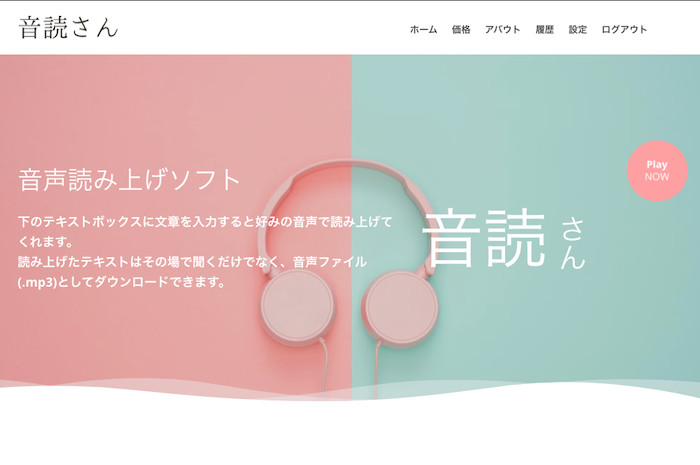
What is Ondoku?
When you enter text into the text box, it reads it aloud in your preferred voice. You can not only listen to the spoken text on the spot but also download it as an audio file (.mp3).
You can create listening tests for free
Ondoku has a track record of being implemented in many educational institutions and universities. It is also used for school listening tests.
Ondoku can be used for free by anyone for up to 1,000 characters per month.
Furthermore, if you register for a free account on Ondoku, you can use up to 5,000 characters per month for free.
If you wish to read more than that, it is available from 1,078 yen for 200,000 characters.
You can also create conversation-style audio and mixed Japanese/English audio
In listening tests, it is often necessary to have not only audio of a single speaker talking unilaterally,
but also audio in a conversation format.
Example: Ken, who came to the shopping mall, happens to meet Jenny. Choose the picture that matches the content of their dialogue and write the letter in the parentheses. The dialogue will be read twice.
Even in scenes that require the voices of two or more people in such a dialogue format, you can easily create conversation-style audio by using Ondoku's conversation function.
I actually read the example text using Ondoku. Please listen to how it sounds.
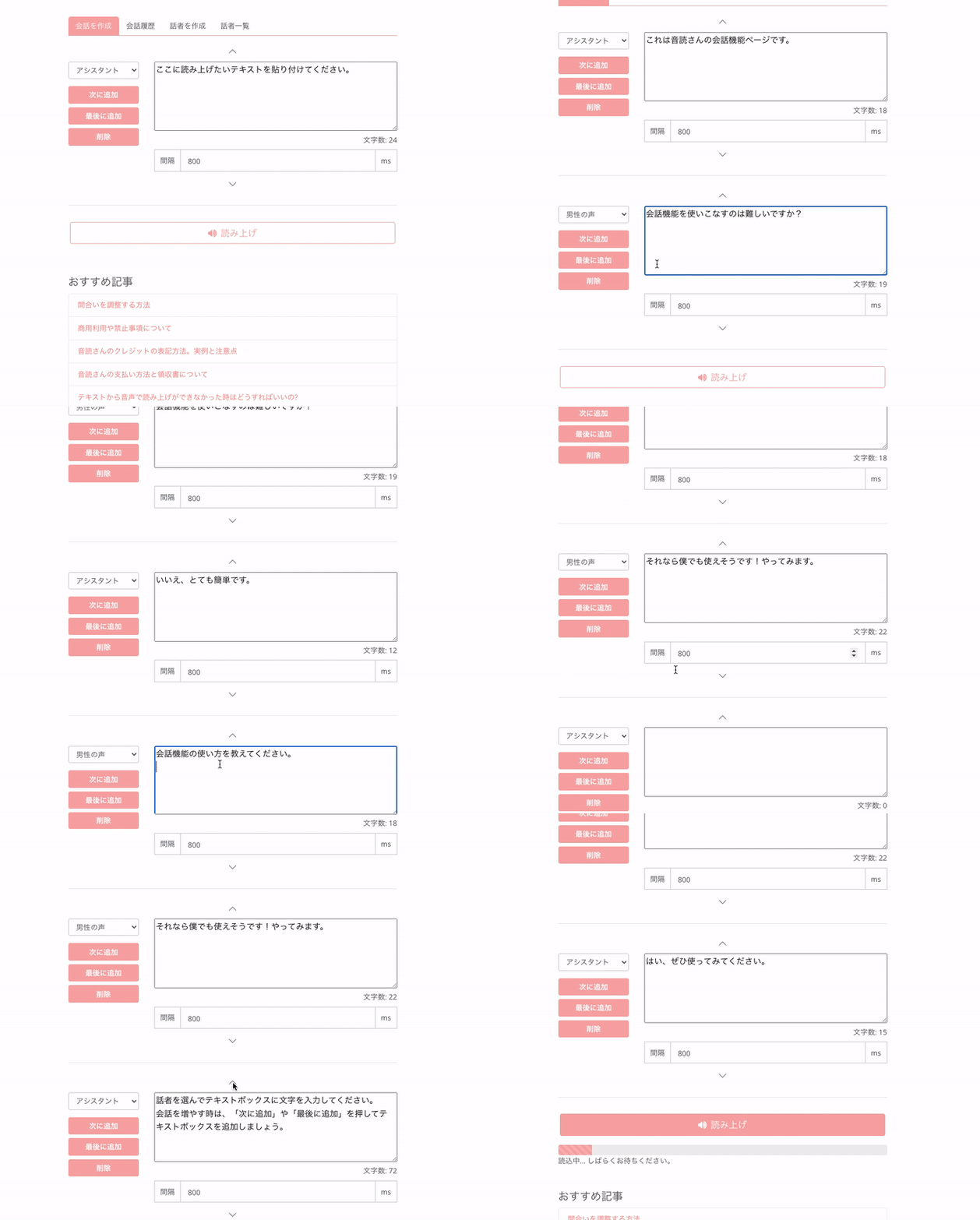
Example: Text read aloud
Announcement: Ken, who came to the shopping mall, happens to meet Jenny. Choose the picture that matches the content of their dialogue and write the letter in the parentheses. The dialogue will be read twice.
- English-Jenny : Hey Ken! How are you?
- English-Tony : Oh, Jenny! I'm good, and you?
- English-Jenny : Good. Well, is she your friend?
- English-Tony : No, this is my sister, Hanna. Hanna, this is my friend Jenny.
- English-Ivy : I'm Hanna. Nice to meet you, Jenny.
The conversation function is also explained in detail in this article!

How to use Ondoku's conversation/dialogue function. Make listening materials and long texts more convenient with speech synthesis!
How to use Ondoku's conversation function! Explaining how to use the conversation function with images. Introducing specific examples of what the conversation function can be used for.
Abundant number and variety of English speakers!
There are 40 types of voices for American English speakers.
It also supports British and Indian English, etc.
Voices for women, men, boys, and girls are available, allowing you to create audio for various scenes.
The speed can also be adjusted, so you can make them speak slowly or quickly.
You can also listen to samples, so please give them a try.

For English learning listening! Sample native pronunciation from 92 speakers, including voices for women, men, girls, and boys!
Ondoku is a text-to-speech service that can pronounce languages from around the world. You can listen to samples of 92 types of English voices on Ondoku.
Just download the MP3, put it on a CD or USB, and play it
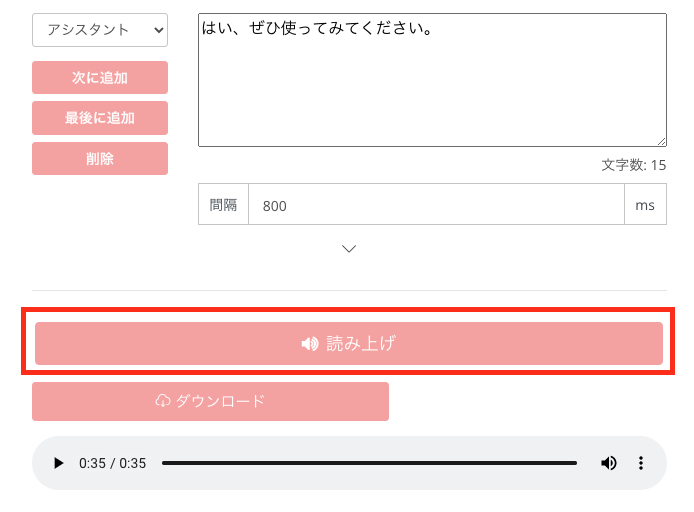
When you click the Read Aloud button, the audio will be generated.
The generated audio can be downloaded immediately.
By putting the downloaded file onto a USB memory stick or a CD, your listening test is complete.
Even if you notice a mistake after some time, you can click edit from the conversation history to make corrections later without having to re-enter everything.
Can it really be this easy?
Preparing for a listening test used to be a very difficult task, starting with pronunciation practice, reading sessions with an ALT, and setting up a recording environment.
By using Ondoku,
- Prepare the English text for the test
- Enter it into the Ondoku text box
- Click the Read Aloud button
- Download and save it to a USB memory stick or similar device
With just these steps, you will be able to create audio for your listening test.
If you want to create listening test audio using the conversation function, please refer to this article as well.
How to use Ondoku's conversation/dialogue function. Make listening materials and long texts more convenient with speech synthesis!
How to use Ondoku's conversation function! Explaining how to use the conversation function with images. Introducing specific examples of what the conversation function can be used for.
Rules for using Ondoku audio for listening tests for free
Ondoku can be used for listening test audio for free.
However, for free use:
- Question sheets
- Model answer sheets
Credit notation such as "Listening Audio: Ondoku", "Audio: Ondoku", or "Voice by Ondoku3.com" is required on such materials.
Please check here for details on how to write credit notation.

Image-based explanation of credit notation examples when using Ondoku for listening tests in educational institutions such as public schools and school corporations
By using Ondoku, it is easy to prepare various listening tests such as English and Chinese! Here, we explain in detail how educational institutions such as public schools and school corporations should provide credit notation and the rules for use.
Please cooperate with credit notation even for paid use. Please help so that students themselves can look it up and study.
Please also utilize Ondoku for students' self-study and review.
Listening tests are essential for English exams

English exams require not only reading and writing questions but also listening questions.
Therefore, audio for listening tests is absolutely necessary.
However, when creating audio for listening tests:
- Re-recording if you make a mistake
- Recording with your own voice is embarrassing
- No recording environment, noise gets in
- Must practice many times before recording
- Differences between the ALT's pronunciation and your own
There were various such problems, making the creation of listening tests a reluctant task.
However, by using Ondoku, all the problems encountered when creating listening test audio can be resolved.
Please utilize Ondoku for listening test audio to reduce your workload even by a little.
We wish you a pleasant teaching life!
■ AI voice synthesis software "Ondoku"
"Ondoku" is an online text-to-speech tool that can be used with no initial costs.
- Supports 81 languages and regions, including Japanese, English, Chinese, Korean, Spanish, French, and German
- Available from both PC and smartphone
- Suitable for business, education, entertainment, etc.
- No installation required, can be used immediately from your browser
- Supports reading from images
To use it, simply enter text or upload a file on the site. A natural-sounding audio file will be generated within seconds. You can use voice synthesis up to 5,000 characters for free, so please give it a try.

Text-to-speech software "Ondoku" can read out 5000 characters every month with AI voice for free.
You can easily download MP3s and commercial use is also possible.
If you sign up for free, you can convert up to 5,000 characters per month for free from text to speech.
Try Ondoku now.
HP:
ondoku3.com
Email: ondoku3.com@gmail.com
Email: ondoku3.com@gmail.com
Related posts
"Ondoku" is a Text-to-Speech service that anyone can use for free without installation. If you register for free, you can get up to 5000 characters for free each month. Register now for free
- What is Ondoku
- Start text-to-speech conversion
- Free registration
- Pricing
- Posts
- Try other free services
![[Teachers] Create English Listening Tests for Free! No Recording Needed.](https://storage.googleapis.com/ondoku3/image/irodori-tts_tmb_140.webp)
![[Teachers] Create English Listening Tests for Free! No Recording Needed.](https://storage.googleapis.com/ondoku3/image/tategaki-image-yomiage_howto_tmb_140.webp)
![[Teachers] Create English Listening Tests for Free! No Recording Needed.](https://storage.googleapis.com/ondoku3/image/iphone-video-narration_tmb_140.webp)
![[Teachers] Create English Listening Tests for Free! No Recording Needed.](https://storage.googleapis.com/ondoku3/image/chrome-reading-mode-pc_tmb_140.webp)
![[Teachers] Create English Listening Tests for Free! No Recording Needed.](https://storage.googleapis.com/ondoku3/image/pdf-to-mp3-howto_tmb_140.webp)









