Best Text-to-Speech Software: 7 Free & Paid Tools for Commercial Use
10 Best Text-to-Speech Software (2026): Commercial Use Guide
Sept. 9, 2026

I want to know recommendations for text-to-speech software that can be used commercially!

Text-to-speech software is software that converts text into audio and reads it aloud automatically.
When using it for work, such as for video narration or broadcasts in shops and public facilities, you need to check the conditions for commercial use.
Even if it says "Commercial Use OK," the available plans and required procedures vary by product.
In this article, we will introduce 10 recommended text-to-speech software and websites, focusing on their commercial use conditions.
Please check the latest terms of service on each official website when deciding on a plan and voice to use.
[Commercial Use OK] Recommended Free Text-to-Speech Websites
There is a service recommended for those looking for software or websites to read text aloud.
That is "Ondoku."

"Ondoku" is a service that allows anyone to easily read text aloud as audio.
Using the latest AI, it can read text realistically with high-quality audio that sounds like a real person reading it.
Since it is a web service used from a browser, no tedious installation is required.
You can start reading text aloud right now from this page.
Of course, commercial use is also OK.

What you can do with Ondoku. About commercial use (business use) and prohibited items.
Commercial use (business use) is possible with Ondoku. Use for the purpose of obtaining direct or indirect financial or other benefits, regardless of whether you are an individual or a corporation, is considered commercial use. However, please note that prohibited acts are established in Ondoku. This time, we will introduce what you can and cannot do with Ondoku...
Moreover, "Ondoku" can be used for free with no registration or login required!
If you are looking for text-to-speech software or sites, why not try using "Ondoku" for free first?
How to Choose Text-to-Speech Software and Websites That Can Be Used Commercially
When using it for work or adding audio to monetized videos, choose by checking not only audio quality and features but also usage conditions.
The first thing to check is whether you can use it commercially with a free plan or if you need to subscribe to a paid plan.
Even if it says "Commercial Use OK," the extent of permitted usage, such as for monetized videos or in-store broadcasts, varies by software.
Some software requires credit notation for the service name or character name as a condition.
Furthermore, like A.I.VOICE or CeVIO, there are cases where a dedicated license or estimate is required only for corporate use.
With VOICEVOX and COEIROINK, in addition to the terms of the software itself, you must also follow the terms of use for each character.
How to create video narration and in-building broadcasts is introduced in related articles.

How to quickly create narration for videos like YouTube with text-to-speech software. Tips and points
Explaining how to quickly create YouTube video narration with Ondoku. From how to make scripts and how to use Ondoku, to adjusting natural intonation and tips for editing in video editing software. A must-see for those who want to streamline video production with text-to-speech software!

Achieve professional-level in-building broadcasts with automated voices! Complete Guide to AI Announcements
Automate in-building broadcasts with AI! With Ondoku, create narrator-level automated voices for free. Multi-language support ensures perfect inbound tourism measures. Contribute to cost reduction through operational efficiency!
[Free Options Available] 10 Best Text-to-Speech Software and Websites Compared by Commercial Use Conditions

Comparing based on commercial use conditions, which one is recommended?
From here, we will introduce 10 text-to-speech software and websites, focusing on prices and commercial use conditions.
Since the conditions for the 10 products listed are not the same, please check the latest terms of service on each official website after deciding on a plan and voice to use.
- Ondoku
- A.I.VOICE
- CeVIO
- VOICEVOX
- COEIROINK
- Textalk
- Bouyomi-chan
- AquesTalkPlayer
- Speech Editor
- CoeFont
1. Ondoku | Recommended Latest AI Reading Site That Can Be Used for Free (Commercial Use OK)
"Ondoku" is a reading site recommended for those looking for a convenient way to read text aloud.
Since it's a reading site used from a browser, it can be used in any environment: PC (Windows, Mac, Linux), iPhone (iOS), Android smartphones, tablets!
No installation is required, allowing you to convert text into audio right now.
Since it uses the latest AI to read text, you can synthesize high-quality audio that is easy to hear, as if a real person were actually reading it.
Of course, it can be used for free.
Commercial use is also OK!
16 Types of Japanese Reading Voices
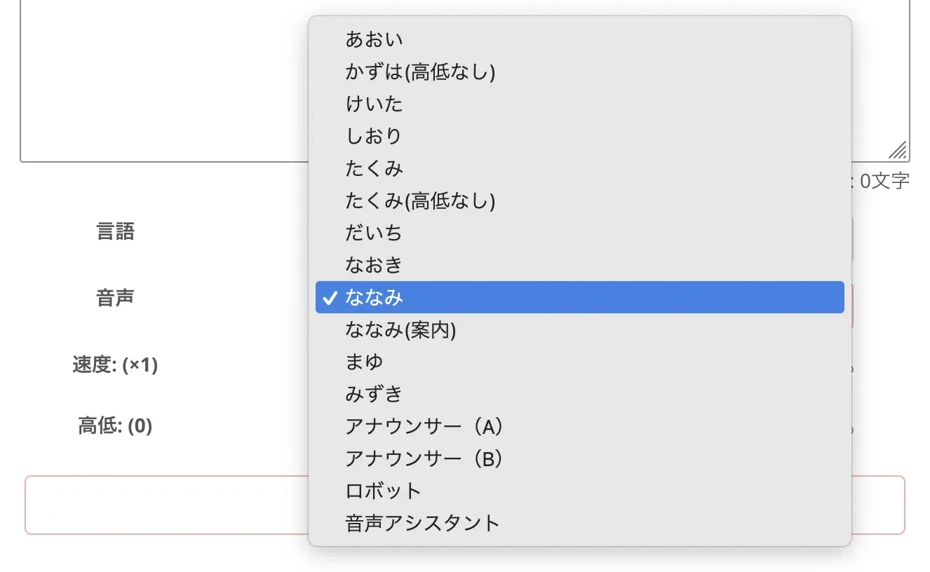
With "Ondoku," you can read Japanese text with 16 types of voices.
It handles a wide range of scenes, from hobby video production to business applications.

Try listening to 16 types of voices from the text-to-speech software Ondoku for free. Change impressions with pitch variations
Ondoku has 16 types of Japanese voices. Of course, both male and female voices are available. We have made it possible to listen to 8 commonly used Japanese voices, as well as the voices when the pitch of each is adjusted.
Since you can also read aloud using multiple voices at the same time, you can easily create conversation-style commentary videos!

How to use Ondoku's conversation/dialogue feature. Make listening materials and long text creation even more convenient with speech synthesis!
How to use Ondoku's conversation feature! Explaining how to use the conversation feature with images. Introducing specific examples of what applications the conversation feature can be used for.
Foreign Language Reading is also possible
Many free reading software and sites only support Japanese, but "Ondoku" also supports English and other foreign languages.
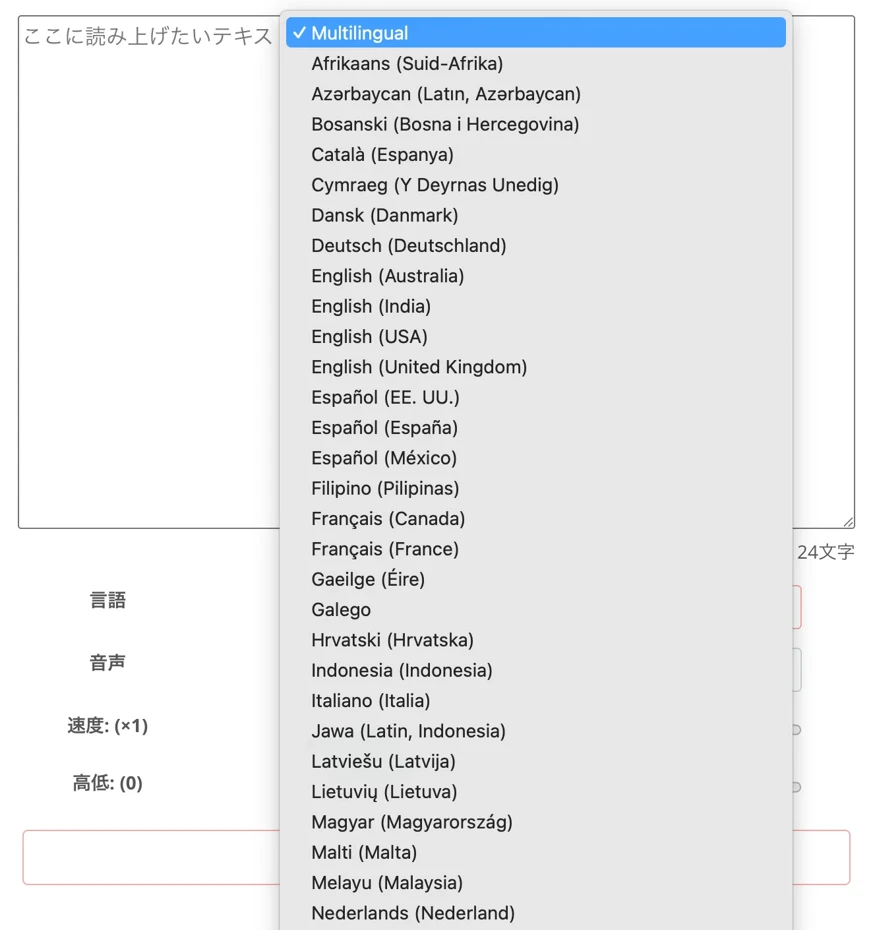
Supports 81 languages and regions, including Japanese and English!
You can easily increase your view count by adding foreign language narration to your videos.
Commercial Use OK!
"Ondoku" is available for commercial use.
Commercial use is naturally OK even when using it for free, so for those looking for a reading software or site that can be used commercially for free, using "Ondoku" is recommended.
*Credit notation is not required for paid usage.
Please see this article for Ondoku's commercial use conditions and prohibited items.
What you can do with Ondoku. About commercial use (business use) and prohibited items.
Commercial use (business use) is possible with Ondoku. Use for the purpose of obtaining direct or indirect financial or other benefits, regardless of whether you are an individual or a corporation, is considered commercial use. However, please note that prohibited acts are established in Ondoku. This time, what you can and cannot do with Ondoku...
Up to 5,000 characters can be read for free
"Ondoku" is a reading site that can be used for free.
- When not registered/logged in: 1,000 characters
- When registered/logged in: 5,000 characters
can be read for free!
"Ondoku" is recommended for those looking for a reading software or site that can be used for free.
Why not try "Ondoku" from here first?
2. A.I.VOICE / A.I.VOICE2 | Paid Reading Software with Popular Characters
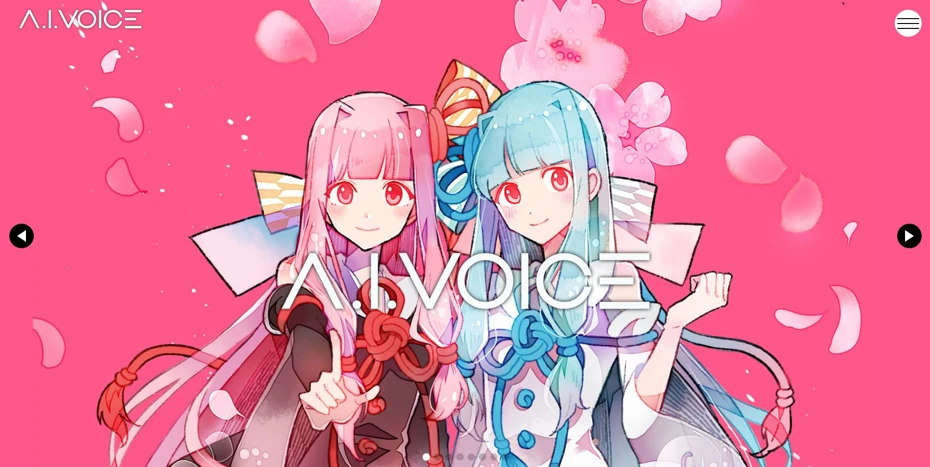
A.I.VOICE is text-to-speech software using the speech synthesis "AITalk."
As of 2026, the A.I.VOICE2 series is primarily being developed.
It is software installed on a PC and supports Windows and Mac.
It is paid software, sold in both download and package formats.
The biggest feature of A.I.VOICE is that various attractive characters are available.
The lineup includes characters widely used on video sites like YouTube, such as Kotonoha Akane/Aoi and Yuzuki Yukari, which were previously developed under the "VOICEROID" brand.
Each character's voice is created from the voice of a professional voice actor.
Commercial use is OK, but note that a corporate license contract is required for business use by corporations.
A.I.VOICE2 Complete Guide! Detailed explanation of features, installation methods, and usage of the successor to VOICEROID
Explaining the features and usage of A.I.VOICE2, which allows the use of Kotonoha Akane/Aoi and Yuzuki Yukari, familiar from VOICEROID videos. Detailed introduction from installation to audio export.
Other products using AITalk are also recommended if character traits are not needed
In many business use cases, strong character traits are not required.
In such cases, it is also recommended to choose products developed for corporations by AI Inc., the developer of A.I.VOICE.
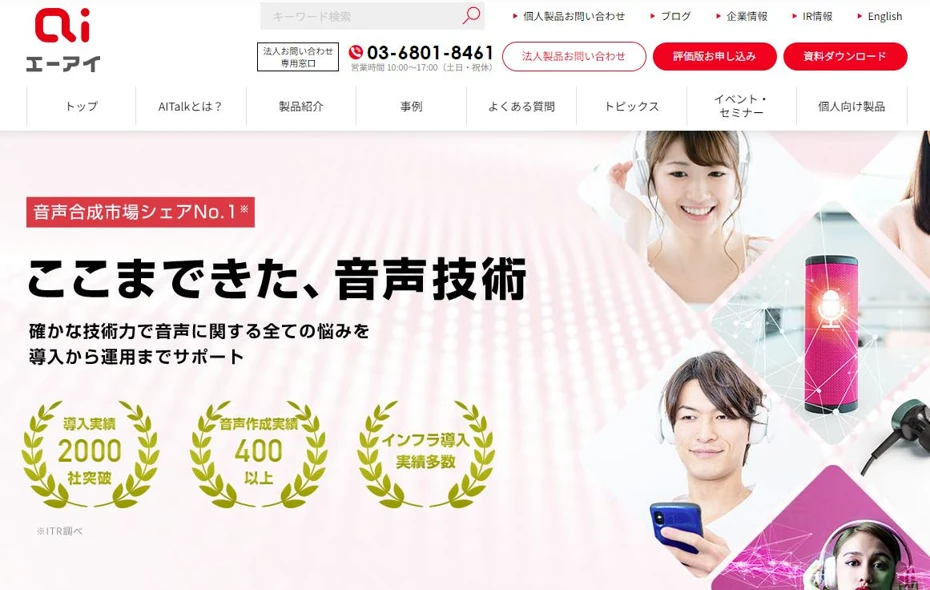
Since they sell products using the speech synthesis "AITalk" for various purposes such as narration and presentations, they can be implemented smoothly for commercial use in business.
3. CeVIO | Paid Reading Software Using a Proprietary AI Engine
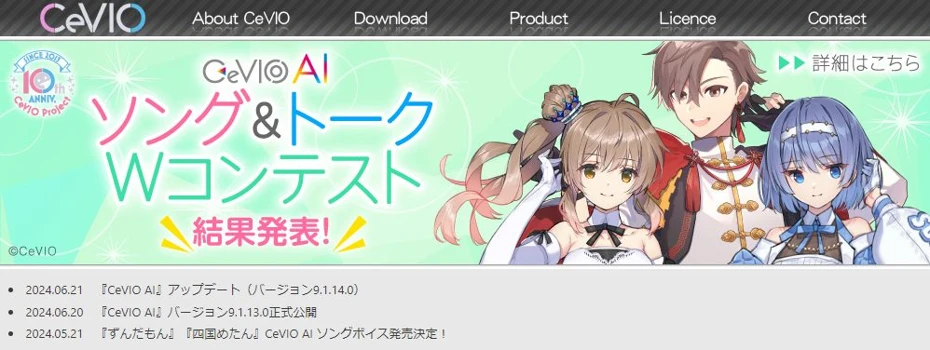
CeVIO is reading software that can convert text to audio using AI-based speech synthesis.
It is software installed on a PC and supports Windows only.
Like A.I.VOICE, characters are provided for each voice, and characters like Sato Sasara and Suzuki Tsudumi are widely used on video sites.
Each character's voice is created from the voice of a professional voice actor.
The technology used for speech synthesis was developed by Techno-Speech, a venture company from the Nagoya Institute of Technology.
Using the latest AI, it is possible to read text naturally and smoothly.
It is paid software, sold in download format.
For individual use, commercial use for posting videos to video sites or usage on websites is available for free.
Commercial use for downloading/selling videos or music and usage in school classes is also free, but registration of usage information is required.
Individual estimates are required for commercial use by corporations.

What is CeVIO AI? Detailed explanation of speech synthesis software features, usage, and commercial use
A complete guide to the AI singing voice synthesis software CeVIO AI. Explaining features of popular characters like Sato Sasara and Suzuki Tsudumi, how to purchase, and precautions for commercial use for beginners.
4. VOICEVOX | AI Reading Software with Character Voices like Zundamon
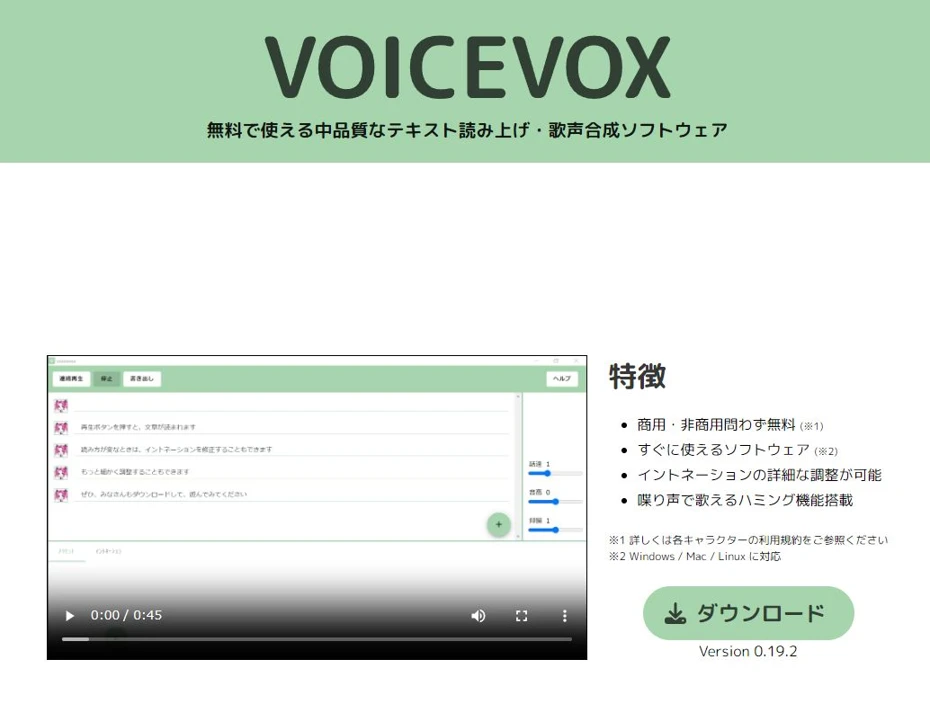
VOICEVOX is reading software that can convert text to audio using AI.
It is software installed on a PC and supports Windows, Mac, and Linux.
Various characters are available, and famous characters from video sites such as Zundamon, Kasukabe Tsumugi, and Shikoku Metan can be used.
A feature of VOICEVOX is that it is available for free.
It is free for both commercial and non-commercial use, but in addition to the VOICEVOX software's terms of use, you must also follow the terms of use for each character.
Be Careful with Character-Specific Terms of Use
For example, characters like Zundamon and Kasukabe Tsumugi require credit notation when used.
Furthermore, if you want to use them commercially without credit notation, a usage fee of 400,000 yen (excluding tax) per character is set.

Complete Guide to Using VOICEVOX! Detailed explanation from AI free speech synthesis software features to commercial use
Detailed explanation from VOICEVOX features to usage and precautions for commercial use. A complete guide to free AI speech synthesis software that can read aloud with popular character voices like Zundamon.
5. COEIROINK | AI Reading Software for Creative Activities

COEIROINK is reading software targeting creative purposes such as individually produced videos and doujin works.
It is used by installing it on a PC and supports Windows and Mac.
In addition to various official and recognized characters, it also has a feature called "MYCOE" for sharing user-created voices, allowing for reading with a wide variety of voices.
It is also recommended for those who want to create their own AI speech synthesis materials.
It is available for free, but note that credit notation is mandatory.
Additionally, in addition to the terms of the COEIROINK software itself, you must follow the terms of use for each character.

What is COEIROINK? Thorough explanation of speech synthesis software features, usage, and commercial use
A complete guide to COEIROINK features and usage. Detailed explanation from how to introduce the speech synthesis software to adding character voices and precautions for commercial use.
6. Textalk | Simple Reading Software for Windows
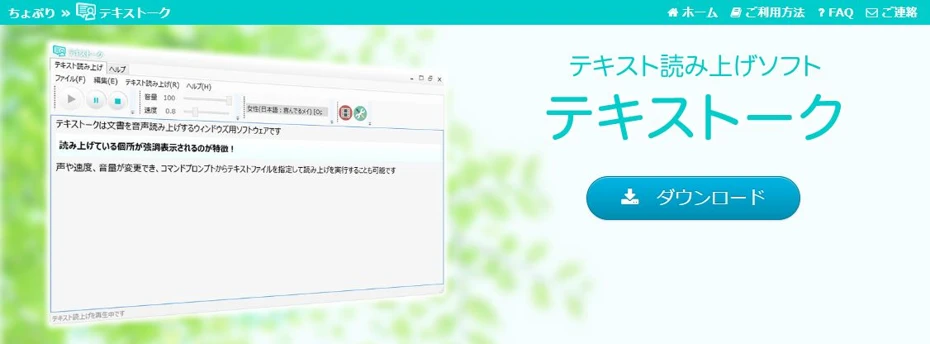
Textalk is simple reading software that can convert typed text into audio.
It is free software for Windows and can be downloaded and used for free.
Available speech synthesis engines are:
- OpenJtalk
- Speech synthesis engine built into Windows
Since it is a slightly older software with its last update in 2015, it is less realistic compared to the latest AI reading software and sites, but its simple and easy-to-understand interface is attractive.
*Although it uses a speech synthesis engine from the Windows 8 era, it was able to operate on Windows 11 as of 2026.
This software is recommended when looking for simple reading software.
7. Bouyomi-chan | Reading Software for Speech Synthesis with Yukkuri Voices (Commercial Use OK)
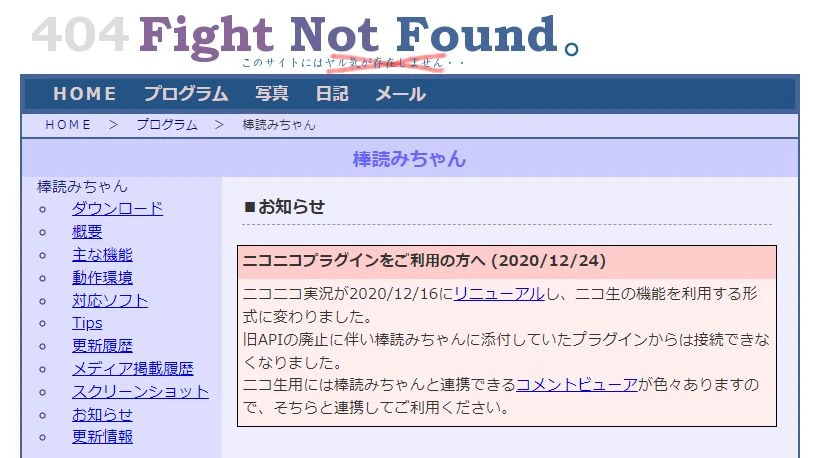
Bouyomi-chan is reading software using the speech synthesis engine "AquesTalk."
It can read in what is known as the "Yukkuri video" voice.
It is free software for Windows and can be used for free.
Bouyomi-chan also allows commercial use.
"AquesTalk" normally requires a dedicated license for commercial use, but since Bouyomi-chan uses an older version of "AquesTalk" that allows free commercial use, it can be used for free even in commercial cases.
Due to its unique monotone voice, it is not realistic, but it is indispensable for "Yukkuri videos" and "Yukkuri commentary."
Operation is extremely lightweight, so it is also recommended for applications such as game streaming where you don't want to put a load on the PC.
![[2026 Latest] 5 Recommended Yukkuri Voice/Bouyomi Software | Complete Comparison of PC and Smartphone Apps](https://storage.googleapis.com/ondoku3/image/20250507yukkuri_bouyomi_software_tmb_930.webp)
[2026 Latest] 5 Recommended Yukkuri Voice/Bouyomi Software | Complete Comparison of PC and Smartphone Apps
Carefully introducing Yukkuri voice and Bouyomi software ideal for video production and game streaming. Explaining how anyone can easily create high-quality audio with the latest 2026 apps from PC to smartphones.
8. AquesTalkPlayer | Official Reading Software for Speech Synthesis AquesTalk
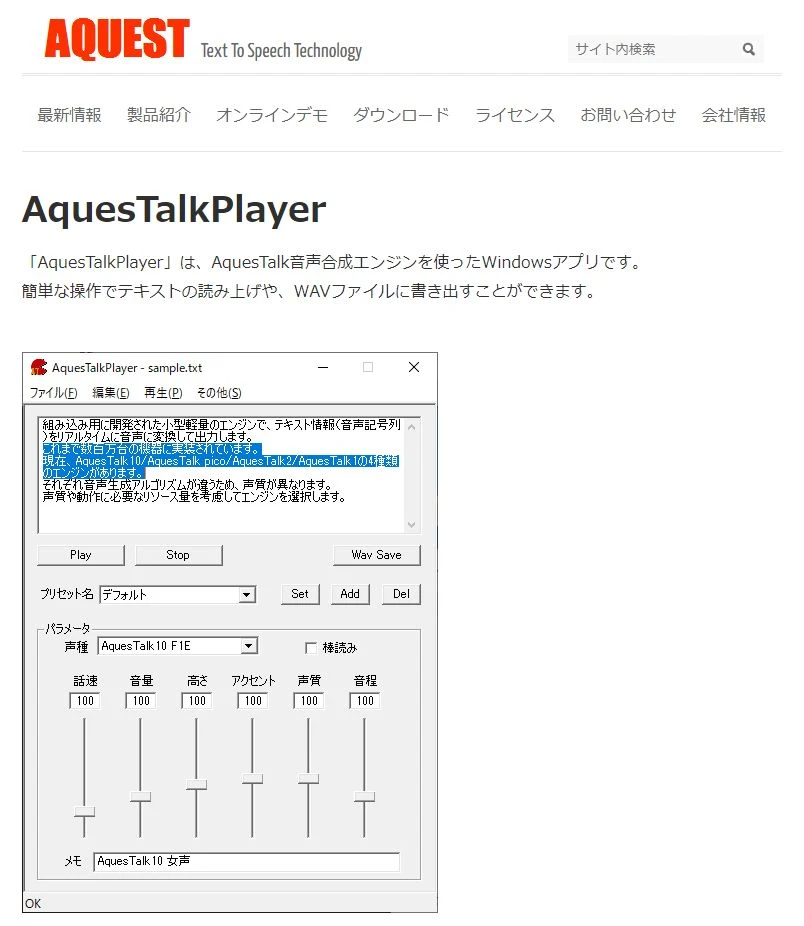
AquesTalkPlayer is the official software for the speech synthesis "AquesTalk."
It is free software for Windows, and the software itself can be downloaded and used for free.
As official software, the variety of available voices is abundant, and the speech synthesis engines available are:
- AquesTalk1
- AquesTalk2
- AquesTalk10
You can read with all the voices installed in each speech synthesis engine.
However, purchase of a license is required for commercial use.
This reading software is recommended for those who want to draw out the full potential of AquesTalk beyond just Yukkuri voices.
9. Speech Editor
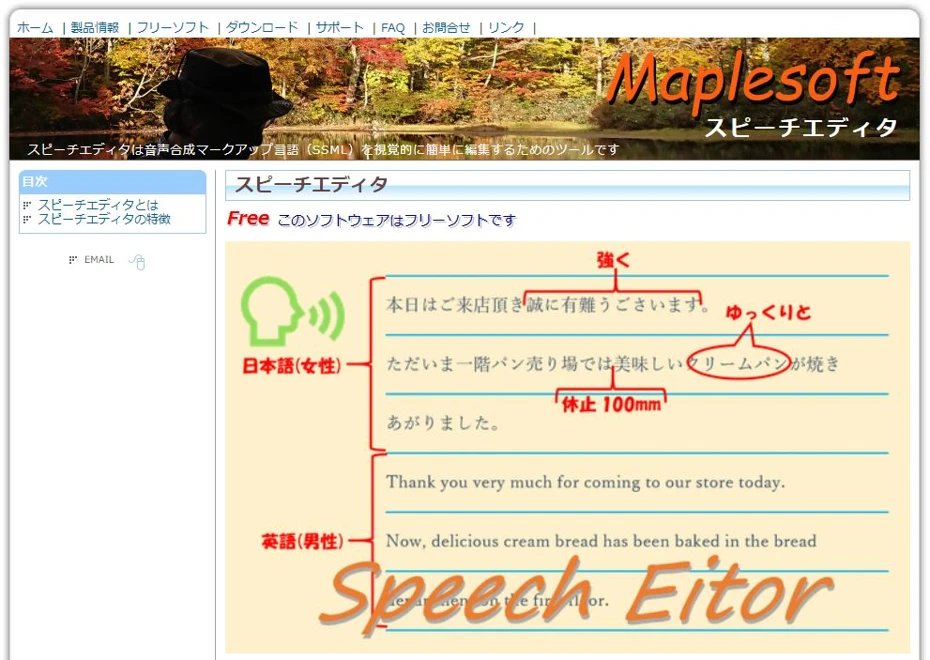
Speech Editor is reading software compatible with Speech Synthesis Markup Language (SSML).
It is free software for Windows and can be used for free.
The last update was in 2020, but it operated on Windows 11 as of 2026.
When reading with synthetic speech, there are times when you want to specify parts to read strongly or weakly, or insert a blank between sentences.
SSML is a markup language for specifying reading methods in detail, but its use required specialized knowledge.
This Speech Editor is software for visually specifying SSML, making it possible to easily specify the way it's read.
It is recommended for those looking for free software that can specify reading methods in detail.
Related Articles on SSML
This article explains the SSML that can be used with "Ondoku."
Please take a look.

What is Speech Synthesis Markup Language (SSML)? Usage in text-to-speech software and main code list.
SSML stands for Speech Synthesis Markup Language. By writing SSML code, you can further control Ondoku's vocalization. We will introduce how to use SSML in Ondoku and the code in detail.
10. CoeFont | AI Software That Can Read Aloud with Voices of Voice Actors and Celebrities
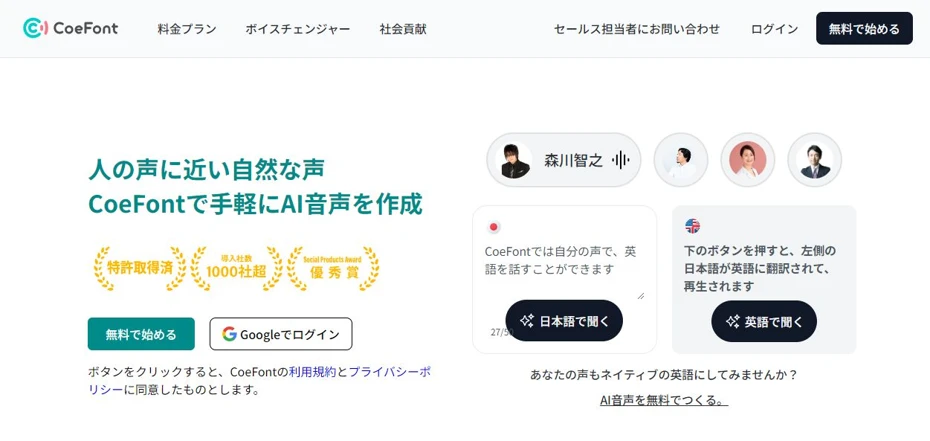
CoeFont is reading software that can generate natural speech from text using AI.
In addition to a wide variety of voices such as voice actors, actors, and celebrities, it also features a function to create AI speech based on your own voice.
There is a free plan, but commercial use is not allowed.
For commercial use, a subscription to the Standard or Plus plan is required.
They also provide a service for those who may lose their voice due to illness or other reasons to record their voice in advance and create an AI voice for free.
How to Create Reading Voices by Application
How to create reading voices suited to your application is introduced in related articles.
Create video narration for free with machine voices! Explanation of recommended AI reading app/software usage
Explaining how to create video narration with machine voices. Using free AI reading apps or software, you can easily create narration for YouTube videos. Detailed introduction of text-to-speech procedures and points.
![[Tourist Facilities, Stores, Transport] How to Create Guidance Announcement Audio for Inbound Tourists! What are Effective Recommended Multi-language Guide Methods?](https://storage.googleapis.com/ondoku3/image/20240926_inbound_guide_announcement_010_930.webp)
[Tourist Facilities, Stores, Transport] How to Create Guidance Announcement Audio for Inbound Tourists! What are Effective Recommended Multi-language Guide Methods?
Cost reduction for inbound tourism measures! Easily create multi-language guidance announcements with AI voices for free. Ondoku supports 81 languages and regions, making it ideal for tourist facilities, stores, and transport. Efficiently manage guidance tasks and improve customer satisfaction! Details here.
![[Free] Let's Make Audiobooks with Speech Synthesis! Summary of Self-Digitizing Methods Using Reading Services](https://storage.googleapis.com/ondoku3/image/20240815-audiobook06_930.webp)
[Free] Let's Make Audiobooks with Speech Synthesis! Summary of Self-Digitizing Methods Using Reading Services
Detailed explanation of the flow and methods for creating audiobooks using free AI reading services and software, as well as recommended services and software.
■ AI voice synthesis software "Ondoku"
"Ondoku" is an online text-to-speech tool that can be used with no initial costs.
- Supports 81 languages and regions, including Japanese, English, Chinese, Korean, Spanish, French, and German
- Available from both PC and smartphone
- Suitable for business, education, entertainment, etc.
- No installation required, can be used immediately from your browser
- Supports reading from images
To use it, simply enter text or upload a file on the site. A natural-sounding audio file will be generated within seconds. You can use voice synthesis up to 5,000 characters for free, so please give it a try.

Text-to-speech software "Ondoku" can read out 5000 characters every month with AI voice for free.
You can easily download MP3s and commercial use is also possible.
If you sign up for free, you can convert up to 5,000 characters per month for free from text to speech.
Try Ondoku now.
HP:
ondoku3.com
Email: ondoku3.com@gmail.com
Email: ondoku3.com@gmail.com
Related posts
"Ondoku" is a Text-to-Speech service that anyone can use for free without installation. If you register for free, you can get up to 5000 characters for free each month. Register now for free
- What is Ondoku
- Start text-to-speech conversion
- Free registration
- Pricing
- Posts
- Try other free services














