Best Text-to-Speech Software: 7 Free & Paid Tools for Commercial Use
8 Best Text-to-Speech Apps for Windows: Free & Paid Software for Commercial Use
Sept. 9, 2026


What apps do you recommend for reading text aloud on Windows?
Windows has many apps (software) that read text aloud.
There are also many apps that allow commercial use, so you can easily use them when you want to read text aloud for work.
In this article, we will introduce recommended free and paid apps available for Windows in detail.
- Realistic text-to-speech apps for work
- Text-to-speech apps with charming characters for hobby video production
- Standard Windows text-to-speech features
We will introduce these, so you should be able to find the perfect text-to-speech app for your intended use.
Why not create realistic voices with a Windows-compatible text-to-speech app using the latest AI?
6 Recommended Free Windows-Compatible Text-to-Speech Apps
Let's introduce free Windows-compatible text-to-speech apps right away!
Some free apps use the latest AI, so we recommend trying them out for yourself first.
Text-to-speech apps using AI are so realistic, it's like a real human is talking!

1. Ondoku
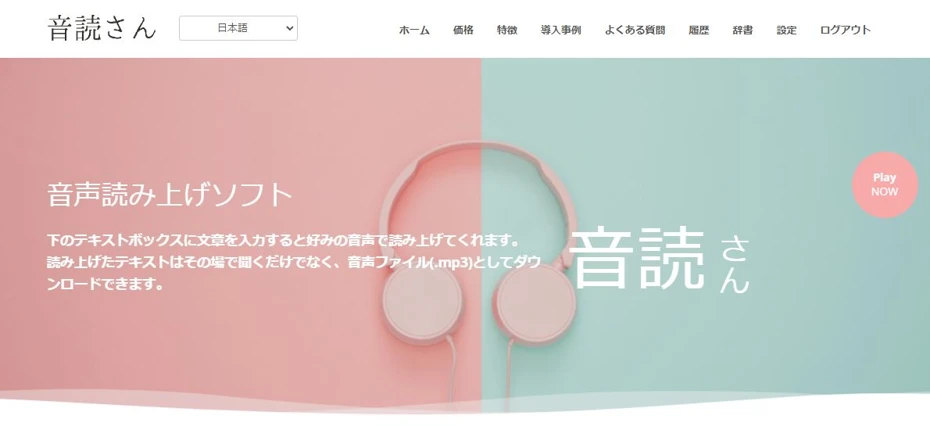
"Ondoku" is a web-app style text-to-speech service that can be used for free.
Since it is a web app used through a web browser, it can be easily used from Windows.
Ondoku adopts the latest AI even though it is a free web app!
It allows for high-quality reading with very realistic voices.
Another point is that since it is a web app, you can use the latest AI for text-to-speech even on low-performance PCs.
The spoken audio can be downloaded as an MP3 or WAV file.
Long text-to-speech is possible even for free!
Ondoku allows for free text-to-speech without registration or login!
The number of characters you can read for free is:
- Before registration/login: 1,000 characters
- After registration/login: 5,000 characters
Since it's this much, you can easily use it whenever you want spoken audio.
Commercial use is OK for free!
Ondoku allows commercial use even when used for free.
Many other text-to-speech apps require a license purchase for commercial use, so Ondoku is recommended when you want to use the spoken audio commercially.
*Credit notation is mandatory when using it for free for commercial purposes. Paid plans do not require credit notation. Click here for details.
How to give credit for Ondoku. Examples and points to note.
We welcome you to use Ondoku for free. However, credit notation is mandatory for free use. We have received questions like, "Specifically, how should I write it?" This time, we will explain how to provide credit for free use of Ondoku...
Equipped with foreign language reading and conversation features
Ondoku is also equipped with foreign language reading and conversation features.
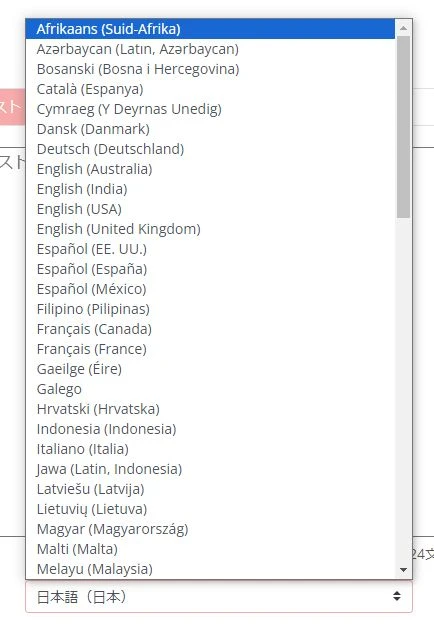
It supports 81 languages and regions, including Japanese and English.
![[Ondoku] Listen to voice types and sample audio for supported languages](https://storage.googleapis.com/ondoku3/image/%E5%A4%9A%E6%A7%98%E6%80%A7_930.webp)
[Ondoku] Listen to voice types and sample audio for supported languages
Here, we will introduce Ondoku's supported languages and sample audio.
The conversation feature allows you to read text in a dialogue format using multiple voice tones.

How to use Ondoku's conversation/dialogue function. Make listening materials and long text creation more convenient with speech synthesis!
How to use Ondoku's conversation feature! Explaining how to use the conversation feature with images. We will introduce specific examples of what the conversation feature can be used for.
Both features can be used for free.
Ondoku is recommended for a free, commercially usable text-to-speech app
If you are looking for a text-to-speech app that can be used on Windows, Ondoku is recommended.
Why not experience realistic AI text-to-speech for free from here?
2. Bouyomichan
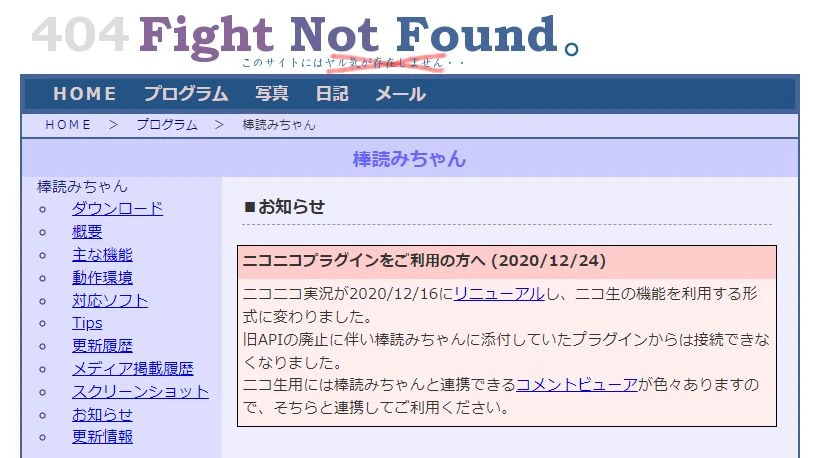
"Bouyomichan" is a free text-to-speech app available for Windows.
It is an app that can read text with the so-called "Yukkuri Voice," and can be downloaded for free from the software creator's website.
Yukkuri Voice is not realistic, but the sound quality is sufficient for hearing and understanding the content.
It is perfect for uses where it is enough to just be able to hear the content.
The operation is very lightweight and does not put a strain on the PC, so it is widely used for reading game commentary comments.
Another point is that it has a small capacity of only 1.5MB, whereas many text-to-speech apps for Windows have a download size of 1GB or more.
Commercial use is also possible for free.
3. Textalk
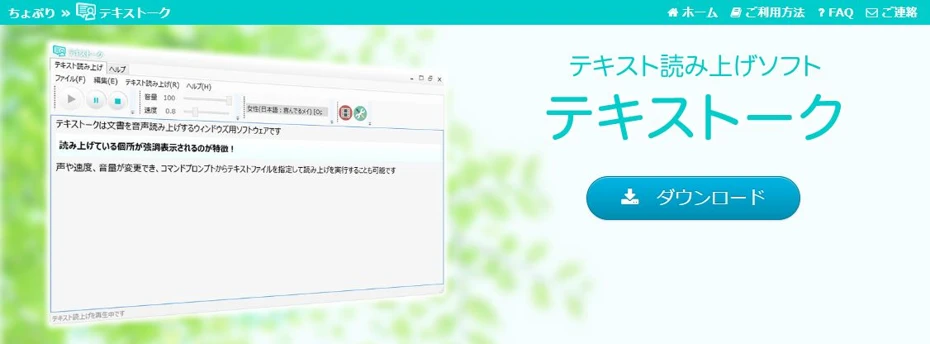
Textalk is a text-to-speech app for Windows.
The speech synthesis engines used are:
- OpenJTalk
- Microsoft Haruka Desktop(SAPI5)
The spoken files can be saved in MP3 and WAV formats.
Since it is an app whose updates stopped in 2015 and the speech synthesis engine is older, it is not as realistic as the latest AI text-to-speech apps for Windows, but it possesses the minimum text-to-speech functions.
There are no particular restrictions on the use of the spoken audio, so commercial use is also possible.
4. SofTalk

SofTalk is a text-to-speech app for Windows.
It is free software and can be used for free.
The speech synthesis engines used are:
- Original speech synthesis engine
- SAPI (Utayomi & Utayomi 2・Open JTalk)
It used to be used for Yukkuri Voice reading alongside Bouyomichan, but it currently does not support Yukkuri Voice (AquesTalk).
The app itself is free, but caution is required if you want to use it commercially, as you need to follow the terms of use of the speech synthesis engine.
5. COEIROINK

COEIROINK is a text-to-speech app that can be used for free.
It is compatible with Windows and Mac.
Developed for original audio and video creative works, it allows you to choose from a variety of voice tones.
Charming character illustrations are also set for each voice tone.
In addition to official and authorized voice tones, a feature called "MYCOE" is also available, which allows users to publish and share their own created voice tones.
The download size of the app itself is large, at approximately 565MB for the Windows CPU version and over 2GB in total for the GPU version. Also, the download size when adding voice tones is large, so be careful if you are using a connection other than a fixed line.
There are GPU and CPU versions for Windows apps, and it can be used more comfortably on high-performance PCs equipped with a GPU (graphics card).
It is a free app, but pay attention to the terms of use
COEIROINK can be downloaded for free, but pay attention to the terms of use.
When using audio generated by COEIROINK, credit is mandatory regardless of whether it is commercial or non-commercial.
In addition to the terms of use of the COEIROINK app itself, you must also follow the terms of use for each voice tone.

What is COEIROINK? A thorough explanation of speech synthesis software features, how to use it, and commercial use.
Complete guide to COEIROINK features and usage. We will explain in detail everything from how to install the speech synthesis software to adding character voices and points to note regarding commercial use.
6. VOICEVOX
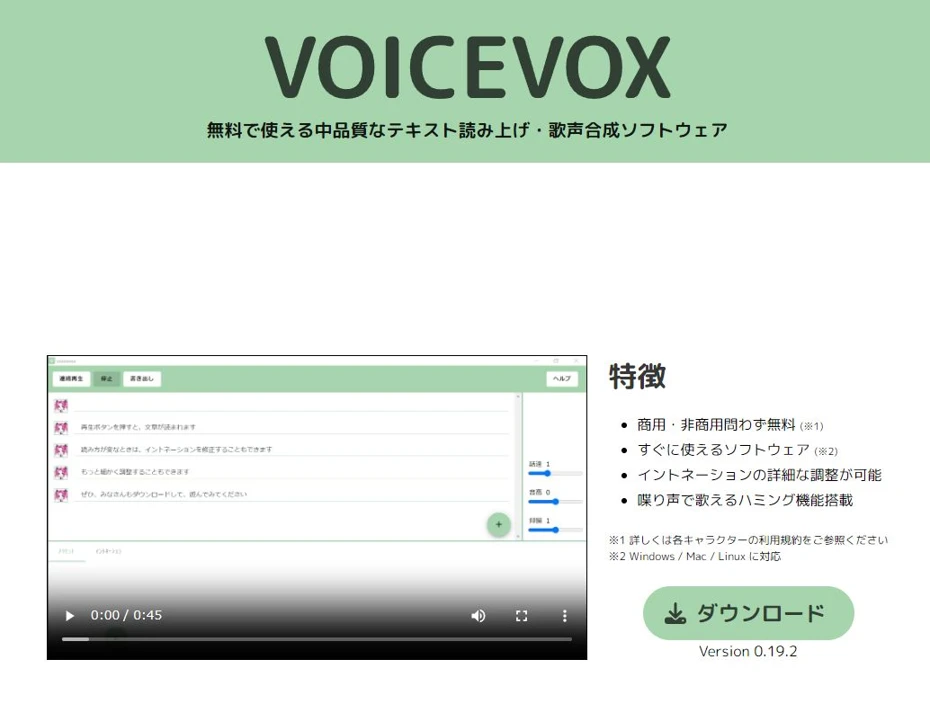
VOICEVOX is a text-to-speech app that can be used for free.
It is compatible with Windows, Mac, and Linux.
It is an app that can read text with a natural voice using AI, and it has extensive editing functions such as intonation and conversation-style reading.
Another point is that it can read text in the voices of characters widely used on video sites, such as "Zundamon" and "Kasukabe Tsumugi."
Similarly, there are GPU and CPU versions for Windows apps, and it can be used more comfortably than the CPU version on high-performance PCs equipped with a GPU (graphics card).
Pay attention to the terms of use in the case of commercial use
The software itself can be used for free regardless of whether it is commercial or non-commercial.
However, credit notation showing that VOICEVOX was used is mandatory.
Also, you need to follow the terms of use for each character in addition to the terms of use of the VOICEVOX app itself, so caution is required, especially for commercial use.

Complete guide to using VOICEVOX! Detailed explanation from features of AI free speech synthesis software to commercial use
Detailed explanation from features of VOICEVOX to how to use it and points to note during commercial use. A complete guide to the free AI speech synthesis software that can read text in popular character voices like Zundamon.
2 Recommended Paid Windows-Compatible Text-to-Speech Apps
Next, we will introduce paid text-to-speech apps that can be used on Windows.
1. A.I.Voice
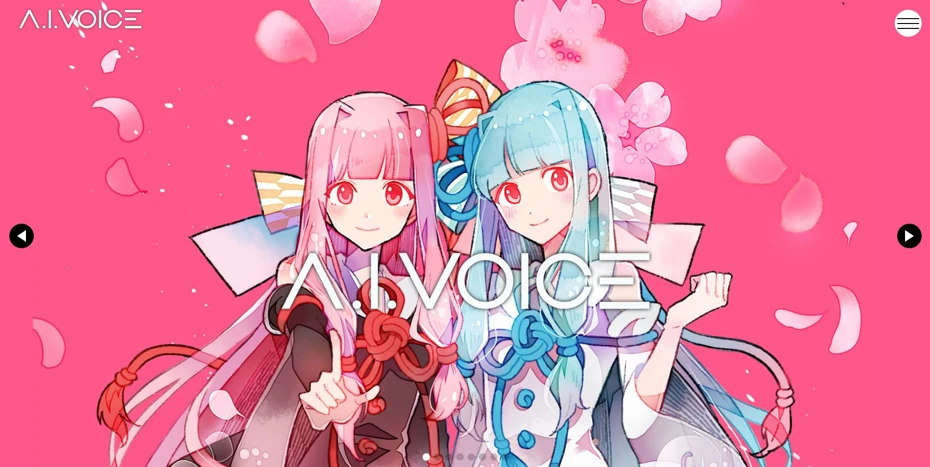
A.I.Voice is a text-to-speech app using the speech synthesis engine "AITalk."
It is a paid app, and Windows and macOS versions (Apple silicon models only) are sold.
A variety of voice tones are available, including characters also sold in the VOICEROID series, such as "Yuzuki Yukari" and "Kotonoha Akane/Aoi."
Being a paid app, it allows for very realistic reading.
Cases where a commercial license is required
For individual use, A.I.Voice can be used widely by simply purchasing the product itself, including monetization on video sites and affiliates.
However, even for individual use, there are cases where a separate individual commercial license may be required, such as for the paid distribution of works using the audio, so caution is necessary.
Also, a corporate commercial license is required when used by a corporation.

Complete guide to A.I.VOICE2! Explaining the features, installation method, and usage of the successor software to VOICEROID
Explaining the features and usage of A.I.VOICE2, which allows the use of Kotonoha Akane/Aoi and Yuzuki Yukari, familiar from VOICEROID videos. Introducing everything from the installation method to audio export in detail.
2. CeVIO
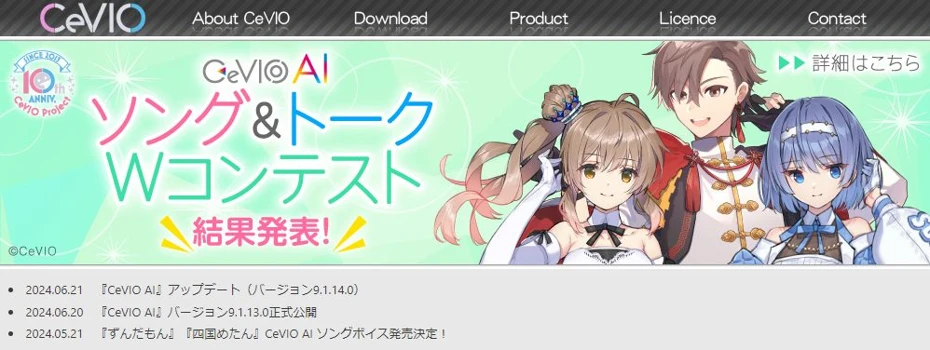
CeVIO is a speech synthesis app that can read text realistically using AI.
It is compatible with Windows only.
You can use the voices of characters widely used on video sites, including "Sato Sasara" and "Suzuki Tsuzumi."
In addition to the "Starter" pack, which includes the software and a voice, voices can also be purchased individually, so you can easily add voices later at a reasonable price.
Licensing for individual commercial use is relatively loose
When used by individuals, the license is set relatively loosely, other than credit notation being mandatory.
Registration for use is also unnecessary when using it for videos posted on video sites.
When using it for the distribution of music or video media, you just need to register for use from the website.
However, a separate estimate is required for corporate use or individual use for tasks contracted from a corporation.

What is CeVIO AI? Detailed explanation of speech synthesis software features, usage, and commercial use
Complete guide to the AI singing synthesis software CeVIO AI. Explaining the features of popular characters like Sato Sasara and Suzuki Tsuzumi, how to purchase, and points to note regarding commercial use for beginners.
How to read text aloud using standard Windows features
Finally, we will introduce the text-to-speech features standardly equipped in Windows.
Windows Narrator feature
Windows is equipped with "Narrator" as a feature for improving accessibility.
The setup method is very simple.
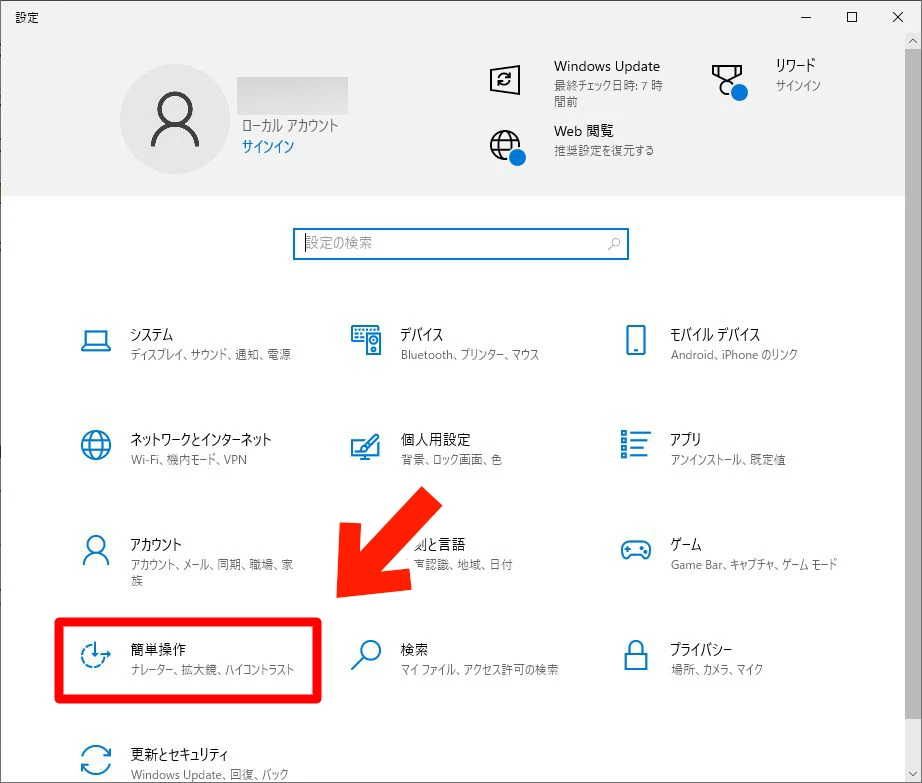
First, open the "Settings" app.
In the "Settings" app, select "Ease of Access."
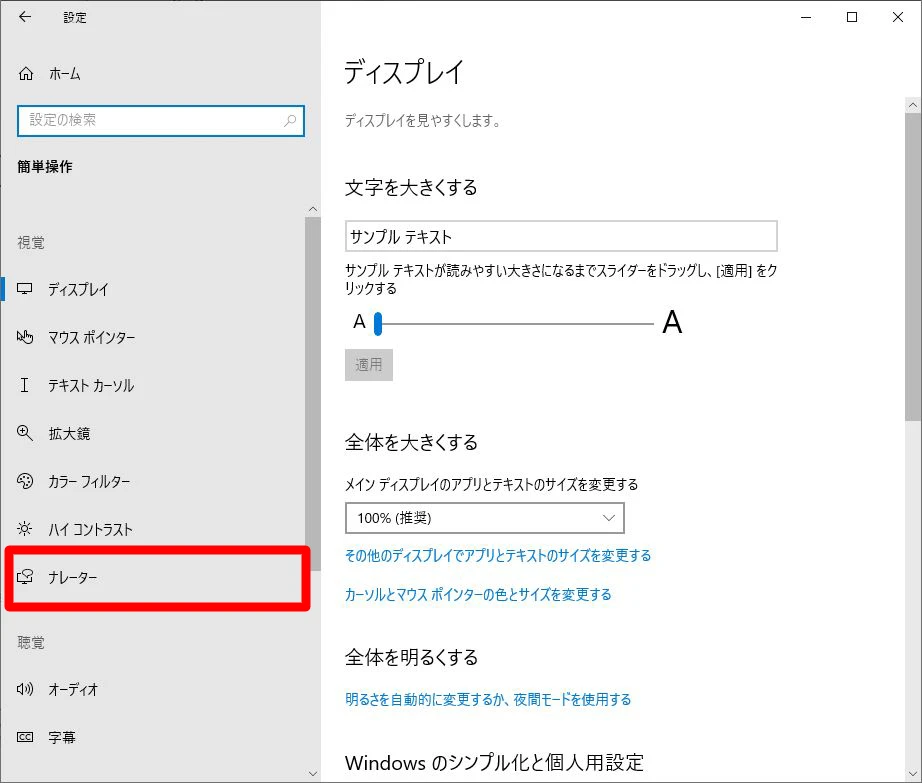
In "Ease of Access," select "Narrator."
From "Turn on Narrator," turn the Narrator feature on.
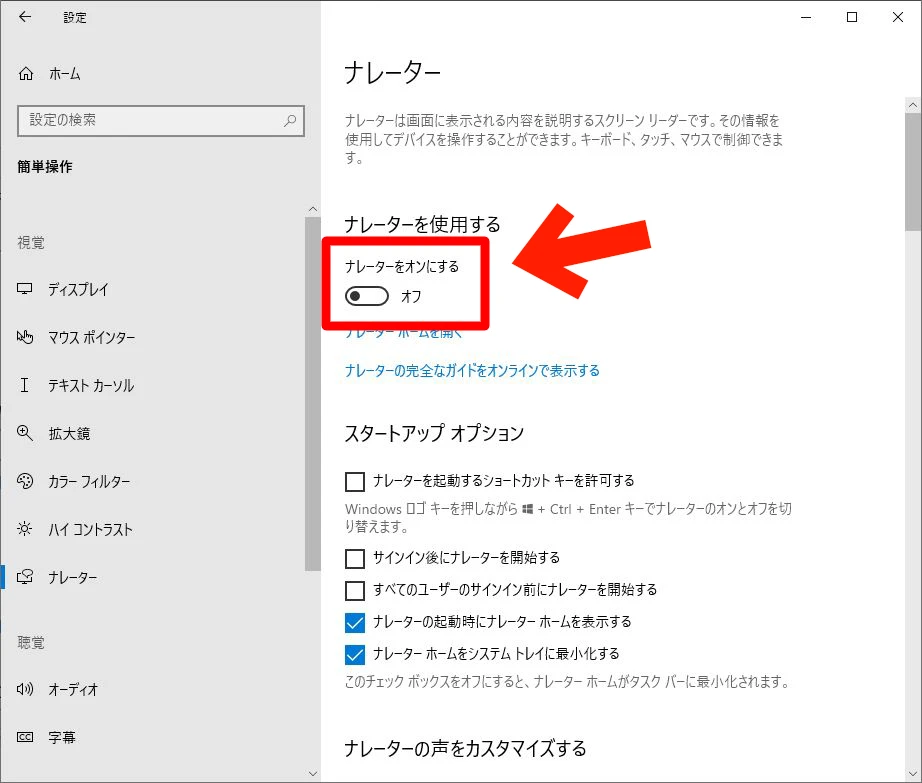
Now you have successfully turned on the Windows Narrator feature.
When the Narrator feature is turned on, all text displayed on the Windows screen, including menus, can be read aloud.
For example, when you open a browser, the displayed text is read aloud in order from the top.
No save function
However, since the Windows Narrator feature is strictly for improving accessibility, it does not have a function to save the audio.
If you want to save the audio as an MP3 file or similar for use, we recommend using a text-to-speech app like Ondoku.
■ AI voice synthesis software "Ondoku"
"Ondoku" is an online text-to-speech tool that can be used with no initial costs.
- Supports 81 languages and regions, including Japanese, English, Chinese, Korean, Spanish, French, and German
- Available from both PC and smartphone
- Suitable for business, education, entertainment, etc.
- No installation required, can be used immediately from your browser
- Supports reading from images
To use it, simply enter text or upload a file on the site. A natural-sounding audio file will be generated within seconds. You can use voice synthesis up to 5,000 characters for free, so please give it a try.

Text-to-speech software "Ondoku" can read out 5000 characters every month with AI voice for free.
You can easily download MP3s and commercial use is also possible.
If you sign up for free, you can convert up to 5,000 characters per month for free from text to speech.
Try Ondoku now.
HP:
ondoku3.com
Email: ondoku3.com@gmail.com
Email: ondoku3.com@gmail.com
Related posts
"Ondoku" is a Text-to-Speech service that anyone can use for free without installation. If you register for free, you can get up to 5000 characters for free each month. Register now for free
- What is Ondoku
- Start text-to-speech conversion
- Free registration
- Pricing
- Posts
- Try other free services














