

Best Text-to-Speech Software: 7 Free & Paid Tools for Commercial Use
[Free] 5 Best Text-to-Speech Sites! Introducing Recommended Free Services
Sept. 27, 2026
![[Free] 5 Best Text-to-Speech Sites! Introducing Recommended Free Services](https://storage.googleapis.com/ondoku3/image/20240720yomiage-site-free-02_930.webp)
Are there any text-to-speech sites I can use for free?

Text-to-speech sites that automatically turn text into audio can be used for free!
When creating videos or recording broadcasts for a store, recording your own voice can be very difficult.
In such cases, we recommend using a free text-to-speech site.
With a free text-to-speech site, you can easily generate audio in less time than recording it yourself.
Furthermore, with free text-to-speech sites using the latest AI, you can generate very easy-to-understand audio that sounds like it was recorded by a professional narrator.
In this article, we will introduce recommended free text-to-speech sites.
If you are looking for a way to read text aloud for work or a hobby, why not try free text-to-speech using the sites introduced in this article?
[Free] Recommended Text-to-Speech Sites You Can Use for Free
There is a recommended free text-to-speech site you can use.
That is "Ondoku".
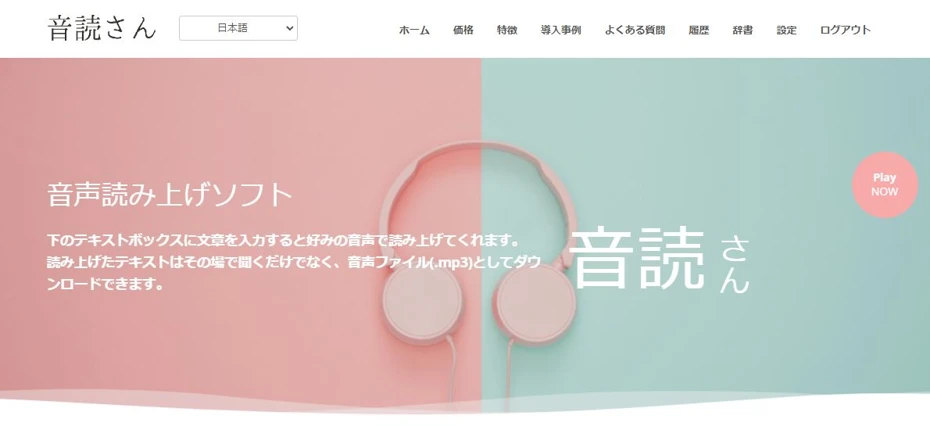
"Ondoku" is a text-to-speech site that uses the latest AI.
You can read text aloud with clear, easy-to-hear audio that sounds just like a real person speaking.
Moreover, Ondoku allows you to read up to 5,000 characters for free!
As it is a service originating from Japan, you can use it with peace of mind.
If you are looking for a free text-to-speech site, why not start by using Ondoku?
Text-to-speech sites can be utilized for free!
Do you think you have to pay money to buy software to turn text into speech?
Actually, text-to-speech is available for free.
Moreover, with free text-to-speech sites, you can use them easily from your browser without any installation.
What is a text-to-speech site?

A text-to-speech site is a site that automatically turns entered text into audio.
The read-aloud audio can be saved as files such as MP3 or WAV.
In the past, automatic reading by computers could only read in unnatural tones that were immediately recognizable as synthetic speech.
But it's different now.
With the advancement of AI, it is now possible to read aloud with realistic, natural intonation and inflection, just as if a real human were speaking.
You can also choose from many types of voices for reading, such as male voices, female voices, and children's voices, depending on the purpose.
Benefits of Free Text-to-Speech Sites
Compared to reading it yourself or installing text-to-speech software, free text-to-speech sites offer several advantages.
Easier to understand than reading it yourself

When you need audio narration for work or a hobby, the first method that comes to mind is recording it yourself.
However, it is normal for audio recorded by someone who has never studied narration or acting to be very difficult to hear.
Additionally, without high-performance recording equipment or a highly soundproof room, noise will be mixed into the recorded audio.
In contrast, with a free text-to-speech site, you can read aloud with clear audio as if a professional narrator were reading.
With text-to-speech sites using the latest AI, there is no unnaturalness in intonation or inflection.
If you want to read text for free, it is recommended to use a free text-to-speech site rather than reading it yourself.
Easier to use than free software
In addition to text-to-speech sites used from a browser, there is also text-to-speech software (apps) that you download and use.
While some can be downloaded for free, installation requires a certain amount of PC knowledge.
Even if you have PC knowledge, text-to-speech software (apps) that need to be installed take time to download and install, so they cannot be used immediately.
In that regard, text-to-speech sites do not require installation and can be used immediately once you open the site.
Latest AI can be used even with low PC specs

A detail often overlooked when using the latest AI for text-to-speech is PC specs.
Text-to-speech software (apps) installed on a PC cannot be used comfortably without a certain level of PC specifications.
In particular, software (apps) using the latest AI require a high-performance PC.
For example, apps such as "VOICEVOX" and "COEIROINK" have versions for high-performance PCs with built-in GPUs (graphics boards) prepared separately from versions for ordinary PCs.
In contrast, with text-to-speech sites like Ondoku, the actual speech processing is performed on a server (cloud) across the internet.
Since the processing is not done on your local PC, you can comfortably use AI for text-to-speech even if your PC specs are low.
If you do not have a high-performance PC like a gaming PC, using a free text-to-speech site like Ondoku is especially recommended.
5 Recommended Free Text-to-Speech Sites

What kind of free text-to-speech sites are there?
For those who want to read audio right now, here are some recommended free text-to-speech sites!
1. Ondoku
"Ondoku" is a recommended free text-to-speech site that can be used from a browser.
It is a site that can be used for free, and anyone can easily read aloud without registration or login.
Reading with the latest AI's clear audio
A feature of Ondoku is that it can read aloud with easy-to-hear and realistic audio using the latest AI.
Since AI used for synthetic speech is advancing rapidly, realism and ease of hearing have improved significantly in just a few years.
Because Ondoku uses the latest synthetic speech AI, it can read aloud with clearer and easier-to-hear audio compared to other text-to-speech sites.
Also, unlike text-to-speech software that you install and use, it is possible to smoothly synthesize audio with the latest AI even if your PC specs are not high.
Peace of mind as it is a service from Japan
There are also overseas services for free text-to-speech sites, but many do not clearly state their operator.
Ondoku is a service originating from Japan, so you can use it with peace of mind.
We also support business use, such as filling out security sheets, so please feel free to contact us.

Conversation-style reading is also possible
Ondoku is capable of reading with 16 types of voices in the case of Japanese.
Furthermore, it is also possible to read aloud in a conversation format using multiple voices.
Since there is no need for the trouble of editing after exporting the audio, it is easy to create conversation-style videos.
Of course, conversation-style reading can also be used for free.
Supports foreign languages including English
Ondoku supports 81 languages and regions, including Japanese and English.
You can use it conveniently to add foreign language narration to videos or play foreign language announcements in stores and facilities.
![[Ondoku] Listen to voice types and sample audio for supported languages](https://storage.googleapis.com/ondoku3/image/%E5%A4%9A%E6%A7%98%E6%80%A7_930.webp)
Commercial use is also free!
Ondoku is a free text-to-speech service, but commercial use is also possible.
When you want to read text aloud for business, why not use Ondoku?
*Credit notation is required for free use. Credit notation becomes unnecessary when you subscribe to a paid plan. Click here for details.

Up to 5,000 characters can be read for free!
Ondoku is a text-to-speech site that can be used for free.
It can be used without registration or login, but:
- Before registration/login: 1,000 characters
- After registration/login: 5,000 characters
In this way, if you register your email address, you can read as many as 5,000 characters for free!
Since you can experience it immediately for free, if you are looking for a text-to-speech site, why not start by using Ondoku?
2. Yukumo!

Yukumo! is a text-to-speech site that can be used from a browser.
The biggest feature of Yukumo! is that it can read aloud using "Yukkuri Voice".
It uses the synthetic speech engine "AquesTalk" used for Yukkuri Voice, and can read aloud using various tones in addition to Yukkuri Voice.
It is a free text-to-speech site, and it can be used for free for personal use.
If you use the generated audio for commercial purposes, you need to purchase a commercial license for the synthetic speech engine "AquesTalk".
![[2026 Latest] 6 Recommended Yukkuri Voice/Monotone Software | Complete Comparison of PC and Smartphone Apps](https://storage.googleapis.com/ondoku3/image/20250507yukkuri_bouyomi_software_tmb_930.webp)
[2026 Latest] 6 Recommended Yukkuri Voice/Monotone Software | Complete Comparison of PC and Smartphone Apps
Carefully introducing Yukkuri Voice and monotone software ideal for video production and game commentary. Explaining how anyone can easily create high-quality audio with the latest 2026 apps for PC and smartphones.
3. CoeFont
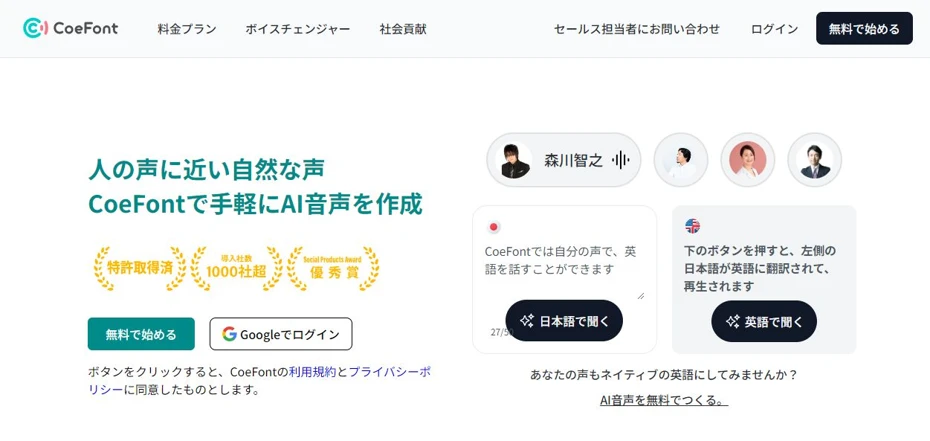
CoeFont is a text-to-speech site that can read aloud using AI.
You can read aloud using more than 10,000 types of tones, including voices modeled after celebrities and voice actors.
By registering, you can experience text-to-speech for free.
However, since you can only save for free once, subscription to a paid plan is required for full-scale use.
4. TTSMaker

TTSMaker is a free text-to-speech site originating from overseas.
The website is in English, but if you select Japanese, it is possible to switch to a Japanese display.
It supports various languages, including Japanese text-to-speech.
Advertisements are displayed, but it can be used for free.
5. Narakeet
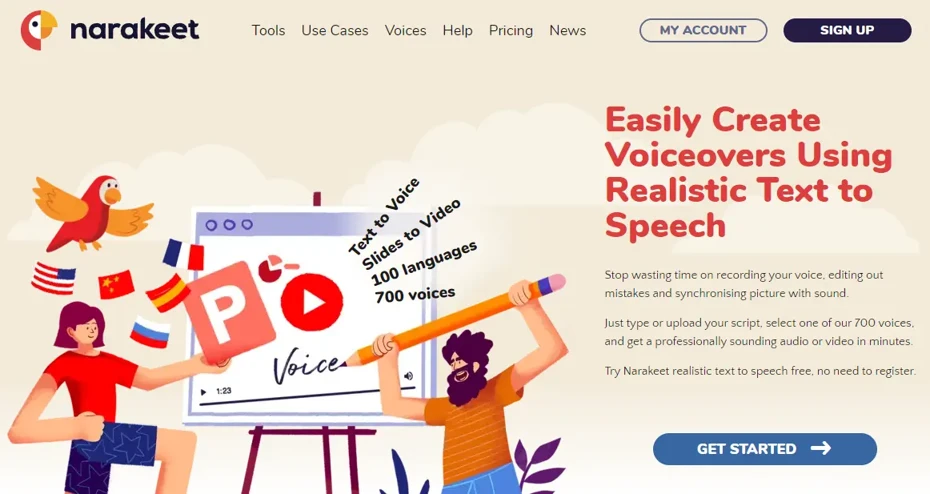
Narakeet is a free text-to-speech site you can use for free.
It is a service operated by a British company called Video Puppet Limited, but it also supports Japanese text-to-speech.
In addition to entering text directly to read aloud, it is also possible to load text files, Word files, video subtitle files, etc.
6. Text to voice

Text to voice is a free text-to-speech site originating from overseas.
It also supports Japanese text-to-speech, and in the case of Japanese, it reads aloud using Microsoft's synthetic speech engine.
Since the operator is not specifically stated, if you are concerned about security, it is recommended to use other services such as Ondoku.
■ AI voice synthesis software "Ondoku"
"Ondoku" is an online text-to-speech tool that can be used with no initial costs.
- Supports 81 languages and regions, including Japanese, English, Chinese, Korean, Spanish, French, and German
- Available from both PC and smartphone
- Suitable for business, education, entertainment, etc.
- No installation required, can be used immediately from your browser
- Supports reading from images
To use it, simply enter text or upload a file on the site. A natural-sounding audio file will be generated within seconds. You can use voice synthesis up to 5,000 characters for free, so please give it a try.

Text-to-speech software "Ondoku" can read out 5000 characters every month with AI voice for free.
You can easily download MP3s and commercial use is also possible.
If you sign up for free, you can convert up to 5,000 characters per month for free from text to speech.
Try Ondoku now.
HP:
ondoku3.com
Email: ondoku3.com@gmail.com
Email: ondoku3.com@gmail.com
Related posts
"Ondoku" is a Text-to-Speech service that anyone can use for free without installation. If you register for free, you can get up to 5000 characters for free each month. Register now for free
- What is Ondoku
- Start text-to-speech conversion
- Free registration
- Pricing
- Posts
- Try other free services
![[Free] 5 Best Text-to-Speech Sites! Introducing Recommended Free Services](https://storage.googleapis.com/ondoku3/image/irodori-tts_tmb_140.webp)
![[Free] 5 Best Text-to-Speech Sites! Introducing Recommended Free Services](https://storage.googleapis.com/ondoku3/image/tategaki-image-yomiage_howto_tmb_140.webp)
![[Free] 5 Best Text-to-Speech Sites! Introducing Recommended Free Services](https://storage.googleapis.com/ondoku3/image/iphone-video-narration_tmb_140.webp)
![[Free] 5 Best Text-to-Speech Sites! Introducing Recommended Free Services](https://storage.googleapis.com/ondoku3/image/chrome-reading-mode-pc_tmb_140.webp)
![[Free] 5 Best Text-to-Speech Sites! Introducing Recommended Free Services](https://storage.googleapis.com/ondoku3/image/pdf-to-mp3-howto_tmb_140.webp)









