Best Text-to-Speech Software: 7 Free & Paid Tools for Commercial Use
8 Best Text-to-Speech Apps for iPhone & iPad! Read Text Aloud Easily.
Sept. 9, 2026

How can I read text aloud using an iPhone app?

In this article, we will introduce text-to-speech apps for iOS that can be used on iPhone and iPad.
- Listen to novels or news while working by having them read aloud
- Study pronunciation by reading foreign language texts aloud
- Improve accessibility for those who have difficulty reading text due to illness or aging
There are many ways to use text-to-speech apps, as shown above.
On iPhone and iOS, you can easily use text-to-speech apps and services, allowing anyone to convert text to speech immediately.
If you are looking for a way to read text aloud on your iPhone, why not try the recommended methods introduced in this article?
If you want to read text from PDFs, photos, or paper documents, please also see this article.
![[2026 Latest] A Must-See for iPhone Users! Thorough Comparison of 8 Recommended Automatic Text-to-Speech Apps](https://storage.googleapis.com/ondoku3/image/20250430_iphone_text_to_speech_app_tmb_930.webp)
[2026 Latest] A Must-See for iPhone Users! Thorough Comparison of 8 Recommended Automatic Text-to-Speech Apps
A must-see for iPhone users! A thorough comparison of 8 apps that read text aloud with natural voices. We analyze them from various perspectives such as sound quality, ease of use, and pricing plans to introduce the latest recommended services for 2026.
[No Installation Required] Recommended Text-to-Speech Method for iPhone
There is a recommended service for those looking for a text-to-speech app for iPhone/iPad (iOS).
That is Ondoku.
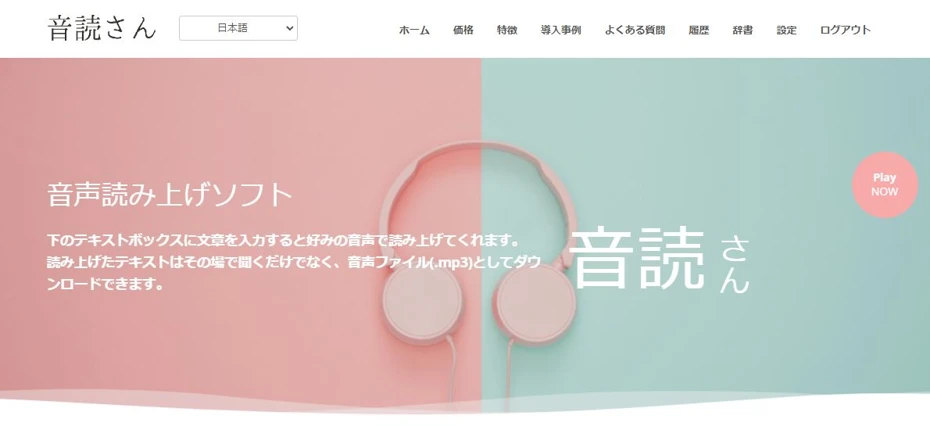
Ondoku is a web app that can read text aloud using the latest AI.
Since it is a web app used via a browser, no installation is required, and you can easily read text aloud right now.
What's more, Ondoku can be used for free!
If you are looking for a text-to-speech app for iPhone, why not start by using Ondoku?
How to Read Text Aloud on iPhone
How can you read text aloud on an iPhone?
Here is a brief explanation of text-to-speech methods for iPhone and iPad (iOS).
1. Use a text-to-speech web app

The recommended method is using a web app like Ondoku.
Because it can be used without installation from a browser like Safari, you can easily turn text into audio immediately.
The method is very simple.
In the case of Ondoku, all you have to do is paste the text you want to read and press the "Read" button.
For reading text on iPhone and iPad, a web app like Ondoku is recommended.
2. Use an installed app

Installing a text-to-speech app from the App Store onto your iPhone or iPad is also a recommended method.
While it takes some effort to install, you can read text with simple operations once the app is launched.
Some apps also allow reading in an offline state.
However, please note that reading accuracy may decrease in an offline state.
3. Read aloud using iPhone's standard features
It is also possible to read text using the standard features of iPhone and iPad.
This is a feature included for accessibility improvement, supporting the reading of the entire screen as well as selected ranges.
Reading using the standard features of iPhone/iPad can be configured from:
Open "Settings" app → "General" → "Accessibility" → "Speech"
can be set from there.
8 Recommended Text-to-Speech Apps for iPhone and iPad

Tell me about recommended apps for reading aloud on iPhone!
Here are some recommended apps for reading aloud on iPhone and iPad (iOS)!
- Ondoku
- Zunda Voice "Zundamon Reading App"
- Reading Aloud "Yukkuri Bouyomi Talk"
- Reading Aloud App (Speak Instead) with Sound Effects
- iTextSpeaker - Multilingual Text-to-Speech App
- Text-to-Voice
- Reading Narrator - Read Aloud with Voice
- Ondoku / Reading Voice Creation
1. Ondoku
Ondoku is a web app that can read text aloud using the latest AI.
It can be easily used from browsers like Safari.
The greatest feature is the ability to read with realistic intonation and inflection using the latest AI.
Anyone can easily turn text into audio just by entering the text they want to read.
Realistic reading with 16 types of voices
For Japanese reading, you can use 16 types of voices.

Listen to 16 Types of Ondoku Text-to-Speech Voices for Free. Change Impressions with Pitch Variations
Ondoku has 16 types of Japanese voices. Of course, both male and female voices are available. We have made it possible to listen to 8 commonly used Japanese voices and the sounds when the pitch of each voice is adjusted.
What's more, you can use multiple voices to read like a conversation.

How to Use Ondoku's Conversation/Dialogue Feature. Make Listening Materials and Long Texts More Convenient with Speech Synthesis!
How to use Ondoku's conversation feature! Explaining how to use the conversation feature with images. We will introduce specific examples of what purposes the conversation feature can be used for.
With Ondoku, you can generate reading audio exactly as you imagined.
Supports foreign language reading
Ondoku supports reading in 81 languages and regions, including Japanese, English, German, French, Spanish, Korean, and Chinese.
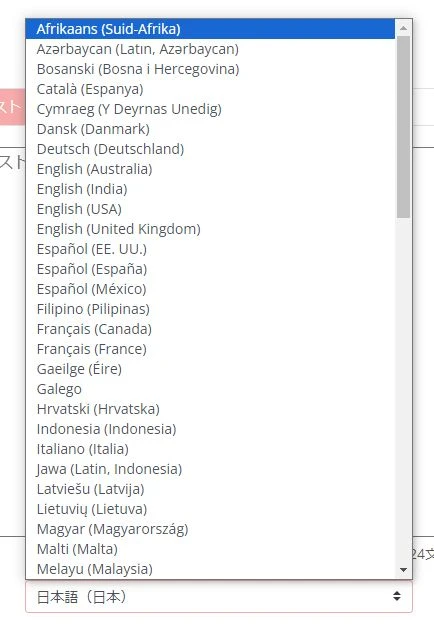
The read-aloud audio can be easily saved, so you can also add foreign language audio to Instagram or TikTok videos.
![[Ondoku] Listen to Voice Types and Sample Audio for Supported Languages](https://storage.googleapis.com/ondoku3/image/%E5%A4%9A%E6%A7%98%E6%80%A7_930.webp)
[Ondoku] Listen to Voice Types and Sample Audio for Supported Languages
Here we introduce the supported languages and sample audio for Ondoku.
Commercial use OK!
Ondoku is a web app that is okay for commercial use.
Commercial use is possible even when using it for free.
*Credit attribution is required for free use. Click here for details.

What You Can Do with Ondoku. About Commercial Use (Business Use) and Prohibited Items.
Commercial use (business use) is possible with Ondoku. Regardless of whether you are an individual or a corporation, use for the purpose of obtaining direct or indirect profit, such as money, is commercial use. However, please note that prohibited acts are established in Ondoku. This time, we will introduce what you can and cannot do with Ondoku...
No ads
Unlike free apps for iPhone/iPad, Ondoku does not display ads.
Ondoku is recommended when you want to read text comfortably.
Reading is possible for free!
What's more, Ondoku allows you to read for free!
- Without registration/login: 1,000 characters
- With registration/login: 5,000 characters
can be read aloud, so even long sentences can be easily turned into audio.
Since you can experience it immediately without registration or login, if you are looking for a reading app for iPhone/iPad, why not experience Ondoku from here?
2. Zunda Voice "Zundamon Reading App"

Zunda Voice "Zundamon Reading App" is a reading app where Zundamon reads the entered text aloud.
Zundamon is a character familiar from video sites.
This app is an unofficial app, but it generates audio using Zundamon's speech synthesis engine.
It also supports editing intonation, speed, and voice tone.
In addition to a mode that processes on the server, there is also a mode for synthesizing voice offline within the smartphone.
Audio can be exported and used for video editing as well.
Zunda Voice "Zundamon Reading App" is available for free, but ads will be displayed.
By paying, you can hide ads or increase the number of characters that can be read at once.
Note that when using it for commercial purposes, you must follow Zundamon's character usage guidelines.
3. Reading Aloud "Yukkuri Bouyomi Talk"
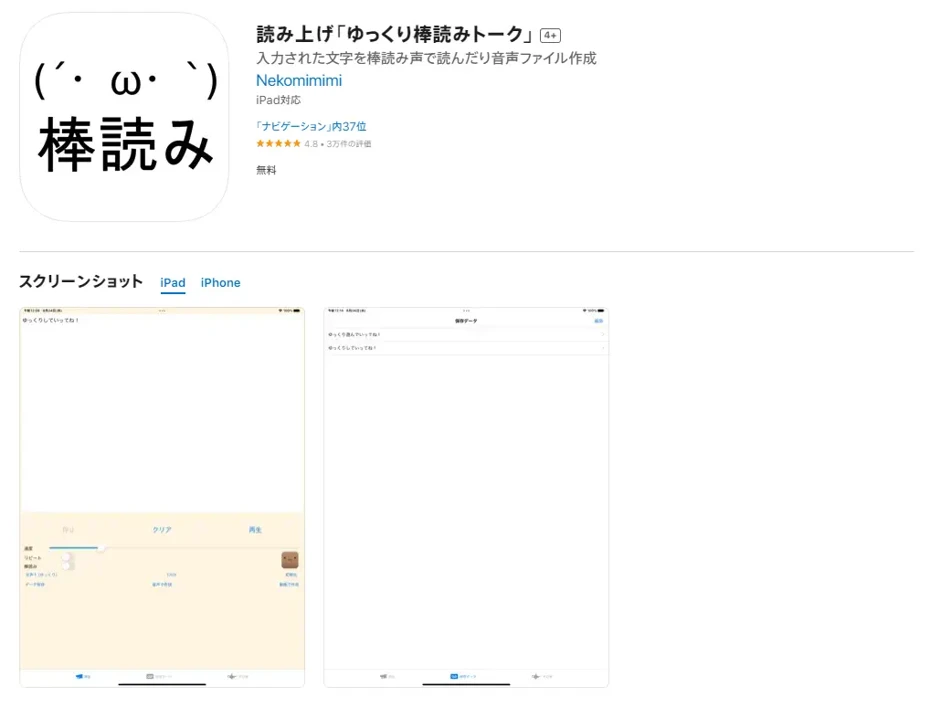
Reading Aloud "Yukkuri Bouyomi Talk" is an app that can read aloud with a robotic voice also known as "Yukkuri Voice."
It uses Aquest Co., Ltd.'s speech synthesis library "AquesTalk."
Because the speech synthesis library "AquesTalk" is a very lightweight synthesis voice library, a feature is that the download size is also very small.
It is a free app, but a commercial license for "AquesTalk" must be contracted for commercial use.
This app is recommended for those who want a lightweight app even if it's not realistic, or for those who want to make videos using Yukkuri Voice on their smartphones.
4. Reading Aloud App (Speak Instead) with Sound Effects

Reading Aloud App (Speak Instead) with Sound Effects is an app developed for those who have difficulty speaking due to illness or injury.
It has plenty of fixed phrases, allowing you to immediately call up frequently used interactions such as greetings and "yes/no."
Of course, you can also register your own fixed phrases.
The buttons for entering fixed phrases are large, allowing even those who have difficulty with fine operations due to illness or injury to easily read text using an iPhone or iPad.
It also features functions to play sound effects and express emotions with illustrations.
As the name suggests, it is rich in functions to "speak instead" of those who have difficulty speaking due to illness or injury, so it can also be used for assistance and nursing care.
It is a recommended reading app for daily life support.
It can be used for free, but ads will be displayed.
Ads can be removed by paying.
5. iTextSpeaker - Multilingual Text-to-Speech App
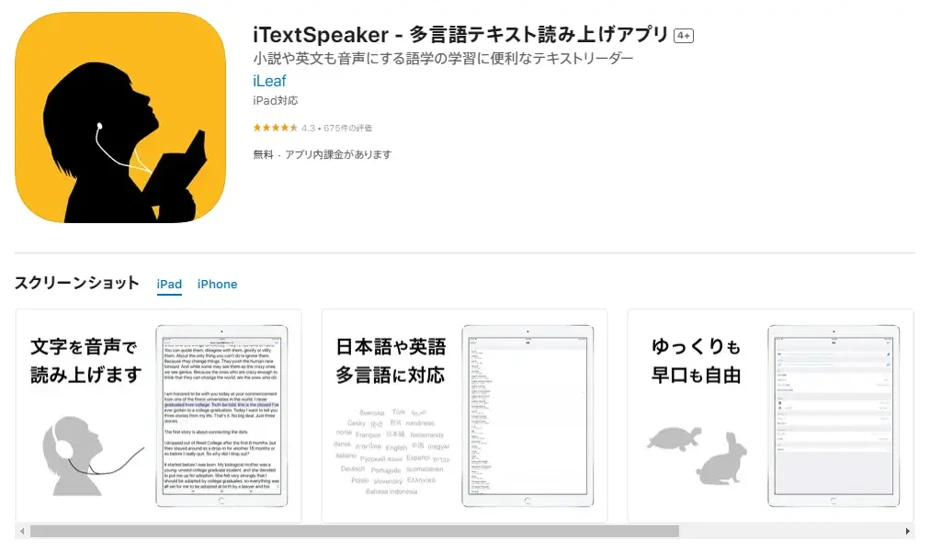
iTextSpeaker - Multilingual Text-to-Speech App is a reading app with a reputation for reading long texts.
There are many reading apps for iPhone/iPad (iOS), but many have limits on the number of characters, and for cases with many characters like novels or business books, it was necessary to divide and read them in small parts.
With this app, long sentences can be read without being divided, allowing you to listen to and read books without stress.
Since it supports many languages including Japanese and English, it is also ideal for studying listening.
It can be used for free, but ads will be displayed.
Ads can also be removed by paying 300 yen.
6. Text-to-Voice

Text-to-Voice is a simple reading app that can be used on iPhone and iPad (iOS).
The developer is "Kotake Studio," a company that mainly develops games, and it supports five languages: Japanese, Spanish, Simplified Chinese, English, and Korean.
It also features a function to read text from a camera or saved images and read it aloud as voice.
It is a free app, but ads will be displayed.
Ads can also be removed by paying 700 yen.
7. Reading Narrator - Read Aloud with Voice

Reading Narrator - Read Aloud with Voice is a very simple reading app that can be used on iPhone and iPad.
With a monotone, user-friendly screen, you can understand how to use it at a glance.
Supports 10 languages including Japanese, English, and Korean.
Adjusting voice speed and voice pitch is also possible.
Usage is free.
Recommended for those looking for a simple app with easy-to-understand usage.
8. Ondoku / Reading Voice Creation
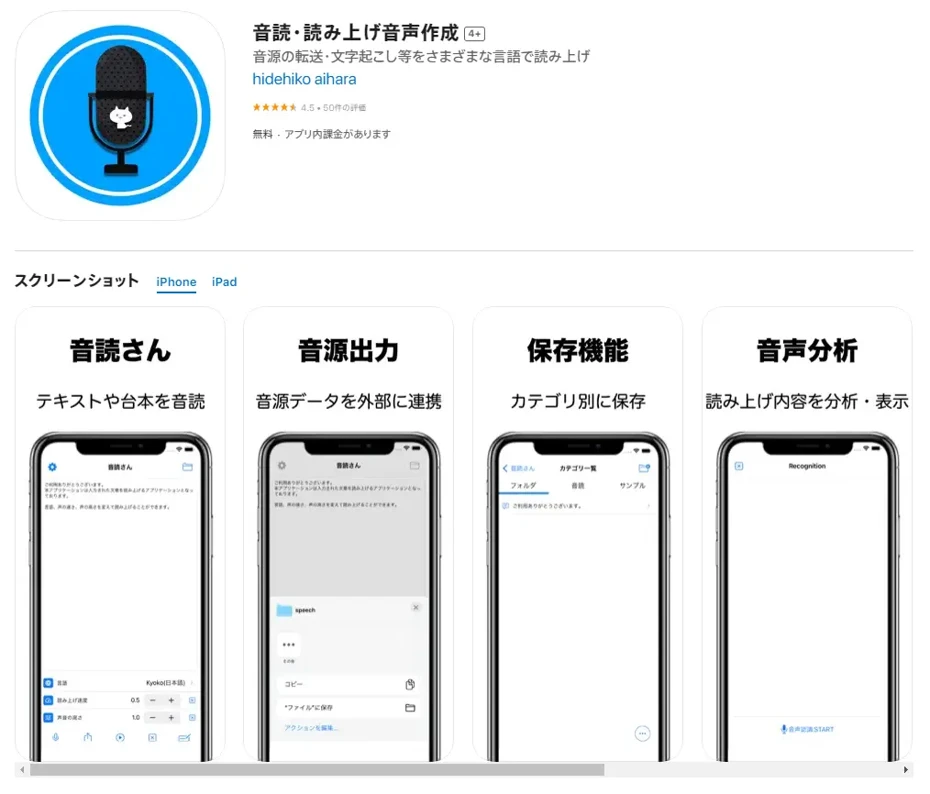
Ondoku / Reading Voice Creation is a reading app for iPhone/iPad that supports SSML tags.
SSML (Speech Synthesis Markup Language) is a way to specify expressions when synthesizing and reading text, such as voice pauses, readings, and inflections.
For example,
I want to leave a small pause
when reading this sentence
This code can be
emphasized
as in these examples, you can specify the expression method when reading aloud with "tags."
There are many apps for PC that support SSML, but it is rare for an app for iPhone/iPad (iOS) to support SSML tags.
It is an app that can be used for free, but a 300 yen author support plan is also available.
Recommended for when you want to create scripts for narration, etc., on your smartphone.

What is Speech Synthesis Markup Language (SSML)? Usage in Text-to-Speech Software and a List of Main Codes.
SSML stands for Speech Synthesis Markup Language. By writing SSML code, you can further control Ondoku's speech. We will introduce in detail how to use SSML in Ondoku and provide a list of codes.
■ AI voice synthesis software "Ondoku"
"Ondoku" is an online text-to-speech tool that can be used with no initial costs.
- Supports 81 languages and regions, including Japanese, English, Chinese, Korean, Spanish, French, and German
- Available from both PC and smartphone
- Suitable for business, education, entertainment, etc.
- No installation required, can be used immediately from your browser
- Supports reading from images
To use it, simply enter text or upload a file on the site. A natural-sounding audio file will be generated within seconds. You can use voice synthesis up to 5,000 characters for free, so please give it a try.

Text-to-speech software "Ondoku" can read out 5000 characters every month with AI voice for free.
You can easily download MP3s and commercial use is also possible.
If you sign up for free, you can convert up to 5,000 characters per month for free from text to speech.
Try Ondoku now.
HP:
ondoku3.com
Email: ondoku3.com@gmail.com
Email: ondoku3.com@gmail.com
Related posts
"Ondoku" is a Text-to-Speech service that anyone can use for free without installation. If you register for free, you can get up to 5000 characters for free each month. Register now for free
- What is Ondoku
- Start text-to-speech conversion
- Free registration
- Pricing
- Posts
- Try other free services














