



Best Text-to-Speech Software: 7 Free & Paid Tools for Commercial Use
[2026] Best 6 Natural Text-to-Speech Software | Samples & Commercial Terms
Sept. 9, 2026
![[2026] Best 6 Natural Text-to-Speech Software | Samples & Commercial Terms](https://storage.googleapis.com/ondoku3/image/natural-voice-software_tmb_2026_930.webp)
When choosing text-to-speech software with a natural voice, how should I compare them?

When choosing text-to-speech software, it is difficult to tell the difference just by comparing audio samples, isn't it?
In fact, besides voice quality, important points for naturalness include pronunciation and intonation, pauses and rhythm, and the ease of listening to long sentences.
In this article, we will introduce in detail the points you should check when choosing text-to-speech software.
Furthermore, we will compare six products in detail: Ondoku, CeVIO AI, A.I.VOICE2, VOICEVOX, VOICEPEAK, and COEIROINK.
Since you can understand the strengths of each product, you can choose the text-to-speech software that best suits your purpose.
How to Compare Text-to-Speech Software with Natural Voices? 9 Key Points
Without further ado, let's introduce nine key points for choosing text-to-speech software.
| Point | What to check | How to check |
| Pronunciation and Intonation | Whether particles, personal names, and sentence-end intonations sound natural | Listen to audio samples |
| Pauses and Rhythm | Whether pauses at commas and paragraphs are natural and not too rushed | Compare samples of dialogue and descriptive text |
| Ease of listening to long sentences | Whether the content is easily understood even after listening for several minutes straight | Try reading a long sample or your own manuscript |
| Emotion/Reading Style | Whether you can choose reading expressions such as a calm voice or a bright voice | Listen to samples for each style |
| Proper Nouns | Whether misreadings of personal names, place names, and technical terms can be corrected | Check dictionary registration and accent adjustment functions |
| Speed/Pitch Adjustment | Whether pronunciation breaks down when changing speed or pitch | Try generating audio while changing speed and pitch |
| Supported Languages | Whether the languages and speakers you want to use are available | View the supported language list on the official website |
| Operating Environment | Whether it can be used in a browser and supports PC OS or smartphones | View the supported environment on the official website |
| Commercial Use | Whether the terms of use for the software, voice, and characters match the intended use | Read the official terms of use |
When you want to read aloud in a cute voice, not only these nine points but also voice quality and character preference are important.
Even if the voice itself is cute, the pausing in long sentences or the pronunciation of proper nouns may not necessarily match your purpose.
We recommend checking the naturalness of the reading first, then choosing your preferred voice quality.
Comparing 6 Selected Text-to-Speech Software with Natural Voices

I want to compare the differences between the six products and choose!
From here, we will introduce six recommended products that can read aloud with natural voices.
We will check where you can hear audio samples, voice adjustment functions, supported languages, operating environment, and commercial use conditions for each.
1. Ondoku | Recommended software for natural voices, free and no installation required
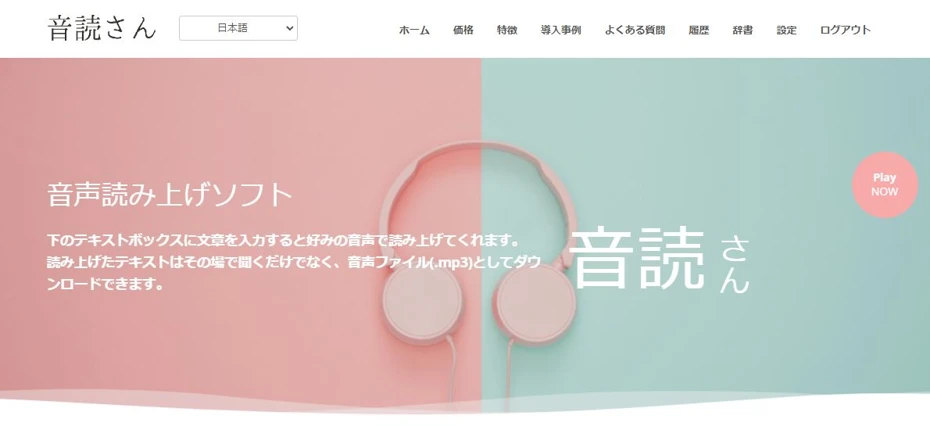
"Ondoku" is a free, no-installation required AI text-to-speech software that can be used just by opening a browser.
The biggest feature is that it can be used for free!
Incredibly, you can read aloud and download up to 5,000 characters as an MP3 for free, so anyone can use it easily right now.
Commercial use is also OK for free.
You can use it with peace of mind for video monetization or announcements in stores and facilities.
*For more details on commercial use, please see this article.
Features of Ondoku
| Audio Sample | Available
You can listen to 16 types of samples from the legacy version (Ondoku) and 25 types of samples from Ondoku Beta |
| Voice Adjustment | Speed, pitch, reading style (Ondoku Beta uses text instructions) |
| Fee | Free |
| Commercial Use | Free for both individuals and corporations |
| Installation | Not required |
| Foreign Languages | 81 languages and regions |
| Support | Windows
Mac Linux iPhone Android |
"Ondoku" is a web application-type software that requires no installation.
You can use it immediately just by opening the top page from here.
Since no installation is required, it can be used from any environment, regardless of OS such as Windows or Mac.
Moreover, unlike installation-type text-to-speech software, it can also be used from iPhone and Android smartphones!
If you want to use text-to-speech software with natural expressions for free right now, Ondoku is recommended.
Since anyone can use it easily, why not experience Ondoku's natural AI reading voice from here first?
2. CeVIO AI | Software for Windows that allows fine adjustment of emotion and accent
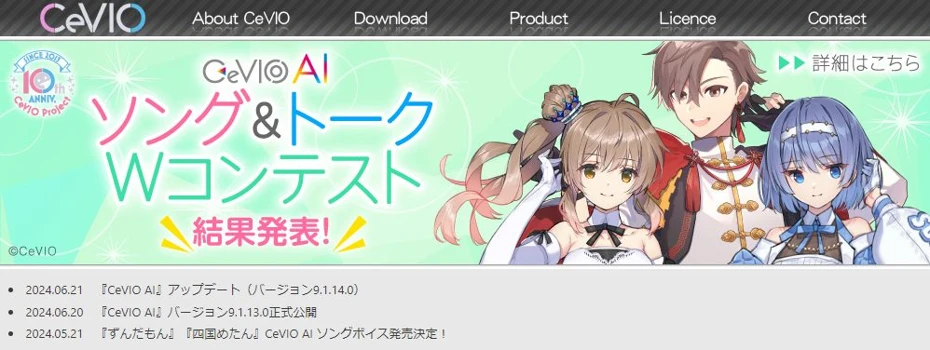
CeVIO AI is an installation-type paid software used by combining the main software "Talk Editor" and "Talk Voice" for each voice.
The official CeVIO AI product list page allows you to check sample videos for each Talk Voice.
In addition to pronunciation, intonation, and pausing, you can also compare emotional expressions prepared for each voice.
Comparison points for CeVIO AI
| Audio Sample | Available
Videos for each Talk Voice are posted on the official CeVIO AI product list |
| Voice Adjustment | Emotion, volume, speed, pitch, voice quality, intonation, accent, pronunciation per sound, word dictionary |
| Operating Environment / Saving | Japanese and English Talk Voices
Windows 11 (64bit, Japanese or English version) WAV |
| Fee | Varies by product
Talk Starter is a set of Talk Editor and Talk Voice |
| Commercial Use | Check CeVIO's commercial use guide
The free range and paid license targets differ depending on the use case |
It is suitable when you want to craft accents and fine vocalizations, such as changing emotional expressions and intonation for each line.
CeVIO AI includes voices from the CeVIO Project and other third-party products.
When using third-party products, note that the terms of use may differ from the CeVIO Project.
3. A.I.VOICE2 | Paid software supporting character-level adjustment and voice styles
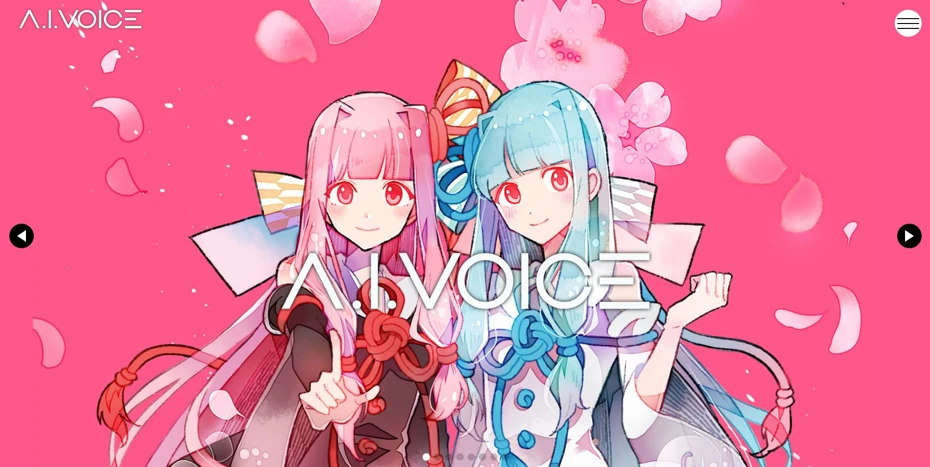
A.I.VOICE2 is an installation-type paid software that can be used on Windows and Macs with Apple silicon.
In addition to character and narrator voices being prepared for each product, you can also choose voice styles in supported products.
Comparison points for A.I.VOICE2
| Audio Sample | Available
Normal voice and style-specific demos can be checked on each product page |
| Voice Adjustment | Reading, accent, devoicing, pauses, volume, speech speed, pitch, intonation, voice style |
| Operating Environment / Saving | Japanese
Windows 10/11 (64bit, Japanese version), Mac with Apple silicon WAVE |
| Fee | Varies by product
Example: Kotoha Akane/Aoi package 18,480 yen, download 14,740 yen (tax included) |
| Commercial Use | Check the official usage-specific guide
Necessary licenses differ depending on the usage and the classification of individual or corporation |
A.I.VOICE2 is the perfect text-to-speech software for when you want to finely adjust reading, accents, and pauses at the character level.
Since necessary licenses change for individual ad-supported videos, sponsored projects, or corporate business, it is safer to check both the product license agreement and the character usage guidelines.
4. VOICEVOX | Software that allows fine adjustment of intonation for free
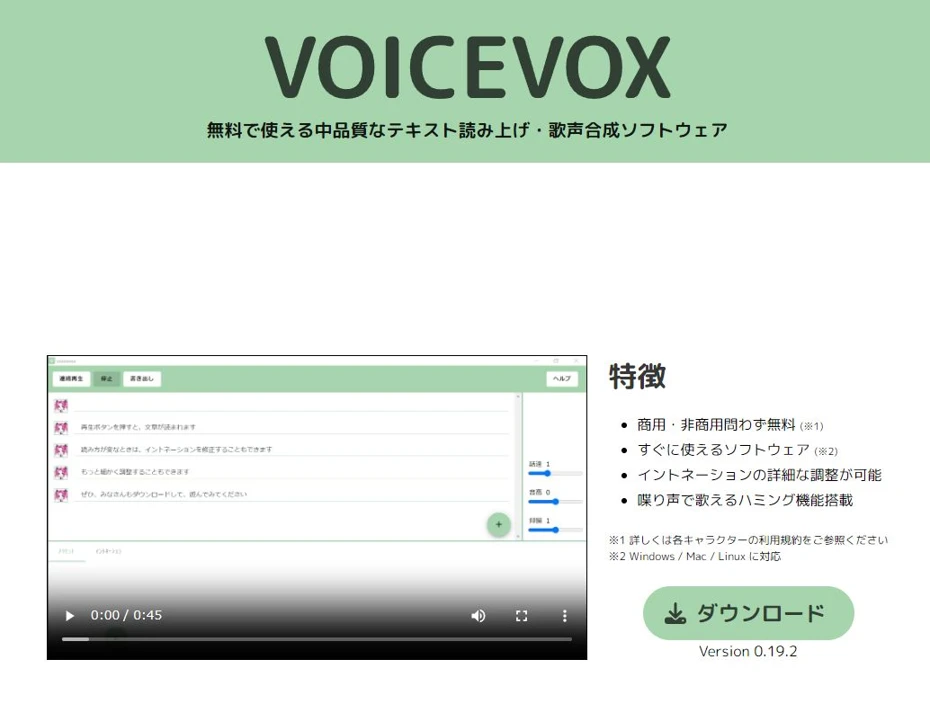
VOICEVOX is a free text-to-speech software that can be used by installing it on Windows, Mac, or Linux.
Comparison points for VOICEVOX
| Audio Sample | Available
Samples by speaker and style are posted on the character list of the official website |
| Voice Adjustment | Reading style, accent, speech speed, pitch, intonation, volume, pauses, pre/post silence, reading style |
| Operating Environment / Saving | Japanese
Windows, Mac, Linux WAV |
| Fee | Free |
| Commercial Use | Check official Q&A
Credit notation and each character's terms of use are required |
VOICEVOX audio samples, reading styles, and terms of use can be checked on the character list page of the official website.
Besides famous characters like Zundamon, Shikoku Metan, and Kasukabe Tsumugi, there are many other voices.
A feature of VOICEVOX is that, despite being free software, you can finely adjust accents and intonation for each character.
Generated audio can be used for commercial and non-commercial purposes, but note that you must follow each character's terms of use in addition to the VOICEVOX terms.
5. VOICEPEAK | Abundant character products. Paid software with options for commercial-use narrator products
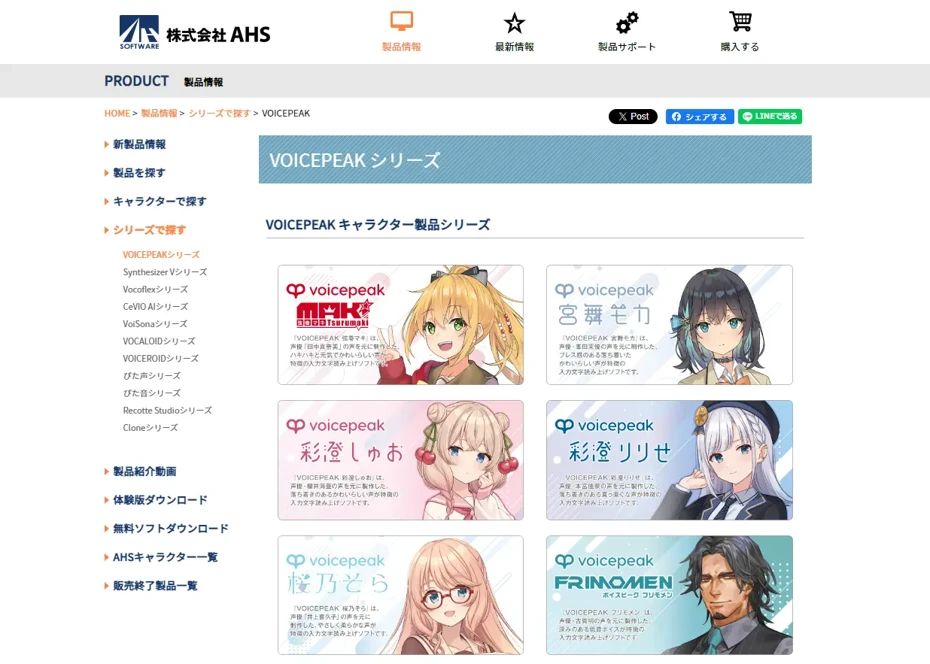
VOICEPEAK is an installation-type paid software that can be used on Windows, Mac, and Linux.
There is a wide range of character voice products, and you can check the voices through introduction videos and samples on each product page.
As a feature, a "Commercial Use 6 Narrator Set" intended for commercial and business use is also available.
Comparison points for VOICEPEAK
| Audio Sample | Available
Can be checked via introduction videos and samples on each product page |
| Voice Adjustment | Reading, accent, intonation, duration per sound, speed, pitch, pauses, volume, emotion |
| Operating Environment / Saving | Supported languages differ for each product
Windows, Mac, Linux WAVE, FLAC |
| Fee | Varies by product
Commercial Use 6 Narrator Set is 23,800 yen for the download version, 29,800 yen for the package version (tax included) |
| Commercial Use | For character products, check the product license and character terms
The commercial-use series can be used for commercial/business purposes within the scope of the product license agreement |
It is suitable if you want to craft accents and emotions with your favorite character's voice.
The wealth of editing functions, such as reading style, vocalization length, and emotion adjustment, is also attractive.
When using it for corporate narration or announcements, it is convenient to use the commercial-use series with clear terms of use.
6. COEIROINK | Free software where user-distributed voices can be added to official voices

COEIROINK is a free text-to-speech software that can be used by installing it on Windows, Mac, or Linux.
In addition to official voices, you can add "MYCOEIROINK" voices created by users, allowing you to choose from a very wide range of reading voices.
The MYCOEIROINK list page on the official website introduces samples for each distributed voice, number of styles, and distribution locations.
Comparison points for COEIROINK
| Audio Sample | Available
Posted on official voice character pages and the MYCOEIROINK list |
| Voice Adjustment | Speech speed, pitch, intonation, volume, pre/post silence, punctuation pauses, accent, manual pitch |
| Operating Environment / Saving | Japanese
Windows, Mac, Linux WAV |
| Fee | Free |
| Commercial Use | Check COEIROINK's terms of use
Use conditions for each voice apply in addition to credit notation |
It is suitable for creating creative works by finely adjusting accents and pitch.
Credit notation is mandatory for commercial use.
In addition, you must follow the usage conditions set by the voice provider.
Which Natural Voice Text-to-Speech Software to Choose?
When you want to create audio with a natural voice, Ondoku, which can be tried immediately in a browser, is recommended.
With Ondoku Beta, you can freely set the reading style.
With the multilingual reading function, you can also create video narrations, announcements, and creative works for overseas markets.
CeVIO AI is recommended for fine-tuning emotions and accents on Windows, and A.I.VOICE2 is recommended if you want to use character-level adjustments or voice styles.
VOICEVOX is perfect if you want to finely adjust intonation for free, and VOICEPEAK is perfect if you want to choose from an abundant range of character products.
When looking for a wide range of voices, COEIROINK, which offers "MYCOEIROINK" in addition to official voices, is also recommended.
No matter which product you choose, the key is to listen to official samples to verify pronunciation, intonation, pauses and rhythm, and ease of listening to long sentences.
Be sure to also check the operating environment and commercial use conditions.
Let's Listen to Ondoku's Cute and Natural Voices!
There are two types of Japanese voices in Ondoku: the legacy "Ondoku" and the next-generation "Ondoku Beta."
You can use them according to your purpose: Ondoku when you want to read in a cute or child's voice, and Ondoku Beta when you want a natural reading.
Here, we introduce samples of each.
For a cute/child's voice, Ondoku's "Aoi"
Among the Japanese voices in Ondoku, "Aoi (Child/Girl)" is recommended as a cute voice.
Voice: Aoi (Child/Girl) / Pitch: 0
With a cute voice like a real child, it is suitable for educational content and child-oriented video narration.
It can also be used for YouTube explainer videos, in-store announcements, and audio for teaching materials.
For how to use cute voices, please also see this article "[2026 Latest] 3 Selected Cute Voice Text-to-Speech Software! Introducing recommended free voices from female to children's voices."
For a natural voice, Ondoku Beta | Instructions can be given in text
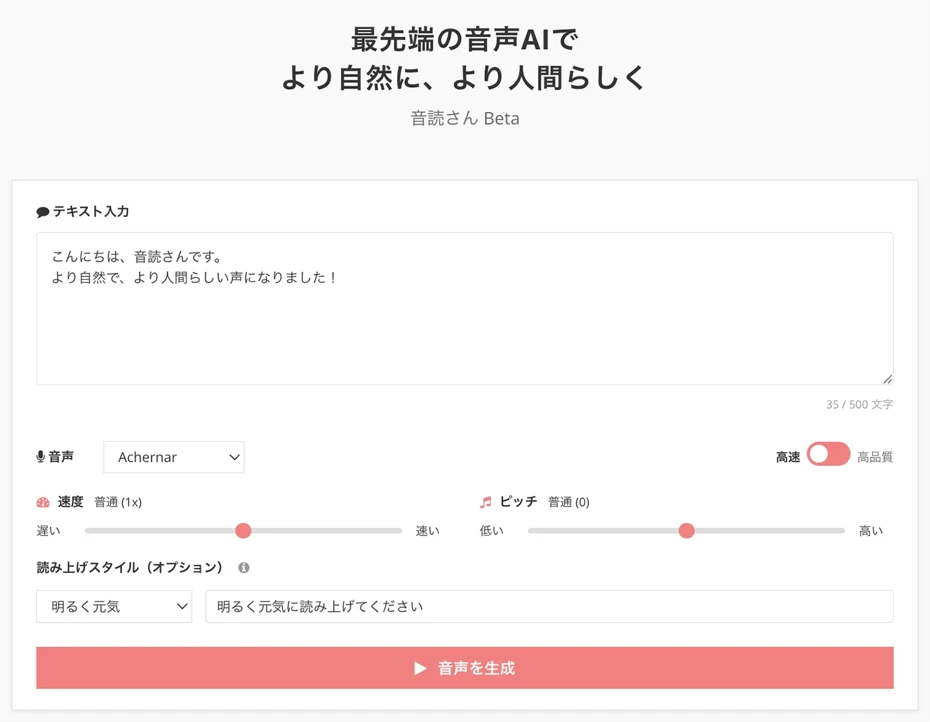
Ondoku Beta is characterized by the ability to give reading instructions in text, such as "Please read in a gentle tone."
Let's listen to a sample of Ondoku Beta right away.
The first is a natural voice with a gentle tone, intended for a movie introduction narration.
こんにちは、Ondokuです。今日は、休みの日にゆっくり見たい映画を、一本紹介します。
Reading Style: Please read calmly and slowly in a gentle female voice.
Voice: Misa / Speed: Normal (1x) / Pitch: Normal (0)
The second is a sample that shows Ondoku Beta's acting ability.
It was read by instructing it to act like an anime character.
こんにちは、Ondokuです!今日は、AI音声で動画のナレーションを作る方法を紹介しますね。
Reading Style: Please read in a high-pitched voice with a slight bounce at the end of sentences, as if a voice actor is playing a cute anime character.
Voice: Ellis / Speed: Normal (1x) / Pitch: Normal (0)
In this way, Ondoku Beta can not only read with a natural voice but also create audio full of acting ability.
It is also recommended when you want to create voices like anime voices.
Read Aloud Freely with a Variety of Voices and Styles!
There are 12 female and 13 male speakers for Ondoku Beta.
Furthermore, you can specify the atmosphere of the voice, age, and even dialects in text, such as "bright and energetic," "whisper," or "80-year-old voice."
Starting with energetic character voices and calm, healing voices, you can freely create various audio files. Why not create the reading voice you imagine with Ondoku?
You can listen to samples of the 25 speakers and reading styles per instruction in this article. Please take a look.
Summary | Why Not Listen to Samples of Text-to-Speech Software with Natural Voices?
This time, we compared six products: Ondoku, CeVIO AI, A.I.VOICE2, VOICEVOX, VOICEPEAK, and COEIROINK.
Ondoku is recommended when you want to try it immediately in a browser.
When comparing text-to-speech software, the key is to check pronunciation, intonation, pauses and rhythm, and ease of listening to long sentences with official samples.
Why not listen to text-to-speech software and find the one that fits your purpose?
■ AI voice synthesis software "Ondoku"
"Ondoku" is an online text-to-speech tool that can be used with no initial costs.
- Supports 81 languages and regions, including Japanese, English, Chinese, Korean, Spanish, French, and German
- Available from both PC and smartphone
- Suitable for business, education, entertainment, etc.
- No installation required, can be used immediately from your browser
- Supports reading from images
To use it, simply enter text or upload a file on the site. A natural-sounding audio file will be generated within seconds. You can use voice synthesis up to 5,000 characters for free, so please give it a try.

Text-to-speech software "Ondoku" can read out 5000 characters every month with AI voice for free.
You can easily download MP3s and commercial use is also possible.
If you sign up for free, you can convert up to 5,000 characters per month for free from text to speech.
Try Ondoku now.
HP:
ondoku3.com
Email: ondoku3.com@gmail.com
Email: ondoku3.com@gmail.com
Related posts
"Ondoku" is a Text-to-Speech service that anyone can use for free without installation. If you register for free, you can get up to 5000 characters for free each month. Register now for free
- What is Ondoku
- Start text-to-speech conversion
- Free registration
- Pricing
- Posts
- Try other free services
![[2026] Best 6 Natural Text-to-Speech Software | Samples & Commercial Terms](https://storage.googleapis.com/ondoku3/image/irodori-tts_tmb_140.webp)
![[2026] Best 6 Natural Text-to-Speech Software | Samples & Commercial Terms](https://storage.googleapis.com/ondoku3/image/tategaki-image-yomiage_howto_tmb_140.webp)
![[2026] Best 6 Natural Text-to-Speech Software | Samples & Commercial Terms](https://storage.googleapis.com/ondoku3/image/iphone-video-narration_tmb_140.webp)
![[2026] Best 6 Natural Text-to-Speech Software | Samples & Commercial Terms](https://storage.googleapis.com/ondoku3/image/chrome-reading-mode-pc_tmb_140.webp)
![[2026] Best 6 Natural Text-to-Speech Software | Samples & Commercial Terms](https://storage.googleapis.com/ondoku3/image/pdf-to-mp3-howto_tmb_140.webp)









