Best Text-to-Speech Software: 7 Free & Paid Tools for Commercial Use
How to Make AI Podcasts: Automatically Generate Audio from Text
Sept. 9, 2026


I want to turn my blog posts into podcasts, but I don't have a microphone or editing skills...
Have you ever thought about distributing the content of your blog or documents as an audio podcast?
Nowadays, by using AI tools, you can create a podcast simply by entering text.
In this article, we will compare five tools that can create AI podcasts from text and explain specific ways to make them.
What you will learn in this article
- Features and differences of 5 tools that can create AI podcasts from text
- How to choose the recommended tool for each purpose
- Specific steps to convert blog posts into podcasts
- Tips for improving the quality of AI voice podcasts
5 Selected AI Tools for Creating Podcasts from Text
Tools that allow AI to generate audio content simply by entering text or an article URL are appearing one after another.
Here, we introduce five recommended AI podcast generation tools that can be used in Japanese.
1. Ondoku: The Top Choice for Voice Flexibility and Commercial Use

"Ondoku" is a text-to-speech service that can generate high-quality AI voices just by entering text.
The generated audio can be downloaded as an MP3 file, so it can be used directly as audio for a podcast.
The biggest attraction is the ability to read aloud with a wide variety of voices supporting multiple languages.
Since you can finely adjust the reading speed and pitch, you can finish with audio that perfectly matches the content and atmosphere of your podcast.
Furthermore, because commercial use is allowed, you can use it with peace of mind when you want to monetize your podcast.
By using the conversation function, you can also manually create content in a dialogue format by switching between two voices.
It is the ideal tool for people who want to stick to narration-style podcasts or voice customization.
2. Google NotebookLM: Automatically Generate Dialogue-Style Podcasts Just by Entering a URL
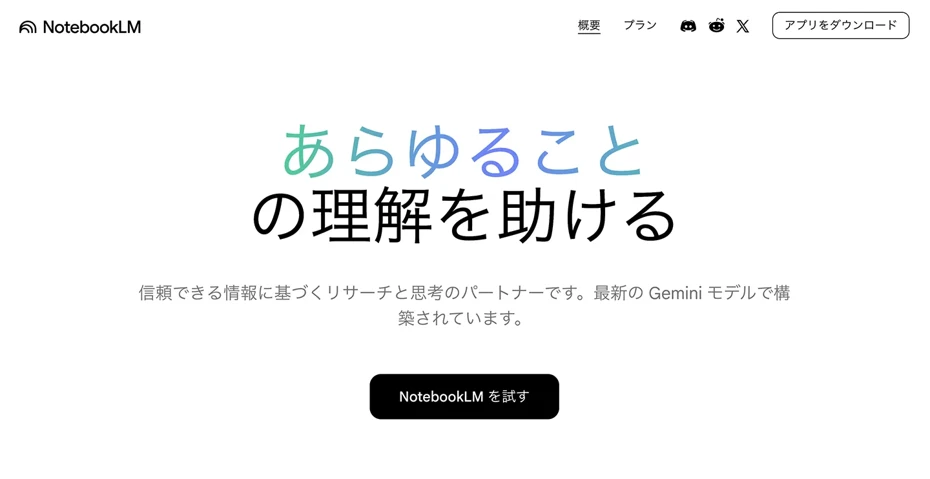
Google NotebookLM is a tool that automatically generates podcasts where two AI hosts explain content in a dialogue format just by entering a URL or PDF.
It has supported Japanese since April 2025 and is available for free.
Operation is simple: just add a source (URL or PDF) and click "Generate Audio Overview."
While its ease of use is attractive, the types of voices are limited, and fine adjustments to reading speed and tone are not possible.
Furthermore, you cannot have it read the text you wrote exactly as it is.
Since the content automatically summarized by AI is read aloud, if you want to create the content you want to convey yourself, a tool that can read text as-is is recommended.
3. castmake: An AI Radio Generation Service Optimized for Japanese
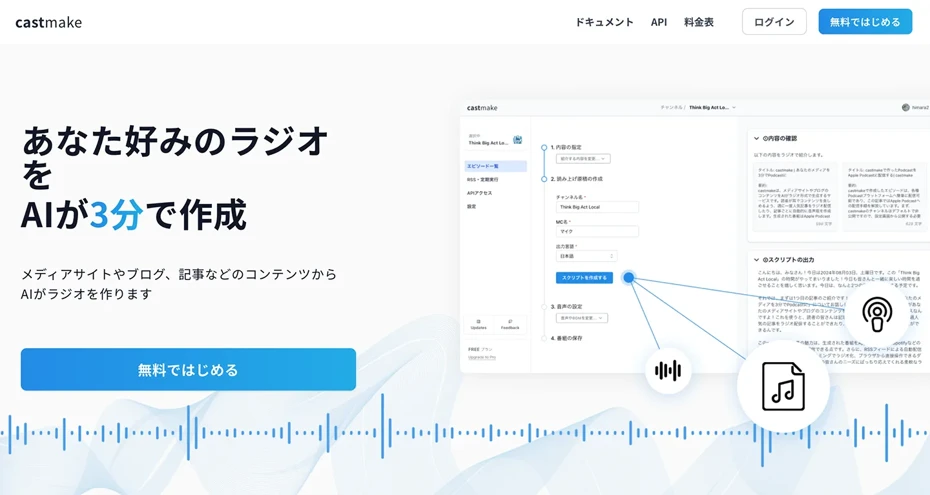
castmake is a service from Japan that can generate AI radio in about 3 minutes just by entering the URL of a blog article.
A feature is that it can introduce the content of up to five articles from a single entry, making it easy to create content like a digest program summarizing multiple articles.
It also supports RSS distribution to Apple Podcasts and Spotify, so everything from generation to distribution is completed in one stop.
It is a perfect service for those who want to turn Japanese content into audio in a dialogue format.
However, fine adjustments to voice types and tones are not possible.
4. ElevenLabs GenFM: Generate Podcasts with High-Quality AI Voices
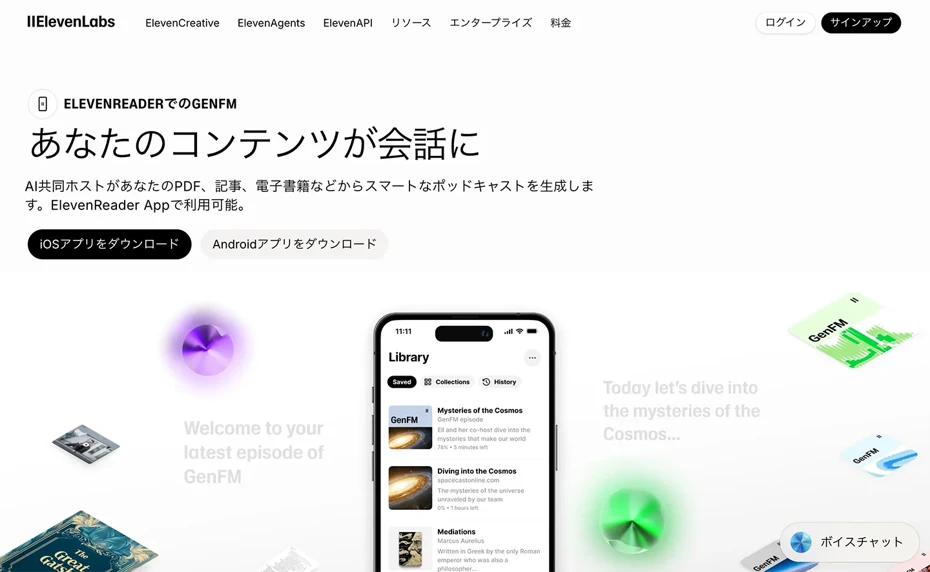
ElevenLabs is a service known for high-quality AI speech synthesis.
Using the podcast generation function "GenFM," you can automatically create dialogue-style podcasts from text, PDFs, or URLs.
It supports 32 languages, and a feature is that you can edit the generated script afterward.
You can also fine-tune the content generated by AI yourself.
The audio quality is top-class, but a paid plan (starting from $5 per month) is required.
Note that the operation screen is in English only. It does not support Japanese interface.
5. Monica AI: A Free AI Podcast Generation Tool
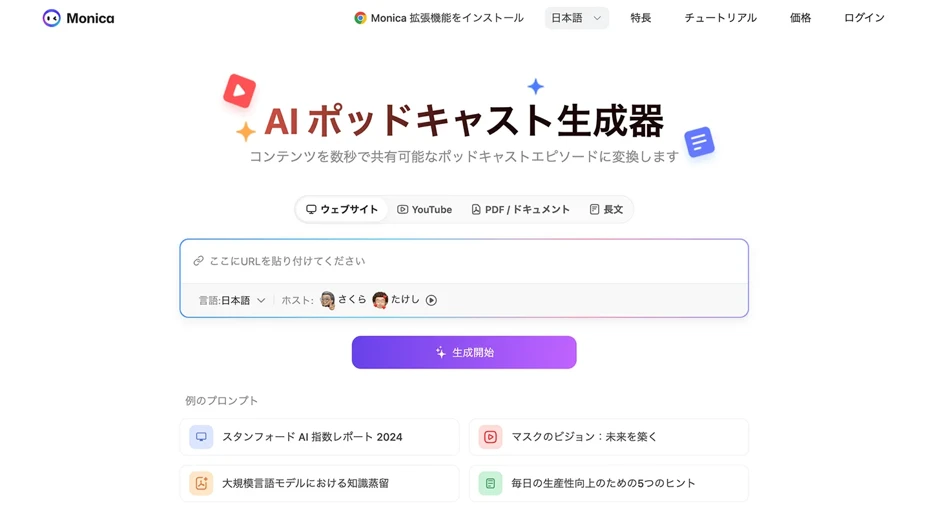
Monica AI is a free AI podcast generation tool that supports various formats such as text, PDF, and URL.
When you input content, the AI automatically converts it into podcast-style audio.
This tool is recommended for those who want to try out AI podcasts for free first.
Comparison of AI Podcast Generation Tools
We will now compare the five podcast creation tools introduced so far.
| Ondoku | NotebookLM | castmake | ElevenLabs | Monica AI | |
|---|---|---|---|---|---|
| Price | Free to 980 yen/month | Free | Free tier available | From $5/month | Free |
| Japanese Quality | ◎ | ○ | ○ | ○ | △ |
| Voice Customization | ◎ (692+ voices, speed/pitch adjustment) | × | △ | ◎ | △ |
| Auto-Dialogue Generation | △ (Manual via conversation function) | ◎ | ◎ | ◎ | ○ |
| Commercial Use | ◎ (All plans OK) | △ | △ | ○ | △ |
| Multi-language Support | ◎ (81 languages and regions) | ○ (50+ languages) | △ | ○ (32 languages) | ○ |
How to Choose an AI Podcast Tool by Purpose

While we've introduced five tools, many people might wonder, "Which one is actually best?"
The key point in deciding which tool to use is what kind of podcast you want to create.
When you want to easily create high-quality podcast audio
For those who want to "turn their own blog into a podcast with pleasant narration," "Ondoku" is recommended.
Since you can choose a voice that fits the atmosphere of the program from over 692 voices, you can use them differently—for example, a mature female voice for a calm commentary program, or a bright tone voice for a casual program.
In addition to adjusting speed and pitch, you can also specify the tone and reading style, so it can respond to detailed requests like "I want it read a little slower and more gently."
The generated audio can be downloaded as an MP3, so you can create an authentic podcast just by layering BGM afterward.
When you want to easily create a dialogue-style podcast
If you want to "create a radio-like podcast where two hosts explain while having a conversation," NotebookLM or castmake are convenient.
In both cases, you can automatically generate dialogue-style podcasts with AI just by entering a URL or text.
NotebookLM is provided by Google and is attractive because it is free to use.
castmake is a service from Japan, so it works well with Japanese content and also supports distribution to Apple Podcasts and Spotify.
If you want to "pursue audio quality further" or "manually touch up the generated script," ElevenLabs' GenFM is also recommended.
Explaining How to Create a Podcast with Ondoku
From here, we will introduce the steps to create a podcast from a blog article using "Ondoku."
First, format the text of the blog article into spoken language.
Reading written language as-is can give a stiff impression, so it's easy to ask ChatGPT something like "Please convert this text into spoken language for a podcast."
Next, open the "Ondoku" page.
This time, we will create the audio using "Ondoku Beta," which can read aloud with more realistic and easy-to-hear voices.

Once you open the page, first paste the text you created.

Choose your preferred voice.

In Ondoku Beta, it is also possible to select a reading style.
For podcasts, "Narration," "Calm," and "Storytelling" are recommended.

You can also freely specify the reading style according to your preference.
Now the preparation is complete.

When you press "Generate Audio," the generation will begin.

Generation is completed quickly.
The screen will switch and the audio file will be played.

If it sounds good, download it as an MP3.
By reading the text this time, we were able to create audio like this.
Audio Sample
This completes the flow of creating podcast audio with Ondoku.
By layering BGM as you like, you can finish it into an even more professional podcast.
If you want to make it a dialogue format using two different voices, you can also create it while switching speakers using Ondoku's conversation function.
In this way, you can easily create podcast audio using Ondoku.
Why don't you also try creating your own original podcast for free with Ondoku?
Tips for Creating High-Quality AI Podcast Audio That Is Easy to Hear

From here, we will explain some points to improve the quality of podcasts generated by AI.
It is recommended to convert written language to spoken language
If you read the text of a blog article as-is, the audio will inevitably have a stiff impression.
Therefore, we recommend converting written language to spoken language using an AI service.
By unifying it into "desu-masu" style and making each sentence short, it becomes a script that can create easy-to-hear audio.
For conversion, it is recommended to ask a generative AI service like ChatGPT like this:
Prompt Example
"Please convert the following blog article text into spoken language for reading on a podcast. Make each sentence short and unify it into desu-masu style."
Recommended character count per episode is 2,000 to 3,000 characters
A podcast script, depending on the reading speed of the AI voice, will be an episode of about 10 minutes for 2,000 to 3,000 characters.
Since podcasts are often listened to "while commuting" or "while doing housework," 10 to 15 minutes per episode is just the right length.
Recommended reading speed is 1.0 to 1.1x
The most easy-to-hear reading speed for a podcast is the standard speed (1.0x) or a slightly faster 1.1x.
With "Ondoku," you can change the speed adjustment according to your preference.
In Ondoku Beta, you can also change the speed by instructing the reading style.
Keep BGM volume low
When layering BGM, an audio balance of about 70 Narration : 30 BGM is best.
If the BGM is too loud, the content becomes difficult to hear, so the key is to adjust the balance so that the voice can be clearly heard.
Free BGM materials can be downloaded for free from sites like "DOVA-SYNDROME" and "Amacha Music Studio."
Recommended Distribution Destinations for Podcasts
Once the podcast audio file is ready, the next step is distribution.
If you are distributing a podcast for the first time, it is recommended to start with Spotify for Podcasters.
You can create an account for free and start distributing immediately just by uploading the MP3 file.
Moreover, it automatically distributes not only to Spotify but also to other apps like Apple Podcasts and Amazon Music, so you can reach most listeners just by registering once.
Distributing podcasts to YouTube is also recommended.
By posting as a video that combines audio with static images or slides, you can have users who searched for videos listen to it.
Summary of How to Create a Podcast Using AI Voice
In this article, we introduced how to create a podcast with AI services from text.
If you want to be particular about voice and reading style in a narration format, "Ondoku" is best.
You can choose your favorite voice from over 692 voices, and the speed and pitch can be freely adjusted.
Since commercial use is OK, you can use it with confidence for podcasts aimed at monetization.
NotebookLM and castmake are convenient if you want to create easily in a dialogue format, and ElevenLabs is also useful if you are particular about audio quality.
Choose the tool that fits your purpose, and why not start your own AI podcast?
■ AI voice synthesis software "Ondoku"
"Ondoku" is an online text-to-speech tool that can be used with no initial costs.
- Supports 81 languages and regions, including Japanese, English, Chinese, Korean, Spanish, French, and German
- Available from both PC and smartphone
- Suitable for business, education, entertainment, etc.
- No installation required, can be used immediately from your browser
- Supports reading from images
To use it, simply enter text or upload a file on the site. A natural-sounding audio file will be generated within seconds. You can use voice synthesis up to 5,000 characters for free, so please give it a try.

Text-to-speech software "Ondoku" can read out 5000 characters every month with AI voice for free.
You can easily download MP3s and commercial use is also possible.
If you sign up for free, you can convert up to 5,000 characters per month for free from text to speech.
Try Ondoku now.
HP:
ondoku3.com
Email: ondoku3.com@gmail.com
Email: ondoku3.com@gmail.com
Related posts
"Ondoku" is a Text-to-Speech service that anyone can use for free without installation. If you register for free, you can get up to 5000 characters for free each month. Register now for free
- What is Ondoku
- Start text-to-speech conversion
- Free registration
- Pricing
- Posts
- Try other free services