![[2026 Edition] Free Cantonese Text-to-Speech! How to Learn Efficiently by Reading Aloud with AI Voices even for Beginners](https://storage.googleapis.com/ondoku3/image/20250119_cantonese_text_to_speech_tmb_930.webp)
![[Complete Guide] How to do English Shadowing? Explaining how to make free materials!](https://storage.googleapis.com/ondoku3/image/20250522_shadowing_tmb_02_930.webp)
Best Text-to-Speech Software: 7 Free & Paid Tools for Commercial Use
12 Best Services to Check Chinese Translation Audio [2026 Edition]
Aug. 28, 2026
![12 Best Services to Check Chinese Translation Audio [2026 Edition]](https://storage.googleapis.com/ondoku3/image/chinese-translate-tts-2025-tmb_930.webp)
I want to translate text into Chinese and create a read-aloud voice!

You probably want to hear how a text translated into Chinese is actually pronounced, don't you?
In this article, from the perspective of a user who actually uses Chinese-related services, I will introduce recommended methods ranging from Chinese translation of text to audio confirmation of translation results.
By combining free translation apps and text-to-speech tools, you can verify the pronunciation and even the tones of translated Chinese by ear.
Specifically, I highly recommend linking various translation tools with the high-quality text-to-speech service 『Ondoku』.
Anyone can easily create high-quality Chinese translation audio.
Unlike apps that translate on the spot by talking into a smartphone, another advantage is that you can carefully check the quality of the created audio.
No installation is required, and anyone can easily turn Chinese translations into speech, so please read until the end.
[Free] AI Text-to-Speech Services to Verify Chinese Translation Results via Audio

If you want to read translated Chinese aloud, 『Ondoku』, which can be used for free, is recommended!
『Ondoku』 is an AI text-to-speech service that allows anyone to easily read Chinese aloud using the latest AI.
Since you can freely change the reading speed, it is also ideal for slowly checking the pronunciation of translated Chinese!
In addition to Putonghua, it also supports reading in regional dialects and Cantonese, allowing you to add more realistic audio to video content aimed at China.
From those studying Chinese to Chinese language experts, there is no doubt everyone will be satisfied!
Why not try using 『Ondoku』 to read aloud your translated Chinese?
What are the key points for checking Chinese translation results by voice?

First, I will briefly introduce the key points when checking Chinese translation results by voice.
Free AI text-to-speech tools are recommended for checking translation audio
If you want to turn Chinese translations into audio, using a dedicated AI text-to-speech tool is recommended.
While some translation apps include a text-to-speech function, dedicated tools can create more natural and higher-quality audio.
By using the high-quality text-to-speech service 『Ondoku』, you can create more natural and easy-to-understand Chinese audio.
The fact that there are text-to-speech tools available for free is also attractive, as you can try out turning Chinese translations into audio without worrying about costs.
AI text-to-speech services use the latest AI technology called deep learning to learn native pronunciation from large amounts of Chinese audio.
Therefore, they can read aloud Chinese translation sentences with native-like pronunciation.
AI services are also recommended for Chinese translation (free options available)
Due to the development of AI technology in recent years, the accuracy of Chinese translation has improved dramatically.
In the past, automatic translation often had many mistranslations, but now, even free translation app services can translate with high precision.
The fact that AI translation services can understand context when translating is also a reason why translation errors have decreased.
In what scenarios are Chinese translation and text-to-speech useful?

When speaking of situations where Chinese translation is useful, the first is studying pronunciation.
When studying Chinese, knowing the accurate pronunciation is extremely important.
Because Chinese is a tonal language, the meaning can change entirely even with the same pronunciation if the tone is different.
By checking Chinese sentences as audio, you can learn accurate pronunciation and intonation.
It is especially recommended for when you have written sentences yourself.
By having AI read aloud sentences you made while studying Chinese, you can learn the native rhythm of the pronunciation and the placement of pauses.
How to link translation tools and text-to-speech
The method to link Chinese translation and text-to-speech is very simple.
First, translate Japanese into Chinese using translation apps such as DeepL, Google Translate, Baidu Translate, or Youdao.
If you are concerned about the meaning of the translation result, back-translate it into Japanese to ensure it has been translated as intended.
Next, copy the translated Chinese text and paste it into a text-to-speech service like 『Ondoku』.
Then, all you have to do is read the Chinese translation aloud with the text-to-speech service.
Since it can be used easily without special skills or knowledge, it is also ideal for Chinese beginners.
By combining free translation apps and reading tools, high-quality Chinese audio learning is possible without incurring costs.
[Free] 5 Recommended Chinese Translation Services
Next, I will introduce recommended Chinese translation services selected from the perspective of someone actually studying Chinese.
1. DeepL: An AI translation service recommended when security is a concern
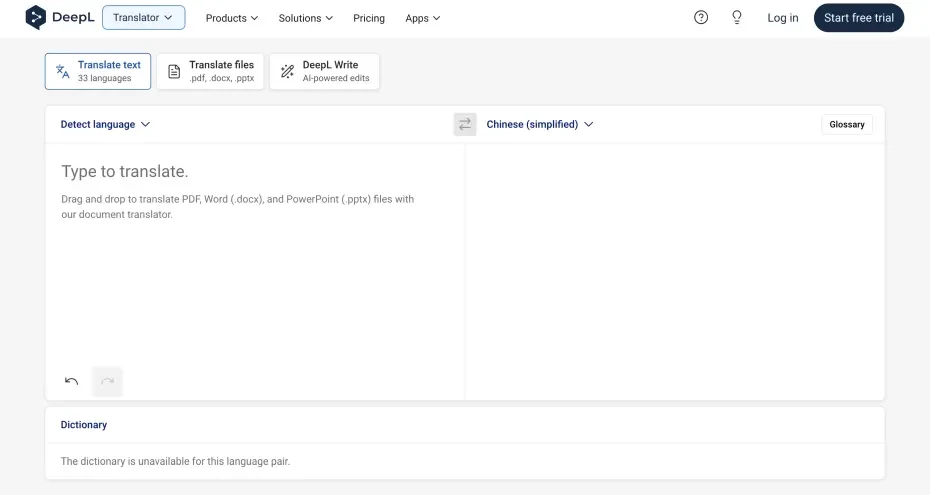
DeepL is an AI translation service that receives high praise for its natural translation results.
It demonstrates practical performance in Chinese translation as well.
However, while DeepL is capable of near-perfect translation for English and other Western languages, it gives the impression of struggling with fine nuances in Chinese.
It seems that when a native Chinese person reads it, it results in text that makes it obvious a foreigner used a translation service.
This is said to be because a double translation is performed after first translating into English.
It is recommended if you want to translate without using mainland Chinese translation services.
It is also ideal if you prioritize security and choose to subscribe to a paid plan.
If you want to choose a specific voice type for reading aloud, it is recommended to combine it with a reading tool like 『Ondoku』.
2. Google Translate: A translation service recommended for casual use (includes Pinyin)

Google Translate is the most widely used free translation service and boasts considerable accuracy in Chinese translation.
For short sentences, it is possible to translate with accuracy where the meaning of the text is correct.
However, the impression is that when looking up the meaning of an unknown word or translating a single word from your mother tongue, it is often not translated into the word with the intended meaning.
Also, when a native Chinese person reads it, it tends to be a text that is immediately recognizable as having been automatically translated from a foreign language.
The fact that translation results into Chinese are displayed with Pinyin is a welcome feature for those studying Chinese.
It also includes a read-aloud function, but the drawback is that the speed can only be selected from three levels.
For those studying Chinese, it is recommended to use services like 『Ondoku』 where the speed can be adjusted finely.
3. Baidu Translate: A translation service operated by a major Chinese company (includes Pinyin)

Baidu Translate is a translation service provided by the operator of China's largest search engine, "Baidu."
It allows for translations that accurately capture Chinese nuances and phrasings and corresponds to the latest expressions used within China.
For foreigners studying Chinese, the display of Pinyin is also convenient.
While it is a free translation app, its Chinese translation performance is high quality, rivaling paid services.
Since it has high translation accuracy for idioms and cultural expressions unique to Chinese, it is recommended for those who want to learn more natural Chinese expressions.
Smartphone apps for iPhone and Android are also available, and compared to the Youdao Translate introduced next, there is an impression that features for non-native Chinese speakers are more substantial.
4. Youdao Translate: The most popular AI translation service in mainland China

Youdao Translate is a translation service provided by NetEase, a major Chinese IT company, and is widely used by native Chinese speakers.
While Baidu is more famous abroad, in mainland China, this Youdao Translate seems to be used more than Baidu Translate.
It is characterized by high-precision translations corresponding to Chinese nuances and the latest phrasings, and it is also popular among Chinese language learners.
As a free translation app, it covers a wide range from basic translation functions to offline translation and voice translation.
As a service from mainland China, its strength lies in responding quickly to the latest Chinese expressions and slang.
However, for foreigners, there are some inconveniences, such as the lack of a Pinyin display function.
Since it is strictly a service for native Chinese speakers, it is recommended to use it once you have become somewhat accustomed to Chinese.
5. DeepSeek: The world's top generative AI service for Chinese translation
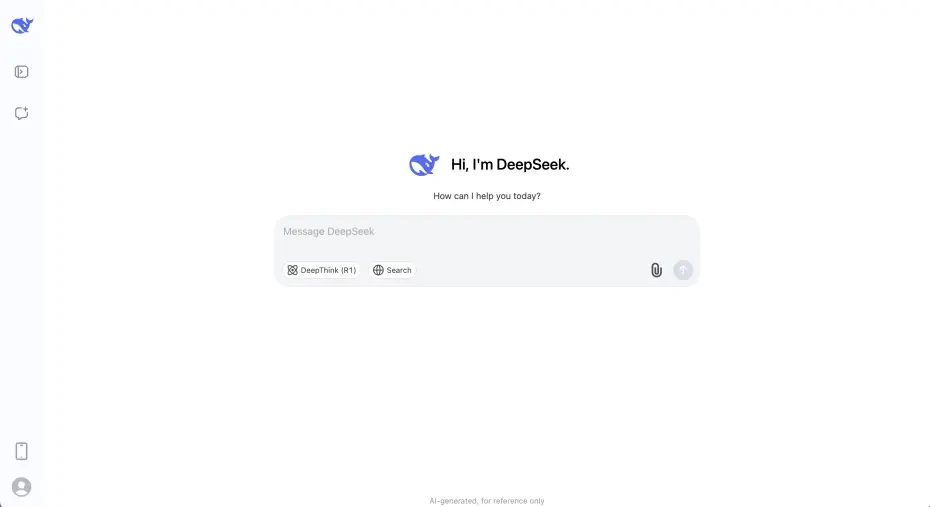
DeepSeek is a generative AI service from China that can be used for free.
Unlike other services, it is necessary to give instructions to the AI, such as "Please translate this".
While DeepSeek's AI performance itself is often said to be inferior to competing services like ChatGPT or Claude, its performance regarding Chinese translation is incomparably higher than services originating from America.
What is particularly excellent is translation that reflects expressions and nuances unique to Chinese.
Especially because it supports Chinese internet slang and the latest buzzwords, it is ideal for modern Chinese language learning.
However, one must be careful about how instructions are given.
Caution is needed because giving instructions like "Chat on WeChat" or "SNS post" often results in an unnecessarily light writing style.
While it is a free service, it can be utilized without problems in terms of security for personal use.
If translated well, you can create text at a level where it's unrecognizable as being from a foreigner, making it usable for multiple purposes such as using Chinese SNS, producing Chinese videos, or business use.
If security is a concern, one method is to use it only for translating text for services within China, such as WeChat, QQ, Rednote (小红书), or Douyin (Chinese version of TikTok).
Since DeepSeek does not have a read-aloud function, it is recommended to use it in conjunction with a reading tool like 『Ondoku』.
[Free Options Available] 7 Recommended Chinese-Compatible AI Text-to-Speech Services
Next, I will introduce Chinese-compatible AI text-to-speech services recommended for use in combination with AI translation services!
1. Ondoku: Recommended free Chinese AI text-to-speech service
『Ondoku』 is a high-quality text-to-speech service utilizing the latest AI technology.
As it is a web service usable from a browser, you can easily turn Chinese text into audio without installation.
Since reading up to 5,000 characters is possible even on the free plan, it can be used easily right now for a wide range of purposes, including study, business, and content creation.
As it is a service originating from Japan, it is also recommended for work use.
What makes it ideal for those learning Chinese is the availability of a speed adjustment function.
Since the reading speed can be lowered to 0.3x, you can check pronunciation with slow-speed audio.
In addition to Putonghua, it also supports regional dialects and Cantonese.
By selecting Traditional Chinese (Guoyu), you can also read aloud with Taiwan pronunciation, making it perfect for those familiar with the "Taiwan accent".
Why not use 『Ondoku』 for free to read aloud sentences translated into Chinese?
2. iFLYTEK (讯飞配音): A popular AI text-to-speech service in China
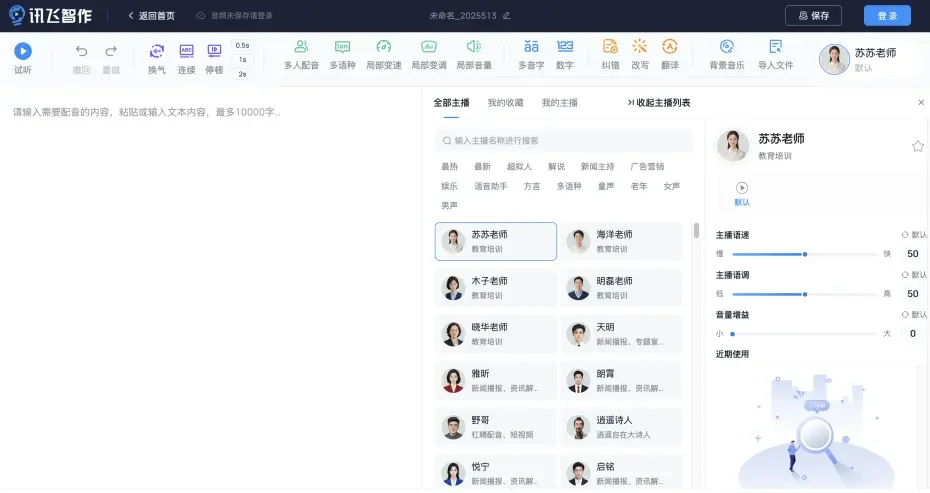
iFLYTEK (讯飞配音) is an AI text-to-speech service provided by the Chinese AI company Iflytek (科大讯飞), specializing in high-quality Chinese reading.
It is a service widely used within China, capable of reading with extremely natural Chinese pronunciation and intonation.
It supports diverse Chinese voices, including dialects and regional accents, making it ideal for Chinese pronunciation learning.
However, as it is a mainland Chinese service, registration from outside China may take some effort, such as authentication via phone number or a WeChat account.
3. Youdao TTS (有道语音合成): A Chinese AI text-to-speech service with native pronunciation

Youdao TTS is an AI text-to-speech service provided by the major Chinese IT company NetEase, specializing particularly in Chinese reading.
You can try out the audio on the official website's experience page, and fees are incurred based on usage when actually used.
Because it is a service developed by native Chinese speakers, the Chinese pronunciation and intonation are very natural.
It supports not only Standard Chinese but also some regional dialects, helping with a wider range of Chinese language learning.
Similarly, because this is a service from mainland China, registration may be difficult, requiring authentication with a phone number or WeChat account.
4. Baidu Large Model TTS: An AI text-to-speech service from a major Chinese AI company

China's largest search engine "Baidu" also provides the speech synthesis service "Large Model TTS" within its AI service "Baidu AI Open Platform."
"Large Model TTS" (大模型语音合成) means "Large-scale model speech synthesis."
Basically, it is a paid service, and you can experience its performance on the official website.
It can read with natural audio that is exactly like native Chinese pronunciation.
Since it primarily assumes use within China, the pronunciation accuracy of the latest Chinese expressions and phrasings is also high.
However, registration of a Baidu account is required for use.
5. TTS Reader: A Chinese-compatible text-to-speech service usable in a browser
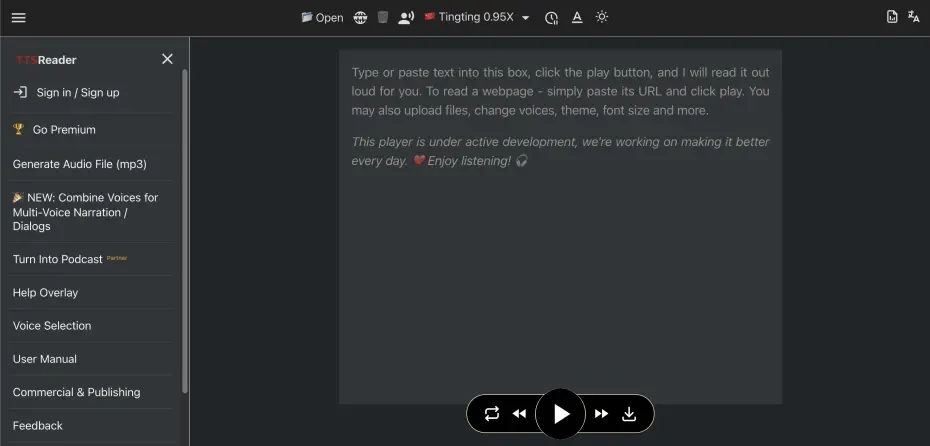
TTS Reader is a browser-based text-to-speech service compatible with multiple languages including Chinese.
Basic functions can be used for free, and paid plans for additional features are also available.
For Chinese text reading, audio engines from Google, Microsoft, OpenAI, etc., can be used, allowing you to choose your preferred voice.
It is a reading service recommended when you want to use it casually from a browser without installation.
6. ReadSpeaker: A Chinese-compatible AI text-to-speech service for wide-ranging uses

ReadSpeaker is a long-standing speech synthesis service used worldwide, supporting many languages including Chinese.
It is a web service usable from a browser, catering to a wide range of uses.
There is a free trial, after which you can choose from various pricing plans depending on the application.
For Chinese reading, it can read with the natural pronunciation of Standard Chinese (Putonghua).
The support system for companies is substantial, and implementation into large-scale sites or applications is possible.
7. Speechify: An AI text-to-speech service supporting multiple languages
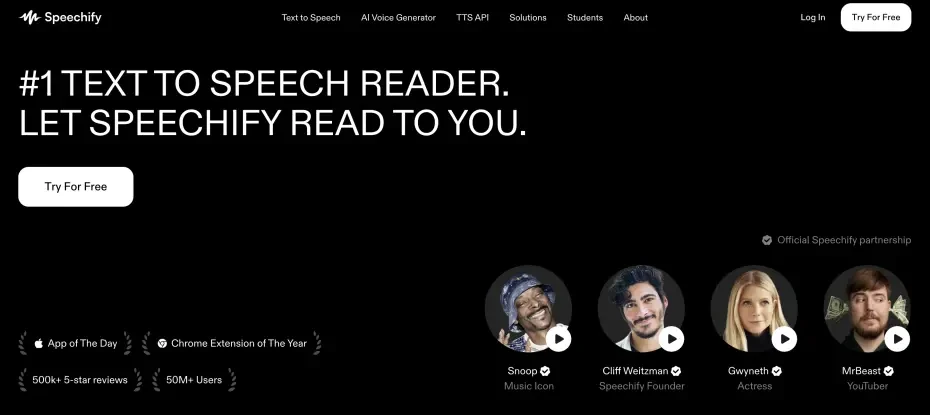
Speechify is an AI-powered text-to-speech service that supports many languages, including Chinese.
It can read aloud audio that is easy to hear with native natural intonation and pronunciation.
It is a service recommended as an alternative when registration for mainland Chinese services introduced in this article is difficult.
[Free] Steps to Read Chinese Translation Results with 『Ondoku』
1. Translate the text into Chinese

First, translate the original text, such as Japanese or English, into Chinese.
- DeepL
- Baidu Translate
For specialized translation services like these, just paste the text and translate it.
When using an AI like DeepSeek, you give an instruction to the AI such as "Please translate this sentence into Chinese."


Once the text is translated, back-translate it to the original language to check if the content is correct.
If there are no problems, copy the Chinese translation result.
2. Prepare to read aloud with 『Ondoku』
Open the top page of 『Ondoku』.
Paste the Chinese sentence into the text box.

Select Chinese from "Language."

In 『Ondoku』, you can choose:
- Simplified Chinese (Putonghua): Standard Chinese written in Simplified characters
- Traditional Chinese (Guoyu): Chinese written in Traditional characters
- Cantonese
Next, choose the voice type, such as female, male, or child.

In "Simplified Chinese (Putonghua)," you can also choose dialects such as Sichuan dialect or Shandong dialect.
*You can listen to Chinese audio samples in this article.

For Chinese pronunciation check and listening! Listen to native pronunciation from 40 speakers: female, male, girl voices
Here, you can listen to Ondoku's Chinese audio. Chinese voices can be selected from regional languages: Simplified Chinese (Putonghua), Cantonese, and Traditional Chinese (Guoyu). Voices include female, male, girl, and boy voices.
Adjust the speed and voice pitch.

Now the preparation is complete.
Press "Read Aloud" to generate the audio.
3. Listen to the translation result audio
The reading process in 『Ondoku』 is completed immediately.
The screen will switch, and the audio will automatically start playing.
Listen to the played audio and confirm if the pronunciation and tones sound as expected.

Audio files can be saved in MP3 format from "Download."
The flow of copying a sentence translated into Chinese and playing it on 『Ondoku』 to check how it sounds is now complete.
As you can see, you can easily check Chinese audio just by copying the translation result, so why not try 『Ondoku』 for free yourself?
How to Choose a Free Chinese Translation Service

Recommended check points when choosing a Chinese translation service
When choosing a Chinese translation service, translation accuracy is important.
For languages with grammar structures significantly different from Chinese, such as Japanese or Korean, the performance of the translation engine is particularly crucial.
With the Chinese translation services introduced in this article, you can create Chinese sentences without worrying about mistranslations.
Since Chinese has Simplified and Traditional characters, choosing a translation app that supports both depending on the application is also a point.
Also, having a Pinyin (phonetic symbol) display function is convenient as you can check the pronunciation before turning the Chinese translation into audio.
Since many free translation apps have sufficient functions, choose the one best suited to your application.
Also check compatibility for smartphone and tablet apps
When choosing a Chinese translation service, mobile-compatible apps that are easy to use on smartphones or tablets are also recommended.
Mobile apps with camera translation functions are convenient when you want to immediately translate Chinese signs or menus and check them by voice while out and about.
However, for services from mainland China like Baidu Translate, Youdao Translate, or DeepSeek, it is often the case that you cannot use them without authenticating a phone number and registering an account.
Also, when using them on Android smartphones, depending on the app, you may not be able to install it from Google Play and may need to download the app from the official service site and install it manually.
It is recommended to compare the convenience of the app with the effort of installation and security before considering whether to install it.
How to Choose a Free Chinese Text-to-Speech Service

Importance of natural pronunciation and voice quality
When choosing a Chinese text-to-speech service, the most important factors are natural pronunciation and voice quality.
Mechanical and unnatural pronunciation will not be useful for actual Chinese conversation, and there is a danger of learning incorrect pronunciation.
Text-to-speech services utilizing the latest AI technology can read aloud with the natural Chinese pronunciation of native speakers.
Especially for Chinese, where tones are important, choosing a high-quality audio service that can reproduce accurate pitch will enhance learning effects.
With services adopting the latest AI speech synthesis technology like 『Ondoku』, you can create natural Chinese audio for free.
Reading speed and audio adjustment functions
In Chinese text reading, functions that allow speed adjustment according to the learning level are important.
Beginners can listen carefully to pronunciation at a slow speed, while advanced learners can study effectively by practicing at a natural conversation speed.
If there is a function to adjust the voice pitch, matching it to your own voice pitch allows for more accurate memorization of Chinese-specific tones.
When using a reading service for studying Chinese, choosing a service like 『Ondoku』 that allows adjustment of speed and pitch is recommended.
Text input flexibility and supported formats
When choosing a Chinese text-to-speech service, the flexibility of text input methods is also an important judgment point.
In addition to entering text directly, it is convenient if it supports reading text from images.
『Ondoku』 also allows for reading from images.
Choose a reading tool with an interface that makes it easy to copy and paste from Chinese translation services.
Long text support is also a point.
A service capable of reading long Chinese texts is efficient as it can process the sentences all at once.
Advantages of browser-based reading services
Text-to-speech services usable from a browser have the advantage of being able to turn Chinese translations into audio immediately without installation.
Since they can be accessed from any device, such as a PC, smartphone, or tablet, Chinese learning is possible regardless of location.
Browser-based reading services, including 『Ondoku』, always allow the use of the latest version, so there is no worry about updating functions or data.
Because processing is performed in the cloud, high-quality Chinese audio can be generated regardless of the smartphone's specs.
[Free] What are the usage examples for Chinese translation and text-to-speech services?
![[Free] What are the usage examples for Chinese translation and text-to-speech services?](https://storage.googleapis.com/ondoku3/image/chinese-translate-tts-2025-03_930.webp)
Efficient study methods for Chinese language beginners
For beginners who have just started learning Chinese, a learning method that combines translation apps and text-to-speech services is effective.
First, convert basic phrases or greetings you want to learn into Chinese using a translation app, and check the pronunciation with an audio service like 『Ondoku』.
Next, practice pronunciation yourself while listening to the audio to acquire accurate tones and intonation.
By focusing your learning on phrases frequently used in daily conversation, you can efficiently acquire practical Chinese skills.
It is also recommended to periodically record and compare your own pronunciation to check your progress.
For language learning, "shadowing" is recommended.
Please take a look at this article, as it explains the method.
Utilizing Chinese translation and text-to-speech in business
Translation and text-to-speech are also useful for presentations and meetings in Chinese.
First, translate the presentation script into Chinese using an AI translation service.
Confirm the translated script with a text-to-speech tool like 『Ondoku』 to learn the pronunciation and intonation.
It is important to check the audio repeatedly for particularly important content or specialized terms to acquire accurate pronunciation.
If you download the audio file, you can listen and practice repeatedly during commutes or spare time.
By utilizing these free services, you can significantly reduce the time spent on presentation preparation.
Preparing Chinese phrases before traveling
When traveling to China, by utilizing translation apps and text-to-speech services, you can prepare phrases useful for the trip in advance.
First, list necessary phrases by scene, such as checking in at a hotel, ordering at a restaurant, or explaining a destination in a taxi.
Then, just translate the phrases into Chinese and check the pronunciation with an audio service like 『Ondoku』.
It is reassuring to download particularly important phrases as audio files so you can check them even offline.
By combining free translation apps and audio services, you can efficiently prepare before your trip.
During the trip, by uploading photos of signs or menus to 『Ondoku』, you can check the pronunciation via audio.
Summary: Free AI services are recommended for Chinese translation and reading!
The combination of Chinese translation and text-to-speech tools is a powerful ally for Chinese learning!
Since you can efficiently learn accurate translation and natural pronunciation, you can steadily improve your Chinese skills even through self-study.
Of course, AI translation services and AI reading services are also useful for business and Chinese content production.
Why not try to master Chinese by utilizing free Chinese translation and text-to-speech services that use the latest AI technology, including 『Ondoku』?
■ AI voice synthesis software "Ondoku"
"Ondoku" is an online text-to-speech tool that can be used with no initial costs.
- Supports 81 languages and regions, including Japanese, English, Chinese, Korean, Spanish, French, and German
- Available from both PC and smartphone
- Suitable for business, education, entertainment, etc.
- No installation required, can be used immediately from your browser
- Supports reading from images
To use it, simply enter text or upload a file on the site. A natural-sounding audio file will be generated within seconds. You can use voice synthesis up to 5,000 characters for free, so please give it a try.

Text-to-speech software "Ondoku" can read out 5000 characters every month with AI voice for free.
You can easily download MP3s and commercial use is also possible.
If you sign up for free, you can convert up to 5,000 characters per month for free from text to speech.
Try Ondoku now.
HP:
ondoku3.com
Email: ondoku3.com@gmail.com
Email: ondoku3.com@gmail.com
Related posts
"Ondoku" is a Text-to-Speech service that anyone can use for free without installation. If you register for free, you can get up to 5000 characters for free each month. Register now for free
- What is Ondoku
- Start text-to-speech conversion
- Free registration
- Pricing
- Posts
- Try other free services
![12 Best Services to Check Chinese Translation Audio [2026 Edition]](https://storage.googleapis.com/ondoku3/image/irodori-tts_tmb_140.webp)
![12 Best Services to Check Chinese Translation Audio [2026 Edition]](https://storage.googleapis.com/ondoku3/image/tategaki-image-yomiage_howto_tmb_140.webp)
![12 Best Services to Check Chinese Translation Audio [2026 Edition]](https://storage.googleapis.com/ondoku3/image/iphone-video-narration_tmb_140.webp)
![12 Best Services to Check Chinese Translation Audio [2026 Edition]](https://storage.googleapis.com/ondoku3/image/chrome-reading-mode-pc_tmb_140.webp)
![12 Best Services to Check Chinese Translation Audio [2026 Edition]](https://storage.googleapis.com/ondoku3/image/pdf-to-mp3-howto_tmb_140.webp)









