How to adjust pauses and blank time in Ondoku narration [2 methods]
How to Adjust Intonation and Inflection in Text-to-Speech | Ondoku
Sept. 4, 2026
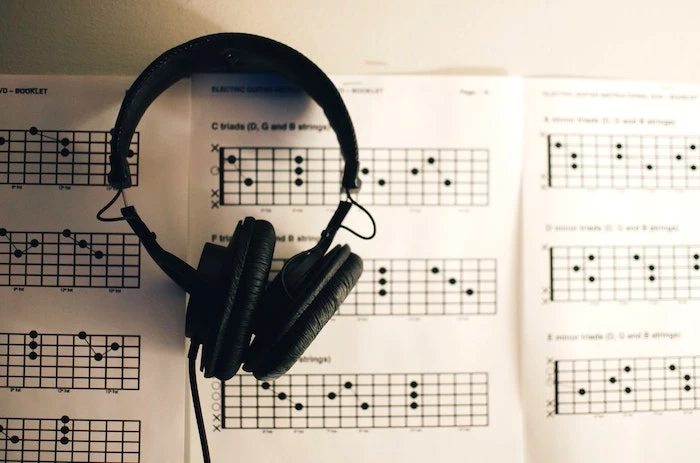
Ondoku is a text-to-speech website that reads sentences smoothly, as if a person were actually reading them, simply by entering characters into a text box and pressing the read button.
It is very excellent, and looking at reviews, there are many high ratings for the reading quality.
However, sometimes when you have it read,
- The intonation is strange
- The accent is strange
- The inflection is strange
you may feel that certain words or sentences are read this way.
What should you do when you want to adjust the intonation in Ondoku?
Here, we will explain the intonation of Ondoku.
Can intonation and inflection be adjusted in Ondoku?
In Ondoku, it is possible to adjust intonation and inflection if you try, but it is difficult to adjust them exactly as you want.
It cannot be adjusted as easily as in other software.
Depending on the text-to-speech software, you can adjust the intonation.
Marks are attached to each sound read, and you can adjust the intonation by moving them up and down.
It would be nice if Ondoku had such a function, but unfortunately, it does not.
So, if you want to adjust the intonation in Ondoku, how should you go about it?
Methods to adjust intonation even slightly
If you want to adjust the intonation in Ondoku even slightly, you can adjust it to some extent by making full use of:
- Hiragana
- Katakana
- Kanji
- Alphabet
- Punctuation
What does that mean?
You might be wondering.
In the case of words
For example,
エクササイズ (Exercise)
when you read this word,
エクササイズ
for some reason, the accent ends up toward the end, resulting in an unfamiliar intonation.
Therefore,
- Hiragana and
- Katakana
let's try creating a word that mixes these and see how it reads.
エクささいず
How about now? For some reason, it sounds a bit like there is a question mark, but compared to reading only in Katakana, the accent has moved forward, making it a more familiar accent.
In the case of sentences
The trick to adjusting intonation in sentences is to insert more punctuation marks than you might think.
For example, if you read this sentence as it is:
文章の時にイントネーションを調整するコツは、あなたが思っているよりもたくさんの句読点を入れるということです。
it sounds like that.
So, let's try putting more commas "、" into the sentence.
文章の時に、イントネーションを調整するコツは、あなたが思っているよりも、たくさんの句読点をいれる、ということです。
By adding more commas "、" like this, it reads smoothly as if a person were actually reading.
That just shows how many pauses there are in everyday conversation.
Can pauses and blank spaces be adjusted?
In addition to intonation,
some people also ask: "Is it possible to adjust the pauses and the blank spaces between sentences?"
Pauses and blank spaces can be accurately adjusted by using tags called SSML.
However, care is needed when using SSML.
Like programming code, SSML will cause an error if there is even a single character mistake in the input.
Please ensure you input accurately.
Detailed methods for adjusting pauses using SSML are introduced in this blog.
![How to adjust pauses and blank space in Ondoku speech synthesis [2 types]](https://storage.googleapis.com/ondoku3/image/Line_930.webp)
How to adjust pauses and blank space in Ondoku speech synthesis [2 types]
One of the needs for Ondoku users is to "make the pause a little longer." If it's a matter of adjusting the "pause," there are two types of adjustment methods: 1. Punctuation and 2. SSML.
Ondoku is such a user-friendly text-to-speech site that many people are surprised, saying, "I didn't know speech synthesis could be this easy!"
- Without free membership: 1,000 characters per month
- With free membership: 5,000 characters per month
You can use it for free.
Seeing is believing. Access Ondoku right now and try out the latest speech synthesis technology!
■ AI voice synthesis software "Ondoku"
"Ondoku" is an online text-to-speech tool that can be used with no initial costs.
- Supports 81 languages and regions, including Japanese, English, Chinese, Korean, Spanish, French, and German
- Available from both PC and smartphone
- Suitable for business, education, entertainment, etc.
- No installation required, can be used immediately from your browser
- Supports reading from images
To use it, simply enter text or upload a file on the site. A natural-sounding audio file will be generated within seconds. You can use voice synthesis up to 5,000 characters for free, so please give it a try.

Text-to-speech software "Ondoku" can read out 5000 characters every month with AI voice for free.
You can easily download MP3s and commercial use is also possible.
If you sign up for free, you can convert up to 5,000 characters per month for free from text to speech.
Try Ondoku now.
HP:
ondoku3.com
Email: ondoku3.com@gmail.com
Email: ondoku3.com@gmail.com
Related posts
"Ondoku" is a Text-to-Speech service that anyone can use for free without installation. If you register for free, you can get up to 5000 characters for free each month. Register now for free
- What is Ondoku
- Start text-to-speech conversion
- Free registration
- Pricing
- Posts
- Try other free services