Best Text-to-Speech Software: 7 Free & Paid Tools for Commercial Use
Professional AI In-Store Announcements: The Complete Guide
Sept. 9, 2026

I want to create facility broadcasts using automated voices! Tell me about recommended sites!

When playing facility or in-store broadcasts in shops, facilities, or public transportation, we recommend creating audio using AI.
With automated broadcasts created by AI, it is possible to reduce staff workload and improve efficiency.
What's more, you can make announcements with clear audio on par with professional narrators and announcers!
Furthermore, by combining it with AI translation sites, you can also create foreign language automated broadcasts for inbound tourists.
If you are making facility or in-store broadcasts, AI text-to-speech sites are recommended.
Why not try creating automated voices for your facility or in-store broadcasts using this article as a guide?
[Facility Broadcast Compatible] Recommended AI Text-to-Speech Sites for Automated Voices
If you are making facility or in-store broadcasts, "Ondoku" is recommended!
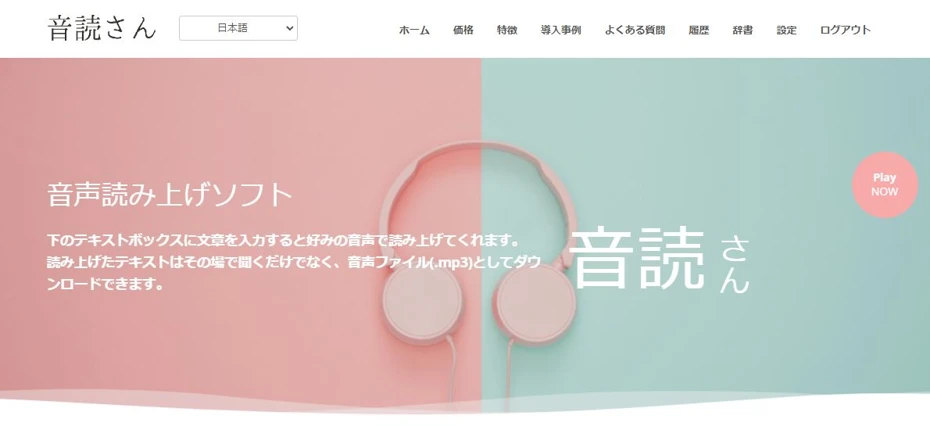
"Ondoku" is an AI text-to-speech site where anyone can easily create announcement audio with the latest AI voices.
It is very easy to use.
- Enter the announcement script
- Press the read-aloud button
Just these two steps.
In just a few seconds, a realistic and clear voice is completed, sounding just like a professional narrator or announcer!
What's more, Ondoku is free!
Since you can read up to 5,000 characters for free, you can start creating high-quality facility and in-store broadcasts right now.
When creating automated voices, why not start by using Ondoku here?
Changing with AI Speech Synthesis! How to Make the Latest Facility Broadcasts
For future facility and in-store broadcasts, using an AI text-to-speech site is recommended!
With AI automated voices, you can
- Improve customer satisfaction
- Streamline staff operations
simultaneously.
What is the Difference Between Traditional Facility Broadcasts and AI Speech Synthesis?

Traditional facility and in-store broadcasts took a lot of effort to produce and operate.
When requesting audio recording from professional narrators or announcers, high fees starting from tens of thousands of yen are required.
It could take at least a few days from the request to completion, and in cases where schedule adjustments or retakes were needed, a lead time of several weeks was sometimes necessary.
AI text-to-speech sites solve all such problems at once.
AI text-to-speech sites, including Ondoku, can actually be used for free!
With the latest high-performance AI, the reading can be completed in just a few seconds.
Since you can easily create automated voices anytime, you can play facility and in-store broadcasts exactly as you wish, with total freedom.
If you want to create automated voices at a low price with a short lead time, AI text-to-speech sites are recommended.
Solved by Introducing AI Voice! Common Challenges with Facility Announcements

We are putting up with old broadcasts, but we have complaints about the announcements...
In such cases, AI text-to-speech sites are also recommended!
By creating automated voices with the latest AI, you can easily solve challenges with in-store and facility broadcasts.
Quickly Respond to Sudden Changes in Content

- We want to update the broadcast content, but we can't record it immediately
- We want to broadcast using automated voice even during emergencies
- The automated voice content has become outdated, so staff are making the announcements themselves
In such cases, why not try creating automated voices with an AI text-to-speech site?
The biggest merit of creating automated voices with AI is that modifications and additions are very easy.
When requesting from narrators or announcers, additional fees are required every time, but with an AI text-to-speech site, you can easily produce new audio for free.
Since you can create announcement audio as soon as it's needed, you can respond to sudden crowding, changes in business hours, and other unexpected content.
Because you can change the automated voice content to match new products, new services, events, and seasonal changes, you can also aim to increase profitability through detailed service.
Improve Consistency and Clarity

When recording additional facility or in-store broadcasts, you may not be able to hire the same narrator or announcer, resulting in a lack of consistency.
With an AI text-to-speech site, there is no need for such worries.
Since you can read aloud with the same voice as many times as you like, you can maintain consistency in the quality of announcements and brand image.
Also, when there are broadcasts recorded by facility or store staff themselves, it is recommended to replace them with automated voices read by AI.
You can create automated voices that are clearer and have better sound quality than those recorded by staff, allowing you to convey information more accurately.
Recommended for Operational Efficiency

Even if staff are making facility or in-store broadcasts with their live voices, replacing them with an AI text-to-speech service is recommended.
When staff broadcast themselves, they need to stay in front of the microphone for the duration.
By creating automated voices with an AI text-to-speech site, broadcasts can be made with the push of a button, allowing that time to be used for other tasks.
This reduces the workload for staff and enables more efficient facility and store management.
For Inbound Too! Multilingual Support Available

AI text-to-speech sites are also recommended for dealing with inbound tourists.
Since personnel capable of handling foreign languages such as English, Chinese, and Korean are extremely valuable, requesting the recording of automated voices from professional narrators or announcers required very high fees.
The latest AI can solve this problem easily.
Like Ondoku, which supports 81 languages and regions, AI text-to-speech sites are capable of reading in foreign languages.
By simply translating the automated voice script with an AI translation service and entering it into an AI text-to-speech site, you can easily create foreign language broadcasts with native pronunciation.
If you want to promote your facility or store to inbound tourists and increase profitability, utilizing AI text-to-speech sites is recommended.

Supporting Inbound Tourists! Explanation of the Latest Methods and Merits of Creating Multilingual Audio Guides for Free
A must-see for cultural facilities struggling with inbound support! A complete manual for multilingual audio guides created with the latest AI. Thorough explanation from Korean and Chinese support that can be started for free, to tips for preventing trouble.
Produce Automated Voices on a Low Budget

- We can't introduce automated voices because we don't have enough budget
- We are worried about costs and can't easily modify the content
Since AI text-to-speech sites can be used for free, such problems can be solved all at once!
For example, Ondoku can be used for free, making it ideal when you want to create automated voices on a low budget.
Why not upgrade the quality of your facility or store broadcasts with the latest AI?
Ondoku is Recommended for AI Automated Voices
If you are making automated voices for facility or in-store broadcasts, Ondoku is recommended!
Ondoku is a text-to-speech site that can create realistic and clear audio using the latest AI.
Unique to speech synthesis using the latest AI, it can read aloud with realistic voices that rival professionals, sounding as if a narrator or announcer is reading.
An AI Text-to-Speech Site You Can Use for Free!
The biggest feature of Ondoku.
That is that it can be used for free!
You can read up to 5,000 characters for free, so you can renew all of your facility or store broadcasts for free.
Of course, commercial use is also OK!

What you can do with Ondoku. Regarding commercial use (business use) and prohibited items.
Commercial use (business use) is possible with Ondoku. Regardless of whether it is an individual or a corporation, use for the purpose of directly or indirectly obtaining monetary or other benefits is commercial use. However, please note that prohibited acts are established in Ondoku. This time, we will cover what you can and cannot do with Ondoku...
Foreign Language Audio is Also Easily Readable!
Ondoku supports 81 languages and regions, including Japanese, English, Chinese, and Korean.
You can easily produce foreign language automated voices, which were previously difficult to introduce.
Ondoku is also ideal if you are troubled by inbound support.
![[Ondoku] Listen to Voice Types and Sample Audio for Supported Languages](https://storage.googleapis.com/ondoku3/image/%E5%A4%9A%E6%A7%98%E6%80%A7_930.webp)
[Ondoku] Listen to Voice Types and Sample Audio for Supported Languages
Here we will introduce Ondoku's supported languages and sample audio.
Anyone Can Easily Complete Reading in an Instant
The time required for reading is just a few seconds.
The usage is also very simple: just enter the text and press the read-aloud button.
Why Not Try Free Reading with Ondoku?
If you are making automated voices for facility or in-store broadcasts, Ondoku is recommended.
Since you can experience it for free from this page, why not try creating an automated voice with Ondoku right now?
Start for Free! How to Create AI Automated Voice Announcements

I want to create automated voices with AI! How do I make them?
We will explain how to create automated voices for facility and in-store broadcasts!
1. Create a Script

First, create a script for the facility or in-store broadcast.
If you previously requested this from a professional narrator or announcer, you can use the same script as it is.
If staff were broadcasting themselves, it is easiest to record the content of the broadcast and write a script based on it.
The tool you use to write the script can be any familiar tool like Word or Notepad.
Translation Methods for Inbound Scripts
When creating foreign language scripts for inbound tourists, use AI translation tools to translate based on the Japanese script.
The three recommended languages for translation are English, Chinese, and Korean, which have high tourist numbers.
Standard translation services are:
- English: DeepL
- Chinese: Baidu Fanyi
- Korean: Papago
are standard.
![12 Services to Confirm Chinese Translation Results via Audio [2026 Edition, Free Options Available]](https://storage.googleapis.com/ondoku3/image/chinese-translate-tts-2025-tmb_930.webp)
12 Services to Confirm Chinese Translation Results via Audio [2026 Edition, Free Options Available]
Explaining how to hear Chinese translation results via audio to confirm pronunciation and tones. Comparing 5 translation services and 7 text-to-speech services, and introducing procedures for translating, copying, and playing Japanese text. This is different from real-time translation for voice input.

Reading Aloud is Recommended for Korean Language Study! Effective Learning Methods for Conversation, Pronunciation, and Listening
If you are studying Korean, incorporating reading aloud is recommended. We explain recommended study methods using reading aloud to improve Korean language skills such as conversation, pronunciation, listening, and reading.
2. Read the Script with an AI Text-to-Speech Site
Open the Ondoku top page from here.
Paste the text of the script into the text box.

Select Language and Voice
Select the language.

After selecting the language, choose the voice you want to use for the reading.

A unique feature of AI text-to-speech services is that you can select from various voices such as male/female/child!
This article introduces the voices that can be used with Ondoku, so please check it out as well.
Start Reading Aloud
Now you are ready for the reading.

Press the "Read Aloud" button to start the reading.

The reading process is completed in just a few seconds.
The screen will change, and an audio player and download button will be displayed.

Confirm the content with the audio player, and if there are no problems, download the audio file.
Ondoku's storage format is MP3.
In many cases, it can be played as is on broadcasting equipment.
3. Play the Automated Voice in Your Facility or Store
Play the automated voice produced with Ondoku in your facility or store.
If automated broadcasting equipment is already introduced, we recommend loading the automated voice MP3 file and playing it.
If you do not have dedicated equipment, it is easiest to play it by connecting a PC or smartphone to speakers.
When playing automated voices on a PC or smartphone, it is recommended to prepare one device specifically for facility and in-store broadcasts.
The flow for creating and broadcasting automated voices with the AI text-to-speech site Ondoku is now complete.
Since you can create high-quality audio very easily, why not introduce Ondoku's AI voices to your facility or store as well?
■ AI voice synthesis software "Ondoku"
"Ondoku" is an online text-to-speech tool that can be used with no initial costs.
- Supports 81 languages and regions, including Japanese, English, Chinese, Korean, Spanish, French, and German
- Available from both PC and smartphone
- Suitable for business, education, entertainment, etc.
- No installation required, can be used immediately from your browser
- Supports reading from images
To use it, simply enter text or upload a file on the site. A natural-sounding audio file will be generated within seconds. You can use voice synthesis up to 5,000 characters for free, so please give it a try.

Text-to-speech software "Ondoku" can read out 5000 characters every month with AI voice for free.
You can easily download MP3s and commercial use is also possible.
If you sign up for free, you can convert up to 5,000 characters per month for free from text to speech.
Try Ondoku now.
HP:
ondoku3.com
Email: ondoku3.com@gmail.com
Email: ondoku3.com@gmail.com
Related posts
"Ondoku" is a Text-to-Speech service that anyone can use for free without installation. If you register for free, you can get up to 5000 characters for free each month. Register now for free
- What is Ondoku
- Start text-to-speech conversion
- Free registration
- Pricing
- Posts
- Try other free services














