Best Text-to-Speech Software: 7 Free & Paid Tools for Commercial Use
[2026 Edition] How to Turn Text into Speech? 7 Best TTS Sites & Software Compared!
Sept. 9, 2026
![[2026 Edition] How to Turn Text into Speech? 7 Best TTS Sites & Software Compared!](https://storage.googleapis.com/ondoku3/image/%E6%96%87%E5%AD%97%E9%9F%B3%E5%A3%B0%E5%8C%96%E3%81%8A%E3%81%99%E3%81%99%E3%82%817%E9%81%B8_930.webp)
What methods are recommended for converting text to speech?

In this article, we will introduce
- Those who want to create narration for videos
- Those who want to improve website accessibility
- Those who want to play broadcasts in stores
recommended sites and software for those who want to conveniently convert text to speech!
By using reading sites and software, it is possible to easily convert text to speech.
Since you can synthesize natural-sounding speech that sounds just like a human talking, why not try out these recommended sites and software?
7 Recommended Speech Synthesis Sites and Software
We will immediately introduce the recommended sites and software for converting text to speech!
1. Ondoku|Recommended free site for converting text to speech with the latest AI (Commercial use OK)

"Ondoku" is a web service recommended for converting text to speech.
As a service used from a website, it can be used immediately without the need for troublesome installation work.
"Ondoku" is available for free.
Furthermore, no registration or login is required, and you can use it immediately from the top page.
Using the latest AI, you can convert text to speech with high precision and without any unnatural feel.
What are the merits of Ondoku [Free]?
Available for free
"Ondoku" can be used for free without registration or login!
Usage is simple; it is possible to convert up to 1,000 characters per month entered into the text box on the top page into speech.
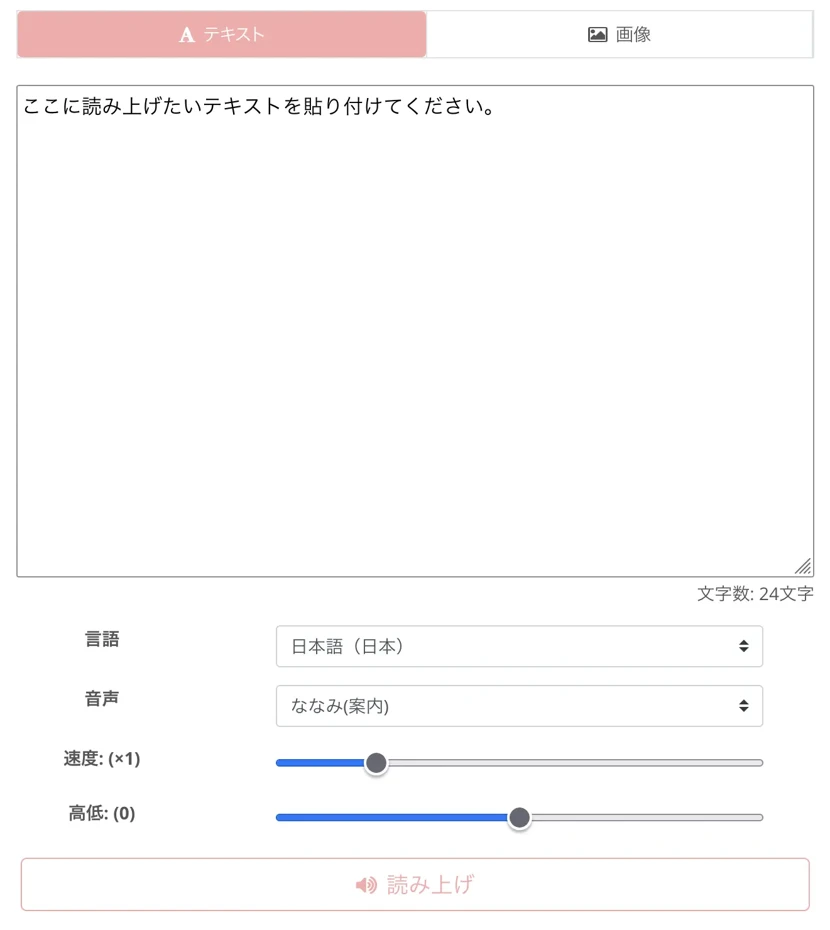
Furthermore, by registering your email address, you will be able to convert up to 5,000 characters per month into speech for free.
Commercial use possible
Of course, commercial use is OK with "Ondoku"!
With paid plans, credit notation is no longer required (please see here for details on commercial use).
Easy-to-use web service with no installation required
"Ondoku" is a service utilized from a website.
Therefore, there is absolutely no need for troublesome installation effort.
Text-to-speech reading software often tends to have large download sizes.
In that respect, with "Ondoku," you can convert text to speech immediately when you want to use it.
Of course, it can be used in any environment, including PC, iPhone, Android smartphones, and tablets.
Diverse voice tones easy to use for work
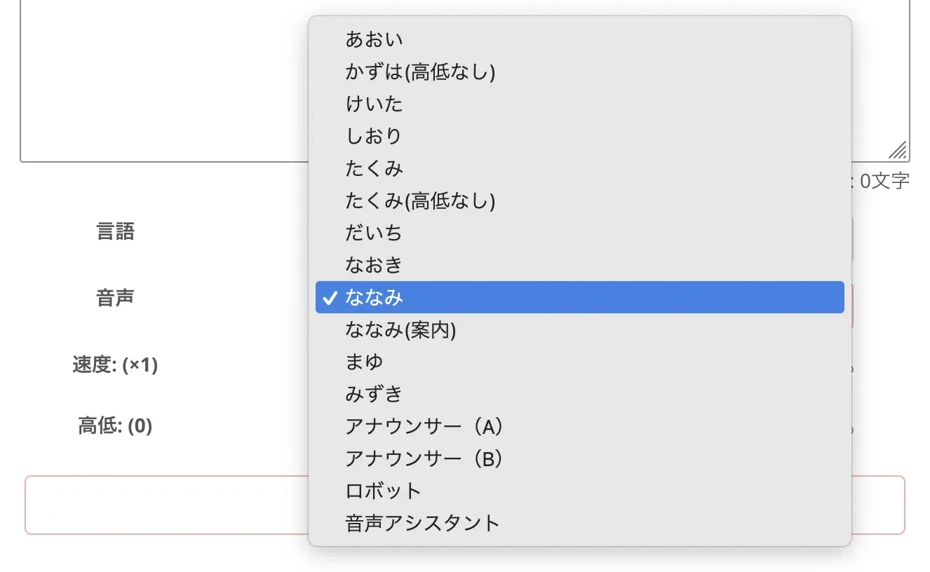
In Ondoku, for Japanese, you can choose from 16 types of voice tones.
Since it has one of the largest variations of voice tones among free tools, it can handle a wide range of situations from individual use to corporate use.
Famous companies also use it, and you can check its track record in Ondoku case studies.
Compared to other free tools, a key point is that there are many voice tones that are easy to use for business purposes.
Since the character personality isn't too strong, you can synthesize speech that fits into any scene.

Listen to 16 types of voices for the text-to-speech software Ondoku for free. Change impressions with pitch variations.
Ondoku has 16 types of Japanese voices. Of course, both male and female voices are available. We have made it possible for you to listen to 8 commonly used Japanese voices and how they sound when the pitch of each is adjusted.
Natural reading voice using the latest AI
"Ondoku" is a reading service using the latest AI speech synthesis engine.
It can convert text to speech very naturally.
Of course, you can freely adjust speaking speed and voice pitch.
You can check the high reading quality here for free, so why not experience "Ondoku" first?
Can have interactions between multiple voices
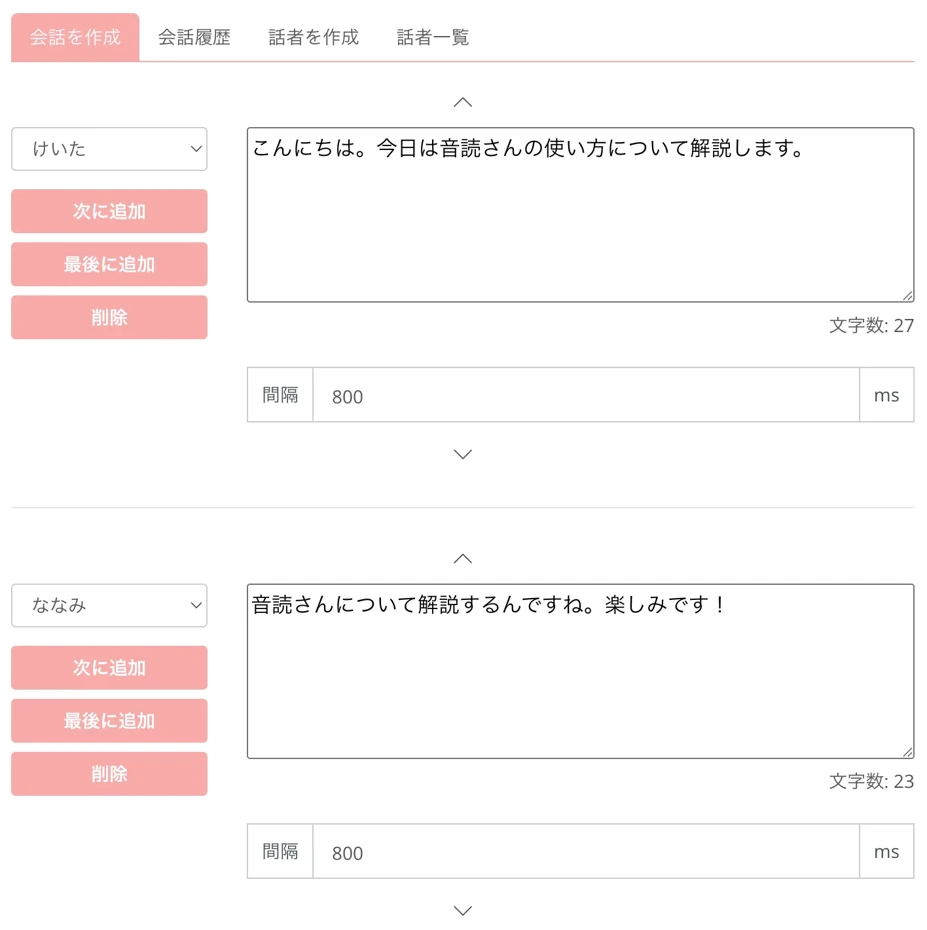
With "Ondoku," you can convert text to speech using multiple voices.
In this way, multiple voices can read sentences as if they are having a conversation.

How to use Ondoku's conversation/dialogue function. Synthesized speech makes listening materials and long text creation even more convenient!
How to use Ondoku's conversation function! Explaining how to use the conversation function with images. Introducing specific examples of what purposes the conversation function can be used for.
Can convert foreign languages to speech
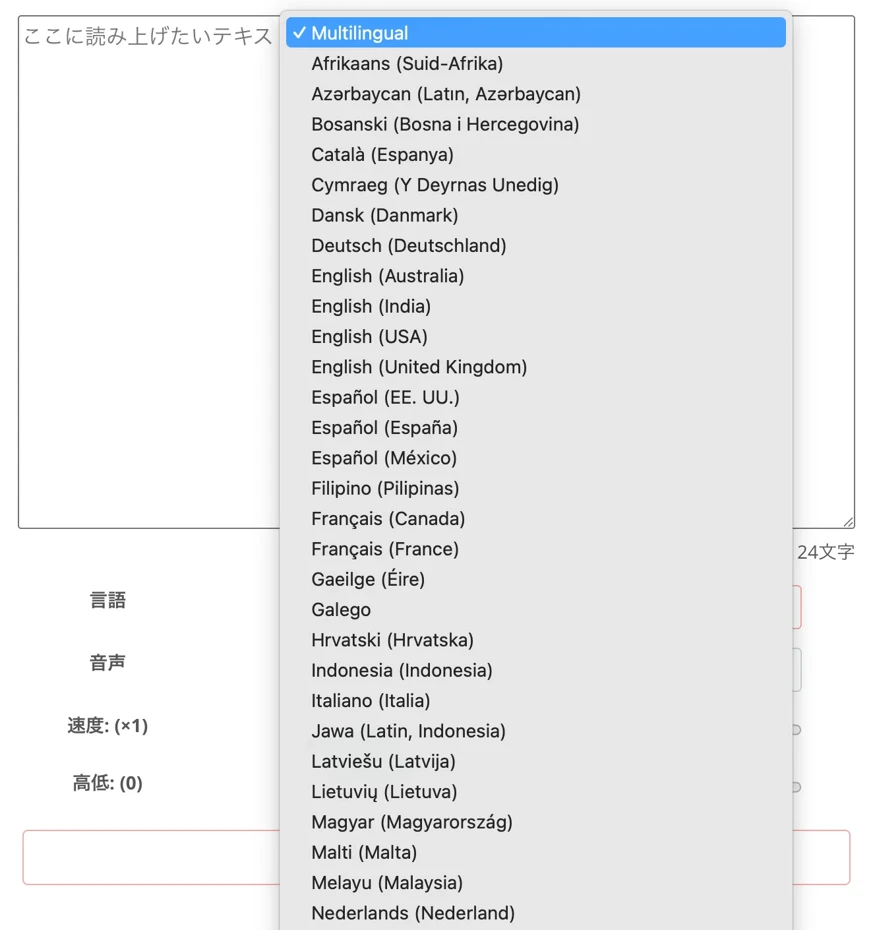
"Ondoku" can convert 81 languages and regions, including Japanese, to speech!
If you want to convert foreign languages to speech for free, "Ondoku" is the choice!
![[Ondoku] Listen to voice types and sample audio for supported languages](https://storage.googleapis.com/ondoku3/image/%E5%A4%9A%E6%A7%98%E6%80%A7_930.webp)
[Ondoku] Listen to voice types and sample audio for supported languages
Here we will introduce the supported languages and sample voices of Ondoku.
Can be used comfortably even with low PC specs
"Ondoku" is a text-to-speech service that synthesizes speech on a website.
Because the actual processing is performed on the Internet, you can smoothly convert text to speech even if your PC specs are low.
Speech synthesis software that you install and use requires a certain level of PC specs, so this is a major advantage.
"Ondoku" is recommended if you want to convert text to speech right now.
If you are looking for a way to convert text to speech, why not try "Ondoku" for free first?
2. VOICEVOX|Convert text to speech with popular characters like Zundamon
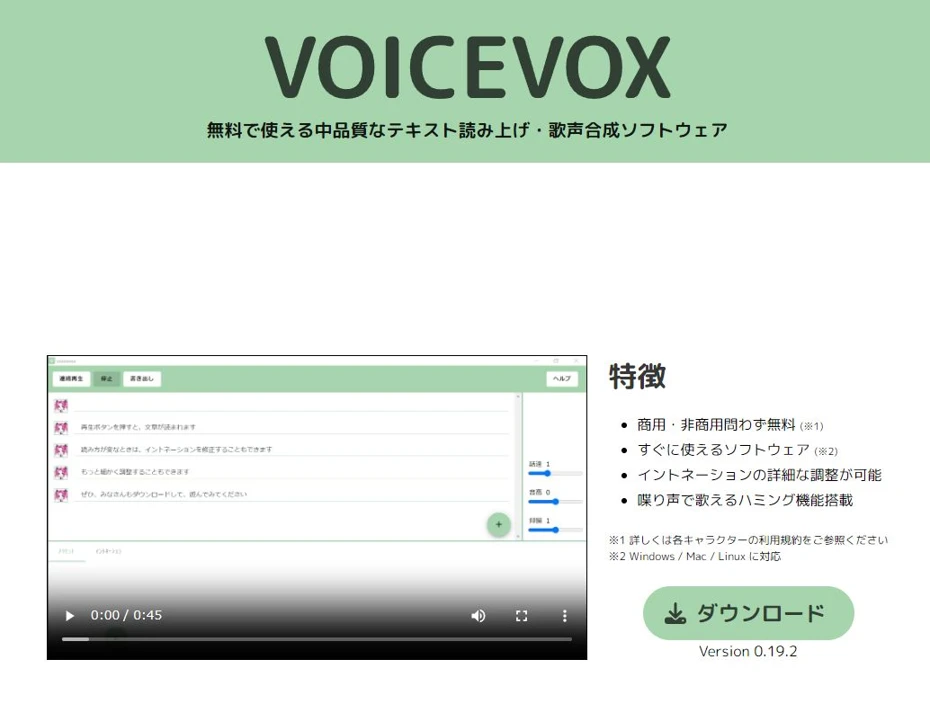
The text-to-speech and speech synthesis software VOICEVOX is one of the standard software programs for converting text to speech.
It is a software program you install and use, compatible with Windows, Mac, and Linux.
A characteristic is that characters are prepared for each type of voice.
Perhaps you have seen characters on the Internet such as "Zundamon," inspired by the Tohoku region, or the Saitama high school girl "Kasukabe Tsumugi"?
Merits of VOICEVOX
Intonation can be edited

VOICEVOX software comes with an intonation editing function.
If you want to convert text to speech more realistically, you can fine-tune the audio.
In addition, you can specify details such as speech speed and inflection.
Multiple characters can have interactions
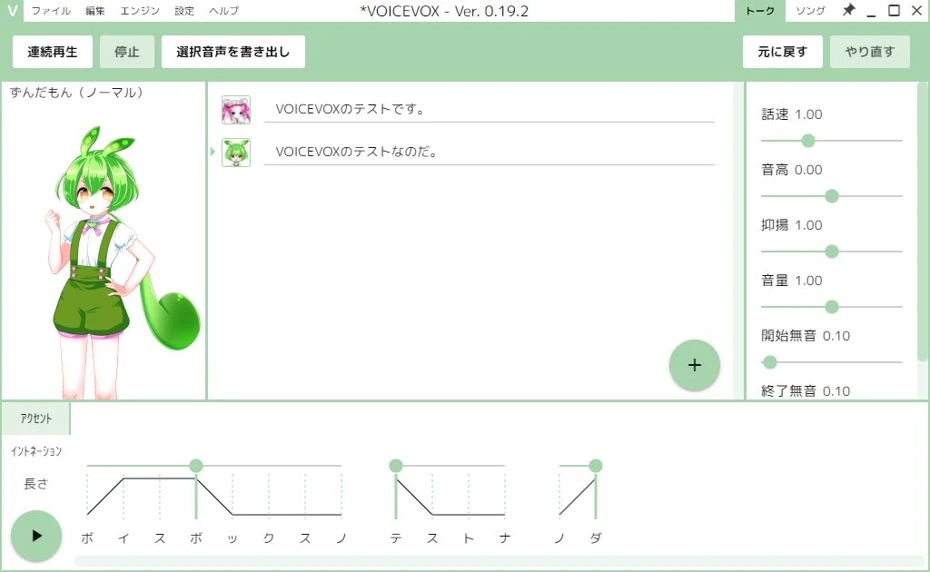
It is also possible to convert text to speech using multiple characters simultaneously.
Available for free
VOICEVOX allows you to convert text to speech for free.
Commercial use is also possible (however, you must follow the commercial use terms for each character).
Demerits of VOICEVOX
Strong character personality may make it difficult to use for business purposes
The biggest disadvantage of VOICEVOX is that the voice characters have very strong personalities.
When characters are attached to voices, depending on the purpose of converting text to speech, the character's impression might be too strong, making it difficult to use.
When using it to convert text to speech for work, it is recommended to choose characters that are not often used on video sites like YouTube.
Terms of use differ for each character
In addition to the VOICEVOX terms of use itself, there are also terms of use for each character.
It is a bit troublesome because you need to check for each character every time.
Note that if used commercially without credit notation, usage fees may apply.
Large download capacity
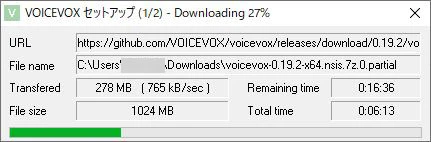
Another disadvantage is the large download size, which can take time to install depending on the environment.
This is because all voices (voice tones) are installed at the time of installation.
Since a file download of 1GB or more is required for the first installation, installation will take a considerable amount of time if your Internet connection is not high-speed or if you are using a wireless connection instead of an optical line.
Ease of use depends on PC specs
Since VOICEVOX is software installed on a PC, the speed of speech synthesis depends on the PC specs.
The "GPU mode" for comfortable use requires a high-spec PC equipped with a GPU (graphics board).
Foreign languages not supported
Since VOICEVOX was developed for Japanese, it can only convert Japanese text to speech.
VOICEVOX is also explained in this article.

Complete guide on how to use VOICEVOX! Detailed explanation from features of the free AI speech synthesis software to commercial use
A detailed explanation from the features of VOICEVOX to how to use it and points to note during commercial use. A complete guide to the free AI speech synthesis software that can read aloud with popular character voices such as Zundamon.
3. COEIROINK|Recommended AI software for converting creative works to speech

COEIROINK is a reading software created mainly targeting use in creative works.
It is a software program you install and use, compatible with Windows, Mac, and Linux.
Credit notation is required when using it.
Merits of COEIROINK
Attractive and diverse characters can be selected
Official and authorized characters have high-quality voices and illustrations and are very attractive.
Attractive characters are also set for each voice published by users.
Commercial use possible
COEIROINK can be used commercially.
However, credit notation is required for both commercial and non-commercial use.
Extensive editing functions

Although it takes effort, it has extensive editing functions for accent and intonation.
Can create original synthetic voices
COEIROINK has a function called "MYCOE" to create and publish original synthetic voices.
It is also possible to create audio materials based on your own voice.
Demerits of COEIROINK
Character impression is very strong
Just like VOICEVOX, the disadvantage is that the character impression is very strong.
You may find it difficult to use when converting text to speech for work or business purposes.
Terms of use are somewhat complex
Note that in addition to the COEIROINK terms of use itself, the usable range is determined for each character.
Terms of use may also be set for each voice created by users other than official and authorized characters.
Conversely, depending on the character, purposes prohibited by other speech synthesis services and software, such as "use in adult works," may be permitted.
Large download capacity
Like VOICEVOX, COEIROINK also has a large download size.
Since it is necessary to download a file of approximately 2GB when installing for the first time, it may take a considerable amount of time depending on the network connection.
Installation takes effort
Installing COEIROINK requires a certain amount of PC knowledge.
It is necessary to perform tasks such as downloading multiple files, unzipping them, and placing them in folders.
Ease of use depends on PC specs
Like VOICEVOX, since COEIROINK is software you install and use, the ease of use depends on the PC specs.
A high-performance PC equipped with a GPU (graphics board) is recommended for comfortable use.
COEIROINK is also explained in detail in this article.

What is COEIROINK? Thorough explanation of the features, usage, and commercial use of the speech synthesis software
Complete guide to the features and usage of COEIROINK. A detailed explanation from how to introduce the speech synthesis software to adding character voices and points to note regarding commercial use.
4. Bouyomi-chan|Convert text to speech with Yukkuri voice (Commercial use OK)
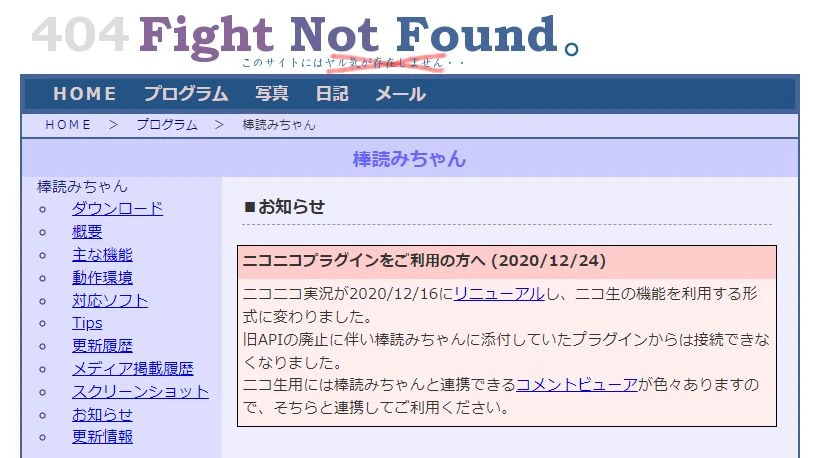
Bouyomi-chan is a reading software compatible with Windows.
It is software that uses the long-standing speech synthesis library "AquesTalk" and can read text with a unique, though not realistic, voice.
Merits of Bouyomi-chan
Very lightweight operation
As expected of software that has been around for a long time, the operation is very lightweight.
You can convert text to speech without problems even on a PC with low specs.
Small download size
The file capacity is also very small, only about 1.5MB, so it can be downloaded immediately.
Simple operation
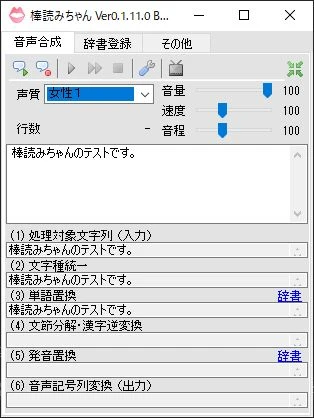
The operation screen is very simple.
Despite that, it is well-equipped with minimum adjustment functions such as speed and pitch.
Commercial use possible
Since Bouyomi-chan uses an older version of "AquesTalk" that can be used for free for both profit and non-profit purposes, commercial use is also possible.
Extensive integration functions
It has extensive functions for integrating with other software to read display content, such as a function to read the clipboard (copied text) and a function to read Twitter posts.
Advanced usage such as loading content from other software is also possible.
Demerits of Bouyomi-chan
Lacks realism
Since Bouyomi-chan is older generation speech synthesis software, it lacks realism.
All of the voices you can choose from are old-fashioned synthetic voices.
Since it is used in a characteristic way in videos on the Internet, including so-called "Yukkuri videos," an unnatural feeling will arise if you are not careful about where you use it.
5. A.I.VOICE / A.I.VOICE2|Convert text to speech with popular character voices
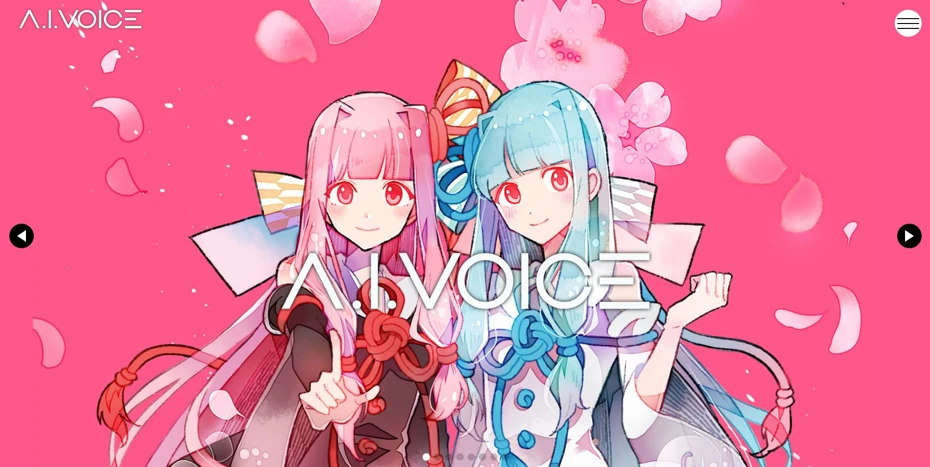
A.I.VOICE is speech synthesis software developed by AI Inc.
It uses the speech synthesis engine "AITalk."
Software that succeeds the discontinued VOICEROID and VOICEROID+ is also being developed as A.I.VOICE.
As of 2026, the A.I.VOICE2 series is being developed.
Merits of A.I.VOICE
Easy-to-understand one-time purchase
A.I.VOICE is sold as one-time purchase software.
Once purchased, there are no additional monthly fees.
Attractive characters
Many attractive characters are available, including characters inherited from VOICEROID.
There are also many standard characters for "Voiro" gameplay and "Voiro" videos, such as Kotoha Akane/Aoi and Yuzuki Yukari.
Commercial use possible depending on the license
By purchasing a personal commercial license or a corporate license, commercial use is also possible.
High functionality unique to paid software
Editing and tuning functions necessary for converting text to speech, such as speed, height, and inflection, are of course equipped and easy to use.
Demerits of A.I.VOICE
Expensive for personal software
It is high-functioning and high-performance, but as a result, the price is high for personal software.
May be difficult to use for business purposes
While many attractive characters are prepared for the personal A.I.VOICE, for business purposes, the strong character personality can act as a negative.
Since the speech synthesis engine "AITalk" used is very high-performance, if you want to use it for business purposes, it is also recommended to use AITalk for corporations introduced next.
The A.I.VOICE series is also introduced in detail in this article.
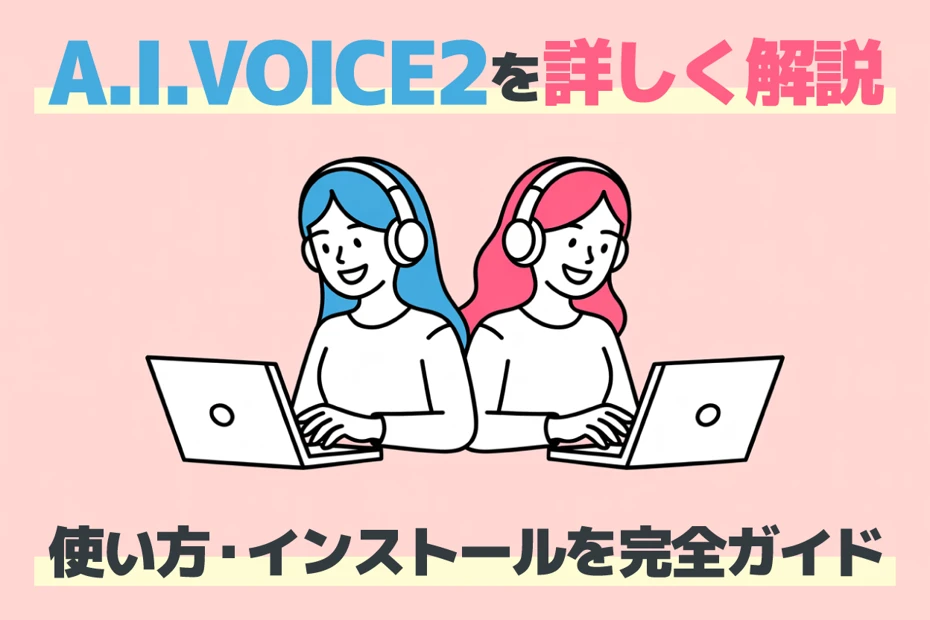
A.I.VOICE2 complete guide! Detailed explanation of the features, installation method, and usage of the successor software to VOICEROID
Explaining the features and usage of A.I.VOICE2, which can use Kotoha Akane/Aoi and Yuzuki Yukari, familiar from VOICEROID videos. Introducing everything in detail from the installation method to audio export.
6. AITalk|Text-to-speech software for corporations (Commercial use OK)
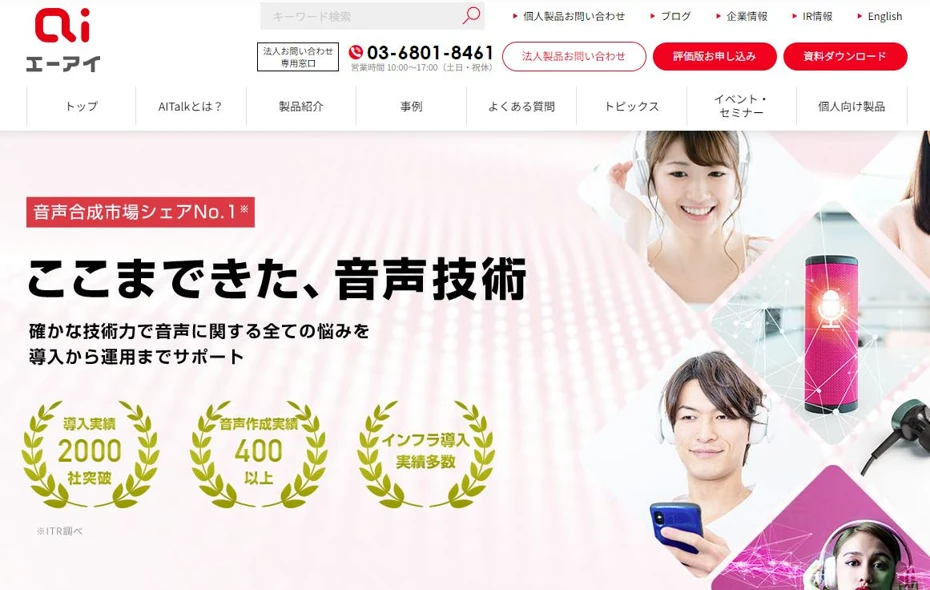
Speech synthesis software using the speech synthesis engine "AITalk" is also sold as a product for corporations.
Merits of AITalk
Handles various tasks
AITalk has products for a wide range of fields, including narration, guidance, chat assistants, and accessibility improvements.
It is ideal for corporate introduction as it handles scenes where you want to convert text to speech for business purposes in a detailed manner.
Demerits of AITalk
Price is high
Since it is a product for corporations, the price is high.
For example, in the case of the narration creation software "AITalk Koe no Shokunin," the basic monthly fee is 50,000 yen (excluding consumption tax).
7. CeVIO AI|Convert text to speech with high-quality character voices
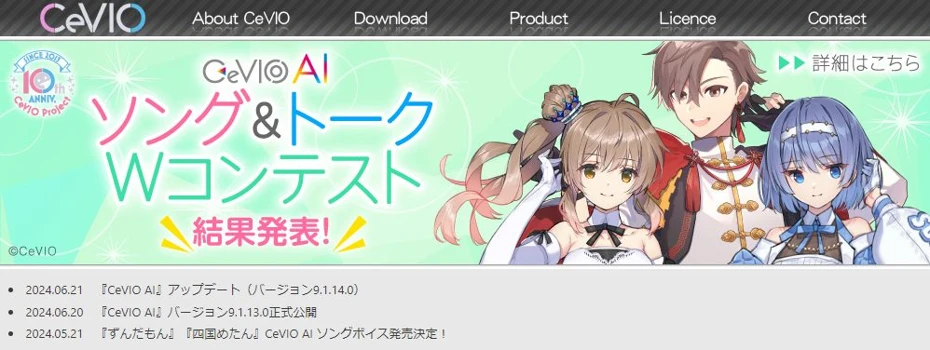
CeVIO is reading software using a speech synthesis engine developed by Techno-Speech, a venture company from the Nagoya Institute of Technology.
CeVIO is a series of speech synthesis software developed since 2013, and as of 2026, CeVIO AI is being sold as the latest software.
Merits of CeVIO AI
No additional cost for commercial use by individual creators
No additional cost is required for individual creator use, such as posting to video sites, distribution of works, club events, and concerts.
Educational use can also be used without additional cost.
Additional estimates will be required if used in corporations or stores, or if used as part of a job.
Attractive characters
Attractive characters are also prepared for the CeVIO series.
Realistic pronunciation using deep learning
Unlike other speech synthesis software, CeVIO AI reproduces audio using AI technologies such as deep learning.
Therefore, it is possible to convert text to speech more realistically.
One-time purchase software (with notes)
CeVIO AI is software that requires payment only at the time of purchase.
However, an Internet connection is required during use for license authentication and updates.
It can be started for up to 365 days after license authentication even while offline, but note that main functions such as WAV export, track freezing, and talk pre-rendering cannot be used in that case.
Demerits of CeVIO AI
Strong character personality can be a negative
Like other speech synthesis software, since it is a product with strong character personalities, it may be difficult to use for business purposes.
Price is high for personal software
While the performance for converting text to speech is very high, the price is high for personal software.

What is CeVIO AI? Detailed explanation of the features, usage, and commercial use of the speech synthesis software
A complete guide to the AI singing synthesis software CeVIO AI. Explaining the features of popular characters such as Sato Sasara and Suzuki Tsudumi, how to purchase, and points to note for commercial use for beginners.
Why not try converting text to speech with recommended sites and software?
In this article, we introduced sites and software for synthesizing speech.
Japanese speech synthesis is particularly well-equipped with sites and software.
There is a wide range of options from individual use to business use, so why not try the recommended sites and software according to your purpose?
■ AI voice synthesis software "Ondoku"
"Ondoku" is an online text-to-speech tool that can be used with no initial costs.
- Supports 81 languages and regions, including Japanese, English, Chinese, Korean, Spanish, French, and German
- Available from both PC and smartphone
- Suitable for business, education, entertainment, etc.
- No installation required, can be used immediately from your browser
- Supports reading from images
To use it, simply enter text or upload a file on the site. A natural-sounding audio file will be generated within seconds. You can use voice synthesis up to 5,000 characters for free, so please give it a try.

Text-to-speech software "Ondoku" can read out 5000 characters every month with AI voice for free.
You can easily download MP3s and commercial use is also possible.
If you sign up for free, you can convert up to 5,000 characters per month for free from text to speech.
Try Ondoku now.
HP:
ondoku3.com
Email: ondoku3.com@gmail.com
Email: ondoku3.com@gmail.com
Related posts
"Ondoku" is a Text-to-Speech service that anyone can use for free without installation. If you register for free, you can get up to 5000 characters for free each month. Register now for free
- What is Ondoku
- Start text-to-speech conversion
- Free registration
- Pricing
- Posts
- Try other free services
![[2026 Edition] How to Turn Text into Speech? 7 Best TTS Sites & Software Compared!](https://storage.googleapis.com/ondoku3/image/irodori-tts_tmb_140.webp)
![[2026 Edition] How to Turn Text into Speech? 7 Best TTS Sites & Software Compared!](https://storage.googleapis.com/ondoku3/image/tategaki-image-yomiage_howto_tmb_140.webp)
![[2026 Edition] How to Turn Text into Speech? 7 Best TTS Sites & Software Compared!](https://storage.googleapis.com/ondoku3/image/iphone-video-narration_tmb_140.webp)
![[2026 Edition] How to Turn Text into Speech? 7 Best TTS Sites & Software Compared!](https://storage.googleapis.com/ondoku3/image/chrome-reading-mode-pc_tmb_140.webp)
![[2026 Edition] How to Turn Text into Speech? 7 Best TTS Sites & Software Compared!](https://storage.googleapis.com/ondoku3/image/pdf-to-mp3-howto_tmb_140.webp)









