Text-to-Speech Software Use Cases: Boost Customer Satisfaction with Ondoku
The feature that reads aloud uploaded images now allows you to select and upload multiple images at once!
Jan. 26, 2026

Hello, this is Ondoku.
Ondoku has a feature that allows you to read text aloud by uploading an image.
This time, the feature for reading text from images has been powered up.
We will introduce how it has been improved.
Text-to-speech feature from images (photos)
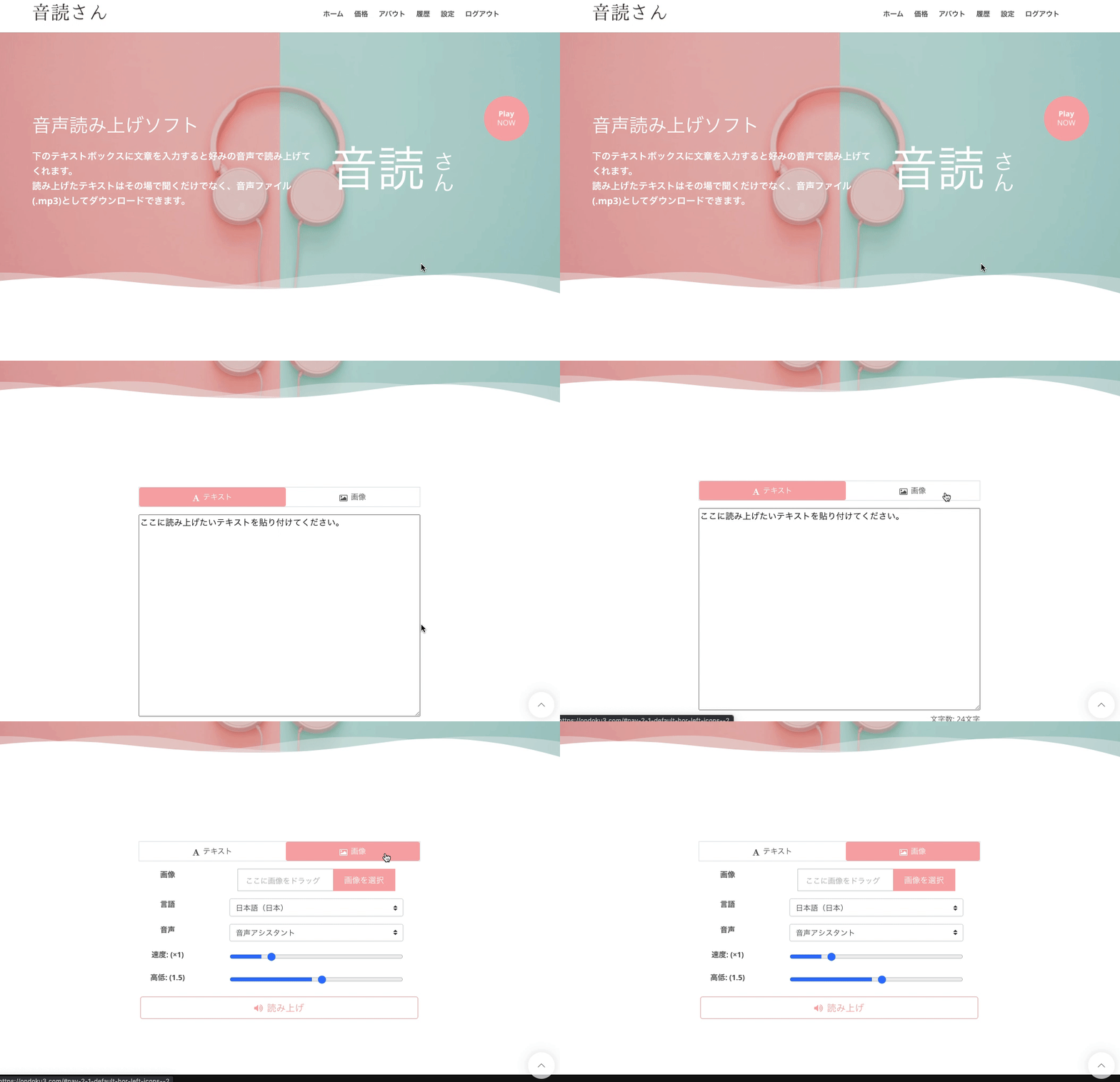
First, let's review what the text-to-speech from image feature was like.
To use the feature that reads audio from images:
- Access the Ondoku homepage
- Click the Image tab
- Select the image containing the text you want to read aloud
- Press Open to upload
- Adjust detailed settings to your preference
- Click the read aloud button
Then, it will recognize the text from the image and read the audio aloud.
Converting images to audio is a more convenient feature than you might think, to the point where you'll want to use it over and over again once you try it.
In Japanese society, there are many situations where important documents must be checked on paper.
Newsletters from school, documents distributed at work, etc. Silent reading is essential when trying to check paper-based documents.
However, by using this feature to read text from images into audio, you don't need to read silently yourself.
It will read it aloud automatically just by uploading the image.
- People who are not good at reading small print
- People with presbyopia
- People who want to multitask while listening
There are various scenarios where this can be useful.
Enabling multiple image uploads at once

Until now, you could only upload one image at a time.
However, we have now carried out a major update.
That's right! You can now select and upload multiple images at once.
We believe this is a very welcome update for those who wanted to read dozens of pages aloud at once.
How to use it is quite simple.
- Select multiple images when opening them
- Press Open to upload
After that, the steps are the same as before. Just adjust the detailed settings and click the read aloud button.
When uploading multiple images, it may take some time to load.
Please wait without reloading or closing the page.
Once the loading is complete,
"Multiple images have been recognized. Please check the reading content from the history."
an announcement will be made.
After a few seconds, the screen will switch and the history will be displayed.
In the history, the audio read from the uploaded images is displayed divided into individual files.
Please check the read-aloud content from this history.
Let's try Ondoku's text-to-speech from image feature!
The feature to read audio from images is a truly convenient feature.
There is no need to enter text; just take a photo of what you want to read aloud and upload the image.
Since you don't need to read, it's perfect for multitasking.
Please take this opportunity to experience the convenience of the text-to-speech from image feature.
Try multiple image uploads with Ondoku
With Ondoku, you can use the text-to-speech from image feature for free.
There is a limit on the number of images for the free version.
If you wish to use it in large quantities, please use a paid plan.
We will continue to do our best to provide a service that many people will enjoy.
■ AI voice synthesis software "Ondoku"
"Ondoku" is an online text-to-speech tool that can be used with no initial costs.
- Supports 81 languages and regions, including Japanese, English, Chinese, Korean, Spanish, French, and German
- Available from both PC and smartphone
- Suitable for business, education, entertainment, etc.
- No installation required, can be used immediately from your browser
- Supports reading from images
To use it, simply enter text or upload a file on the site. A natural-sounding audio file will be generated within seconds. You can use voice synthesis up to 5,000 characters for free, so please give it a try.

Text-to-speech software "Ondoku" can read out 5000 characters every month with AI voice for free.
You can easily download MP3s and commercial use is also possible.
If you sign up for free, you can convert up to 5,000 characters per month for free from text to speech.
Try Ondoku now.
HP:
ondoku3.com
Email: ondoku3.com@gmail.com
Email: ondoku3.com@gmail.com
Related posts
"Ondoku" is a Text-to-Speech service that anyone can use for free without installation. If you register for free, you can get up to 5000 characters for free each month. Register now for free
- What is Ondoku
- Start text-to-speech conversion
- Free registration
- Pricing
- Posts
- Try other free services