Ondoku Text-to-Speech Software: Reviews and Feedback Summary
[Summary] Comparison: Which text-to-speech software sounds the most human?
July 28, 2026
![[Summary] Comparison: Which text-to-speech software sounds the most human?](https://storage.googleapis.com/ondoku3/image/%E3%82%AB%E3%83%95%E3%82%A7%E3%81%A8%E9%9F%B3%E6%A5%BD%E9%91%91%E8%B3%9E_930.webp)
Hello, thank you for always using Ondoku.
What is the thing you are most concerned about when looking for text-to-speech software?
- Whether it is free or paid
- Whether it reads in a human-like way
- Whether speed and pitch can be adjusted
These are the three major points of concern.
Particularly, "whether it reads in a human-like way" is a very important issue for the listener.
The text-to-speech software industry continues to evolve rapidly.
This time,
- Japanese-compatible sites
- Adjustment is also possible
under these conditions, we investigated which text-to-speech software reads most like a human.
*Note: This article contains old content. You can listen to the latest audio samples in this article, so please be sure to check it out as well!

Free trial listening of 16 types of voices for text-to-speech software Ondoku. Change impressions with pitch variations.
Ondoku has 16 types of Japanese voices. Of course, both male and female voices are available. We have made it possible to listen to samples of 8 commonly used Japanese voices and the voices when their pitch is adjusted.
Famous Text-to-Speech Software
When you research text-to-speech software, you will find that there are many programs available.
However, upon further investigation, it is quite common for the underlying speech synthesis engine to be the same even if the software is different.
Example: Bouyomi-chan and SoftTalk use the same speech synthesis engine.
If the speech synthesis engine is the same, the sound quality will be the same, so in this verification, we will treat them as the same even if the software is different.
Paid Text-to-Speech Software
- AI Talk
- VOICEROID
- Ichitaro (Word processing software)
Free Text-to-Speech Software
- Textalk
- SoftTalk
- Bouyomi-chan
- Coestation
- Ondoku
Criteria for Human-likeness in Text-to-Speech Software
The criteria for what kind of voice sounds human-like varies from person to person.
- Whether it reads with rich emotion
- Whether it speaks with intonation while taking proper pauses
- Whether it includes exclamatory sentences or breathing sounds
The criteria for what kind of voice makes one feel like it's speaking humanly when reading text are different for everyone.
This time, regarding the criteria for human-like reading,
being able to read fluently with natural intonation while taking appropriate pauses
is where we will place our focus for the comparison.
This is because the function to read with emotion was only available in paid text-to-speech software (as of 2021 when this article was written).
Since we want to include free software in the comparison as well, let's compare based on this criterion this time.
Manuscript for Comparison
In order to compare, we need the text-to-speech software to read a manuscript.
Since there are several, we used a short manuscript, and specifically a weather forecast manuscript that doesn't feel out of place even without emotion.
This is the national weather forecast.
On the Pacific side, such as in Tokyo, dry and sunny weather will continue.
Let's make sure to take precautions against catching a cold.
Here are the temperatures from noon to night.
January-like cold is expected to continue nationwide.
Actual Comparison of Reading Voices
Now, let's actually have the text-to-speech software read it out.
You can play the actual audio by clicking the play button (▶).
Textalk
【Under adjustment】
SoftTalk and Bouyomi-chan
Ondoku
Voice Assistant
Announcer A
Announcer B
AI Talk
【Under adjustment】
VOICEROID
【Under adjustment】
Ichitaro (Word processing software)
【Under adjustment】
Coestation was excluded this time because it requires synthesizing with one's own voice.
Impressions from Listening and Comparing the Reading Results
Among text-to-speech software available for free use, those that can read in a human-like way are
- Ondoku
- Textalk
- Bouyomi-chan
is what I felt.
With Textalk, the squeaky machine-like sound is noticeable,
With Bouyomi-chan, the muffled voice is noticeable,
so preferences may vary based on these points.
If it's software that can be used for a fee,
- VOICEROID
- AI Talk
was the impression of the order in which they can read more like a human.
Also, some paid software comes with functions to add emotion or intonation to the voice.
Having such options seems like it would further expand the range of voice usage.
With Ondoku's new AI voice, more natural and human-like reading is possible.
You can also specify reading styles such as "Bright and Energetic."
If you want to actually listen and compare the new AI voices, please check out this article as well.
Listen to 25 types of next-generation AI Japanese voice samples for free. Also supports multilingual reading.
Next-generation AI voices that can generate emotional speech with the latest AI technology have arrived! In this article, you can listen to and trial samples of Ondoku's new AI voices. You can specify emotional expressions in free text and even perform multilingual reading.
Which software you use depends on your preference.
If you are also considering commercial use, we have summarized the commercial use for each software, so please refer to this article as well.
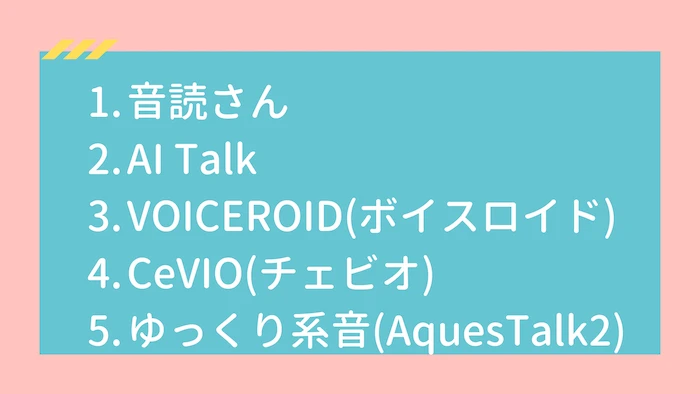
【Paid Version】 What are the commercial use licenses for text-to-speech software? I investigated their use on YouTube
We will introduce whether commercial use is possible for four paid text-to-speech software and what the licenses are like. The software we will cover this time are Ondoku, AI Talk, VOICEROID, CeVIO, Yu...
We look forward to seeing you then.
■ AI voice synthesis software "Ondoku"
"Ondoku" is an online text-to-speech tool that can be used with no initial costs.
- Supports 81 languages and regions, including Japanese, English, Chinese, Korean, Spanish, French, and German
- Available from both PC and smartphone
- Suitable for business, education, entertainment, etc.
- No installation required, can be used immediately from your browser
- Supports reading from images
To use it, simply enter text or upload a file on the site. A natural-sounding audio file will be generated within seconds. You can use voice synthesis up to 5,000 characters for free, so please give it a try.

Text-to-speech software "Ondoku" can read out 5000 characters every month with AI voice for free.
You can easily download MP3s and commercial use is also possible.
If you sign up for free, you can convert up to 5,000 characters per month for free from text to speech.
Try Ondoku now.
HP:
ondoku3.com
Email: ondoku3.com@gmail.com
Email: ondoku3.com@gmail.com
Related posts
"Ondoku" is a Text-to-Speech service that anyone can use for free without installation. If you register for free, you can get up to 5000 characters for free each month. Register now for free
- What is Ondoku
- Start text-to-speech conversion
- Free registration
- Pricing
- Posts
- Try other free services
![[Summary] Comparison: Which text-to-speech software sounds the most human?](https://storage.googleapis.com/ondoku3/image/irodori-tts_tmb_140.webp)
![[Summary] Comparison: Which text-to-speech software sounds the most human?](https://storage.googleapis.com/ondoku3/image/tategaki-image-yomiage_howto_tmb_140.webp)
![[Summary] Comparison: Which text-to-speech software sounds the most human?](https://storage.googleapis.com/ondoku3/image/iphone-video-narration_tmb_140.webp)
![[Summary] Comparison: Which text-to-speech software sounds the most human?](https://storage.googleapis.com/ondoku3/image/chrome-reading-mode-pc_tmb_140.webp)
![[Summary] Comparison: Which text-to-speech software sounds the most human?](https://storage.googleapis.com/ondoku3/image/pdf-to-mp3-howto_tmb_140.webp)









