How to Use Ondoku AI Voice: A Collection of Ideas and Real-World Use Cases
Text-to-Speech Software Use Cases: Boost Customer Satisfaction with Ondoku
July 22, 2026
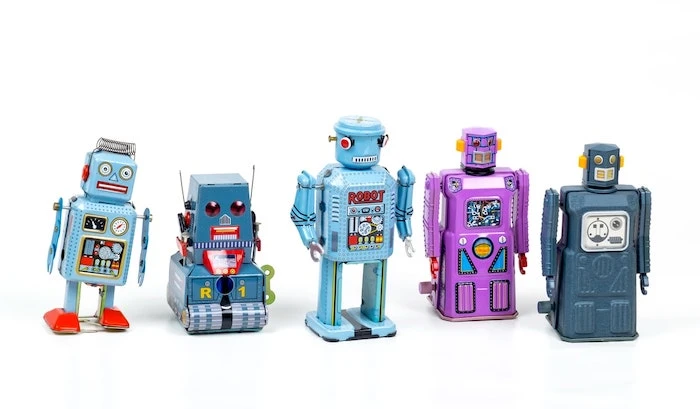
Text-to-speech software is much more familiar to us than we might think.
Some famous recent examples include
- Amazon Alexa
- Google Home
AI assistants such as these.
When you ask an AI assistant a question, it answers you, doesn't it?
However, this doesn't mean there is a human inside giving the answers.
Text-to-speech technology is being used.
In this article, we will introduce use cases for such text-to-speech software.
What is Text-to-Speech Software?
Text-to-speech software is software that converts documents such as text or characters into speech and reads them aloud.
In addition to reading in Japanese, some software supports multiple languages such as English, Chinese, German, Spanish, and Italian.
Some allow you to freely change the speech speed or download the audio as MP3 or other audio files.
About the Synthesis of Text-to-Speech
AI assistant voices are created by synthesizing speech using text-to-speech software.
For example, suppose an AI assistant gives the response, "Today's weather is sunny."
Inside the machine, the characters for the response are instantly assembled as "kyo-u-no-te-n-ki-wa-ha-re-de-su."
Then, by calling up and vocalizing the "sound" of each character, it can output the response "Today's weather is sunny" as audio.
However, since vocalizing character by character would sound too unnatural, inside the software,
- speech processing and
- speech manipulation
are performed to make the speech sound closer to words actually pronounced by a human.
Intonation and the connections between words are examples of this.
The processing methods for intonation and connections vary depending on the text-to-speech software.
As a result, the perception of "clarity" and "ease of use" differs depending on the company providing the text-to-speech software.
Scenarios Where Text-to-Speech Software is Needed
Text-to-speech software was considered a technology needed by people such as:
- People with visual impairments
- Elderly people who find it difficult to read fine print
However, in reality, it is needed in many more situations than we might think.
By looking at implementation examples, we can clearly see the scenarios where it is required.
Case Studies of Text-to-Speech Software Utilization
- As automated voices for telephone response services, etc.
- As narration for videos such as YouTube
- As a means for people with visual impairments
- As emergency announcements
- In a radio-like role
1. As automated voices for telephone response services, etc.
Text-to-speech software is used in services that read aloud fixed phrases with a set format, such as:
- Answering machine responses
- Automated voice telephone guidance services
- Video audio for internal training
By adding tonal adjustments, it is possible to make the audio closer to an actual person speaking, reaching a level where there is little difference from a human voice over telephone-quality audio.
2. As narration for videos such as YouTube
As YouTube became popular, instances of using text-to-speech software for YouTube narration have become very common.
An early example of this is "Yukkuri" commentary videos, which began using text-to-speech software for narration.
Even on TV programs, text-to-speech software is sometimes used for narration.

How to quickly create narration for YouTube and other videos with text-to-speech software. Tips and pointers
Explains how to quickly create YouTube video narration with Ondoku. Provides easy-to-understand instructions from scriptwriting to using Ondoku, adjusting natural intonation, and editing tips for video editing software. A must-see for those who want to streamline video production with text-to-speech software!
3. As a means for people with visual impairments
For people with visual impairments, it is difficult to read books, documents, or the internet even if text is present without support.
That is why text-to-speech software has been used for a long time.
It is said that many people with visual impairments "listen" to documents using high-speed audio.
An acquaintance of mine always listened at 4x speed. Amazing...

4. As emergency announcements
Did you know that text-to-speech software is also used in J-ALERT (National Early Warning System)?
During emergencies or times of chaos such as disasters, making town-wide broadcasts to call for residents to evacuate is very important.
However, until now, it was necessary for someone to be present on-site to make the broadcast.
By broadcasting with text-to-speech software, it is possible to protect the safety of staff, and other tasks can be performed in parallel.
5. In a radio-like role
Are you familiar with the term "nagarakiki" (listening while doing something else)?
It refers to taking in information with your ears while doing something else, such as doing housework or commuting.
A service specialized in "listening while doing" is "Arukiki" from the Asahi Shimbun.
It is a perfect service for busy people, allowing them to hear the day's important news in about 5 minutes.
The one reading the news is not a human, but text-to-speech software.
"Listening" to books or news while doing other things is gaining more attention in an era that emphasizes "Taipa" (time performance).
What is the trending "Mimi-katsu"? Recommended ways to start and 5 free apps explained
Recommendations for Mimi-katsu (ear activities) that can be started even in a busy daily life. Introducing 5 recommended free apps, such as AI reading apps and podcasts, and how to use them in various situations such as commuting, housework, walking, and exercising.
Text-to-Speech Software is Becoming a Familiar Presence
Text-to-speech software is actually a much more familiar presence than you might think.
- I dislike it because it sounds like a machine
- It is hard to hear
While many people feel this way, the clarity of the audio has been improving steadily recently, making it possible to speak in a human-like manner.
Furthermore, text-to-speech is more convenient than one might imagine.
For example, even when reading this blog post,
- reading silently,
- listening to audio only,
- following the text with your eyes while listening to the audio,
the ease of reading and how well it is absorbed differ completely between these methods.
There are research results indicating that the more humans use their five senses, the easier it is for the content of the text to remain in the brain.
By adding a read-aloud function to blogs and other platforms, you add the value that "this blog can also be read via audio."
Added value leads to improved customer satisfaction.
Convenient things are easily accepted by people and tend to spread.
Text-to-speech services will likely become widely popular in the future.
■ AI voice synthesis software "Ondoku"
"Ondoku" is an online text-to-speech tool that can be used with no initial costs.
- Supports approximately 50 languages, including Japanese, English, Chinese, Korean, Spanish, French, and German
- Available from both PC and smartphone
- Suitable for business, education, entertainment, etc.
- No installation required, can be used immediately from your browser
- Supports reading from images
To use it, simply enter text or upload a file on the site. A natural-sounding audio file will be generated within seconds. You can use voice synthesis up to 5,000 characters for free, so please give it a try.

Text-to-speech software "Ondoku" can read out 5000 characters every month with AI voice for free.
You can easily download MP3s and commercial use is also possible.
If you sign up for free, you can convert up to 5,000 characters per month for free from text to speech.
Try Ondoku now.
HP:
ondoku3.com
Email: ondoku3.com@gmail.com
Email: ondoku3.com@gmail.com
Related posts
"Ondoku" is a Text-to-Speech service that anyone can use for free without installation. If you register for free, you can get up to 5000 characters for free each month. Register now for free
- What is Ondoku
- Start text-to-speech conversion
- Free registration
- Pricing
- Posts
- Try other free services