What to Do If an Error Occurs in Ondoku
【Price Comparison】Cost of Hiring Voice Actors vs. Text-to-Speech Software
July 22, 2026
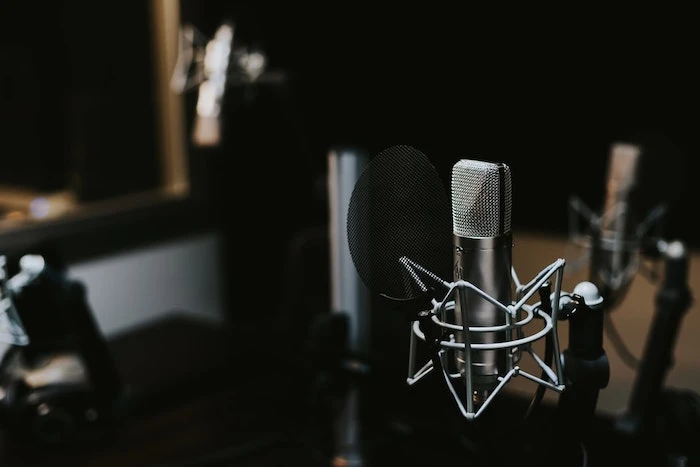
In this article, we will explain the costs of creating narration with Ondoku versus hiring a voice actor or narrator.
There are more opportunities than you might think that require voice narration, such as narration for videos, DVDs used for internal training, and audio for educational instructions.
Easy-to-understand narration is the secret to increasing YouTube views.
When watching YouTube, videos with narration feel easier to watch than videos where only text captions are displayed, don't they?
But do you feel like you can't include narration even if you want to because hiring a professional voice actor is expensive?
That is why I want to suggest text-to-speech software.
Let's compare how much it costs to request narration from a voice actor or studio versus using text-to-speech software!
How much does it cost to hire a professional voice actor for narration?
Do you know exactly how much it costs to request video narration?
We have conducted our own research online to find out.
- Hiring a professional voice actor or studio: 5,000 yen~ for 500 characters (approx. 1.5 minutes)
- Hiring through crowdsourcing sites: 2,000 yen~ for 500 characters (approx. 1.5 minutes)
These prices seem to be the range where you can expect a certain level of quality.
In the case of crowdsourcing sites, some individuals offer narration services at very low prices.
However, if you do not check reviews carefully before hiring, you may end up "penny wise and pound foolish."
How much does it cost to create narration with text-to-speech software?
Some text-to-speech software can be used completely for free, while others are paid.
Depending on the text-to-speech software, commercial use may not be permitted.
That is why there is a recommended text-to-speech software!
Recommended text-to-speech software for narration: "Ondoku"

Ondoku is
- For those who want to use it on YouTube
- For those who want to use it for narration in internal training or educational videos
a recommended text-to-speech software for those who want to use it for commercial purposes.
Surprisingly, you can use it for free for up to 5,000 characters per month!
Furthermore, even with the free usage limit, commercial use is possible provided that you include credit notation.
If you sign up for a paid plan, credit notation is not required, and the number of characters you can read increases significantly to 200,000 to 1,000,000 characters.
You might think, "Well then, isn't the price high?"
No, that's not the case.
- Basic Plan (200,000 characters/month): 980 yen/month
- Value Plan (450,000 characters/month): 1,980 yen/month
- Premium Plan (1,000,000 characters/month): 2,980 yen/month
Even with the 980 yen per month Basic Plan, you can read 200,000 characters, which is the equivalent of two paperback books. With this many characters, you could make many YouTube videos!
Business plans are also available for use in contract work.
You can use a plan that suits your application and purpose.
Why don't you try Ondoku's AI reading for yourself first?
How much does it cost to hire a voice actor for YouTube narration?
YouTube videos are mostly around 10 minutes long.
In that case, if the narration continues throughout, about 2,000 characters are needed.
Depending on the voice actor you hire, there may be discounts for larger character counts, but it won't become extremely cheap.
Also, if you request retakes like "I want the reading style changed" or "The script changed suddenly," retake fees may be required.
Therefore, at a conservative estimate, for one 10-minute YouTube video:
- For a voice actor: Around 10,000 yen
- For text-to-speech software: 0 to 980 yen
is the cost.
If you hire a voice actor, since it's a professional job, I'm sure narration of wonderful quality will be produced.
However, a narration cost of 10,000 yen for a single video is quite a large expense for a beginner YouTuber or someone with a limited budget.
In contrast, with text-to-speech software, you can easily create easy-to-hear narration with stable quality that is indistinguishable from a human.
You can listen to sample audio in this article. Why not experience the high quality that only the latest AI can provide?

Listen to 16 types of voices from the text-to-speech software Ondoku for free. Change the impression with pitch adjustments.
Ondoku has 16 types of Japanese voices. Both male and female voices are available. We have made it possible to listen to 8 commonly used Japanese voices and how they sound when the pitch is adjusted for each.
Also, it's great that Ondoku's prices are so affordable!
Of course, it's up to you how you use either one.
One way is to start with text-to-speech software and then hire a voice actor to improve the quality once your YouTube channel becomes profitable.
Just thinking about how to go about it is exciting!
Please make good use of the text-to-speech service, Ondoku, for your narration.
We are rooting for your success.
■ AI voice synthesis software "Ondoku"
"Ondoku" is an online text-to-speech tool that can be used with no initial costs.
- Supports 81 languages and regions, including Japanese, English, Chinese, Korean, Spanish, French, and German
- Available from both PC and smartphone
- Suitable for business, education, entertainment, etc.
- No installation required, can be used immediately from your browser
- Supports reading from images
To use it, simply enter text or upload a file on the site. A natural-sounding audio file will be generated within seconds. You can use voice synthesis up to 5,000 characters for free, so please give it a try.

Text-to-speech software "Ondoku" can read out 5000 characters every month with AI voice for free.
You can easily download MP3s and commercial use is also possible.
If you sign up for free, you can convert up to 5,000 characters per month for free from text to speech.
Try Ondoku now.
HP:
ondoku3.com
Email: ondoku3.com@gmail.com
Email: ondoku3.com@gmail.com
Related posts
"Ondoku" is a Text-to-Speech service that anyone can use for free without installation. If you register for free, you can get up to 5000 characters for free each month. Register now for free
- What is Ondoku
- Start text-to-speech conversion
- Free registration
- Pricing
- Posts
- Try other free services














