How to use the text-to-speech software Ondoku, registration method, and useful features
How to change your credit card on Ondoku. For PayPal members and those who have not registered a PayPal account.
July 22, 2026
※※※PayPal payment ended as of June 2023.※※※
※※※Currently, PayPal payment is not available for new payments.※※※
Please see this article for the payment methods currently available.

For Ondoku payments,
- When changing a credit card
- When you want to register a new credit card
you must perform the change procedure from the PayPal website.
Please perform the change procedure after logging in to the PayPal website.
- Register a new card
- Change the card for recurring payments
- Delete cards you do not use
*If you have not registered a PayPal account, you cannot change your credit card from this screen.
In that case, please read 【Changing credit cards without PayPal account registration】 at the bottom of this page.
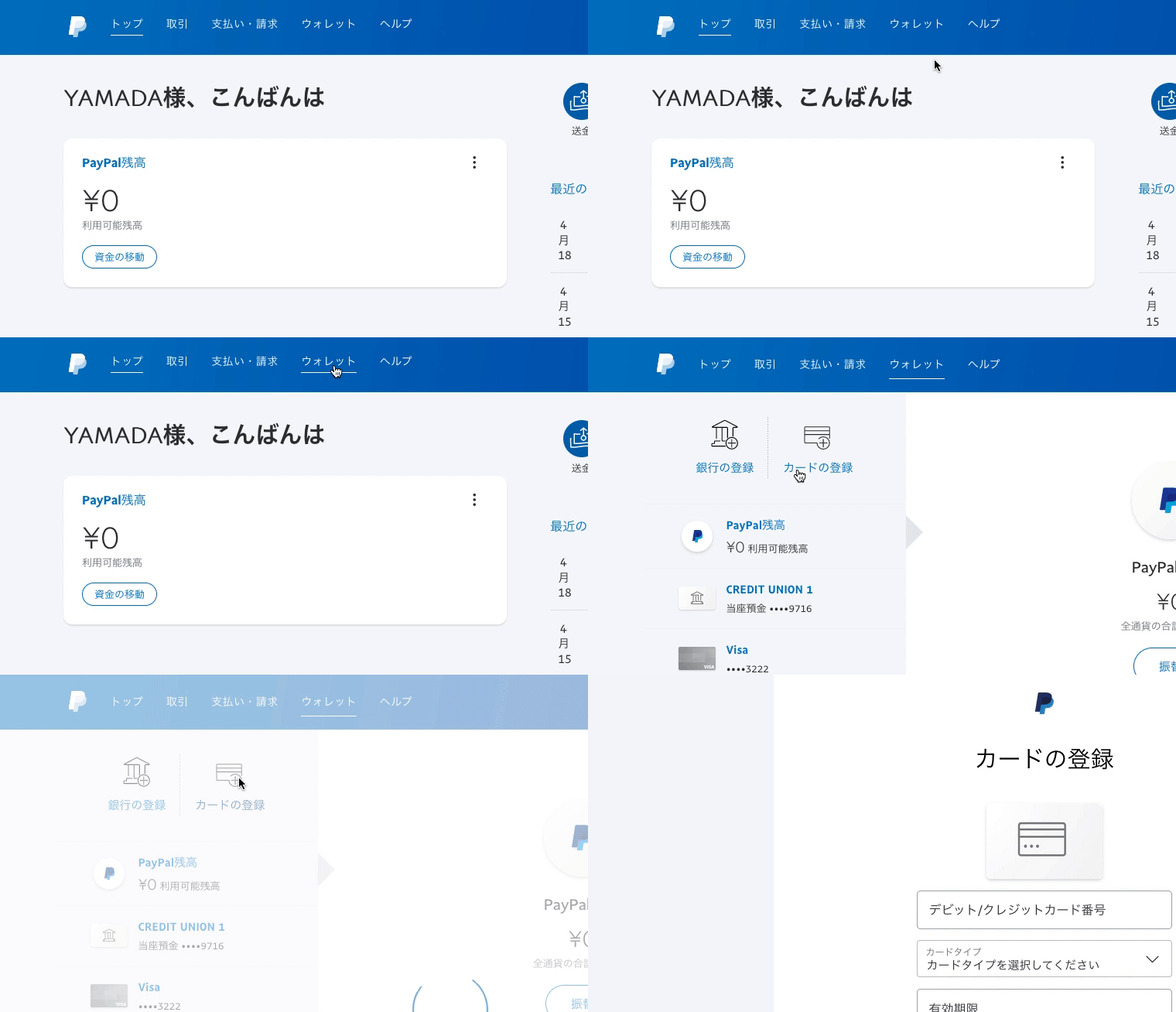
1. Registering a new card
- Log in to PayPal
- Click Wallet
- Click Link a card.
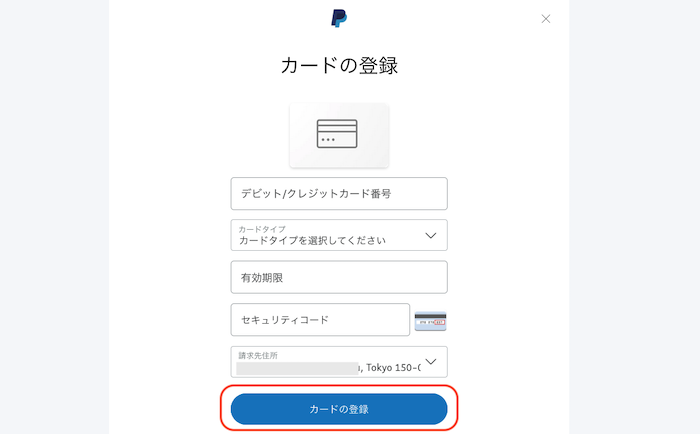
Enter the necessary card information. Once completed, click Link Card.
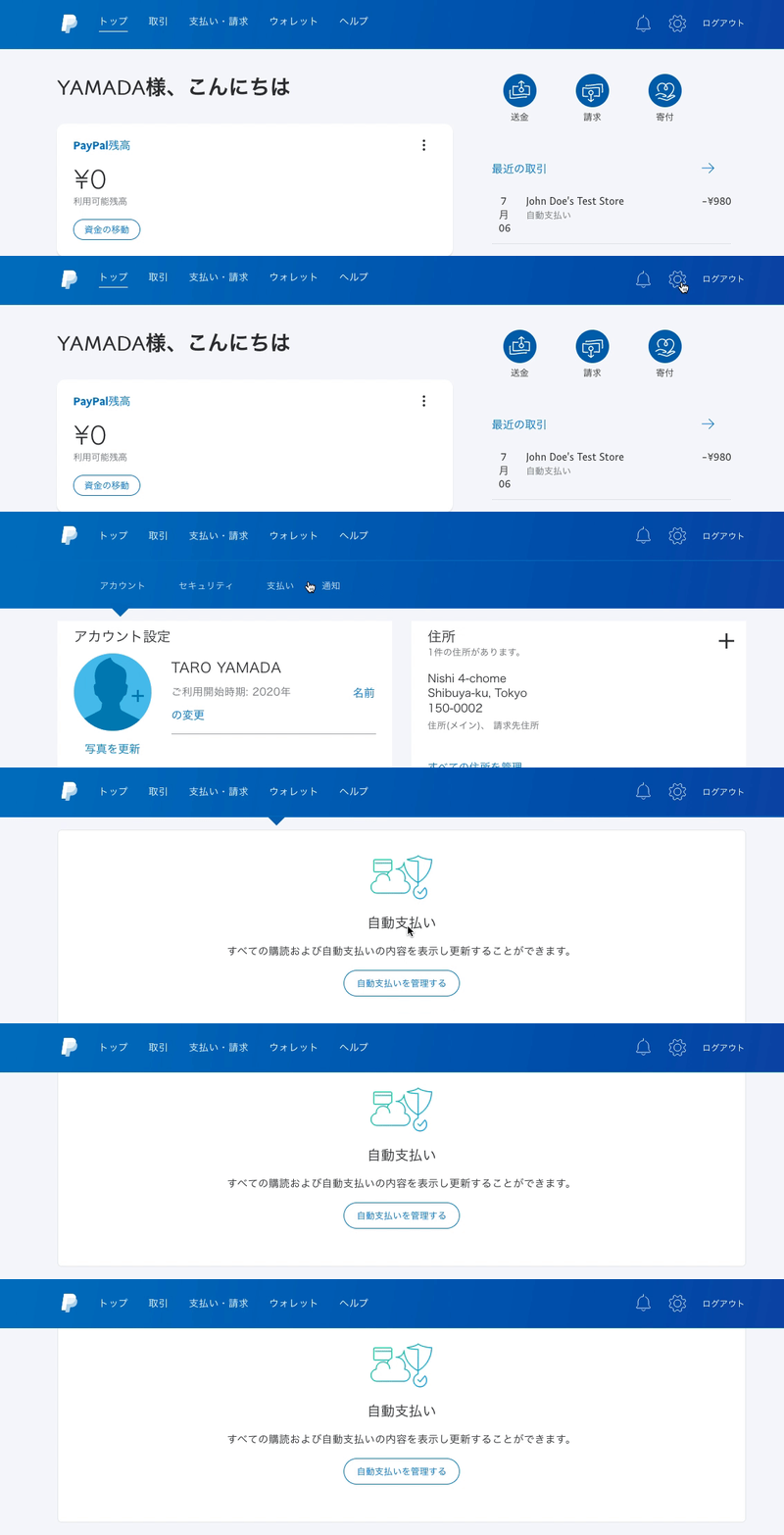
2. Changing the card for recurring payments
- Click the gear icon in the top right of PayPal
- Click Payments
- Click Manage automatic payments
Click the merchant name "comomo".
*comomo is the name of the operator of Ondoku.
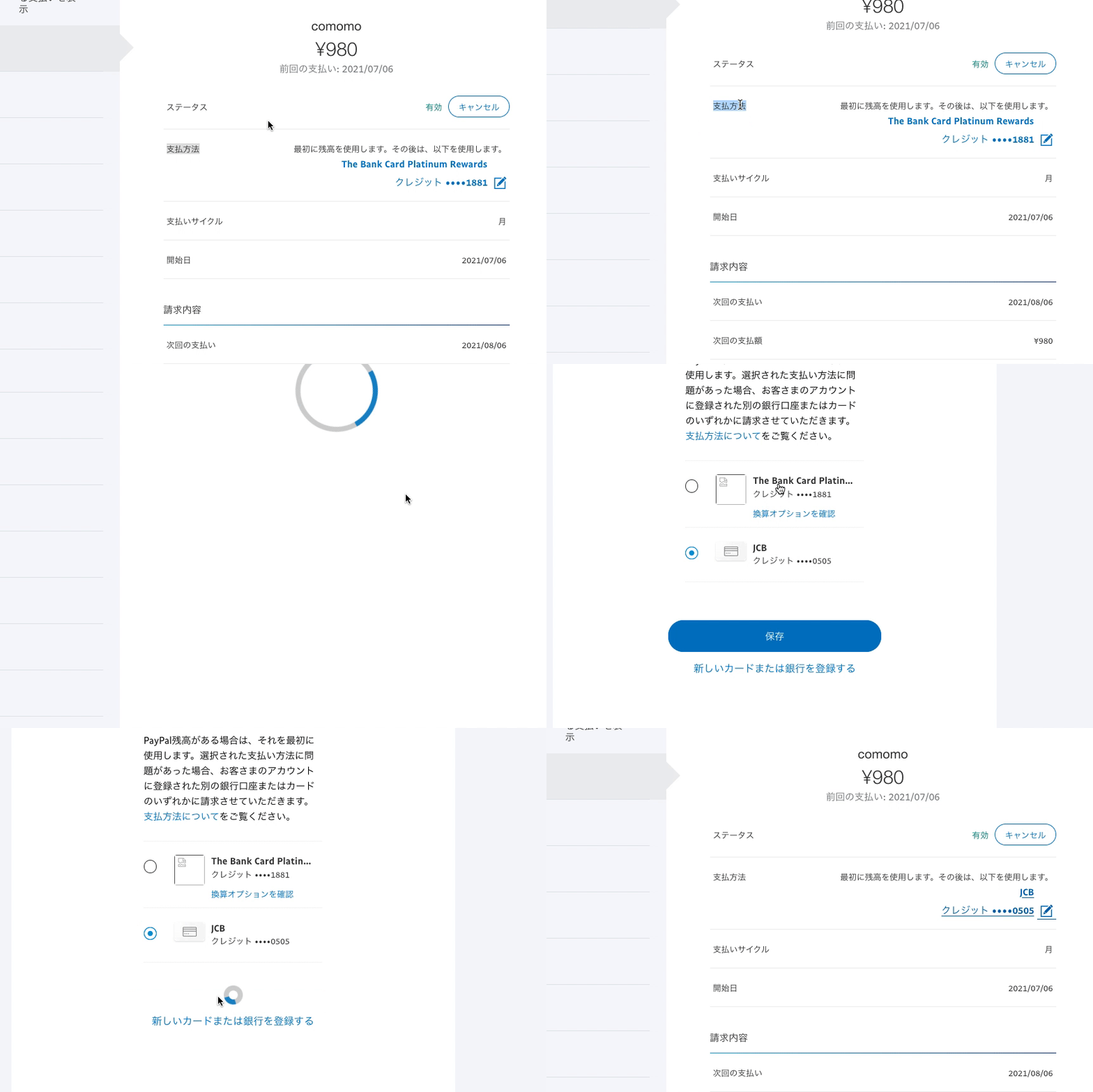
Click on the current card number under Payment Method in the middle of the image.
Select the new card you want to change to and click Save.
3. Deleting cards you do not use
If you continue using PayPal without deleting the card you no longer use, two cards will remain registered in PayPal.
This itself is not a particular problem, but the payment method in PayPal may switch unexpectedly at some point.
Unless there are special circumstances, please delete the card you do not use from your payment methods.
Log in to PayPal and,
- Click Wallet
- Click the card you do not use
- Click Remove card to delete it
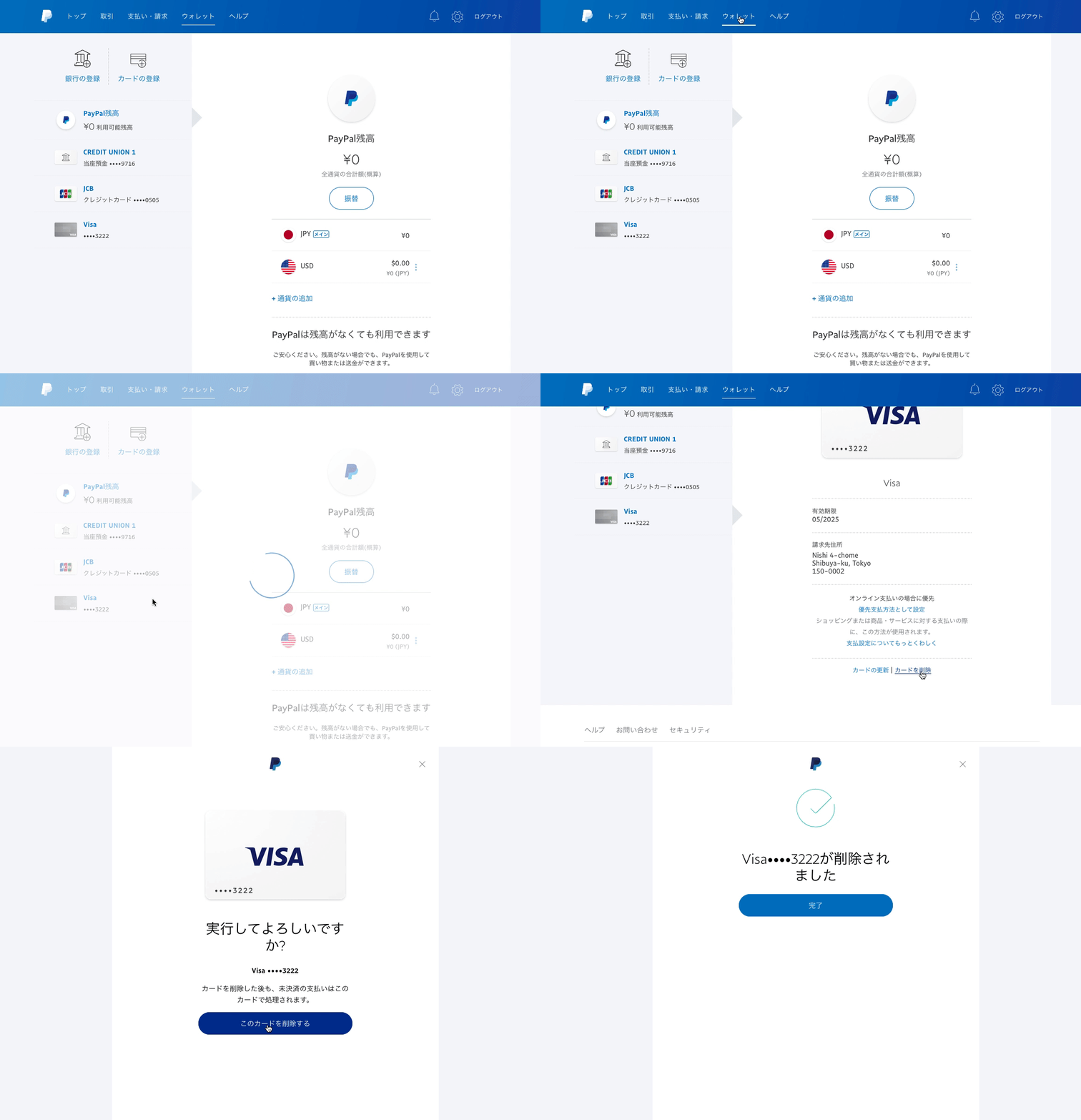
*When changing cards, please be careful not to accidentally delete the card information you intend to use in the future.
This completes the deletion of the card you do not use.
Changing credit cards without PayPal account registration
If you have not registered a PayPal account, unfortunately, you cannot change your credit card from the PayPal screen.
To change your Ondoku payment method when you do not have a PayPal account:
- Log in to Ondoku
- Temporarily cancel your Ondoku paid plan
- Resubscribe from the pricing page
Please change your card following these three steps.
1. Log in to Ondoku
Log in to Ondoku from the Ondoku login page.
2. Temporarily cancel your Ondoku paid plan
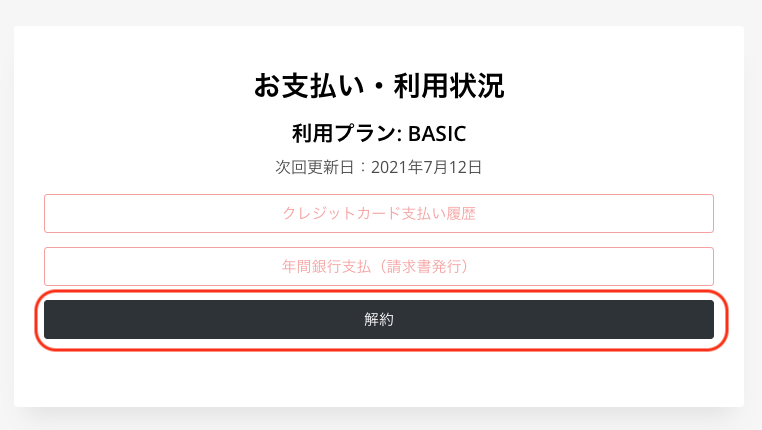
Click "Cancel" from the settings page.
For paid plans, payment and renewal occur simultaneously 30 days after the first payment. You can check the renewal date in the settings.
In the case of this image,
Plan: BASIC
Next renewal date: July 12, 2021
It states that even if you cancel on June 30th, you can continue to use the contents contracted under the Basic Plan until July 12th. There is no need to wait until July 12th to complete the cancellation procedure.
3. Resubscribe from the pricing page
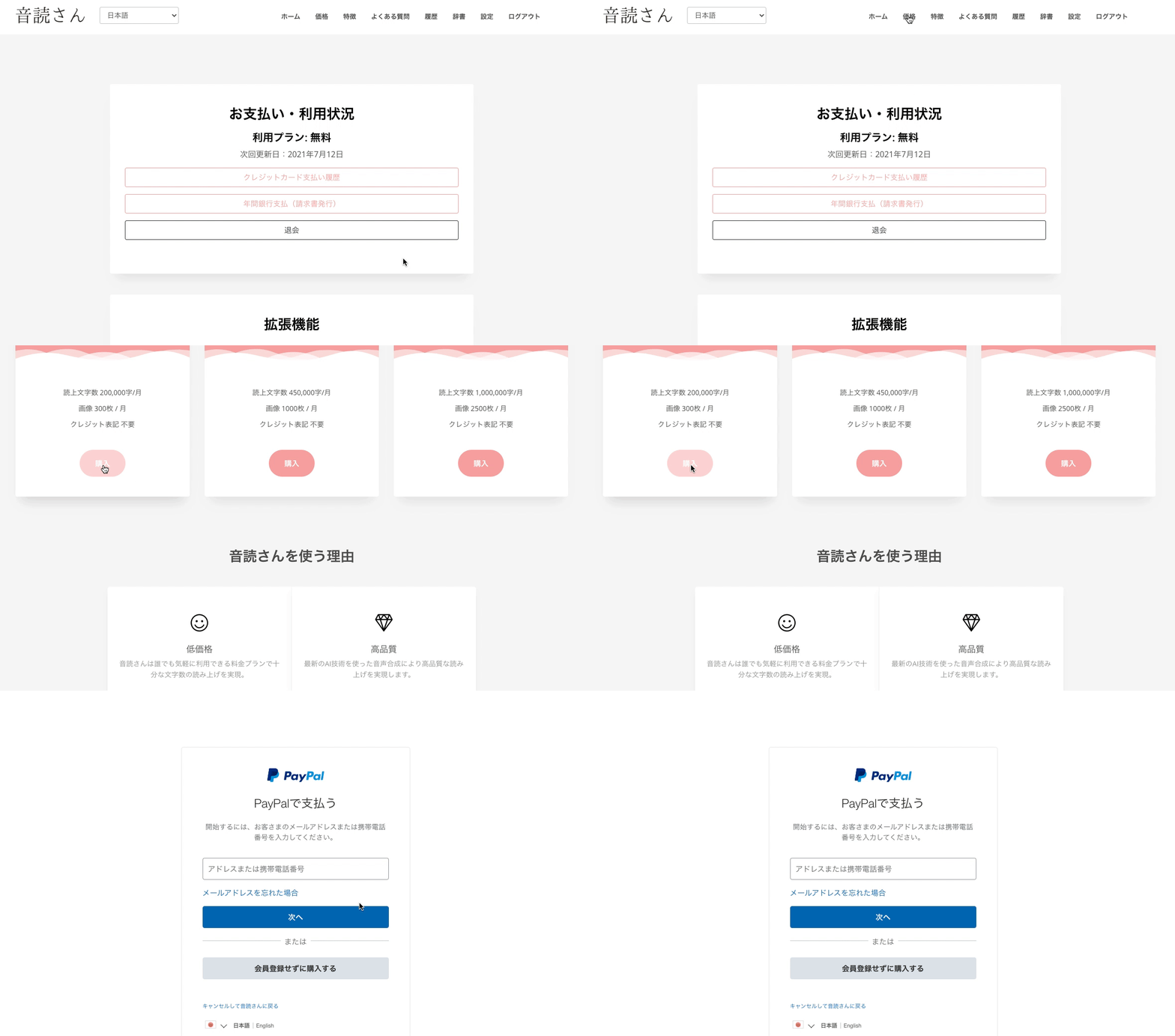
Please resubscribe to your desired plan from the pricing page.
Click "Purchase" for your desired plan and sign up for a paid plan.
If possible, it is convenient to register for a free PayPal account at the same time.
■ AI voice synthesis software "Ondoku"
"Ondoku" is an online text-to-speech tool that can be used with no initial costs.
- Supports 81 languages and regions, including Japanese, English, Chinese, Korean, Spanish, French, and German
- Available from both PC and smartphone
- Suitable for business, education, entertainment, etc.
- No installation required, can be used immediately from your browser
- Supports reading from images
To use it, simply enter text or upload a file on the site. A natural-sounding audio file will be generated within seconds. You can use voice synthesis up to 5,000 characters for free, so please give it a try.

Text-to-speech software "Ondoku" can read out 5000 characters every month with AI voice for free.
You can easily download MP3s and commercial use is also possible.
If you sign up for free, you can convert up to 5,000 characters per month for free from text to speech.
Try Ondoku now.
HP:
ondoku3.com
Email: ondoku3.com@gmail.com
Email: ondoku3.com@gmail.com
Related posts
"Ondoku" is a Text-to-Speech service that anyone can use for free without installation. If you register for free, you can get up to 5000 characters for free each month. Register now for free
- What is Ondoku
- Start text-to-speech conversion
- Free registration
- Pricing
- Posts
- Try other free services














