What is Speech Synthesis Markup Language (SSML)? How to use it with text-to-speech software and a l…
Ondoku Text-to-Speech: List of Supported Languages
Sept. 12, 2026

Ondoku currently supports 81 languages and regions, including English, Chinese, French, Italian, and Japanese.
The total number of speakers exceeds 692.
Here, we introduce a list of languages that can be read aloud by Ondoku.
The "Language" dropdown on the Ondoku TOP page is displayed in the local language. In this article, each language notation is provided in our own language.

"I want to create materials for training foreigners, but which one is XX language?"
If you are wondering about this, this article can solve it!

List of languages that can be read aloud by Ondoku
If you have difficulty finding the language you are looking for, please use the in-page search.
How to search within the page
- For Windows: Control+F
- For Mac: command(⌘)+F
Display the search box and perform a search.
| Display Name | Language Notation |
.png)
|
Afrikaans (South Africa) |
.png)
|
Azerbaijani (Latin, Azerbaijan) |
.png)
|
Bosnian (Bosnia and Herzegovina) |
.png)
|
Catalan (Spain) |
.png)
|
Welsh (United Kingdom) |
.png)
|
Danish (Denmark) |
.png)
|
German (Germany) |
.png)
|
English (Australia) |
.png)
|
English (India) |
.png)
|
English (USA) |
.png)
|
English (United Kingdom) |
.png)
|
Spanish (USA) |
.png)
|
Spanish (Spain) |
.png)
|
Spanish (Mexico) |
.png)
|
Filipino (Philippines) |
.png)
|
French (Canada) |
.png)
|
French (France) |
.png)
|
Irish (Ireland) |

|
Galician |
.png)
|
Croatian (Croatia) |
.png)
|
Indonesian (Indonesia) |
.png)
|
Italian (Italy) |
.png)
|
Javanese (Latin, Indonesia) |
.png)
|
Latvian (Latvia) |
.png)
|
Lithuanian (Lithuania) |
.png)
|
Hungarian (Hungary) |
.png)
|
Maltese (Malta) |
.png)
|
Malay (Malaysia) |
.png)
|
Dutch (Netherlands) |
.png)
|
Norwegian (Norway) |
.png)
|
Polish (Poland) |
.png)
|
Portuguese (Brazil) |
.png)
|
Portuguese (Portugal) |
.png)
|
Romanian (Romania) |
.png)
|
Slovak (Slovakia) |
.png)
|
Slovenian (Slovenia) |
.png)
|
Somali (Somalia) |
.png)
|
Finnish (Finland) |
.png)
|
Swedish (Sweden) |
.png)
|
Turkish (Turkey) |
.png)
|
Urdu (India) |
.png)
|
Urdu (Pakistan) |
.png)
|
Uzbek (Latin, Uzbekistan) |
.png)
|
Vietnamese (Vietnam) |
.png)
|
Icelandic (Iceland) |
.png)
|
Czech (Czech Republic) |
.png)
|
Greek (Greece) |
.png)
|
Bulgarian (Bulgaria) |
.png)
|
Macedonian (North Macedonia) |
.png)
|
Mongolian (Mongolia) |
.png)
|
Russian (Russia) |
.png)
|
Ukrainian (Ukraine) |
.png)
|
Kazakh (Kazakhstan) |
.png)
|
Armenian (Armenia) |
.png)
|
Hebrew (Israel) |
.png)
|
Arabic (Saudi Arabia) |
.png)
|
Arabic (Egypt) |

|
Arabic |
.png)
|
Persian (Iran) |
.png)
|
Pashto (Afghanistan) |
.png)
|
Nepali (Nepal) |
.png)
|
Marathi (India) |
.png)
|
Hindi (India) |
.png)
|
Bengali (Bangladesh) |
.png)
|
Bengali (India) |
.png)
|
Gujarati (India) |
.png)
|
Tamil (India) |
.png)
|
Kannada (India) |
.png)
|
Malayalam (India) |

|
Telugu (India) |
.png)
|
Thai (Thailand) |
.png)
|
Lao (Laos) |
.png)
|
Burmese (Myanmar) |
.png)
|
Georgian (Georgia) |
.png)
|
Amharic (Ethiopia) |
.png)
|
Khmer (Cambodia) |
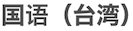
|
Chinese (Taiwan) |
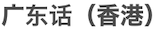
|
Cantonese (Hong Kong) |
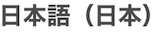
|
Japanese (Japan) |

|
Mandarin (Mainland China) |
.png)
|
Korean (South Korea) |
As of 2023/07/31
With Ondoku, you can convert characters into speech and read them aloud by entering text into the text box.
Furthermore, Ondoku supports reading aloud in languages from all over the world.
How to change the reading language
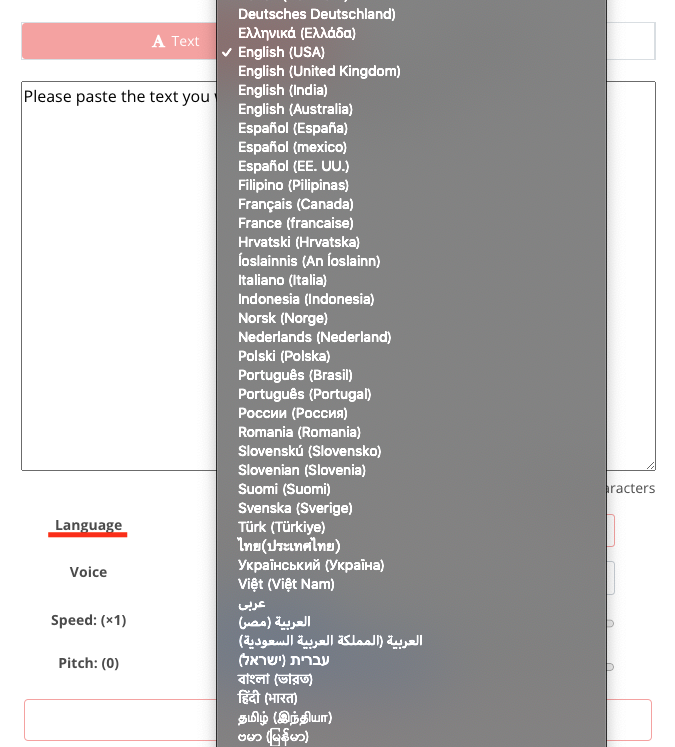
To change the reading language:
- Below the text box on the TOP page,
- Click the "Language" dropdown
Then, the languages will be displayed and you can change them.
You can find your preferred speaker in the language you want to be read aloud, or have words that you cannot pronounce yourself pronounced, so it can be used for:
- Listening materials
- Training materials for foreigners
It can be used in various situations such as these.
By reading sentences in order using multiple languages and voices, there is also a feature for reading aloud as if having a conversation (conversation function), which can be used in various scenarios.

How to use Ondoku's conversation/dialogue function. Make listening materials and long text creation even more convenient with speech synthesis!
How to use Ondoku's conversation function! Explaining how to use the conversation function with images. We will introduce specific examples of what purposes the conversation function can be used for.
Additionally, we have prepared audio sample pages for some languages. Please make use of them.
- Multilingual audio samples (47 types)
- Japanese audio samples (16 types)
- English audio samples (92 types)
- French audio samples (31 types)
- German audio samples (24 types)
- Ukrainian audio samples (3 types)
- Italian audio samples (22 types)
- Spanish audio samples (45 types)
- Portuguese audio samples (28 types)
- Russian audio samples (10 types)
- Chinese audio samples (40 types)
- Korean audio samples (14 types)
- Indonesian audio samples (8 types)
- Malaysian/Malay audio samples (2 types)
- Thai audio samples (4 types)
- Vietnamese audio samples (6 types)
- Filipino (Tagalog, Visayan, Cebuano) audio samples (6 types)
Ondoku will continue to update languages and speakers in the future. Please look forward to it!
■ AI voice synthesis software "Ondoku"
"Ondoku" is an online text-to-speech tool that can be used with no initial costs.
- Supports 81 languages and regions, including Japanese, English, Chinese, Korean, Spanish, French, and German
- Available from both PC and smartphone
- Suitable for business, education, entertainment, etc.
- No installation required, can be used immediately from your browser
- Supports reading from images
To use it, simply enter text or upload a file on the site. A natural-sounding audio file will be generated within seconds. You can use voice synthesis up to 5,000 characters for free, so please give it a try.

Text-to-speech software "Ondoku" can read out 5000 characters every month with AI voice for free.
You can easily download MP3s and commercial use is also possible.
If you sign up for free, you can convert up to 5,000 characters per month for free from text to speech.
Try Ondoku now.
HP:
ondoku3.com
Email: ondoku3.com@gmail.com
Email: ondoku3.com@gmail.com
Related posts
"Ondoku" is a Text-to-Speech service that anyone can use for free without installation. If you register for free, you can get up to 5000 characters for free each month. Register now for free
- What is Ondoku
- Start text-to-speech conversion
- Free registration
- Pricing
- Posts
- Try other free services














