How to Add Audio Files to Slides and Presentations like PowerPoint: Recommended Software and Instru…
[Presbyopia & Eye Strain] A New Proposal for Eye Health: Text-to-Speech Software
Aug. 7, 2026
![[Presbyopia & Eye Strain] A New Proposal for Eye Health: Text-to-Speech Software](https://storage.googleapis.com/ondoku3/image/%E7%9C%BC%E9%8F%A1%E3%81%A8%E3%83%8F%E3%82%BD%E3%82%B3%E3%83%B3_930.webp)
Hello, thank you for always using Ondoku.
- It has become difficult to see nearby letters due to presbyopia as I get older.
- I'm worried about my eyesight getting worse from looking at computer and smartphone screens too much.
- From evening onwards, my eyes get tired and blurry, making it painful to look at fine text.
At times like these, there are many people who think, "I want to maintain my eye health."
However,
- Having to read many texts every day
- Having to use a computer for work
it is common to be unable to rest your eyes for reasons such as these.
For those who want to maintain eye health or find it difficult to read text due to eye strain, blurred vision, or presbyopia, I would like to suggest the solution of "using text-to-speech software."
Text-to-speech software is recommended if you want to maintain eye health

Just having "someone read aloud for you" the small characters you encounter daily on computer screens, smartphones, newspapers, or documents can significantly reduce the burden on your eyes.
Even if you feel "guilty about troubling others...", it's okay!
By using text-to-speech software, you can have text read aloud without troubling anyone.
Text-to-speech software refers to software or services that convert characters, text, documents, etc., into audio and read them aloud.
The function of reading text on your behalf is more convenient than you might think.
Not only does it rest your eyes, but it also has the effect of enhancing your brain's comprehension.
Using it in combination with silent reading is also recommended
When reading a text, following the text with your eyes while listening to the audio being read aloud allows you to understand the content more deeply than just performing silent reading with your eyes alone.
This is known as an effective study method, and it is said that using both eyes and ears improves comprehension and memory more than using only one or the other.
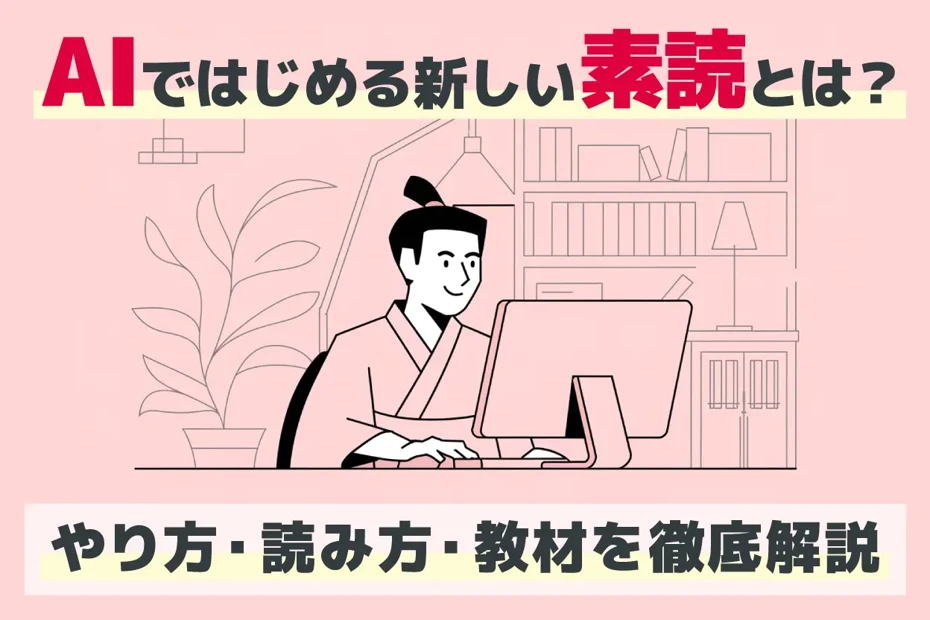
Effective for foreign language learning! What are the methods and tips for starting and continuing Sodoku with AI?
A complete explanation of the methods and effects of Sodoku. Even without a teacher, you can do it alone with the AI reading service "Ondoku"! From classics to foreign languages, we introduce effective learning methods that activate the brain and cultivation through reading aloud.
It is difficult to ask others to read aloud, but by using text-to-speech software, you can have text read aloud without bothering anyone.
Why not make use of text-to-speech software to read books and documents more effectively?
[Free] Easy-to-use text-to-speech service "Ondoku"

A recommended text-to-speech service that you can use for free is "Ondoku."
"Ondoku" is a text-to-speech service with a reputation for realistic, easy-to-hear voices that are close to human speech.
Ondoku is a high-performance, high-precision text-to-speech service that utilizes the latest AI. Unlike older text-to-speech software, it is characterized by its simple and easy-to-understand operation.
It is used for reading text in various situations and is utilized not only by individuals but also by many corporations.
- Narration for YouTube, etc.
- Creation of teaching materials for schools and cram schools
- Utilization for in-house training
It also supports commercial use.
Of course, it is ideal not only for these uses but also for:
- Those who want to maintain eye health
- Those who find it difficult to read text due to eye strain, blurred vision, or presbyopia
Japanese voices have a wide variety, including women, men, and children.

Try listening to 16 types of voices from the text-to-speech software Ondoku for free. Change impressions with pitch variations
Ondoku has 16 types of Japanese voices. Of course, both male and female voices are available. We have made it possible to listen to 8 types of commonly used Japanese voices and the voices when the pitch of each is adjusted.
Since it also supports English and other foreign languages, it can be used for reading languages other than Japanese.
Since it can be used for free basically, why don't you experience "Ondoku" for yourself first?
[Free] How to use Ondoku
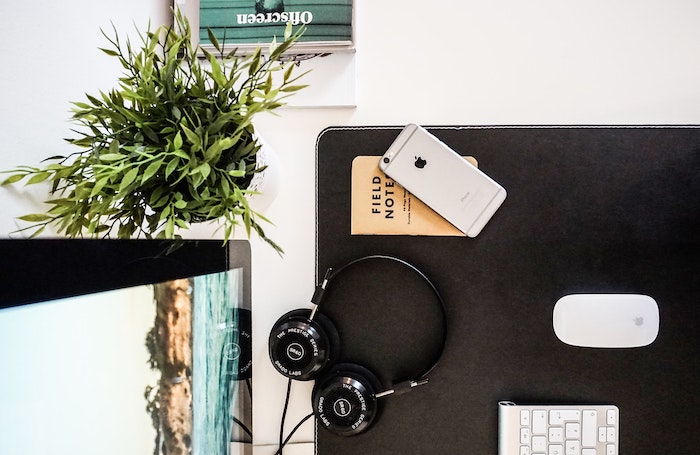
Using Ondoku for free is very simple.
There is no need to download apps or software. One of its charms is that everything can be done in a web browser.
To use it:
- Access the Ondoku site
- Enter the text you want to read aloud into the text box (copy and paste is OK)
- Adjust to your preferred settings such as voice type and speech speed
- Click read aloud
That's all.
You can also download the audio in MP3 format.
You can also read aloud textbooks and handouts
Ondoku also has a convenient function called "Upload image and read aloud."
This is a function that can read aloud images taken with a smartphone or similar device.
You can take pictures of picture books, books, textbooks, etc., and have Ondoku read them aloud.
It is very convenient because you don't have to enter the characters one by one, saving you the trouble.
【How to use the Image-to-Speech function】
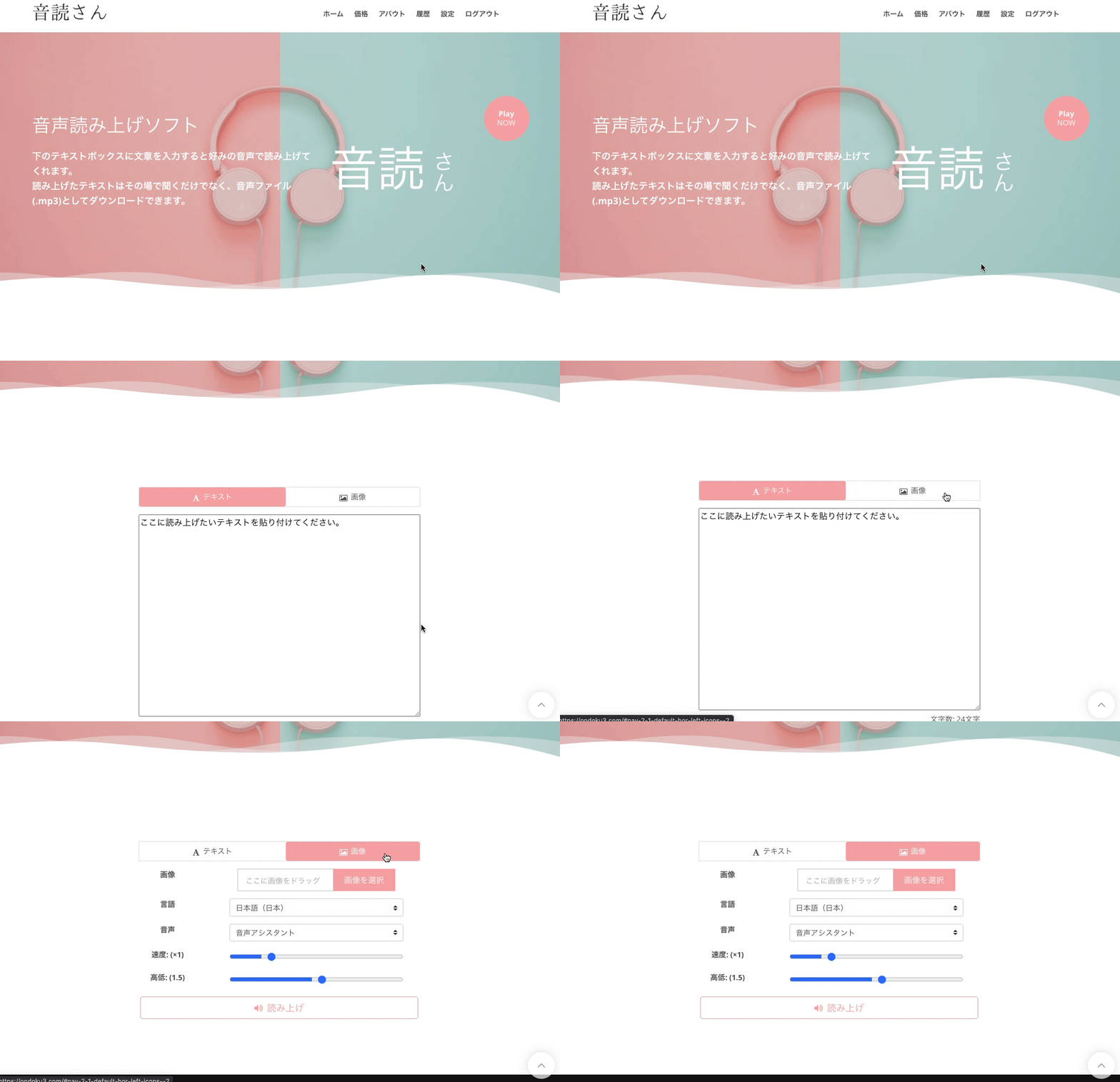
- Access the Ondoku top page
- Find the "Text" and "Image" tabs above the text box
- Click the "Image" tab
- Click upload image and choose your preferred image
*On a smartphone, you can also launch the camera and take a photo directly here. - Once the image is selected, adjust the reading speed and pitch.
- Click the read aloud button
Then, the image will be analyzed in just a few seconds, and the audio can be read aloud immediately.
After loading the image, the recognized characters are displayed in the text box.
If there are recognition errors and you want to correct the read-aloud content, you can edit it here.
Detailed instructions on how to use the image reading function are introduced here.

How to use Image Reading | How to perform free OCR on photo text and turn it into audio
Explaining the function of "Ondoku" that can read characters from images or photos (OCR) and read them aloud. It can be used for free. Whether on a PC or smartphone, simply upload the image and the reading is completed in just a few seconds.
■ AI voice synthesis software "Ondoku"
"Ondoku" is an online text-to-speech tool that can be used with no initial costs.
- Supports 81 languages and regions, including Japanese, English, Chinese, Korean, Spanish, French, and German
- Available from both PC and smartphone
- Suitable for business, education, entertainment, etc.
- No installation required, can be used immediately from your browser
- Supports reading from images
To use it, simply enter text or upload a file on the site. A natural-sounding audio file will be generated within seconds. You can use voice synthesis up to 5,000 characters for free, so please give it a try.

Text-to-speech software "Ondoku" can read out 5000 characters every month with AI voice for free.
You can easily download MP3s and commercial use is also possible.
If you sign up for free, you can convert up to 5,000 characters per month for free from text to speech.
Try Ondoku now.
HP:
ondoku3.com
Email: ondoku3.com@gmail.com
Email: ondoku3.com@gmail.com
Related posts
"Ondoku" is a Text-to-Speech service that anyone can use for free without installation. If you register for free, you can get up to 5000 characters for free each month. Register now for free
- What is Ondoku
- Start text-to-speech conversion
- Free registration
- Pricing
- Posts
- Try other free services
![[Presbyopia & Eye Strain] A New Proposal for Eye Health: Text-to-Speech Software](https://storage.googleapis.com/ondoku3/image/irodori-tts_tmb_140.webp)
![[Presbyopia & Eye Strain] A New Proposal for Eye Health: Text-to-Speech Software](https://storage.googleapis.com/ondoku3/image/tategaki-image-yomiage_howto_tmb_140.webp)
![[Presbyopia & Eye Strain] A New Proposal for Eye Health: Text-to-Speech Software](https://storage.googleapis.com/ondoku3/image/iphone-video-narration_tmb_140.webp)
![[Presbyopia & Eye Strain] A New Proposal for Eye Health: Text-to-Speech Software](https://storage.googleapis.com/ondoku3/image/chrome-reading-mode-pc_tmb_140.webp)
![[Presbyopia & Eye Strain] A New Proposal for Eye Health: Text-to-Speech Software](https://storage.googleapis.com/ondoku3/image/pdf-to-mp3-howto_tmb_140.webp)









