How to use the text-to-speech software Ondoku, registration method, and useful features
5 Hidden Features to Make Ondoku Text-to-Speech More Convenient!
Aug. 15, 2026

Hello to all Ondoku users!
While using Ondoku,
I wish it were a little more like this...
It would be easier to use if it were like this!
have you ever thought that?
Actually, there are many hidden useful features in Ondoku that are not well known.
This time, we will introduce some of these lesser-known useful features of Ondoku.
- Changing the size of the text box
- Fixing the reading using the dictionary function
- How to handle cases where the reading of "ha" becomes "wa" no matter what
- Deleting history using the bulk delete function
- How to find the latest information on Ondoku
Changing the size of the text box
Did you know that you can change the size of Ondoku's text box?
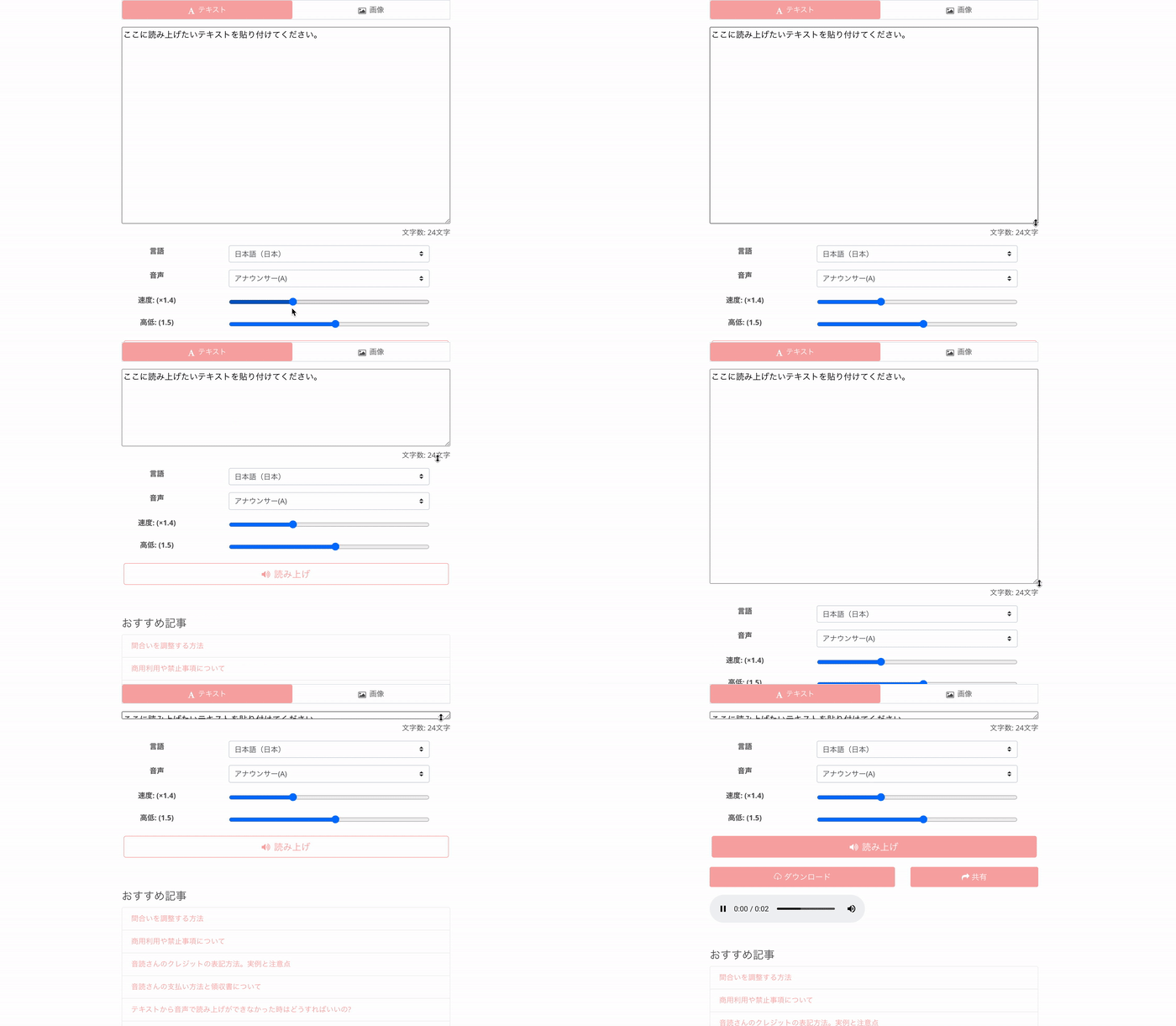
The method to change the size is very simple!
- Grab the bottom right of the text box
- Adjust it to your preferred size
You can make it smaller or larger.
You can use this feature on PC screens, smartphone screens, and tablet screens respectively.
The text box is too large and I can't press the read aloud button without scrolling
There were some voices saying things like that.
However, you can make the text box smaller.
By making the text box smaller, it becomes possible to press the read aloud button without scrolling every time.
If you feel that scrolling is a hassle, please give it a try.
Fixing the reading using the dictionary function
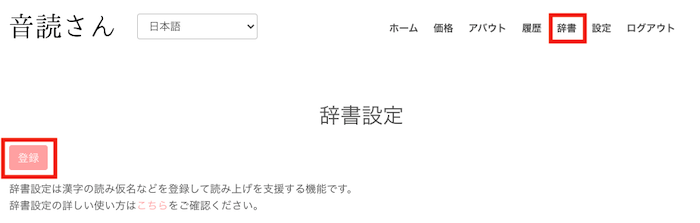
Ondoku has a dictionary function.
By using the dictionary function, you can change kanji that are not read correctly to the reading of your choice.
The dictionary function can be used from the "Dictionary" in the menu bar.
Click here for detailed usage instructions.

How to use Ondoku's dictionary function and points to note. Register items with adjusted intonation for more convenience
Ondoku has a "dictionary" function. We will introduce how to use the dictionary function and its details. We will also introduce tips for making it more convenient by registering items with adjusted intonation.
How to handle cases where the reading of "ha" becomes "wa" no matter what
Have you ever had trouble with the reading of "は" (ha) always turning into "わ" (wa)?
Especially with the kanji "派"
あなたはどっち派? (Which side are you on?)
In sentences like this, the reading becomes
あなたはどっちわ? (Anata wa docchi wa?)
Japanese, being an ideographic language, has many sentences that are difficult for Ondoku.
Although it is a symptomatic treatment, when "は" becomes "わ" like this, you can solve it by using alphabet notation.
あなたはどっちha?
By doing this, it can be read aloud correctly.
Alphabet combinations can be used in other situations too, so please try it out.
Deleting history using the bulk delete function

In Ondoku's history, you can check sentences you have read in the past and download the audio.
In addition, if the sentence settings are exactly the same as a reading in the history, characters will not be consumed even if you read it again.
However, there are also requests from people concerned about information leakage or data outflow to have the read content deleted from the server.
For those people, please use the bulk history deletion function.
Click the red button "Bulk delete history" at the bottom of the history page to delete all history.
It is safe because it is deleted from the server at the same time.
Click here for details such as points to note.

How to use Ondoku's delete and bulk delete functions and points to note. Delete text and data from history and the server
With the newly introduced "Delete" function, you can now easily delete your own past read data! We will introduce how to use the Delete and Bulk Delete functions and points to note.
How to find the latest information on Ondoku

Ondoku undergoes various updates every day.
Do you know where to get such latest information?
It's the blog.
At the bottom of the Ondoku page, within the black background, there is an item called Blog.
Blog introduces many useful ways to use Ondoku in addition to the latest information.
Please check it out!
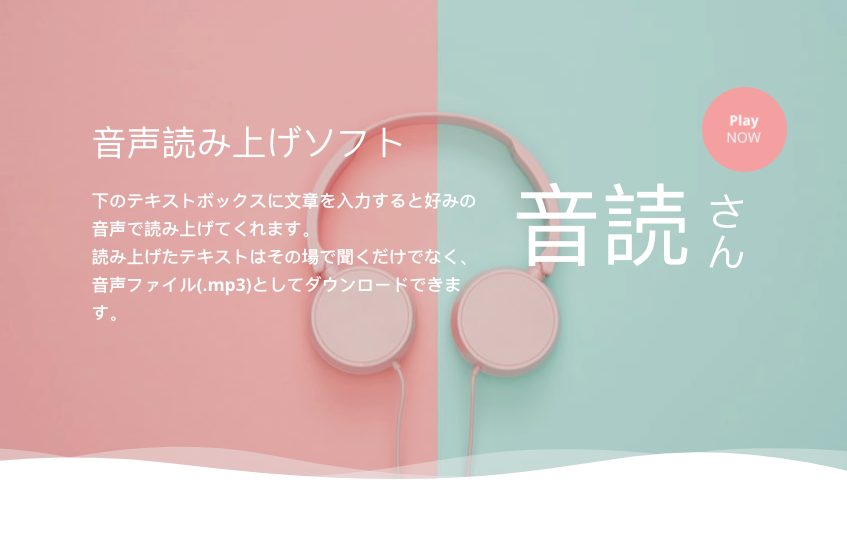
Click here for the list of Ondoku blog articles
This is a list page for articles related to text-to-speech software. We also introduce how to utilize text-to-speech software, so please take a look. Ondoku can read up to 5,000 characters for free. Also, with the paid plans, you can read up to 1 million characters per month.
We are happy to continue being the best text-to-speech software for you.
If you have any requests like "I want this feature" or "It would be more convenient if it were like this," please feel free to send a request through the inquiry form!
■ AI voice synthesis software "Ondoku"
"Ondoku" is an online text-to-speech tool that can be used with no initial costs.
- Supports 81 languages and regions, including Japanese, English, Chinese, Korean, Spanish, French, and German
- Available from both PC and smartphone
- Suitable for business, education, entertainment, etc.
- No installation required, can be used immediately from your browser
- Supports reading from images
To use it, simply enter text or upload a file on the site. A natural-sounding audio file will be generated within seconds. You can use voice synthesis up to 5,000 characters for free, so please give it a try.

Text-to-speech software "Ondoku" can read out 5000 characters every month with AI voice for free.
You can easily download MP3s and commercial use is also possible.
If you sign up for free, you can convert up to 5,000 characters per month for free from text to speech.
Try Ondoku now.
HP:
ondoku3.com
Email: ondoku3.com@gmail.com
Email: ondoku3.com@gmail.com
Related posts
"Ondoku" is a Text-to-Speech service that anyone can use for free without installation. If you register for free, you can get up to 5000 characters for free each month. Register now for free
- What is Ondoku
- Start text-to-speech conversion
- Free registration
- Pricing
- Posts
- Try other free services














